Time Tracker - Geofy
Track your time automatically
Designed for iPhone
Free · In-app purchases
- Age rating4+
- CategoryProductivity
- DeveloperMichael Banholzer
- LanguagesEnglish+ 5 more
- Size7.7 MB
Links to the official App Store page
Download.org hosts no file of Time Tracker - Geofy. The button opens its official App Store page, published by Michael Banholzer. Listing last checked on Nov 16, 2026.
Screenshots


About
Geofy tracks the time you spend at your important places — automatically when you arrive and leave, or manually with a timer.
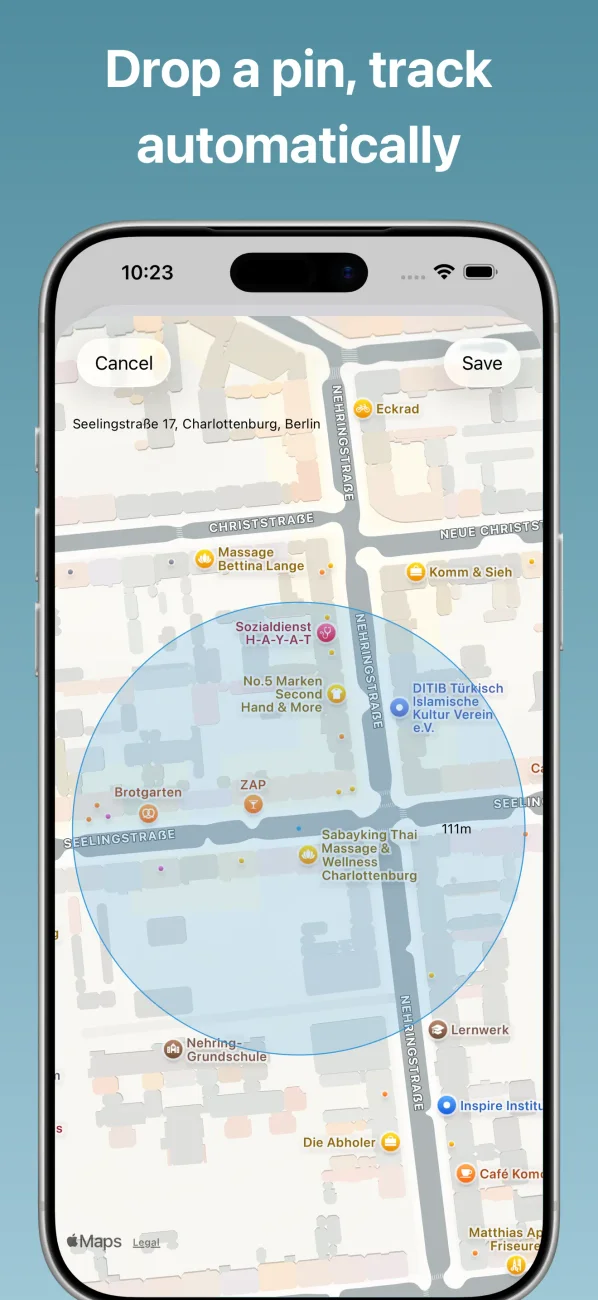
Define regions on a map and Geofy records every visit the moment you arrive and leave. Or just create a project, give it a name, and start the timer by hand — no region required. Perfect for work hours, commute time, gym visits, projects, or any location that matters to you.
Automatic Time Tracking
Set up geofence regions or iBeacons, and Geofy logs your sessions automatically in the background.
Manual Time Tracking
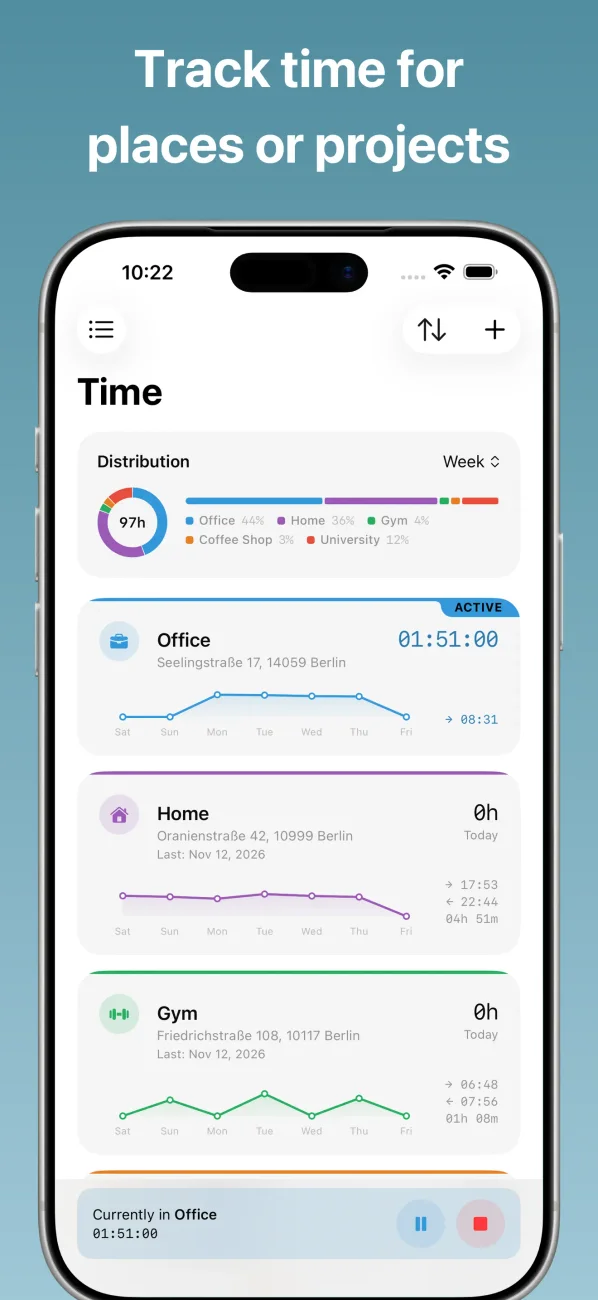
No fixed location? No problem. Create a project without a region and start the timer with a tap — perfect for tasks that aren't tied to a place. Manually started sessions keep running until you stop them yourself. Pause, resume, or stop any session anytime — running timers follow you through the app in a floating bar.
Detailed Statistics
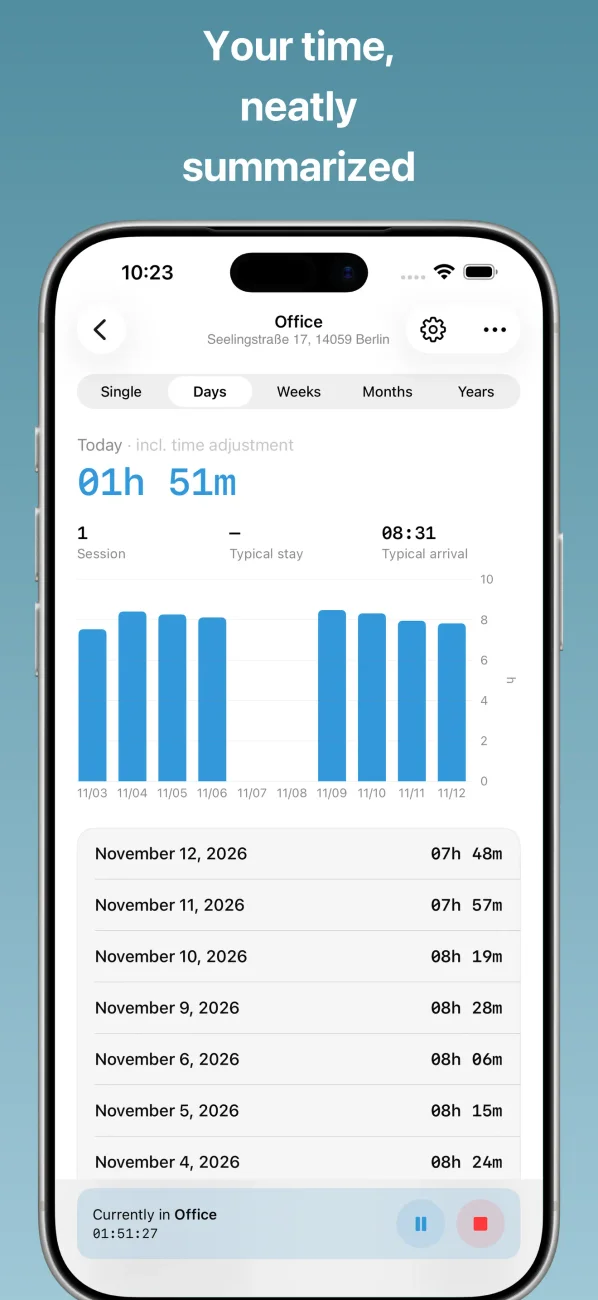
See your time broken down by day, week, month, or year. View average arrival times, session durations, longest and shortest visits, and spot trends with the built-in sparkline chart.
Flexible Configuration
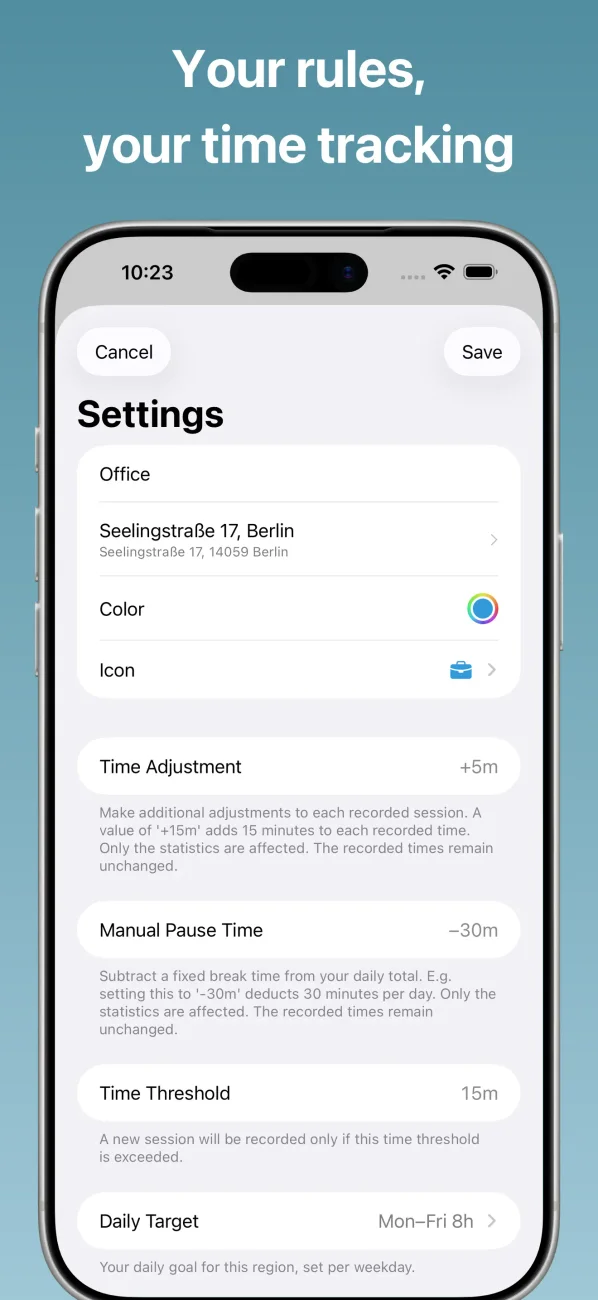
Adjust tracked time with per-session bonuses or daily pause deductions. Round entry and exit times to 15, 30, or 60 minutes. Set minimum session thresholds to filter out short stops.
Notifications & Webhooks
Get notified on entry and exit. Set up time reminders — daily, weekly, or monthly. Connect Geofy to your own services via HTTP webhooks with token or basic authentication.
Timeline View
See your presence across all regions on a scrollable timeline. Colored bars show exactly when and how long you were at each place — perfect for spotting patterns at a glance.
Calendar View
Get a monthly overview of how many hours you spent in each region, day by day. Set a daily target per weekday for each region and see a progress ring on every day — so you can tell at a glance where you hit your goal and where you fell short. Swipe through the months, filter which regions appear, and tap any day for a full breakdown.
Home Screen Widget
Add a widget to your home screen to see today's tracked time at a glance. View active sessions with a live timer, paused sessions, and your most recent regions — without opening the app.
Export & Overview
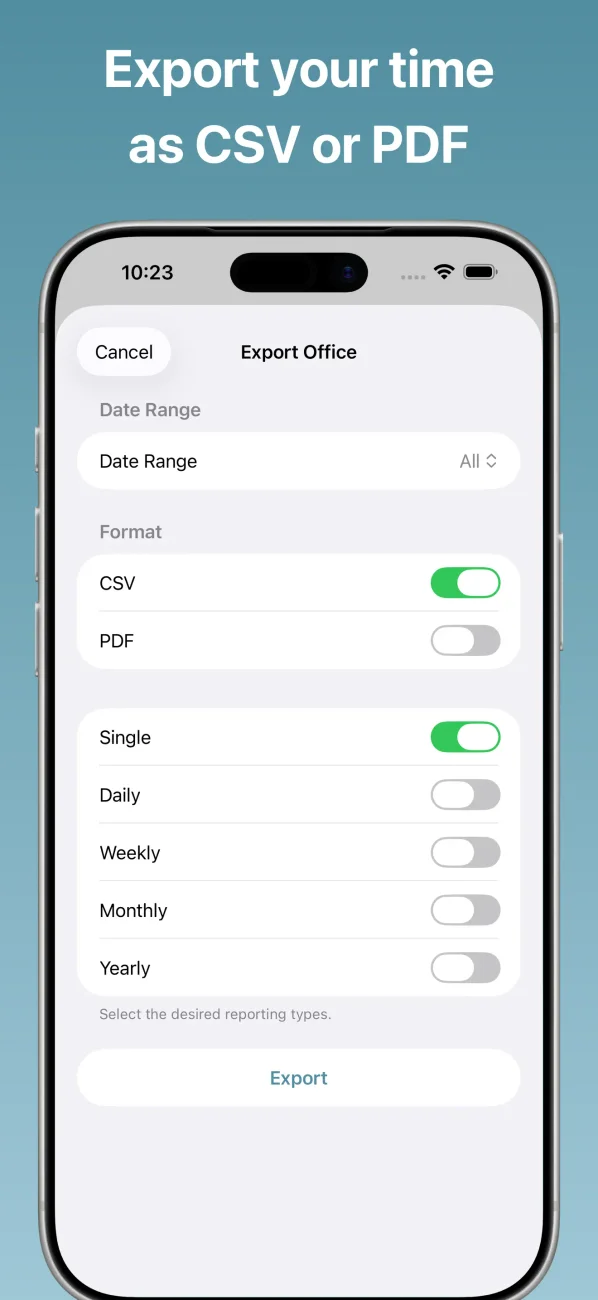
Export your data as CSV in any aggregation level. See all your regions at a glance on the map view.
Privacy First
All data stays on your device. No account required, no cloud, no tracking.
Geofy Pro (optional subscription)
Basic time tracking with up to 3 regions is free. The following features require a Geofy Pro subscription:
• Timeline View
• Calendar View
• Advanced Statistics
• CSV Export
• Webhooks
• Time Adjustments
• Up to 20 Regions
Subscriptions are billed monthly or yearly and renew automatically unless cancelled at least 24 hours before the end of the current period.
Terms of Use: https://www.getgeofy.com/terms
Privacy Policy: https://www.getgeofy.com/privacy
What’s new
Version 2.1.6 · Nov 15, 2026
Settings one tap away
• A region's settings are now always at hand: tap the gear at the top of its detail view. Adding a session by hand has moved into the "•••" menu.
Live Activity fix
• Turning off the Live Activity for a region now removes it right away, and it no longer stays on your Lock Screen after a session has ended.
Feel free to reach out if you're missing a feature! And of course, every review makes my day!
App privacy
What Michael Banholzer declares on the App Store about how this app handles data.
-
Data not collected
The developer does not collect any data from this app.
Privacy practices may vary, for example with the features you use or your age.
Information
- Seller
- Michael Banholzer
- Category
- Productivity
- Version
- 2.1.6
- Updated
- Nov 15, 2026
- Released
- Jul 20, 2014
- Size
- 7.7 MB
- Requires
- iOS 26.0 or later
- Age rating
- 4+
- Price
- Free
- In-app purchases
- Yes
- Languages
- English, Dutch, French, German, Italian, Spanish
- Copyright
- © 2026 Michael Banholzer
You might also like
-
 Rewind - TimetrackingRegion & location based
-
 McTime Time TrackingAutomatic GPS time tracking
-
 Infotemp ZeiterfassungProductivity
-
 TTT - The Time TrackerHours Tracking for life habits
-
 Work Hours Timesheet: TyempoClock In, Overtime & Payroll
-
 Halo - Location RemindersPlace alerts & checklists
-
 SimpleTimeLoggerTime Tracking made easy
-
 SimpleTime – Time TrackerOne tap starts the clock