
Timeary: Timer to Study Longer
Study Together·Planner·Tracker
Designed for iPhone, iPad
In-app purchases
- Age rating4+
- CategoryEducation
- DeveloperJONGJIN KIM
- LanguagesJapanese+ 17 more
- Size42.2 MB
Links to the official App Store page
Download.org hosts no file of Timeary: Timer to Study Longer. The button opens its official App Store page, published by JONGJIN KIM. Listing last checked on Nov 24, 2026.
Screenshots

About
■ Study longer
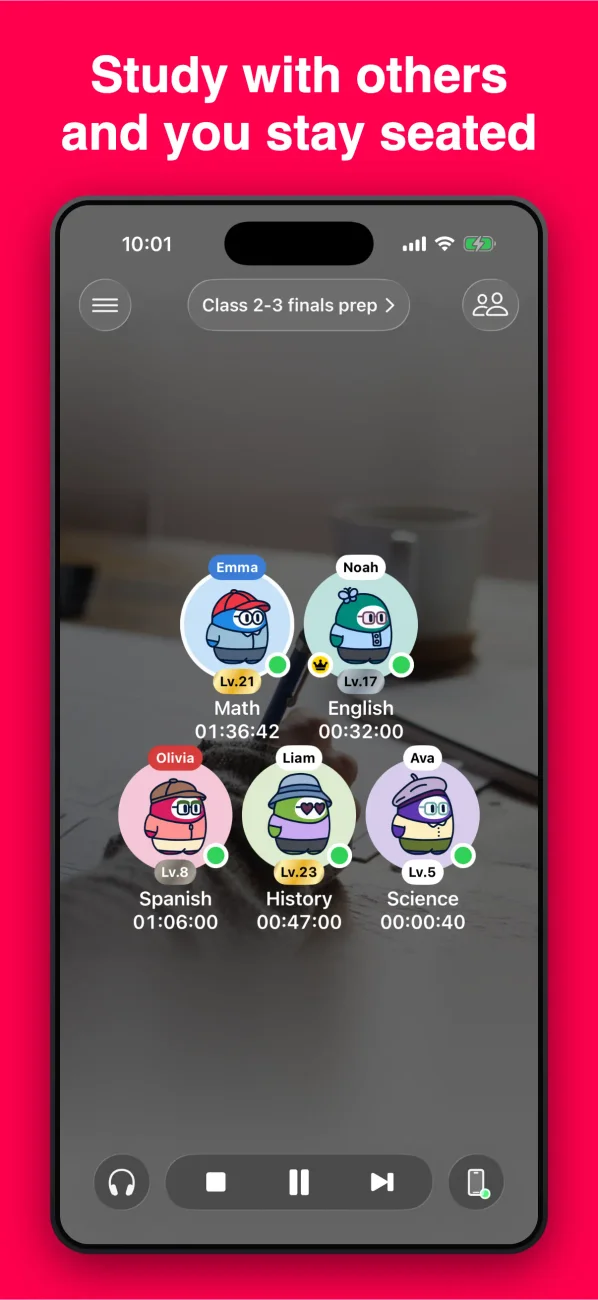
Pick a room from the study room list or make your own. Set a password and only people who know it can come in.
In the room you see what subject each person is studying right now and for how many hours. Knowing others are studying with you makes it hard to leave your seat.
Send a link or show a QR code and your friend comes straight into that room. Send it to someone without the app and it takes them to the store.
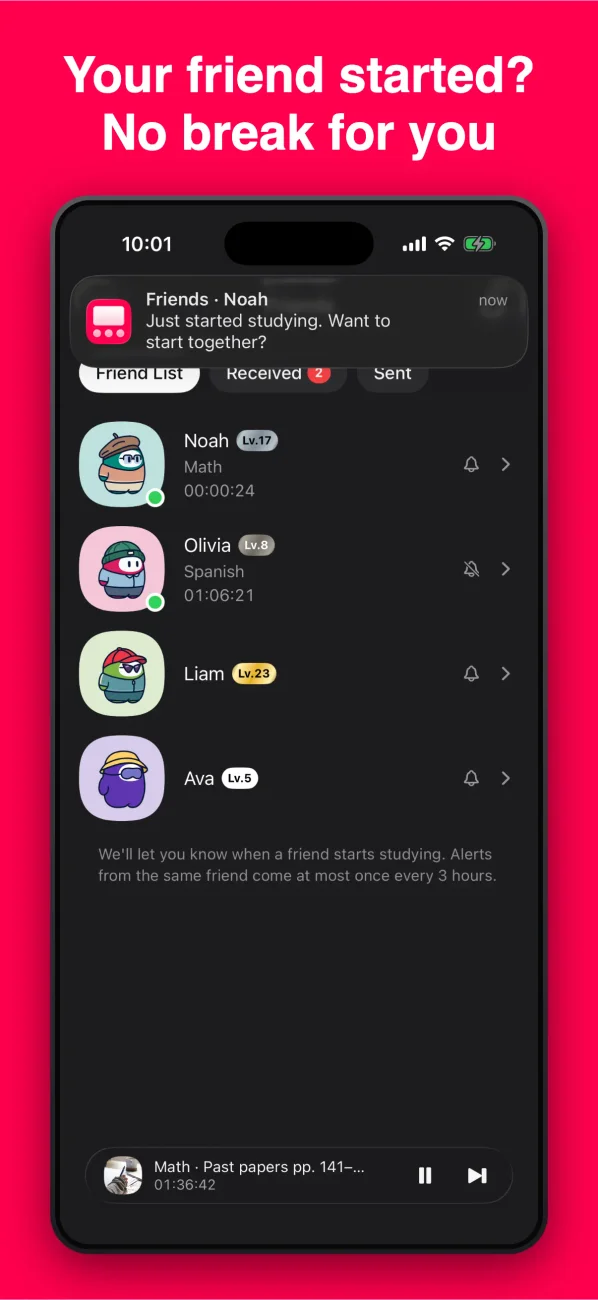
Add friends from the Student ID of people you meet in a study room, and see who's studying right now in your Friend List.
When a friend starts studying, you get a notification. You can turn it off for each friend.
Every morning at 9, a notification tells you how many people are studying right now in the study room you're in.
■ Study consistently
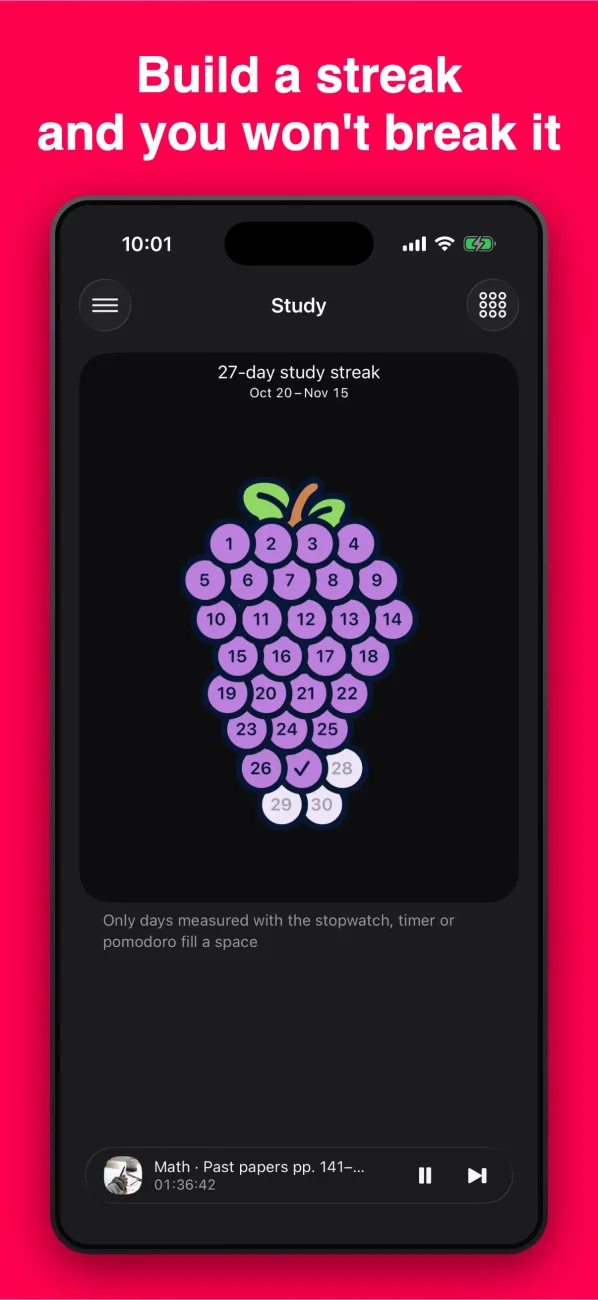
Your sticker board fills up with every day you study in a row. Stickers only go on days you study with the stopwatch, timer or Pomodoro.
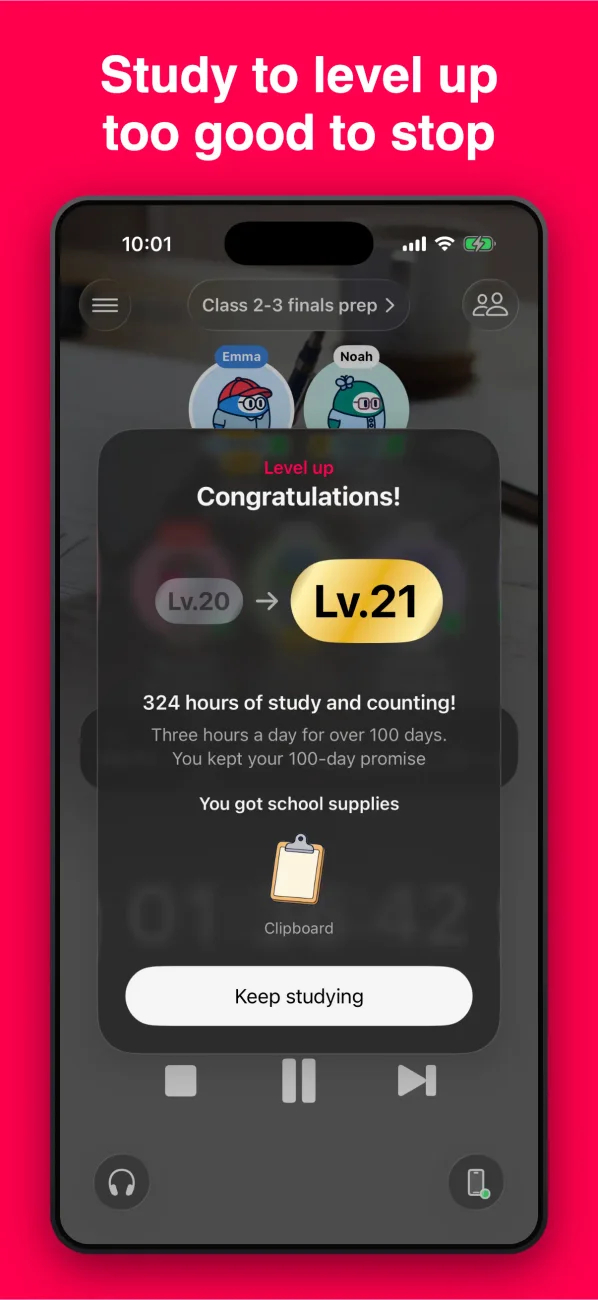
Your level rises as you study. You earn XP for the time you measure with the stopwatch, timer or Pomodoro. Level 100 is 10,000 hours.
Each time you level up, you get a school supply for your Locker. Level 1 is an eraser, level 2 a pencil, a different one at every level.
■ Study systematically
Make a planner, add subjects, and write sections for each subject, like Math pp. 100–140. Subjects also work on their own, without a planner.
When you start studying, pick a subject and section and time it with the stopwatch, timer or Pomodoro. Open the app and your last subject and exam carry right on, so you just tap.
When you finish a section, check it as done. Completed sections are kept by year and month with the day you finished them.
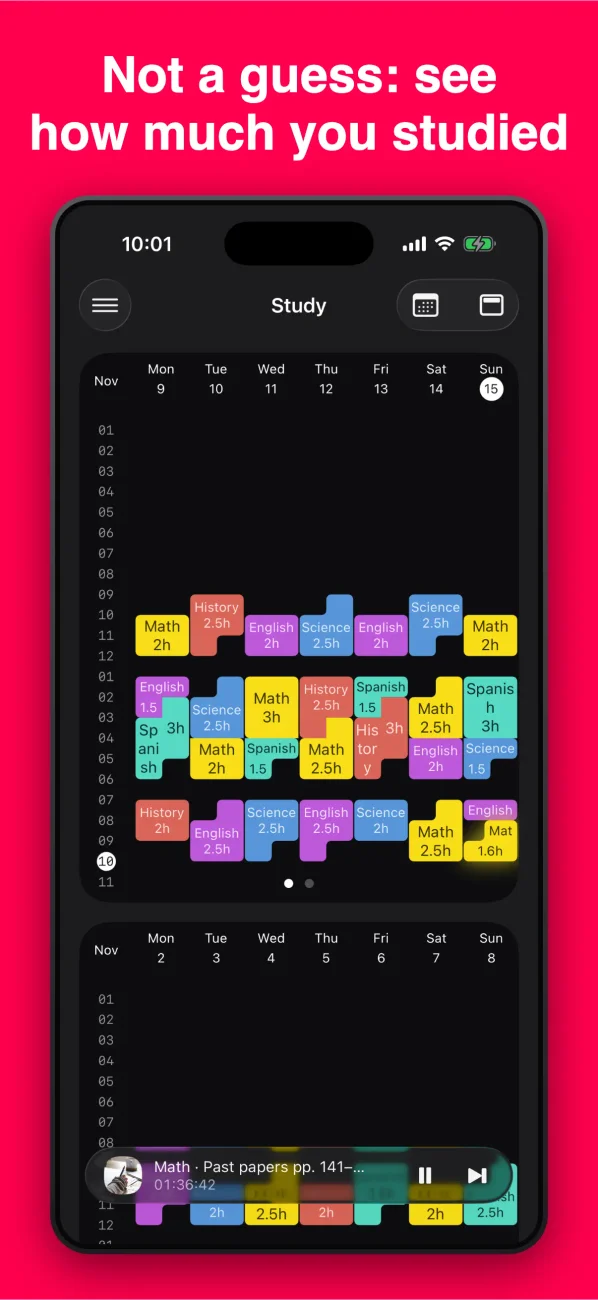
Daily, weekly and monthly study records show when you studied, and the Study time screen shows how much you did per subject and per section.
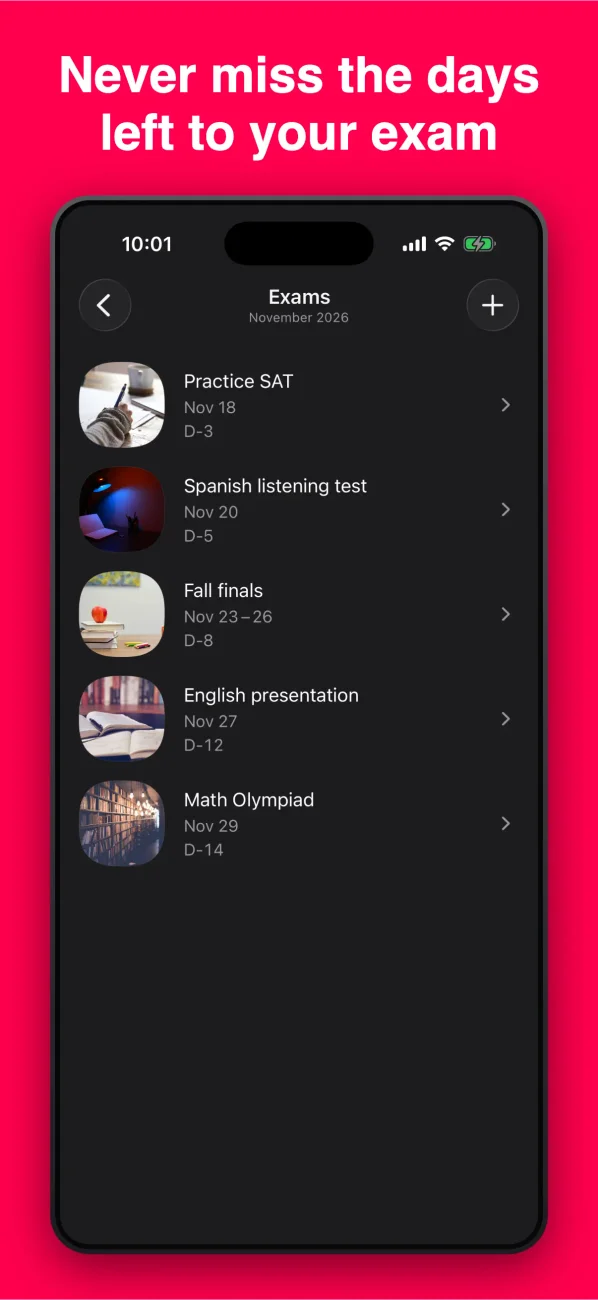
Enter an exam name and date and the app counts down your D-day. See your exams at a glance in the calendar and exam list, and link study records to an exam to add up the time you studied for it. You can give each exam a cover image too.
■ Share your study check-ins
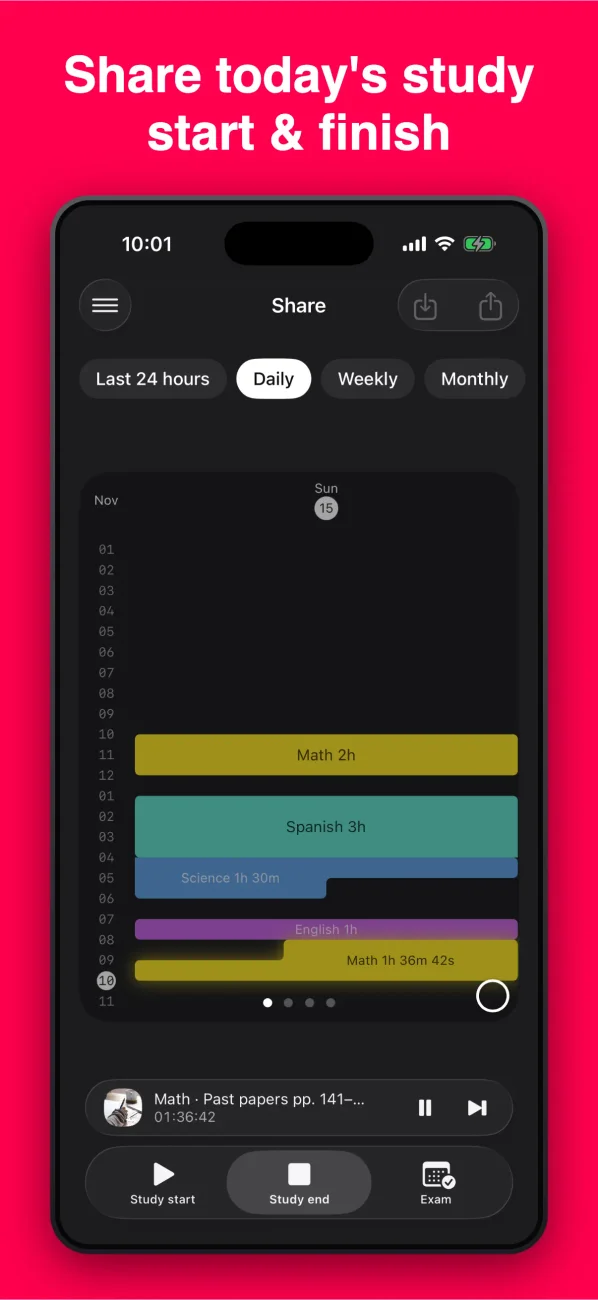
Save or share the day's study as card images, split into Study start, Study end and Exam.
At the start there's the Home card and a study check-in photo; at the end, Timeline, Study time and Streak stickers; for an exam, Overview and study time by subject and by date.
For the check-in photo, pick a photo of the book or notes you studied and it comes out stamped with the date and time.
■ Dress up your avatar
Dress up your avatar with name tags and Head, Eyes and Outfit items.
Get them free or buy them with the coupons you get every 5 levels. Switch what you wear in My items.
People studying with you in a study room see your look too. The longer you study, the more items you have, so you stand out in the room.
What’s new
Version 2.53.0 · Nov 23, 2026
- Study room rules: the host picks the days and the study time needed, and everyone sees how much of today they've filled
- Set a study room's capacity anywhere from 2 to 20 people
- Subject boxes are now the Planner, and finished ranges have their own screen
- Levels and XP now grow only from time measured with the stopwatch, timer or Pomodoro
- Subject and range together on the Lock Screen and Dynamic Island, plus a new app icon
App privacy
What JONGJIN KIM declares on the App Store about how this app handles data.
-
Data used to track you
May be used to track you across apps and websites owned by other companies.
- Identifiers
- Usage data
-
Data linked to you
May be collected and linked to your identity.
- Purchases
- Contact info
- User content
- Identifiers
- Usage data
-
Data not linked to you
May be collected but is not linked to your identity.
- Identifiers
- Diagnostics
Privacy practices may vary, for example with the features you use or your age.
Information
- Seller
- JONGJIN KIM
- Category
- Education
- Version
- 2.53.0
- Updated
- Nov 23, 2026
- Released
- Aug 17, 2023
- Size
- 42.2 MB
- Requires
- iOS 17.0 or later
- Age rating
- 4+
- In-app purchases
- Yes
- Languages
- Japanese, Italian, Indonesian, Dutch, Spanish, Thai, Turkish, German, Hindi, French, Vietnamese, Portuguese + 6 more
- Copyright
- © Copyright 2026. andpact all rights reserved.
You might also like
-
 경찰공무원냠냠:AI머신러닝 알고리즘 기출문제 암기카드Education
-
 일백제 - 경찰Education
-
 하루잉(Haru-ing) - AI 영어 일기Education
-
 Study Log — Exam CountdownTrack study time & exam days
-
 Studaily - Study TogetherAI Study Planner & Timer
-
 roomn: study with friendsStudent Circle & Grade Boost
-
 StudyDay - Pomodoro TimerStudy Tracker · Planner
-
 Total English playEducation
-
 Study Timer & Log: Study BuddyPomodoro, Focus Timer & a Pet
-
 봄기출 경찰공무원Education