
- Age rating4+
- CategoryEducation
- DeveloperJinyoung Lee
- LanguagesEnglish+ 1 more
- Size5.6 MB
Links to the official App Store page
Download.org hosts no file of StudyDay - Pomodoro Timer. The button opens its official App Store page, published by Jinyoung Lee. Listing last checked on Nov 12, 2026.
Screenshots

About
Study timer & focus planner for students and exam takers — track every subject, hit your study goals.
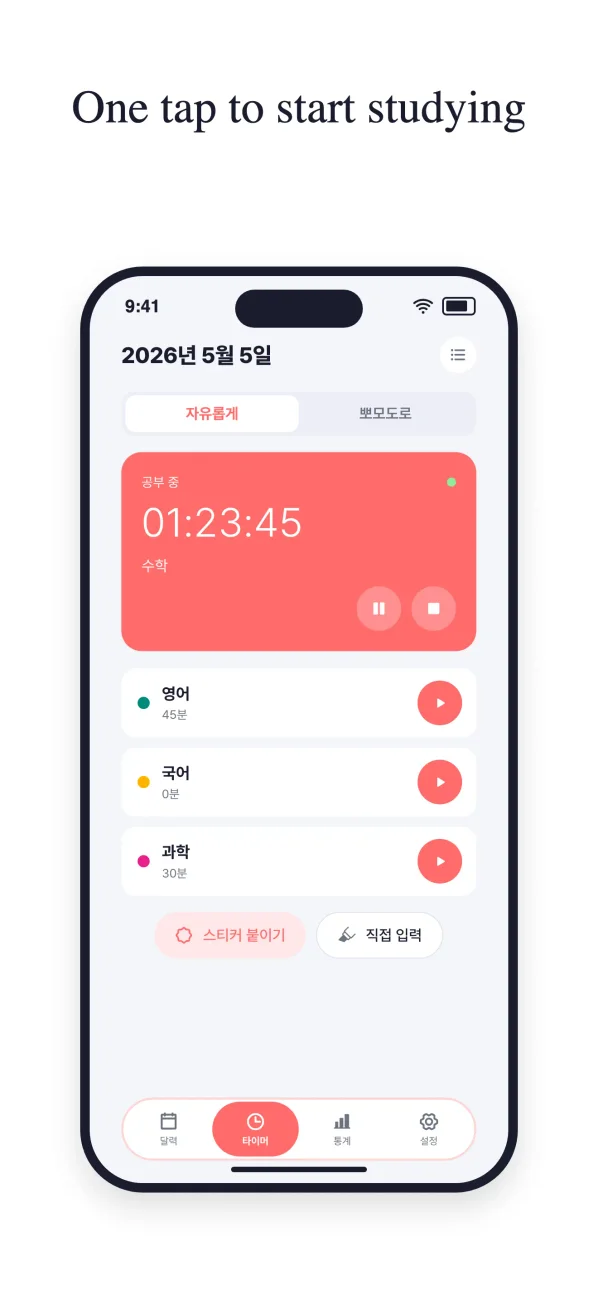
StudyDay: Study Timer & Log is a simple, beautiful study tracker built for students and exam takers. Tap to start a stopwatch for any subject, stop when you're done, and your time is saved automatically. No setup, no complexity.
KEY FEATURES
• Subject Timer — One tap starts a stopwatch for any subject. Switch subjects anytime; the previous one stops automatically.
• Pomodoro Timer — Focus and rest in turns (25 and 5 minutes by default, adjustable in Settings). You get a notification when each round ends, and tomatoes show how many rounds you finished today.
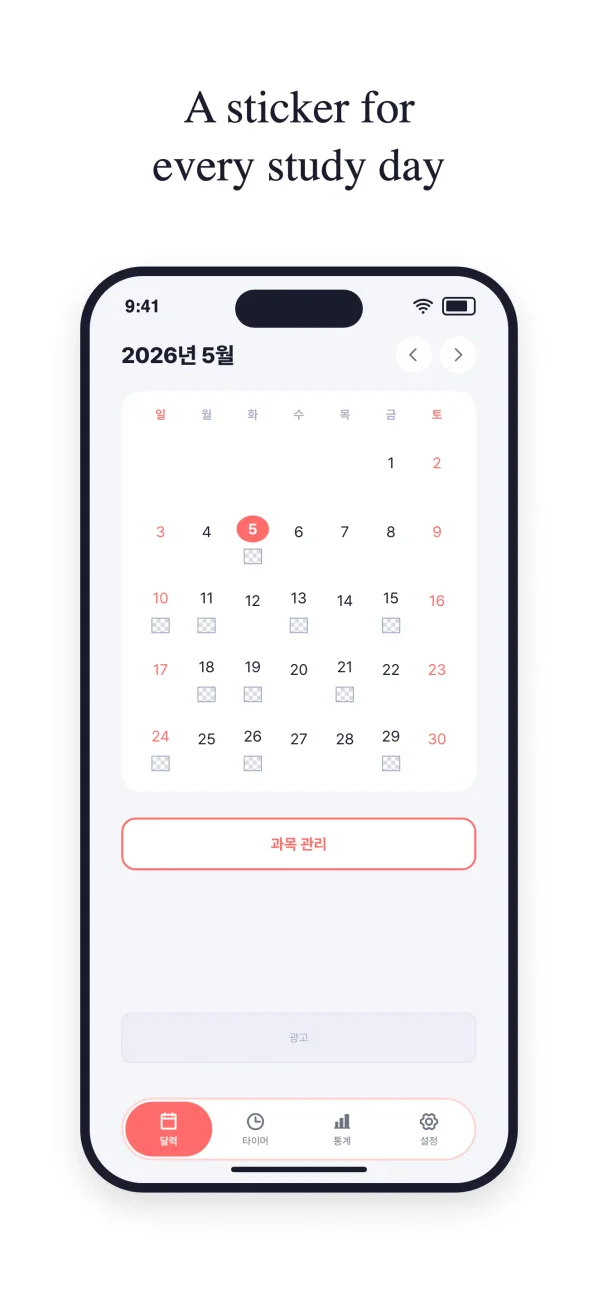
• Monthly Calendar — See which days you studied at a glance. Tap any day to jump straight to the timer.
• Study Stickers — After each session, pick a sticker that matches your mood. Your calendar fills up with small victories.
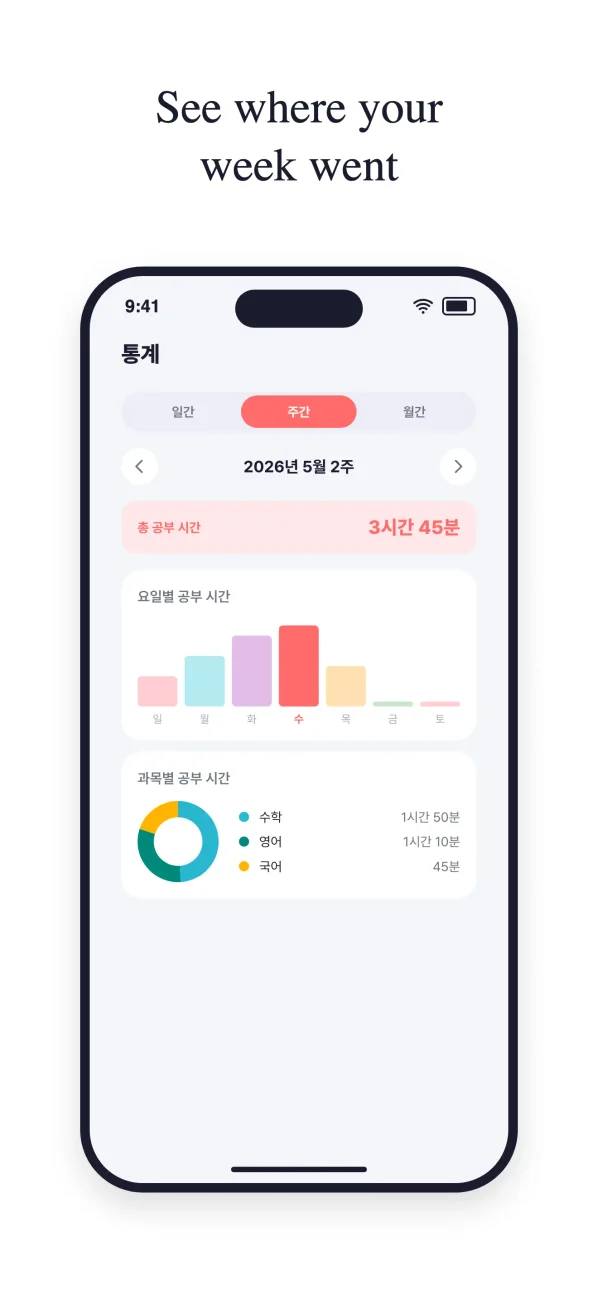
• Detailed Statistics — View your study time by day, week, or month. A bar chart shows your weekly rhythm; a donut chart breaks down time by subject.
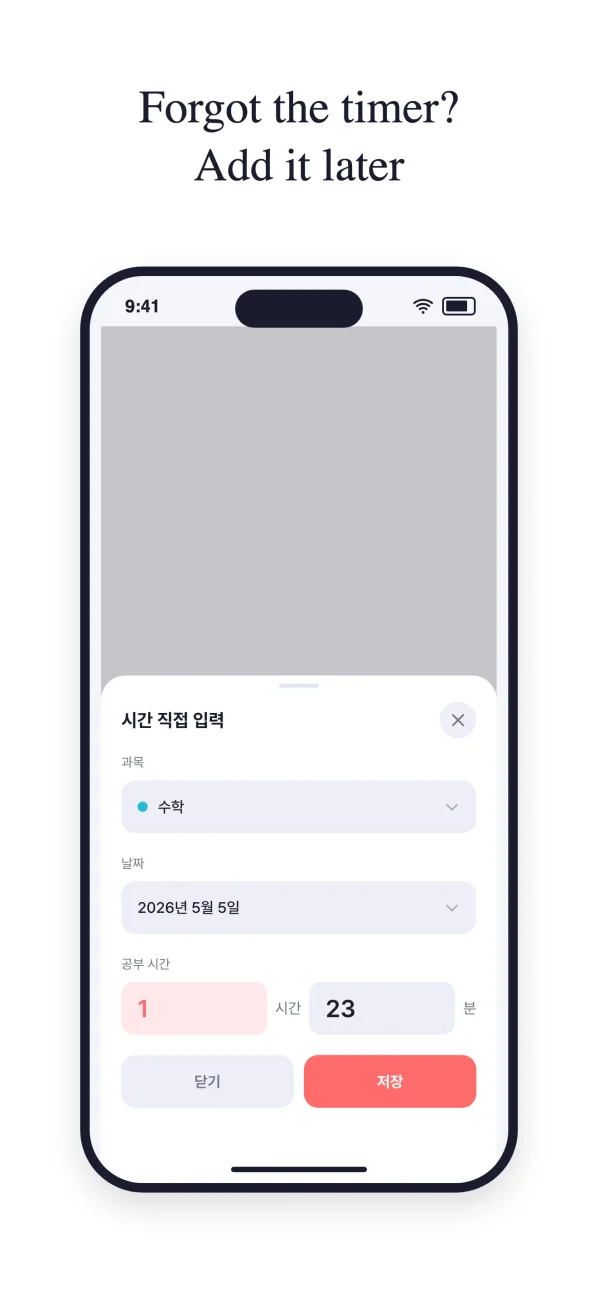
• Manual Entry — Forgot to start the timer? Enter time directly for any subject and date. Fix or delete any record from the study log.
• Subject Management — Add as many subjects as you need, each with its own color, so your data is always organized.
• Dark Mode — Follows your phone's setting automatically. Easy on the eyes for late-night study.
• Color Themes — Coral is always on. Pastel Blue, Green and Purple can each be unlocked for 7 days by watching a short ad.
DESIGNED FOR SIMPLICITY
No account required. No internet connection needed. All your data stays on your device — private, always.
Whether you're preparing for an exam, tracking daily study habits, or just curious how much time you spend on each subject, StudyDay gives you the clarity you need.
StudyDay is supported by ads: a banner on the Calendar and Stats screens, and an optional video ad only when you choose to unlock a color theme.
Privacy Policy: https://www.junu.co.kr/terms/studytime/privacy/
What’s new
Version 1.3.1 · Oct 13, 2026
- Dark Mode follows your phone's setting automatically — easy on the eyes at night
- Cleaner icons, and picking a subject is easier when you enter time by hand
- Deleted every subject? Next time you open the app, it walks you through adding new ones
- We oiled the squeaky door to the Privacy Policy in Settings. It swings open smoothly now
App privacy
What Jinyoung Lee declares on the App Store about how this app handles data.
-
Data used to track you
May be used to track you across apps and websites owned by other companies.
- Identifiers
- Usage data
-
Data not linked to you
May be collected but is not linked to your identity.
- Identifiers
- Usage data
Privacy practices may vary, for example with the features you use or your age.
Information
- Seller
- Jinyoung Lee
- Category
- Education
- Version
- 1.3.1
- Updated
- Oct 13, 2026
- Released
- Jul 4, 2026
- Size
- 5.6 MB
- Requires
- iOS 17.0 or later
- Age rating
- 4+
- Languages
- English, Korean
- Copyright
- © 2026 JunuLabs
You might also like
-
 Todak Time: Study TimerFocus, Planner, Exam Countdown
-
 Monun: All-in-One PlannerStudy Timer, Pomodoro & Plans
-
 Study with Tino: Focus timerCozy study pomodoro & journal
-
 열공메이트: 공부타이머·수능·공시생 플래너Education
-
 Study On - Study PlannerFocus Timer & Study Planner
-
 Simple Study LogEducation
-
 순공시간 - 계획하고 집중하는 공부 타이머 앱Education
-
 Sum: Study Timer & TrackerPomodoro, calendar, graphs
-
 StudyPlace - Study With MeStudy by a window, anywhere
-
 pomoco - 뽀모도로 공부 타이머Education