Timecode Shot Log
Timecode stopwatch & shot log
Designed for iPhone
Free · In-app purchases
- Age rating4+
- CategoryPhoto & Video
- DeveloperDENZO LAB, INC.
- LanguagesEnglish+ 1 more
- Size4.3 MB
Links to the official App Store page
Download.org hosts no file of Timecode Shot Log. The button opens its official App Store page, published by DENZO LAB, INC. Listing last checked on Nov 7, 2026.
Screenshots
About
Timecode Shot Log is a stopwatch for film and video sets: time your takes in timecode, log them shot by shot, and hand the log to editorial.
■ Time to the frame
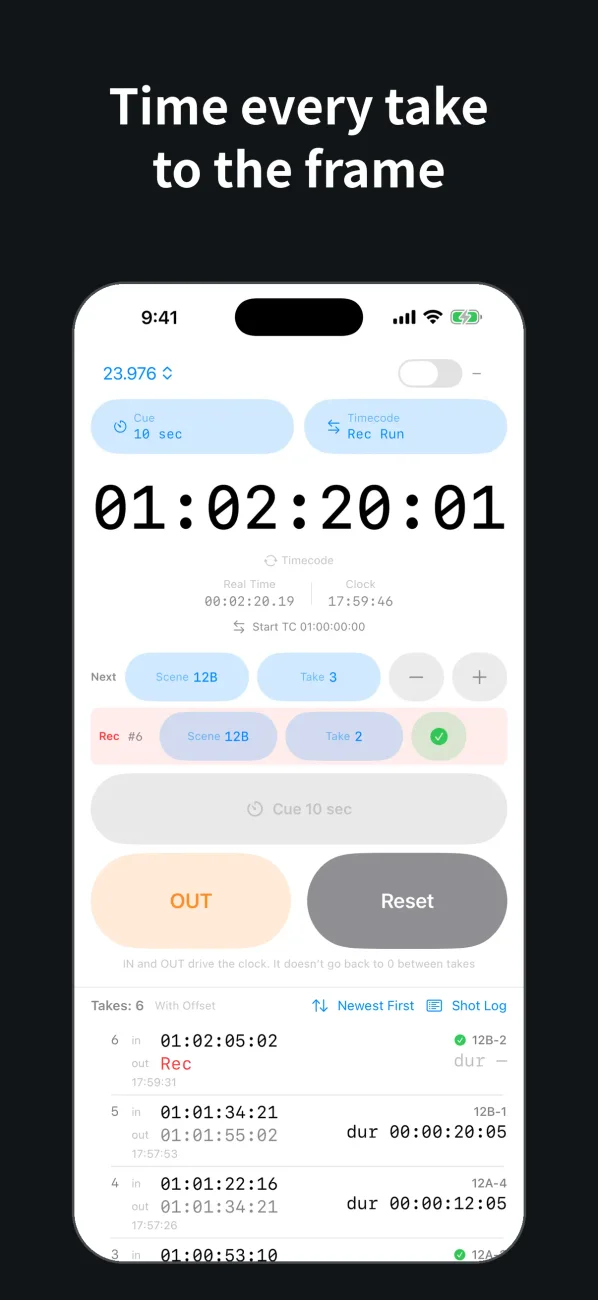
• Nine frame rates: 23.976, 24, 25, 29.97, 30, 48, 50, 59.94 and 60 fps
• Drop-frame (DF) or non-drop (NDF) at 29.97 and 59.94
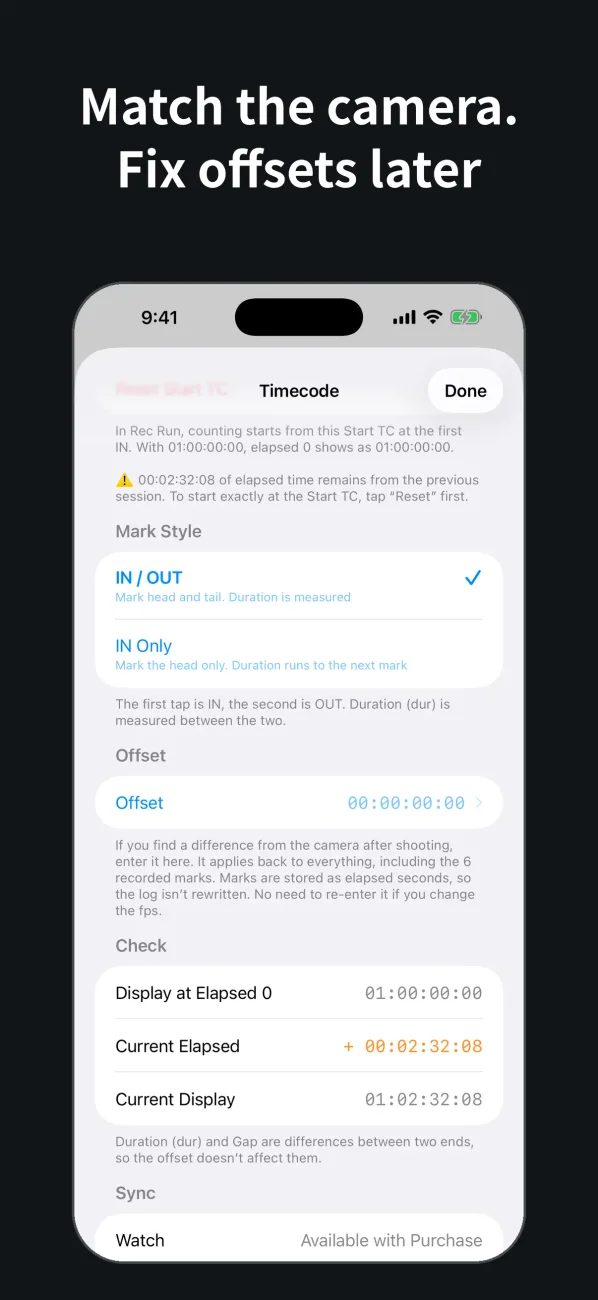
• Set a start timecode to count along with your camera
• Found an offset from the camera after the shoot? Enter it once and every earlier mark is corrected
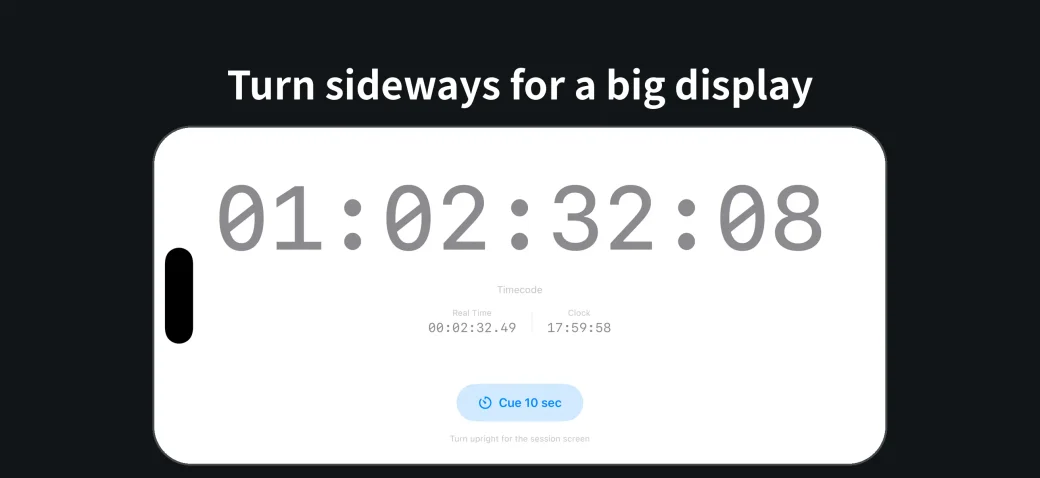
• Show time as timecode, frames, seconds, or feet + frames (35mm 4-perf)
• Free Run (keeps counting like a clock) or Rec Run (advances only while you mark)
• Mark IN and OUT, or IN only
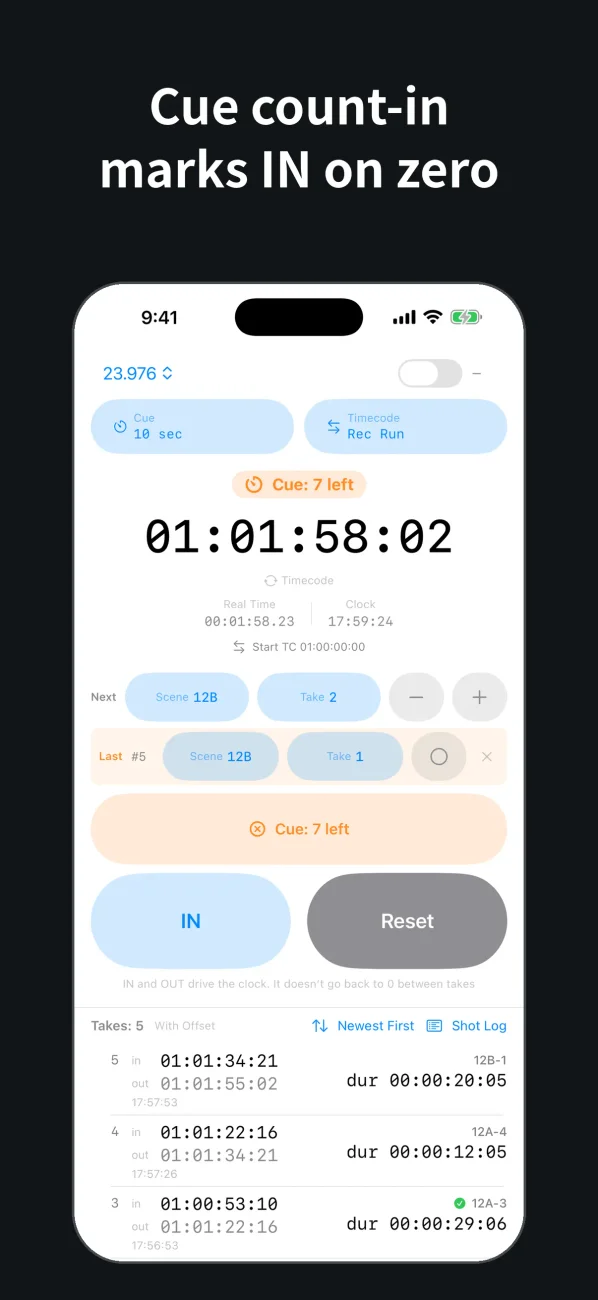
• Cue counter: a 1–30 second count-in that marks IN automatically at the end
• The clock time of each mark is kept alongside
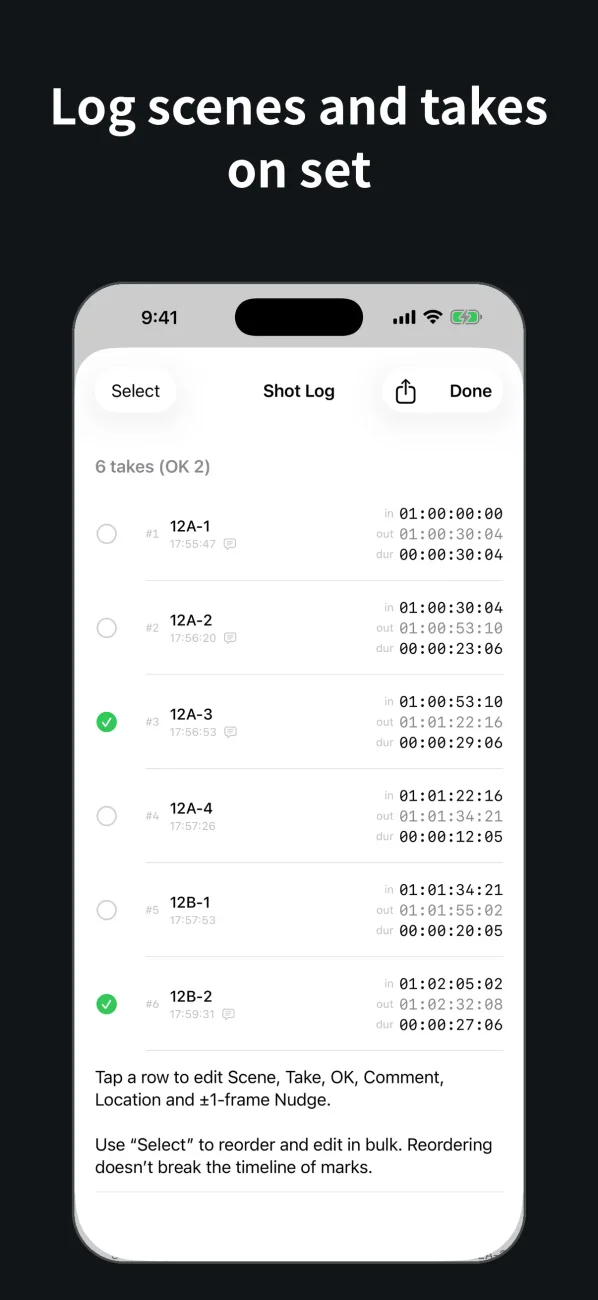
■ Log each take (Shot Log)
• Scene numbers (such as 12A) and take numbers that advance automatically and can be edited
• OK take marks, comments and location
• Delete, reorder, nudge by ±1 frame, and edit several takes at once
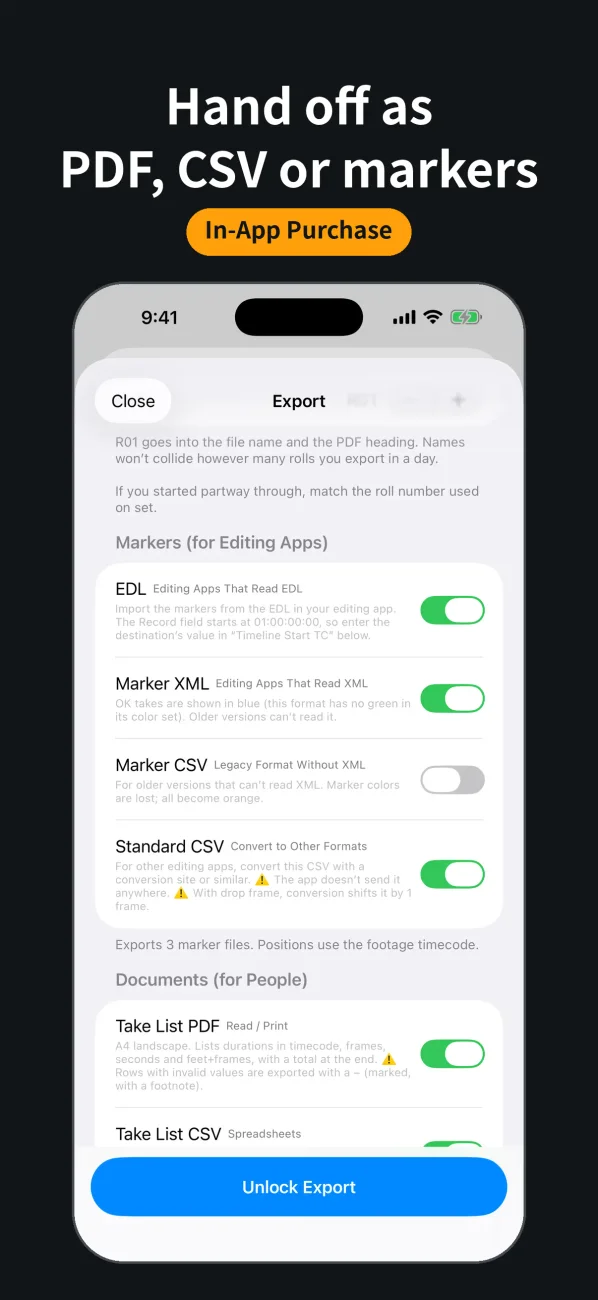
■ Hand off to editorial (In-App Purchase)
• PDF take list, ready to email
• Take List CSV for spreadsheets
• Markers for editing apps: EDL, Marker XML, Marker CSV and Standard CSV
• Share all the formats you chose in one go
■ Apple Watch (In-App Purchase)
• Start, stop and mark from your wrist, with a haptic tap for every mark
• Cue counter and log (undo the last mark)
• Sync: when iPhone or Apple Watch joins the other's session, both keep the same list of marks
• Out of range, Apple Watch keeps timing on its own and catches up when it reconnects
• Offset, units, and scene and take edits are made on iPhone
■ About the purchase
• Timing, marking and the Shot Log work without purchase
• Export, the Apple Watch app and Sync are unlocked with a one-time In-App Purchase
• The Apple Watch app unlocks after you purchase on iPhone
■ Also
• Works with VoiceOver
• Your logs stay on your device. No data is sent to the developer
App privacy
What DENZO LAB, INC. declares on the App Store about how this app handles data.
-
Data not collected
The developer does not collect any data from this app.
Privacy practices may vary, for example with the features you use or your age.
Information
- Seller
- DENZO LAB, INC.
- Category
- Photo & Video
- Version
- 1.0
- Updated
- Oct 14, 2026
- Released
- Oct 14, 2026
- Size
- 4.3 MB
- Requires
- iOS 17.6 or later
- Age rating
- 4+
- Price
- Free
- In-app purchases
- Yes
- Languages
- English, Japanese
- Copyright
- © 2026 DENZO LAB, INC.
You might also like
-
 Earwig MarkerMark to timeline in one click
-
 Dehancer Color TestHow many colors can you see?
-
 FrameUp - Cinema ViewfinderDirector & DP Viewfinder
-
 Marker for Creators: TimecodeTimecode Notes while filming
-
 DualShot RecorderPortrait + Landscape. One Take
-
 Monitor+Remote Control for Sony Camera
-
 Frame.ioVideo Review and Collaboration