
TimeGlide - Timezone Planner
Sync Remote Teams & Timezones
Designed for iPhone, Mac
Free · In-app purchases
- Age rating9+
- CategoryUtilities
- Developer瑞华 张
- LanguagesEnglish+ 1 more
- Size20.9 MB
Links to the official App Store page
Download.org hosts no file of TimeGlide - Timezone Planner. The button opens its official App Store page, published by 瑞华 张. Listing last checked on Nov 18, 2026.
Screenshots

About
EN Description:
- LAUNCH PROMO: 70% OFF FOR THE FIRST 7 DAYS!
To celebrate our launch, get the ultimate timezone planner for the price of a coffee. The price will increase soon. Lock in your lifetime access now!
Are you tired of constantly doing timezone math in your head?
Whether you're a digital nomad, an international freelancer, or managing a globally distributed team, finding a meeting time that works for everyone in New York, London, and Tokyo shouldn't be a nightmare.
Meet TimeGlide — the most intuitive and elegant visual timezone planner for your iPhone and Mac.
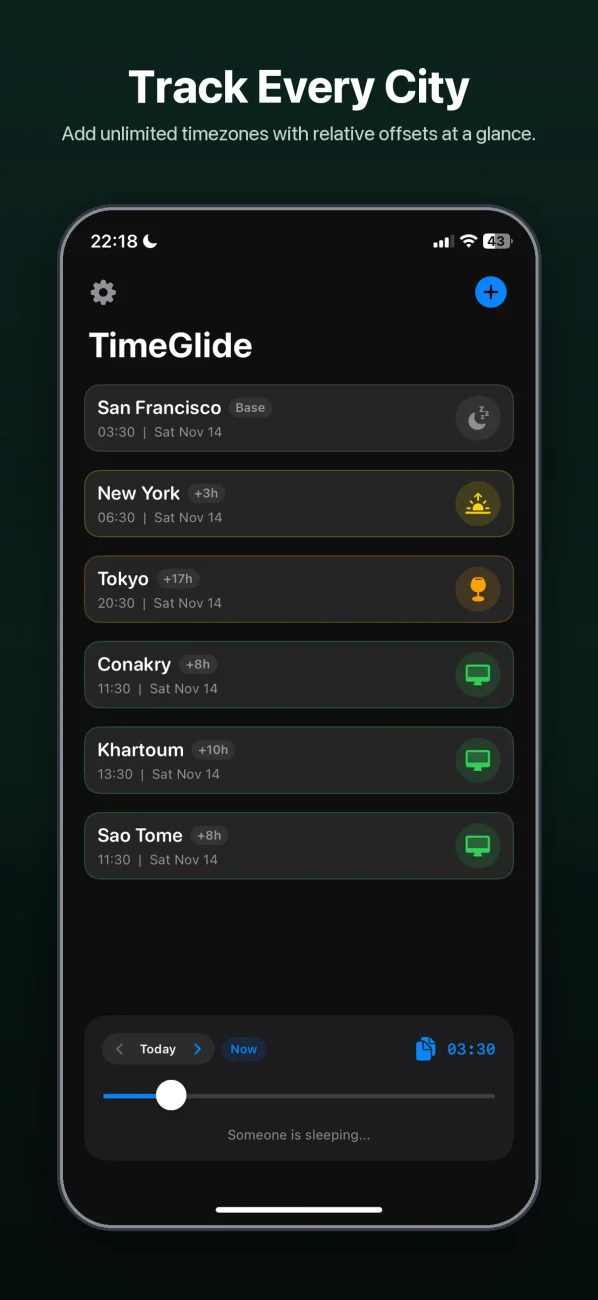
Instead of typing in dates and calculating offsets, simply slide the unified timeline and watch all your added locations sync in real-time. The color-coded interface instantly shows you who is working, who is relaxing, and who is deep in sleep.
- KEY FEATURES:
• Visual Time Scrubber: Drag the slider and see the local time update simultaneously across all your locations.
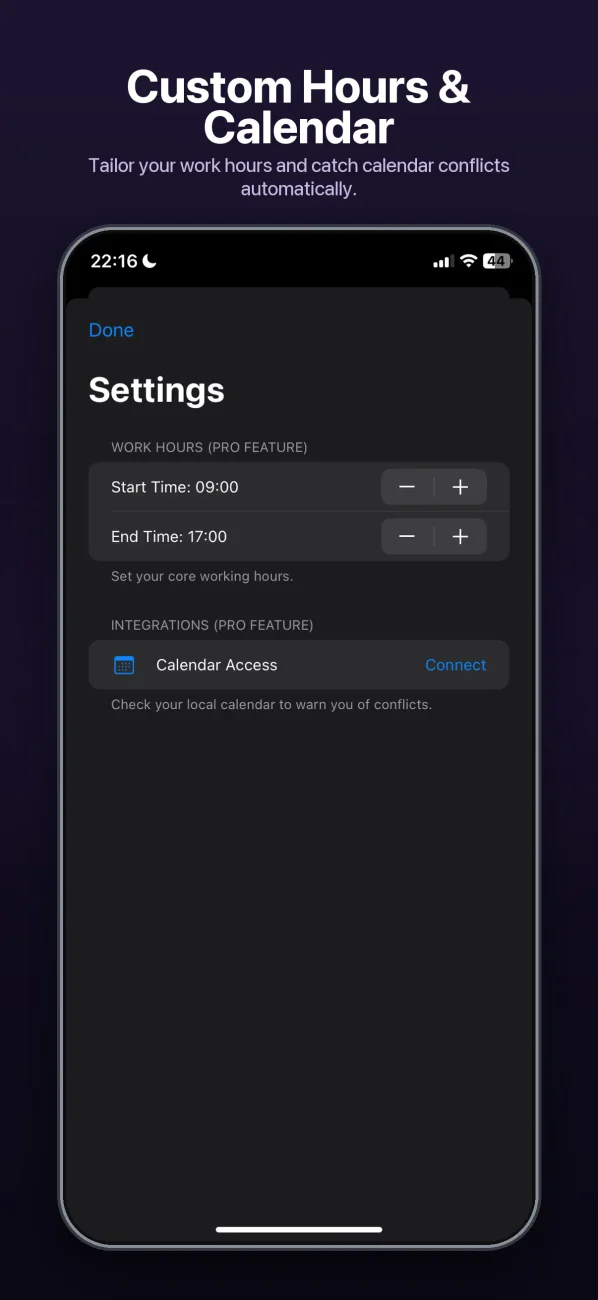
• Calendar Conflict Alerts [NEW]: Securely checks your local Apple Calendar. The slider turns red to warn you if a selected time overlaps with your existing meetings.
• Share in One Tap [NEW]: Found the perfect time? Tap the copy button to generate a beautifully formatted meeting invite (with country flags) to paste into Slack, Teams, or Email.
• Custom Names & Work Hours [NEW]: Rename cities to your team members' names (e.g., "Alex"). Customize your own core working hours instead of the default 9-to-5.
• Mac Menu Bar Ready: Universal purchase! Buy it once and get the Mac version for free. TimeGlide lives perfectly in your Mac's menu bar for one-click access.
- WHY TIMEGLIDE?
• No Subscriptions: Buy it once, and it’s yours forever.
• Privacy First: Your calendar data never leaves your device. No accounts. No tracking. Works 100% offline.
Stop sending "What time is it there?" messages. Plan your global meetings with confidence. Download TimeGlide today!
Terms of Use (EULA):
https://www.apple.com/legal/internet-services/itunes/dev/stdeula/
What’s new
Version 1.6 · Nov 15, 2026
What's New in TimeGlide 1.6:
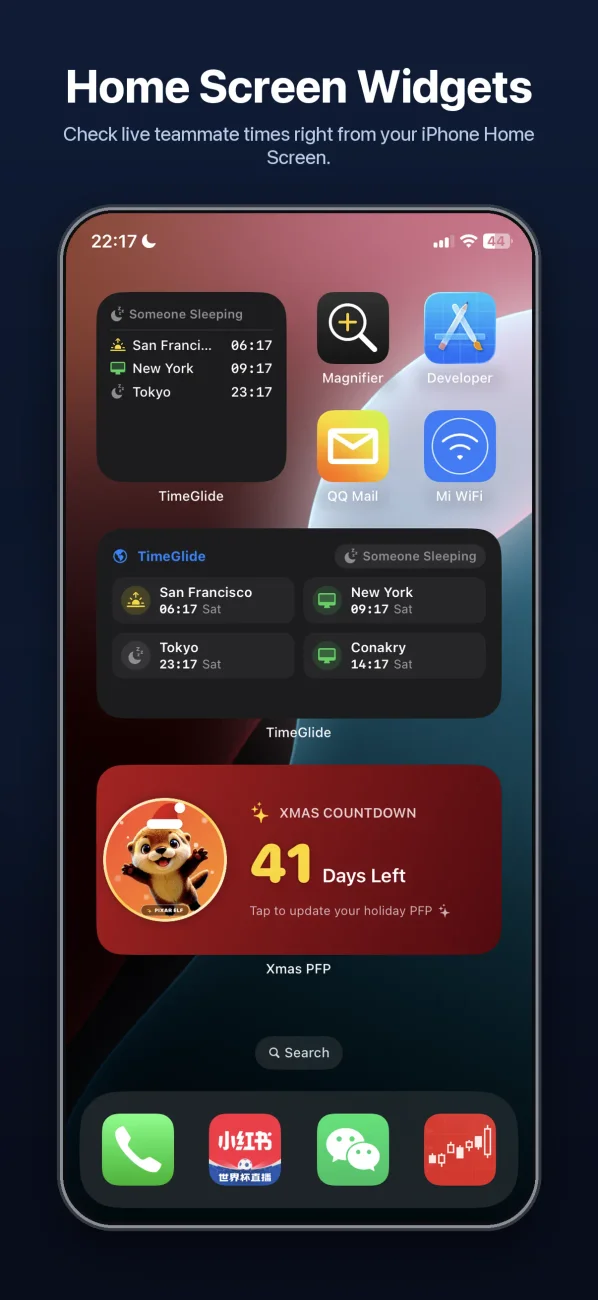
- Home Screen Widgets (WidgetKit): View live teammate times and work-hour overlap directly on your Home Screen in Small, Medium, and Large sizes.
- One-Tap Best Time Finder: Tap "Best" on the control bar to jump straight to the optimal working-hour overlap across all cities.
- Multi-Day Scheduling: Switch between Today, Tomorrow, and future dates with instant calendar conflict checks.
- Drag to Reorder & Relative Offsets: Drag any city to the top to set your base timezone and see +3h / -8h offsets at a glance.
- Smarter City Search: Search cities naturally with spaces (e.g. "New York", "Los Angeles").
- Stability & Performance: Faster timeline scrubbing, accurate calendar permission syncing, and smoother purchase restoration.
App privacy
What 瑞华 张 declares on the App Store about how this app handles data.
-
Data not collected
The developer does not collect any data from this app.
Privacy practices may vary, for example with the features you use or your age.
Information
- Seller
- 瑞华 张
- Category
- Utilities
- Version
- 1.6
- Updated
- Nov 15, 2026
- Released
- Apr 27, 2026
- Size
- 20.9 MB
- Requires
- iOS 16.2 or later
- Age rating
- 9+
- Price
- Free
- In-app purchases
- Yes
- Languages
- English, Simplified Chinese
- Copyright
- © 2026timeglide.inc
You might also like
-
 KVM RemoteControl Mac & PC: KVM and VNC
-
 Express Converter: Unit & SizeAll In One, Travel, Currency
-
 Padoo TrackpadMouse for Mac and Windows PC
-
 Porthole: Mac Remote DesktopPrivate VNC Screen Sharing
-
 CoverTrace: Redact ID & SSNCover ID, license & passport
-
 ScanMe: QR & Barcode ScannerScan, create, save, share
-
 Parity: Unraid ClientMonitor & Manage Your Server
-
 Authenticator App - 2FA, OTPBackup,Transfer & Protect Code
-
 AI Video Generator ++AI Video Maker & Creator
-
 Omanager - Video for FilesUtilities