
TimeLocked: Self Control Lock
Lock a password from yourself
Designed for iPhone
Free · In-app purchases
- Age rating4+
- CategoryUtilities
- DeveloperVasily Ponomarev
- LanguagesEnglish+ 15 more
- Size10.2 MB
Links to the official App Store page
Download.org hosts no file of TimeLocked: Self Control Lock. The button opens its official App Store page, published by Vasily Ponomarev. Listing last checked on Nov 27, 2026.
Screenshots
About
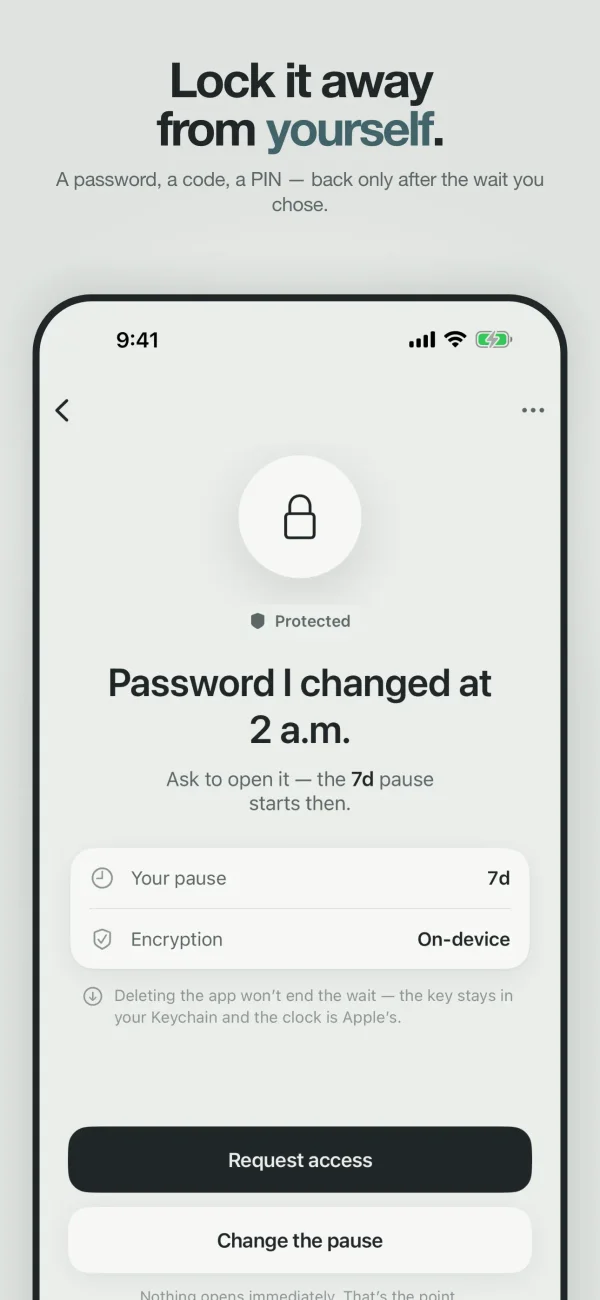
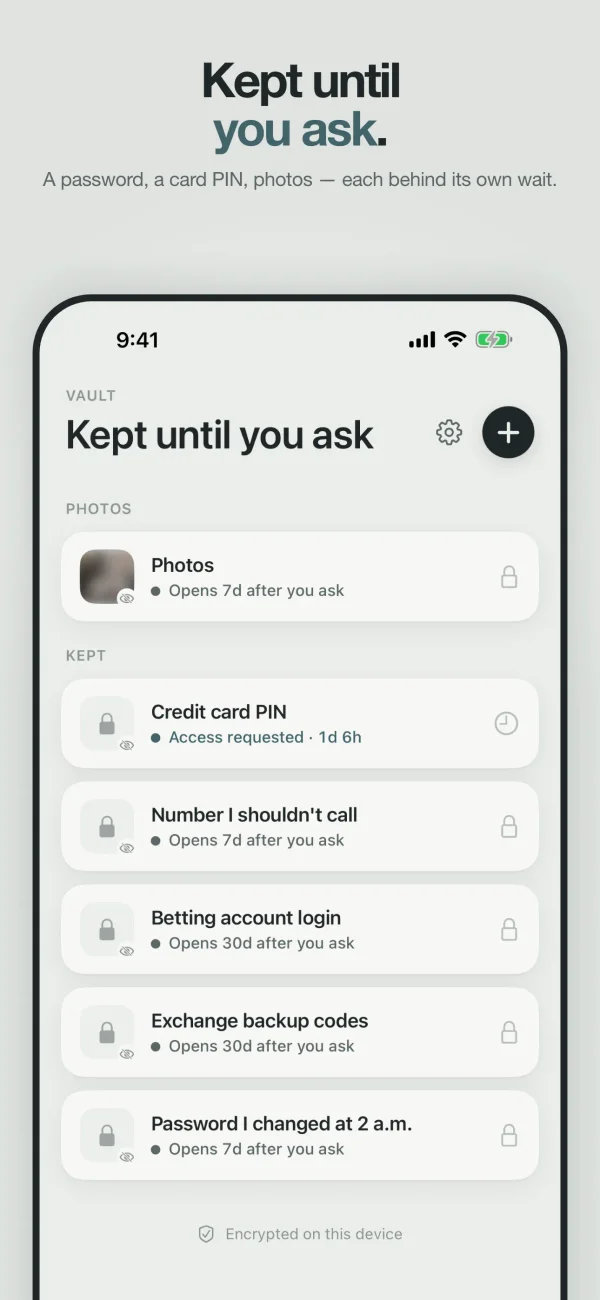
Lock a password, a code or a card PIN away from yourself. It opens only after the wait you chose — an hour, a day, a week, a month. No friend needs to hold it for you.
HOW IT WORKS
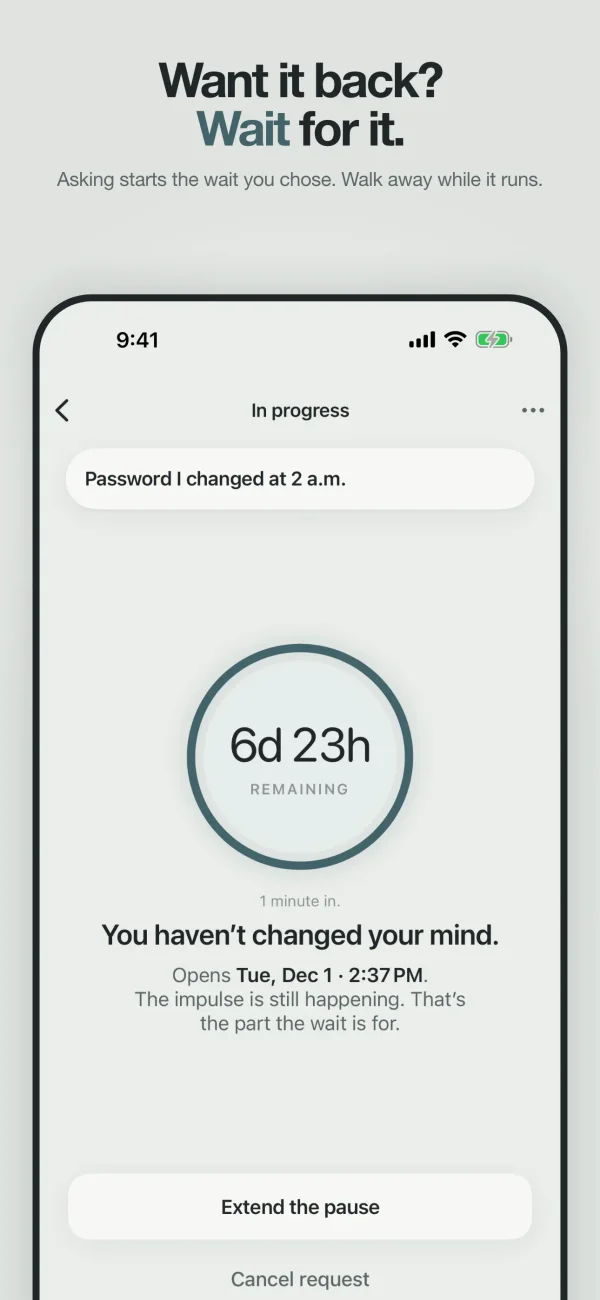
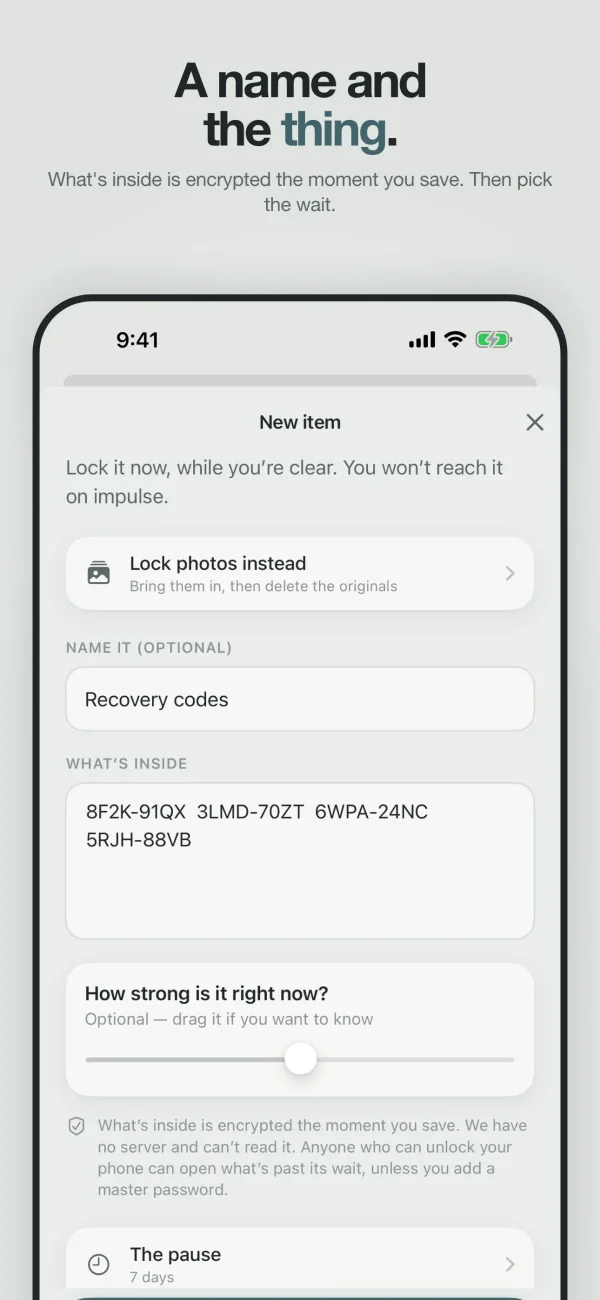
Name it, put the thing in, pick the wait. When you want it back, ask: the wait starts then, and the entry opens when it's over. Lock it again and the next time waits too. Nothing opens immediately — that's the point.
The wait is timed by Apple's iCloud servers, not by your phone's clock. Make it longer whenever you like and it applies at once; make it shorter and the new length only takes effect once the old one has passed.
WHAT PEOPLE LOCK AWAY
• A social media password, right after changing it
• Recovery codes and backup codes
• A card PIN or a card number
• The login for a shop or a game
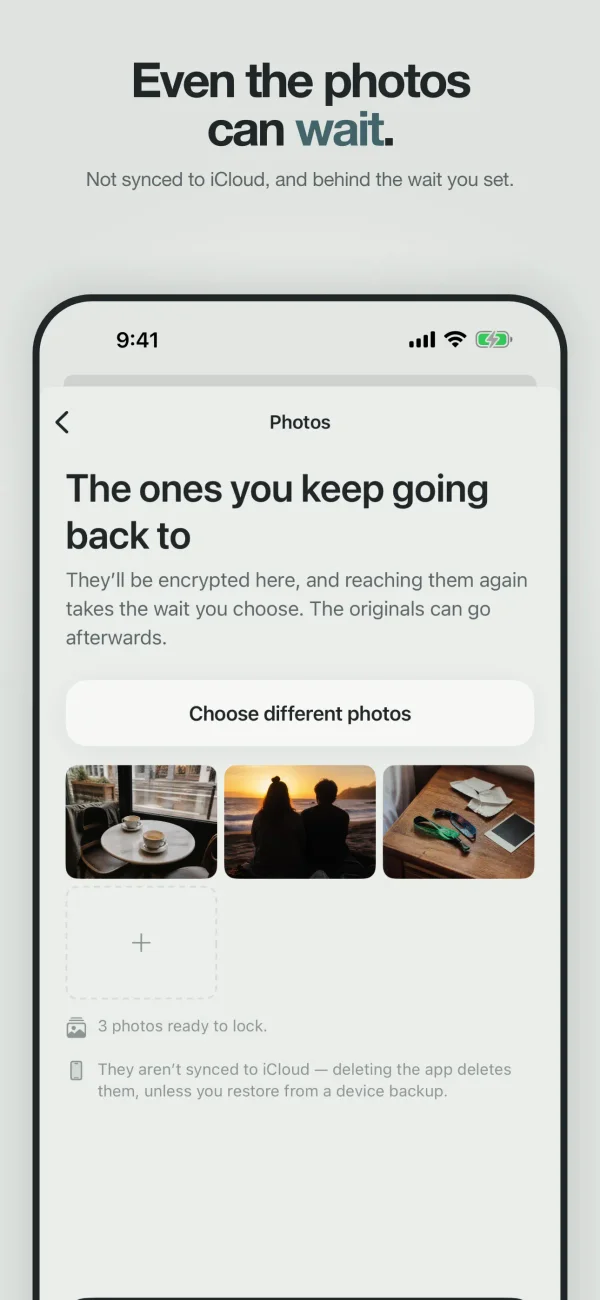
• Photos you keep going back to
• A seed phrase — keep your own offline backup too. TimeLocked is a delay, not a backup.
WHAT IT PROTECTS — AND WHAT IT DOESN'T
TimeLocked protects you from you: from the version of you who wants it back at 2am. It is not a safe against someone else. Anyone who can unlock your iPhone can open what's past its wait, unless you add a master password.
We have no server of our own and can't read what you lock — so we can't open it for you either. Keep an offline copy of anything you can't afford to lose.
WHERE YOUR THINGS ARE KEPT
What's inside an entry is encrypted with AES-256-GCM the moment you save. Entries and their waits live on this phone and in your private iCloud. The name you give an entry is not encrypted, so don't put the password itself in the name.
Photos and voice notes aren't synced to iCloud: deleting the app deletes them, unless you restore from a device backup. For an entry that's in iCloud, deleting the app doesn't end the wait — the key stays in your Keychain and the clock is Apple's. With iCloud sync off, entries aren't synced either — but every wait still needs your iCloud account: each request to open and each time check is a small record in your private iCloud, with nothing of what you locked in it.
The app opens with Face ID or your iPhone passcode, and you can add a six-digit code of its own. A master password takes the key out of iCloud and puts it behind a password only you know.
FOR THE MOMENT ITSELF
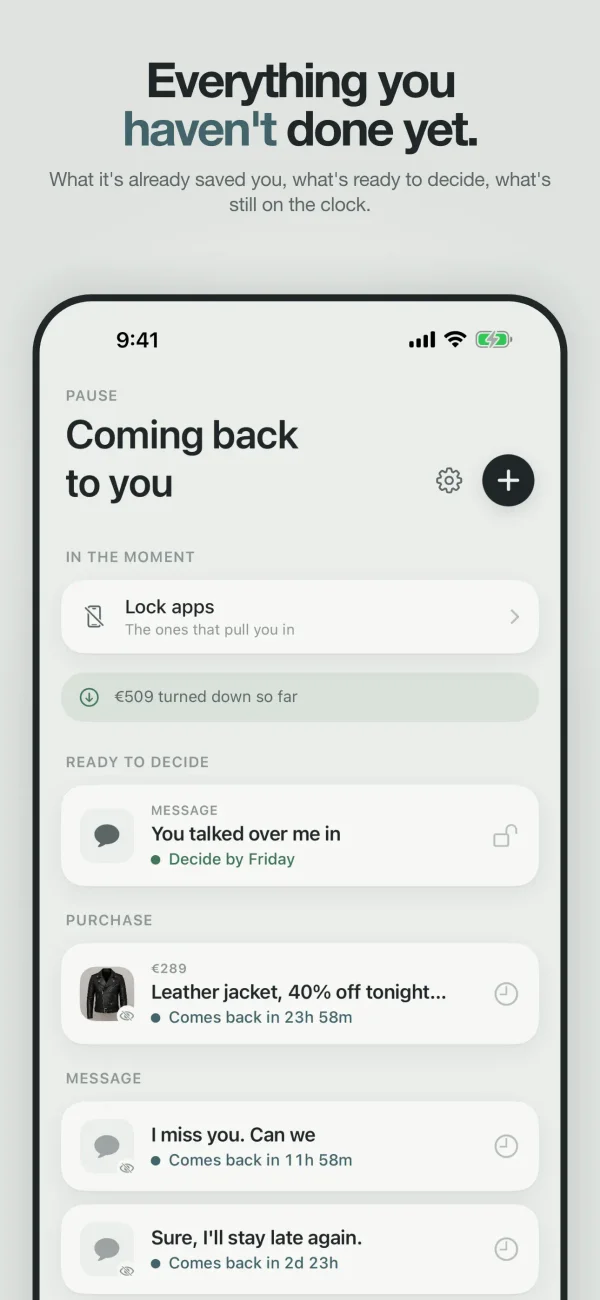
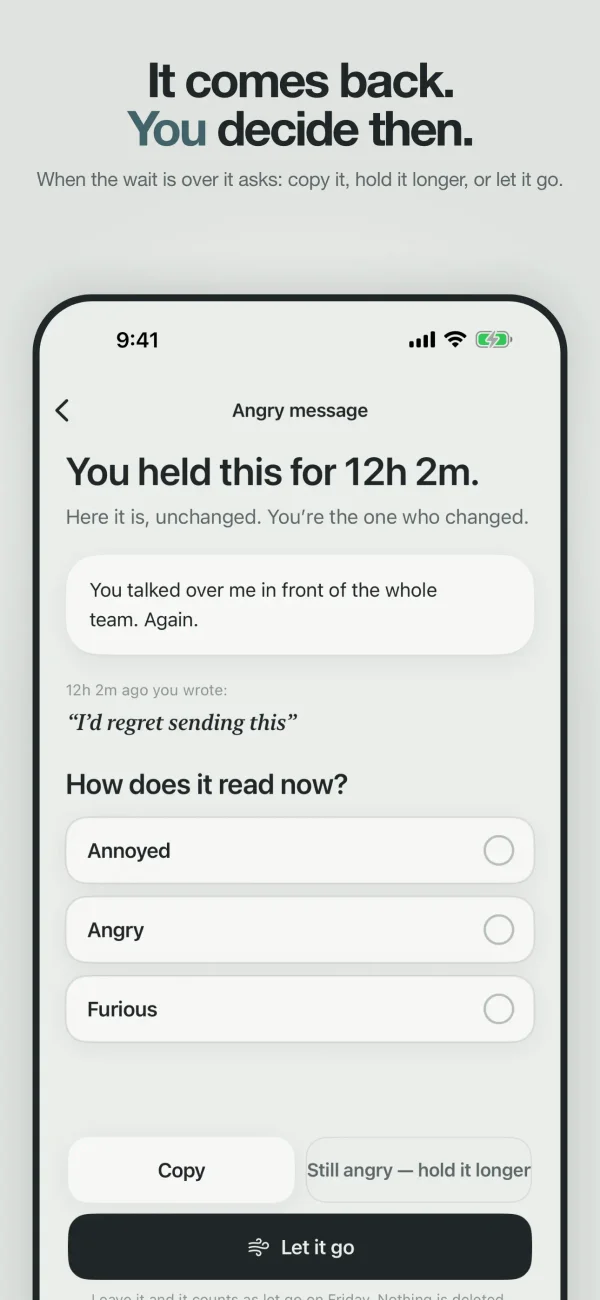
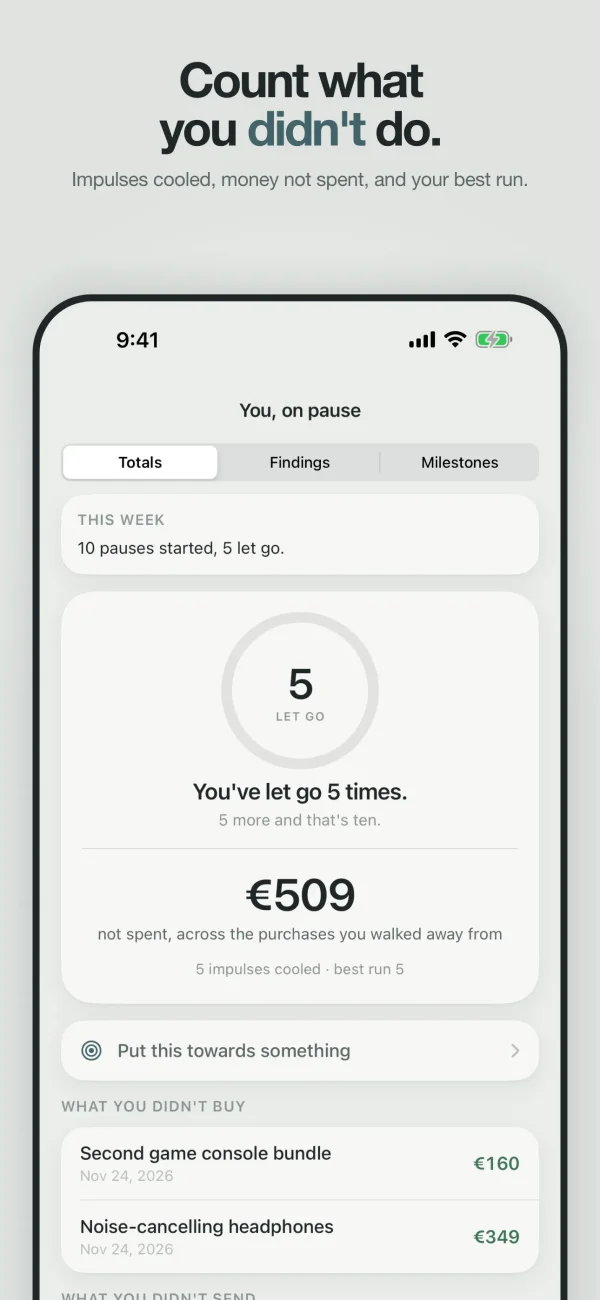
The Pause tab is for what you're about to do: a purchase, a message you'd regret, anything else. Send a link straight in from Safari or a shop with the Share button. It waits as long as you chose, then comes back and asks whether you still want it. What you let go is counted, with the money you didn't spend.
Write a few words to your future self while your head is clear. The letter is encrypted and travels with the entry; a voice note isn't synced to iCloud.
PREMIUM
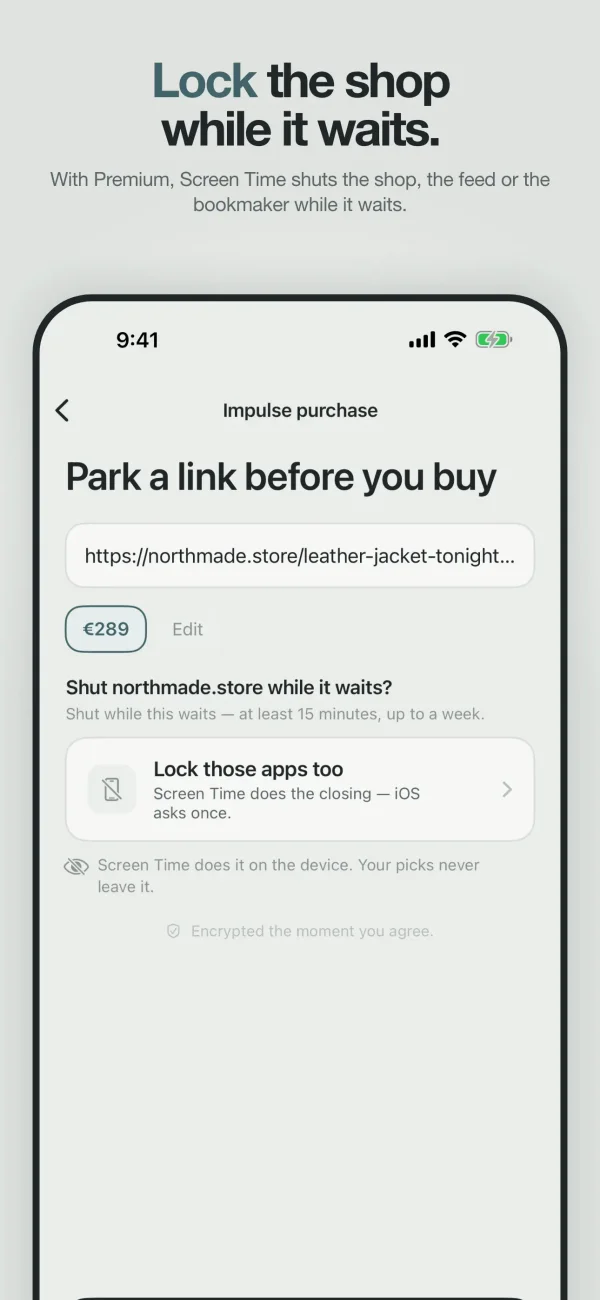
Premium adds two things: closing the apps you pick while something waits — or every night on your schedule — and keeping more than three things in the Vault. Screen Time does the closing on your phone; TimeLocked never sees which apps you use, only the ones you pick. Every wait length, and opening what you locked, stays outside Premium.
—
Payment is charged to your Apple ID at confirmation of purchase. A subscription renews automatically unless auto-renew is turned off at least 24 hours before the end of the current period; your account is charged for renewal within 24 hours before the period ends. Manage or cancel in Settings → your Apple ID → Subscriptions after purchase. Any unused part of a free trial is forfeited when you buy a subscription.
Terms of Use: https://www.apple.com/legal/internet-services/itunes/dev/stdeula/
Privacy Policy: https://vasilinoff.github.io/timelocked-legal/privacy.html
What’s new
Version 2.8 · Nov 26, 2026
When you start your first entry with the + button, the text box comes first with the cursor already in it, and four shortcuts above it suggest what to lock away. Many lines in the translations now read more naturally and no longer sound like orders. While you type, the button below the text box sits right above the keyboard, the examples in the Vault read in full, and a crash when saving the first entry is fixed.
App privacy
What Vasily Ponomarev declares on the App Store about how this app handles data.
-
Data not linked to you
May be collected but is not linked to your identity.
- Purchases
- Location
- Identifiers
- Usage data
Privacy practices may vary, for example with the features you use or your age.
Information
- Seller
- Vasily Ponomarev
- Category
- Utilities
- Version
- 2.8
- Updated
- Nov 26, 2026
- Released
- Jun 6, 2026
- Size
- 10.2 MB
- Requires
- iOS 17.0 or later
- Age rating
- 4+
- Price
- Free
- In-app purchases
- Yes
- Languages
- English, Dutch, French, German, Indonesian, Italian, Japanese, Korean, Polish, Portuguese, Russian, Simplified Chinese + 4 more
- Copyright
- © Vasily Ponomarev
You might also like
-
 Time Vault: Memory CapsuleSave moments to unlock later
-
 Bluetooth Finder: Device & TagScan and Manage Devices
-
 Bench Math: CNC CalculatorTap drill, feeds, cut lists
-
 PassKeeper - Password ToolOffline & Encrypted · Face ID
-
 Simple Hidden NoteDiscreet offline text notes.
-
 AppCage: Lock Apps & FocusScreen Time App Blocker
-
 密码柜 - 密码记录工具Utilities
-
 My Passwords: Password ManagerPrivacy Token Data Local Vault
-
 TimeLock - Manage screen timeDelayed View & Screen Wellness
-
 Lockbox: Password ManagerPasswords & 2FA. Pay once.