Timenor – Time Tracking
Timesheets for Freelancers
Designed for iPhone, iPad
In-app purchases
- Age rating4+
- CategoryProductivity
- DeveloperMichael Schoenbeck
- LanguagesGerman+ 3 more
- Size7.3 MB
Links to the official App Store page
Download.org hosts no file of Timenor – Time Tracking. The button opens its official App Store page, published by Michael Schoenbeck. Listing last checked on Nov 22, 2026.
Screenshots



About
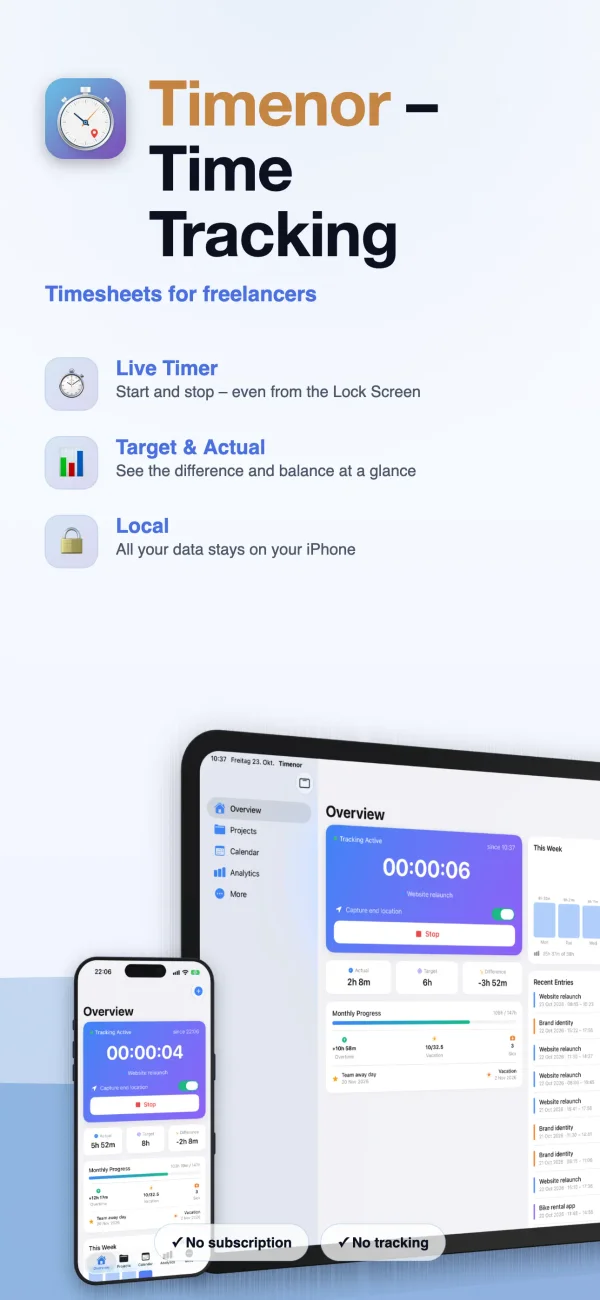
Timenor records your time with a timer or lets you add it by hand, assigns it to projects and always shows your target, actual hours and balance – with a calendar, analytics and export for billing.
YOUR DATA STAYS WITH YOU
Timenor stores everything on your iPhone or iPad. The iCloud backup saves a copy to your own iCloud Drive after each completed time recording and keeps up to 20 versions you can restore. A backup, not live sync: Timenor does not sync between several devices. No ads, no tracking. Timenor only asks for location and calendar access when you use those features.
TRACK
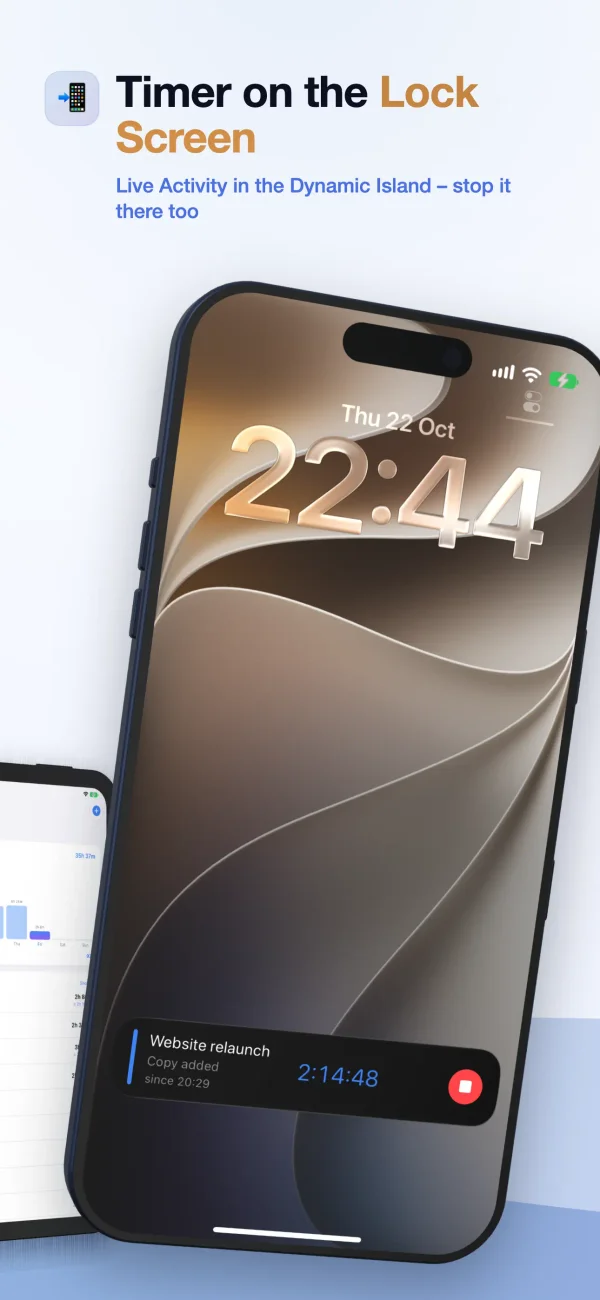
• Choose a project and tap “Start”. The Live Activity shows the running timer on the Lock Screen and in the Dynamic Island, and you can stop it there too.
• Add times afterwards with break and comment, or tap straight into the calendar – the day and time are already filled in.
• Forgotten timers: a reminder after a long run, or an automatic stop after a set duration.
• Break rule: if an entry runs longer than set, Timenor adds the break when it ends.
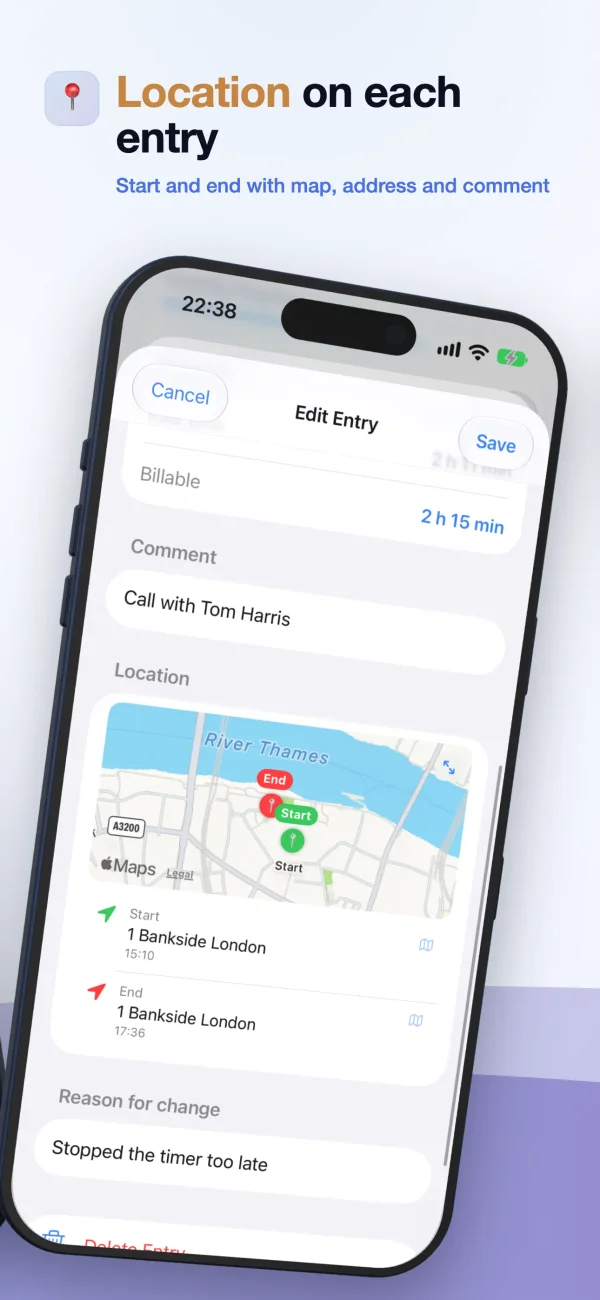
• Optionally record the location at start and end, with a map and address on the entry.
• Note a “Reason for change” when editing; Timenor tells you when entries overlap.
PROJECTS AND BILLING
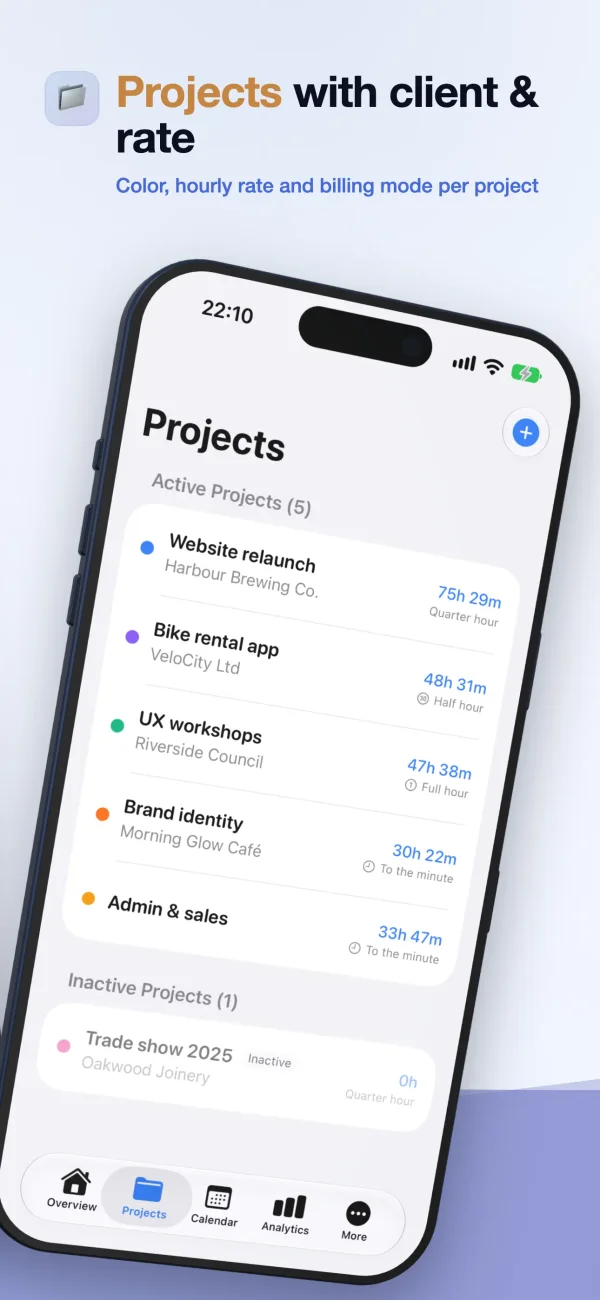
• Projects with client, color, hourly rate and an internal note.
• Billing mode per project: to the minute, quarter hour, half hour or full hour. Each entry is rounded, always up. Target, actual hours and balances use the unrounded raw time.
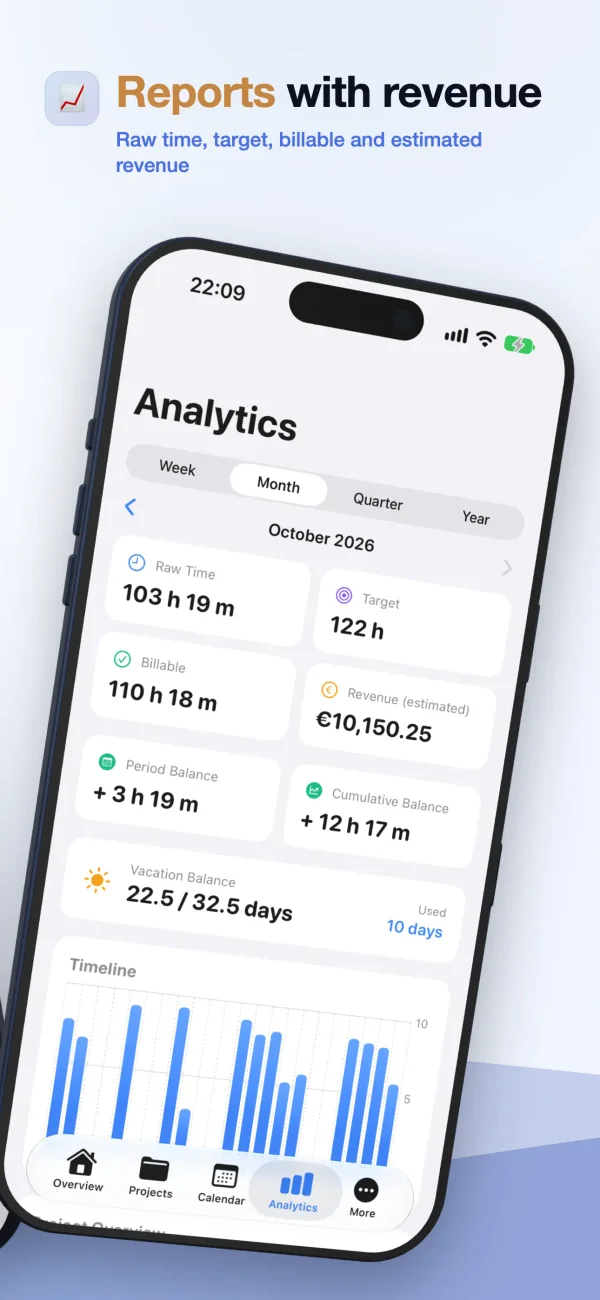
• With an hourly rate, Analytics shows your estimated revenue.
CALENDAR
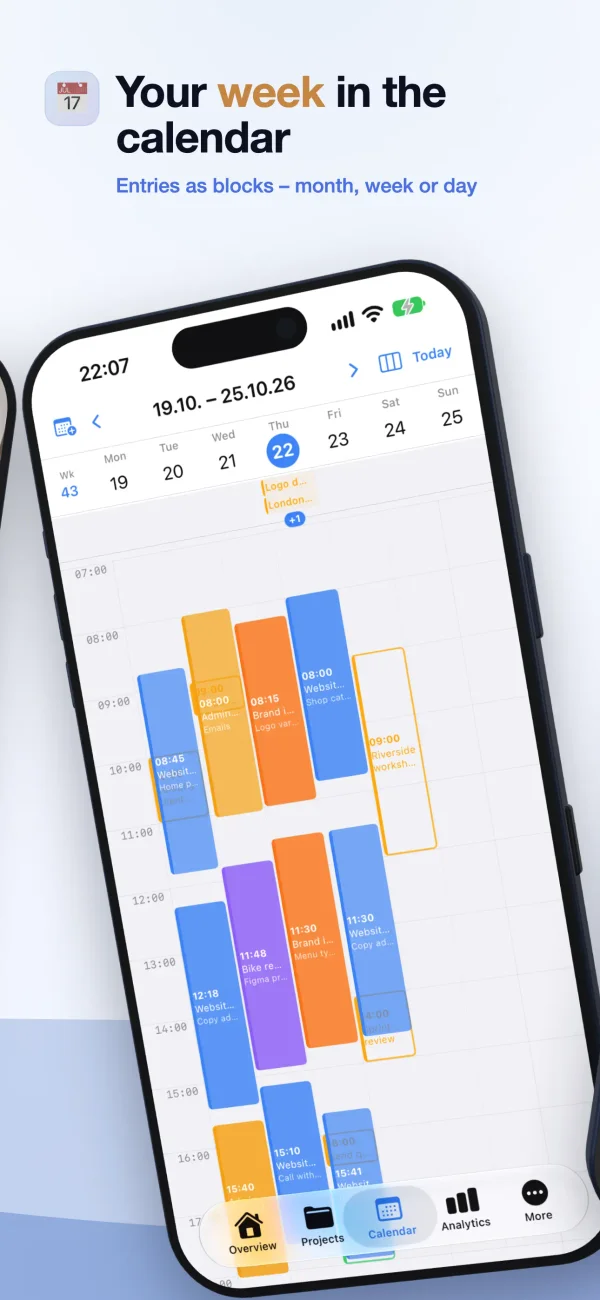
• Your entries as colored blocks: month, 7 days, 5 days, 2 days or a single day.
• Optionally show your iOS events alongside. Timenor only reads them and never writes to your calendar.
• Holidays and absences are highlighted. Your week starts on Monday, Saturday or Sunday.
ANALYTICS
• Week, month, quarter or year: raw time, target, billable time and estimated revenue.
• Period balance, overall balance and vacation balance, optionally with overtime and vacation carried over from before Timenor.
• Timeline, project overview and work locations.
WORK PROFILE, ABSENCES, HOLIDAYS
• In the work profile you set on which days you work and for how many hours. Timenor uses this to calculate your target hours.
• Vacation, special leave, sick, child sick, training, business trip and more – for a full day, a half day or in hours.
• Public holidays for Germany (nationwide or by state), Austria and Switzerland, plus your own days off.
EXPORT AS PDF AND CSV (TIMENOR PRO)
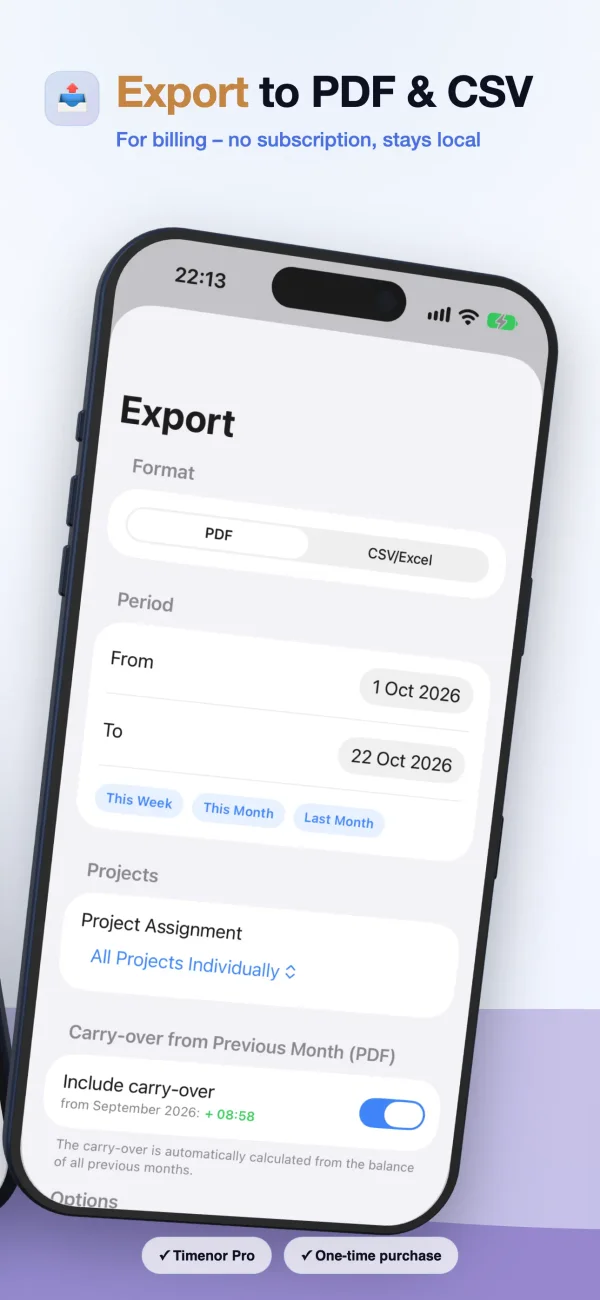
• PDF work time report in A4 landscape with one row per day, target and actual hours, monthly balance, vacation, overall balance and a project overview.
• CSV (semicolon, UTF-8) with one row per entry, grouped by project.
• Raw time or billable time, with comments, locations and absences. Share via the Files app, Mail or AirDrop.
BACKUP
• On a new iPhone or iPad, Timenor loads the latest iCloud backup on first launch.
• Plus a .timenor backup file: to restore it, simply tap it in the Files app, in Mail or after AirDrop.
• “Delete All Data” only with Face ID, Touch ID or your passcode – Timenor creates a backup automatically first.
FREE AND PRO
Tracking, planning, analytics and backup are free – with one active project and every feature except export. Timenor Pro unlocks unlimited projects and export – as a one-time purchase, without a subscription. No trial period, no ads.
Timenor is available in English, German, French and Spanish. Help for every feature: docs.timenor.de
What’s new
Version 2.0.3 · Nov 18, 2026
A running time entry can be edited by tapping the timer.
App privacy
What Michael Schoenbeck declares on the App Store about how this app handles data.
-
Data not collected
The developer does not collect any data from this app.
Privacy practices may vary, for example with the features you use or your age.
Information
- Seller
- Michael Schoenbeck
- Category
- Productivity
- Version
- 2.0.3
- Updated
- Nov 18, 2026
- Released
- May 21, 2026
- Size
- 7.3 MB
- Requires
- iOS 17.0 or later
- Age rating
- 4+
- In-app purchases
- Yes
- Languages
- German, English, French, Spanish
- Copyright
- © 2026 Michael Schönbeck
You might also like
-
 All 168Time Budget & Weekly Planner
-
 KommGehtProductivity
-
 mvTiCo - Time collectingWorking hours/events
-
 Shift & Overtime TrackerWork calendar & pay calculator
-
 24 Hours: Time BudgetDaily planner, hours per goal
-
 168: Time BudgetProductivity
-
 Puppy Planner - Heat CyclePeriod calendar
-
 Squarely HabitsSimple habit tracker
-
 Work Hours Timesheet: TyempoClock In, Overtime & Payroll
-
 SimpleTime – Time TrackerOne tap starts the clock