Timenor – Time Tracking
Timesheets for Freelancers
Được thiết kế cho iPhone, iPad
Miễn phí · Mua hàng trong ứng dụng
- Độ tuổi4+
- Danh mụcHiệu Suất
- Nhà phát triểnMichael Schoenbeck
- Ngôn ngữTiếng Đức+ 3 ngôn ngữ khác
- Kích thước7,3 MB
Liên kết đến trang App Store chính thức
Download.org không lưu trữ tệp nào của Timenor – Time Tracking. Nút này mở trang ứng dụng trên App Store, nơi Michael Schoenbeck phát hành ứng dụng. Trang được kiểm tra lần cuối: 22/11/2026.
Ảnh chụp màn hình


Giới thiệu
Nhà phát triển chưa cung cấp nội dung này bằng ngôn ngữ của bạn.
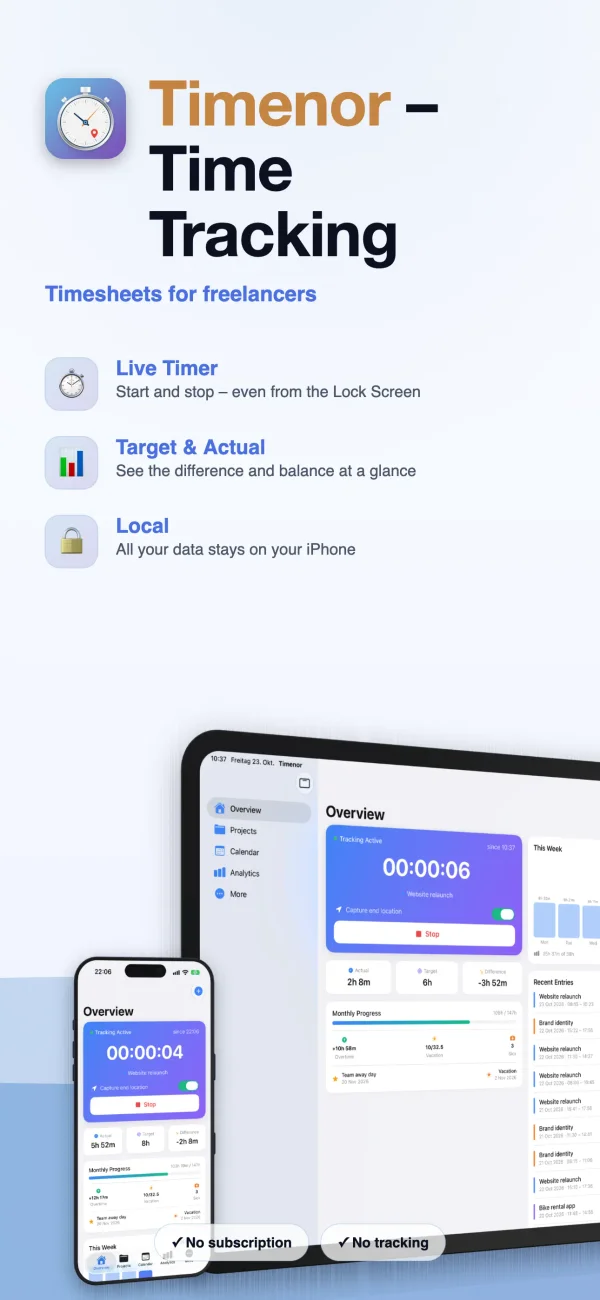
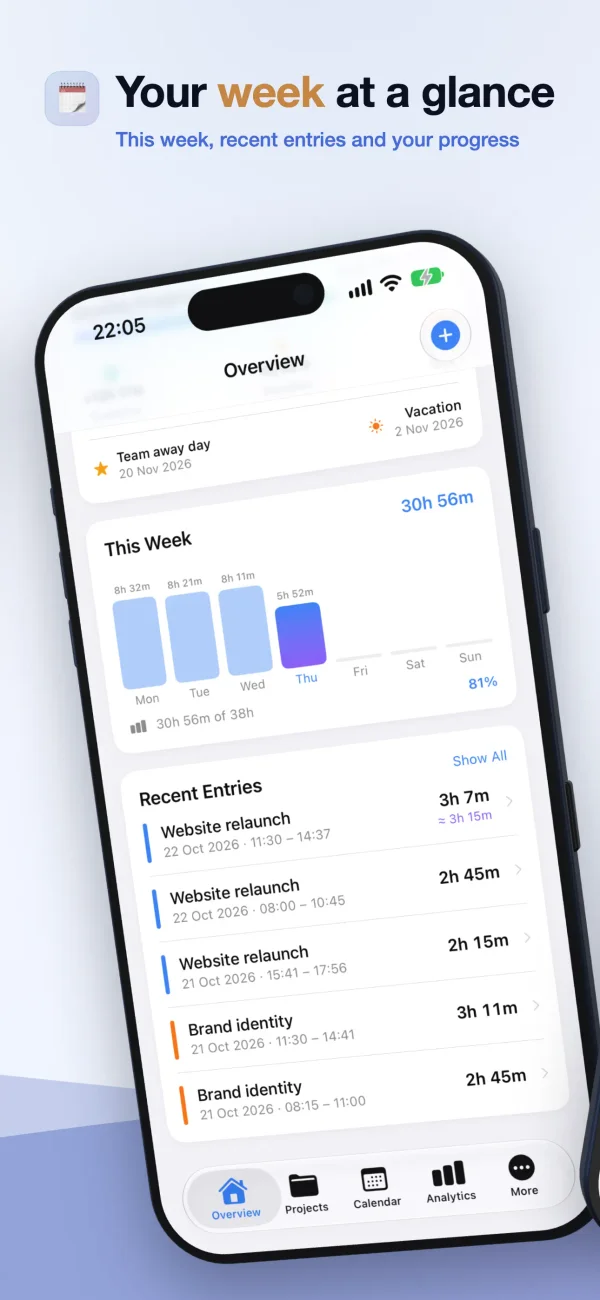
Timenor records your time with a timer or lets you add it by hand, assigns it to projects and always shows your target, actual hours and balance – with a calendar, analytics and export for billing.
YOUR DATA STAYS WITH YOU
Timenor stores everything on your iPhone or iPad. The iCloud backup saves a copy to your own iCloud Drive after each completed time recording and keeps up to 20 versions you can restore. A backup, not live sync: Timenor does not sync between several devices. No ads, no tracking. Timenor only asks for location and calendar access when you use those features.
TRACK
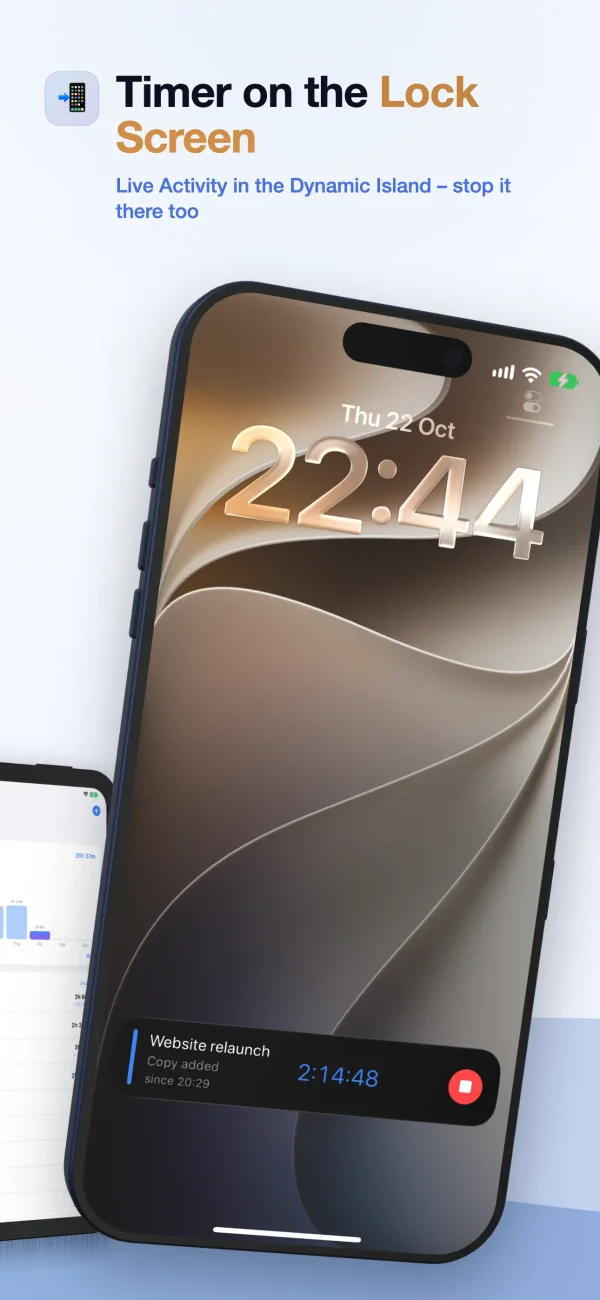
• Choose a project and tap “Start”. The Live Activity shows the running timer on the Lock Screen and in the Dynamic Island, and you can stop it there too.
• Add times afterwards with break and comment, or tap straight into the calendar – the day and time are already filled in.
• Forgotten timers: a reminder after a long run, or an automatic stop after a set duration.
• Break rule: if an entry runs longer than set, Timenor adds the break when it ends.
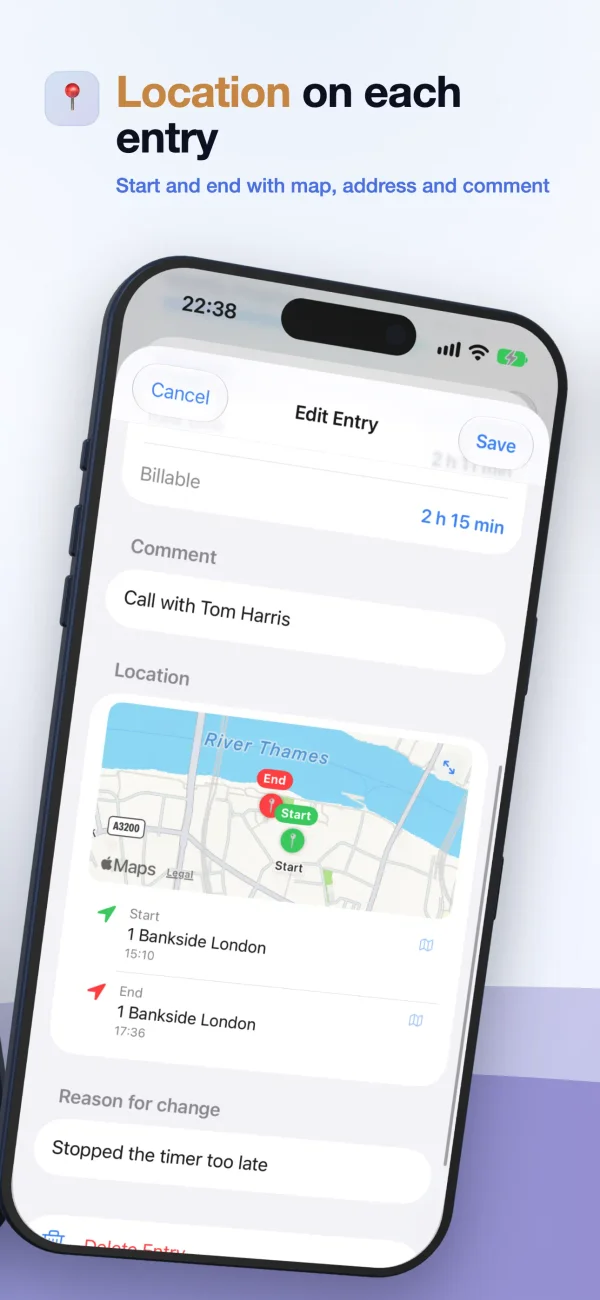
• Optionally record the location at start and end, with a map and address on the entry.
• Note a “Reason for change” when editing; Timenor tells you when entries overlap.
PROJECTS AND BILLING
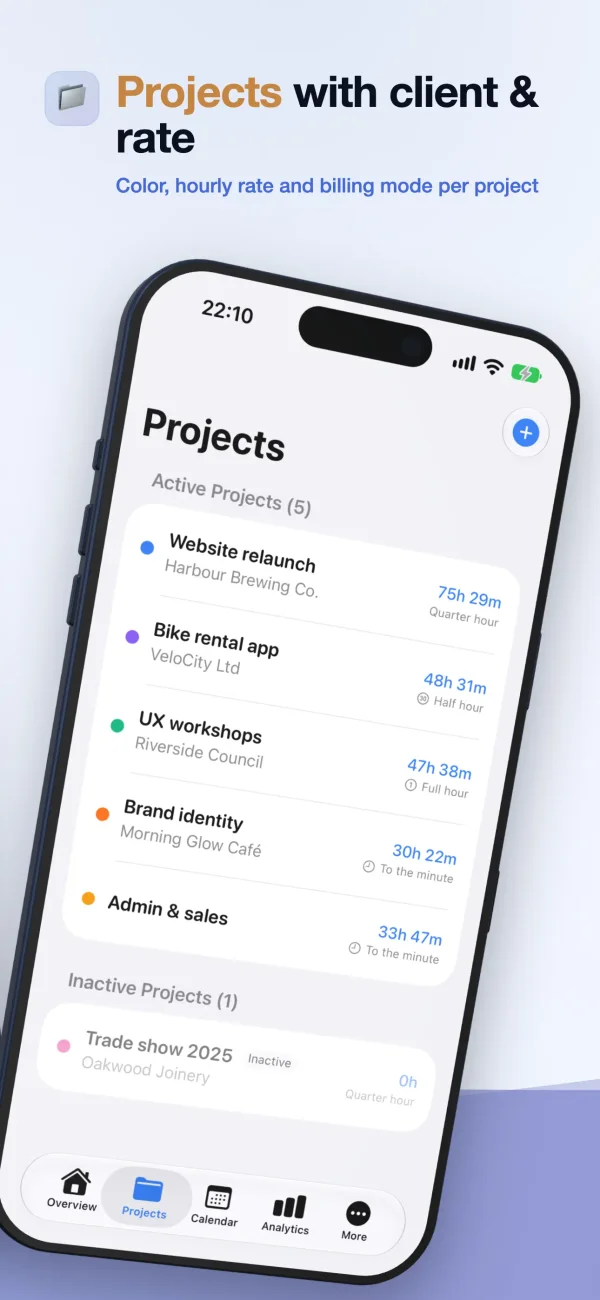
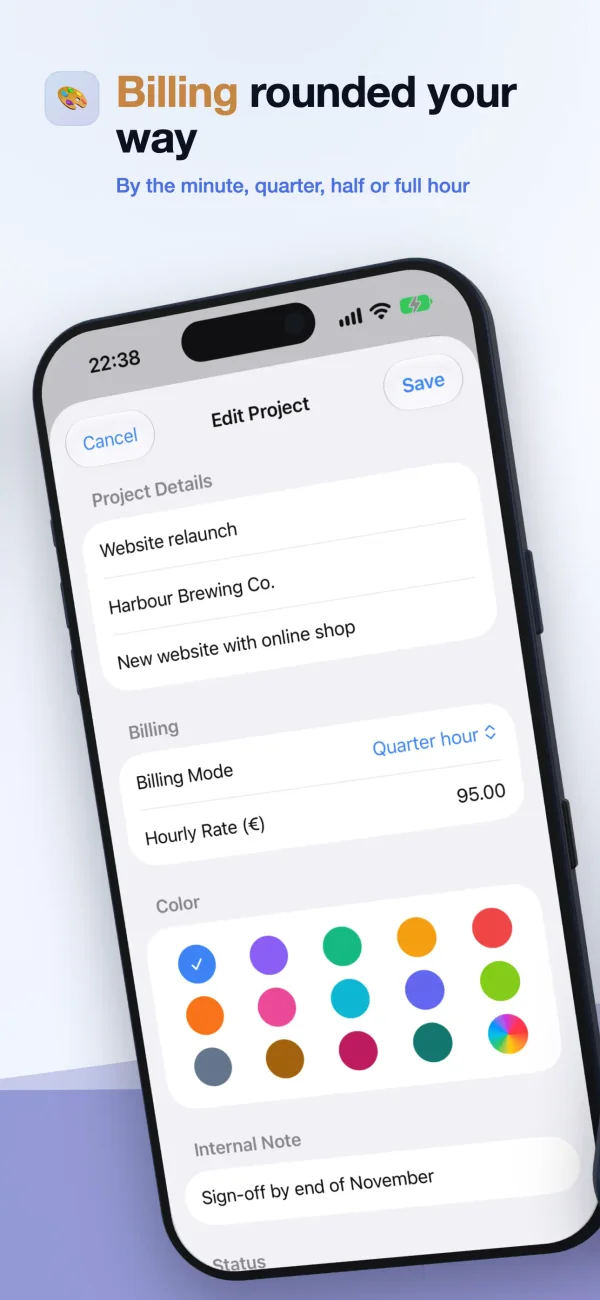
• Projects with client, color, hourly rate and an internal note.
• Billing mode per project: to the minute, quarter hour, half hour or full hour. Each entry is rounded, always up. Target, actual hours and balances use the unrounded raw time.
• With an hourly rate, Analytics shows your estimated revenue.
CALENDAR
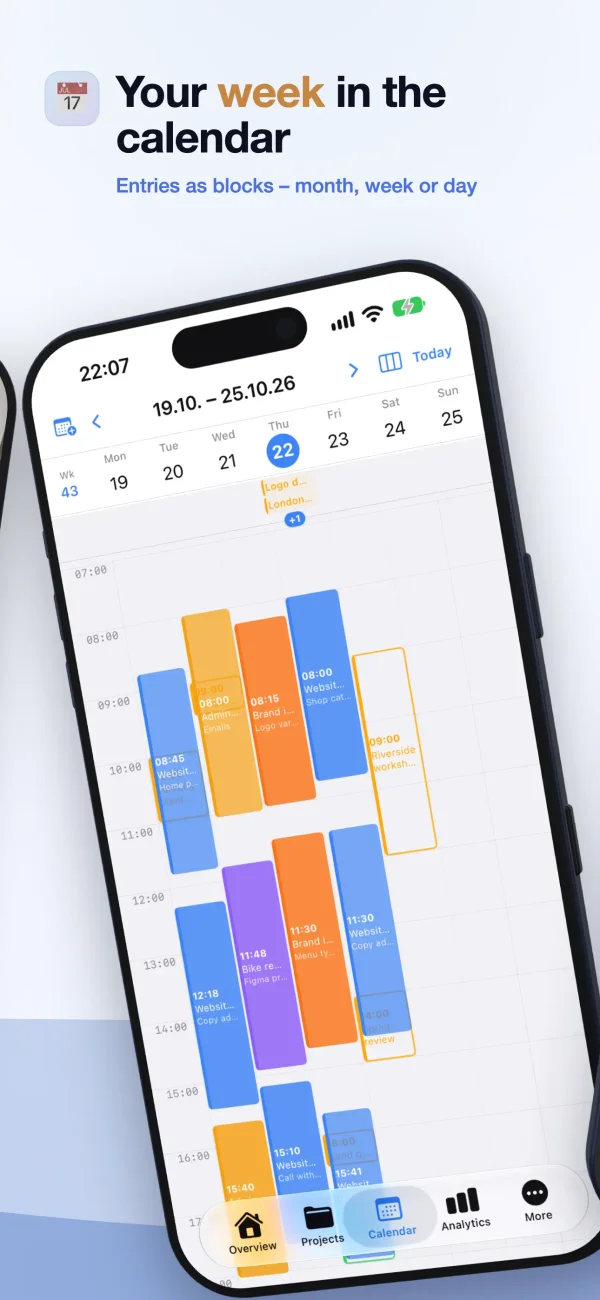
• Your entries as colored blocks: month, 7 days, 5 days, 2 days or a single day.
• Optionally show your iOS events alongside. Timenor only reads them and never writes to your calendar.
• Holidays and absences are highlighted. Your week starts on Monday, Saturday or Sunday.
ANALYTICS
• Week, month, quarter or year: raw time, target, billable time and estimated revenue.
• Period balance, overall balance and vacation balance, optionally with overtime and vacation carried over from before Timenor.
• Timeline, project overview and work locations.
WORK PROFILE, ABSENCES, HOLIDAYS
• In the work profile you set on which days you work and for how many hours. Timenor uses this to calculate your target hours.
• Vacation, special leave, sick, child sick, training, business trip and more – for a full day, a half day or in hours.
• Public holidays for Germany (nationwide or by state), Austria and Switzerland, plus your own days off.
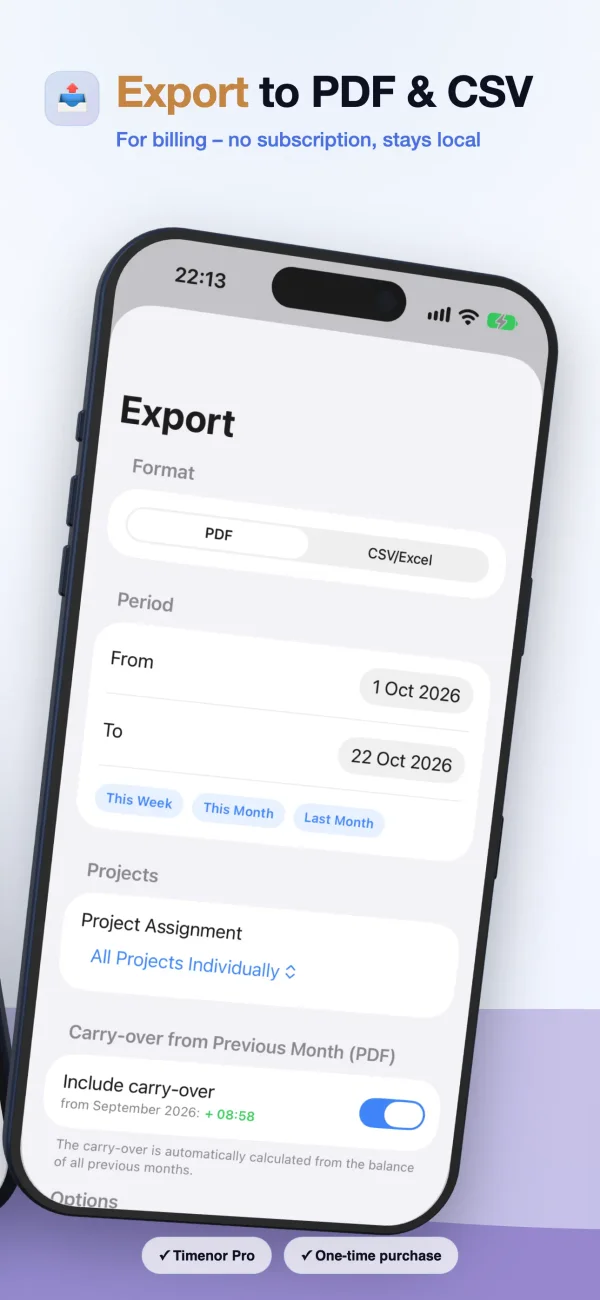
EXPORT AS PDF AND CSV (TIMENOR PRO)
• PDF work time report in A4 landscape with one row per day, target and actual hours, monthly balance, vacation, overall balance and a project overview.
• CSV (semicolon, UTF-8) with one row per entry, grouped by project.
• Raw time or billable time, with comments, locations and absences. Share via the Files app, Mail or AirDrop.
BACKUP
• On a new iPhone or iPad, Timenor loads the latest iCloud backup on first launch.
• Plus a .timenor backup file: to restore it, simply tap it in the Files app, in Mail or after AirDrop.
• “Delete All Data” only with Face ID, Touch ID or your passcode – Timenor creates a backup automatically first.
FREE AND PRO
Tracking, planning, analytics and backup are free – with one active project and every feature except export. Timenor Pro unlocks unlimited projects and export – as a one-time purchase, without a subscription. No trial period, no ads.
Timenor is available in English, German, French and Spanish. Help for every feature: docs.timenor.de
Có gì mới
Phiên bản 2.0.3 · 18/11/2026
A running time entry can be edited by tapping the timer.
Quyền riêng tư của ứng dụng
Những gì Michael Schoenbeck khai báo trên App Store về cách ứng dụng này xử lý dữ liệu.
-
Dữ liệu không được thu thập
Nhà phát triển không thu thập bất kỳ dữ liệu nào từ ứng dụng này.
Phương thức đảm bảo quyền riêng tư có thể khác nhau, chẳng hạn như tuỳ theo các tính năng bạn sử dụng hoặc độ tuổi của bạn.
Thông tin
- Người bán
- Michael Schoenbeck
- Danh mục
- Hiệu Suất
- Phiên bản
- 2.0.3
- Cập nhật
- 18/11/2026
- Phát hành
- 21/05/2026
- Kích thước
- 7,3 MB
- Yêu cầu
- iOS 17.0 trở lên
- Độ tuổi
- 4+
- Giá
- Miễn phí
- Mua hàng trong ứng dụng
- Có
- Ngôn ngữ
- Tiếng Đức, Tiếng Anh, Tiếng Pháp, Tiếng Tây Ban Nha
- Bản quyền
- © 2026 Michael Schönbeck
Có thể bạn cũng thích
-
 All 168Hiệu Suất
-
 KommGehtHiệu Suất
-
 mvTiCo - Time collectingHiệu Suất
-
 Shift & Overtime TrackerHiệu Suất
-
 24 Hours: Time BudgetHiệu Suất
-
 168: Time BudgetHiệu Suất
-
 Puppy Planner - Heat CycleHiệu Suất
-
 Squarely HabitsHiệu Suất
-
 Bảng Chấm Công Cá Nhân: TyempoGiờ Làm, Tăng Ca & Tính Lương
-
 SimpleTime – Ghi giờMột chạm là đồng hồ chạy