Timer+ Countdown & Stopwatch
Interval, Workouts, Pomodoro
Designed for iPhone, iPad
Free · In-app purchases
- Age rating4+
- CategoryUtilities
- DeveloperMinima Software
- LanguagesEnglish+ 18 more
- Size230.8 MB
Links to the official App Store page
Download.org hosts no file of Timer+ Countdown & Stopwatch. The button opens its official App Store page, published by Minima Software. Listing last checked on Nov 22, 2026.
Screenshots



About
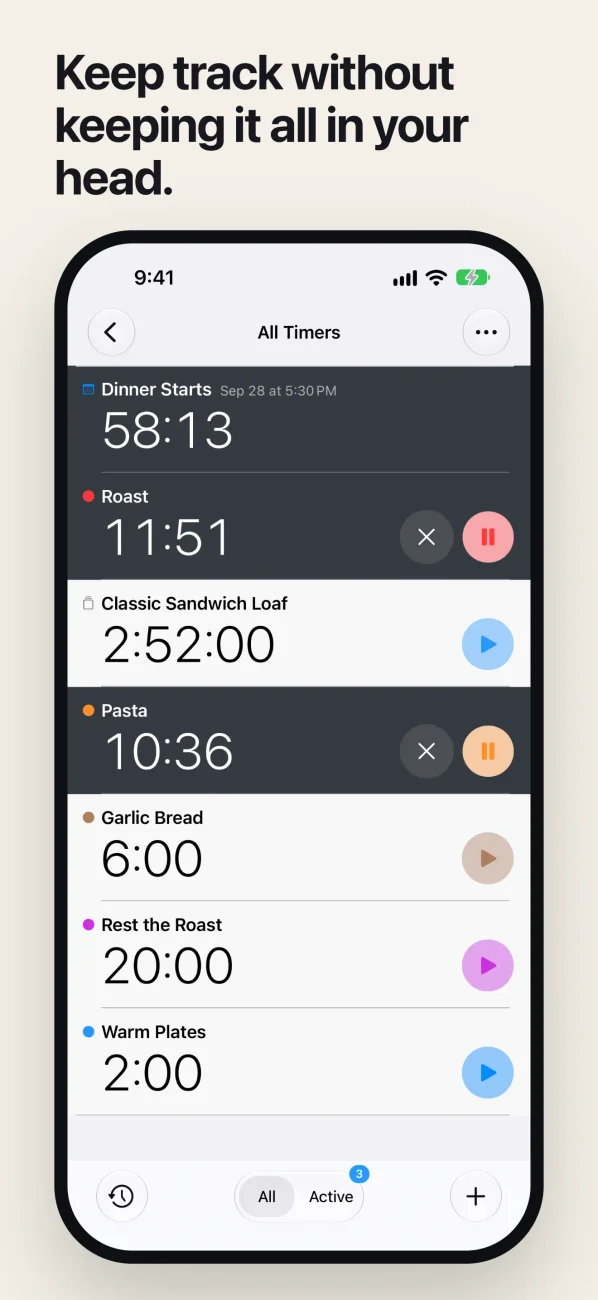
Make a timer for anything, from a pasta timer to a talking interval timer. Save your timers once, then start any of them with one tap.
Name each one and give it its own color and sound, so you know what’s done without looking. Timer+ is a simple timer and stopwatch app for iPhone, iPad, and Apple Watch, loved by parents, athletes, chefs, teachers, and students.
TIMERS
Great for laundry, cooking, naps, meetings, and study sessions.
+ Count down for up to 99 days and repeat up to 64 times
+ Add or remove time while a timer is running
+ Keep counting up after a timer ends
+ Choose from more than 30 sounds
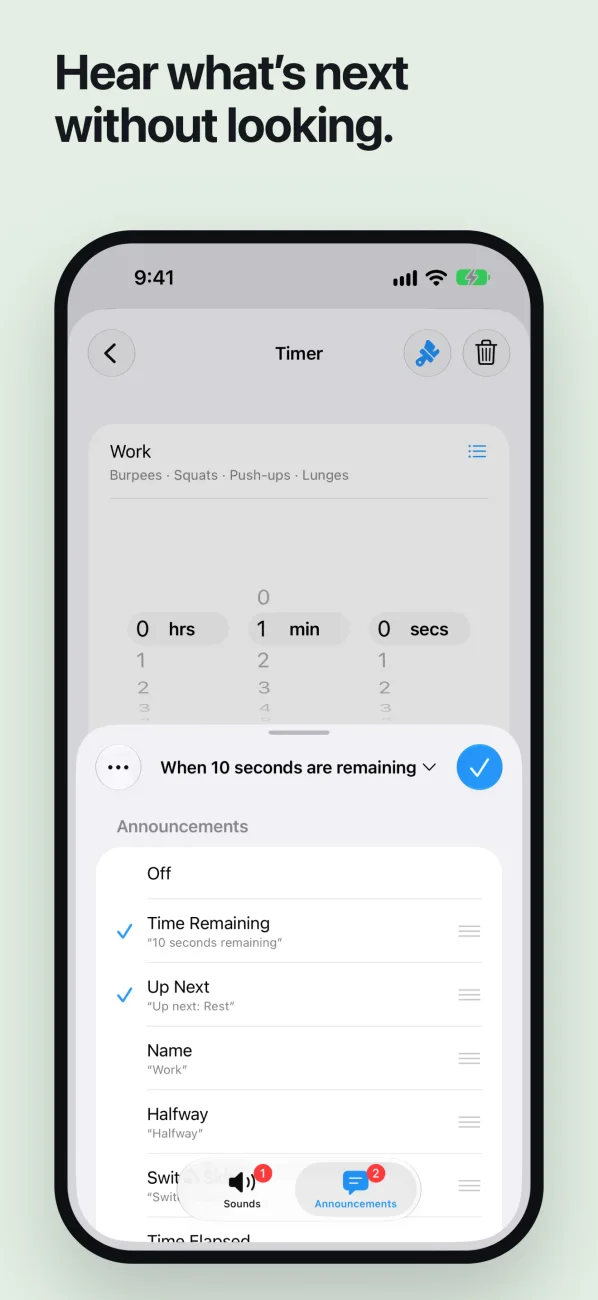
+ Have your timer talk: hear its name, “Halfway,” or “10 seconds remaining” out loud
+ Set alerts for halfway, time remaining, or every few seconds or minutes
+ Keep hearing alerts when your iPhone is locked or Timer+ is closed
+ Mark a timer Urgent to ring as an alarm, even in Silent mode or a Focus (iOS 26 or later)
+ Try the Kids Timer: a colorful pie shrinks as time runs down to reveal a friendly bear
+ Tap Undo to bring back a timer you cancelled by mistake
STOPWATCHES
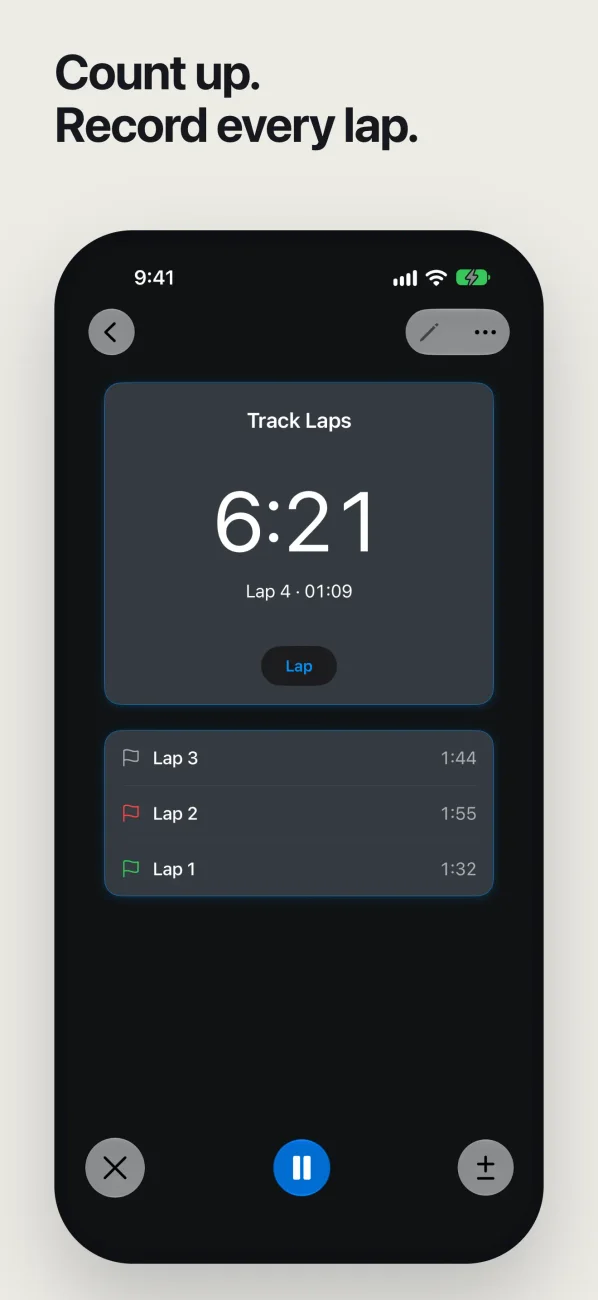
Great for workouts, speeches, meditation, and anything without a set end.
+ Record laps and label them so they’re easy to find in Timer History
+ Play a sound or hear the elapsed time out loud, once or every few minutes
COUNTDOWNS
Best for birthdays, deadlines, appointments, travel days, and other important events.
+ Count down to a specific date and time, then keep counting up
ROUTINES & INTERVAL TIMERS
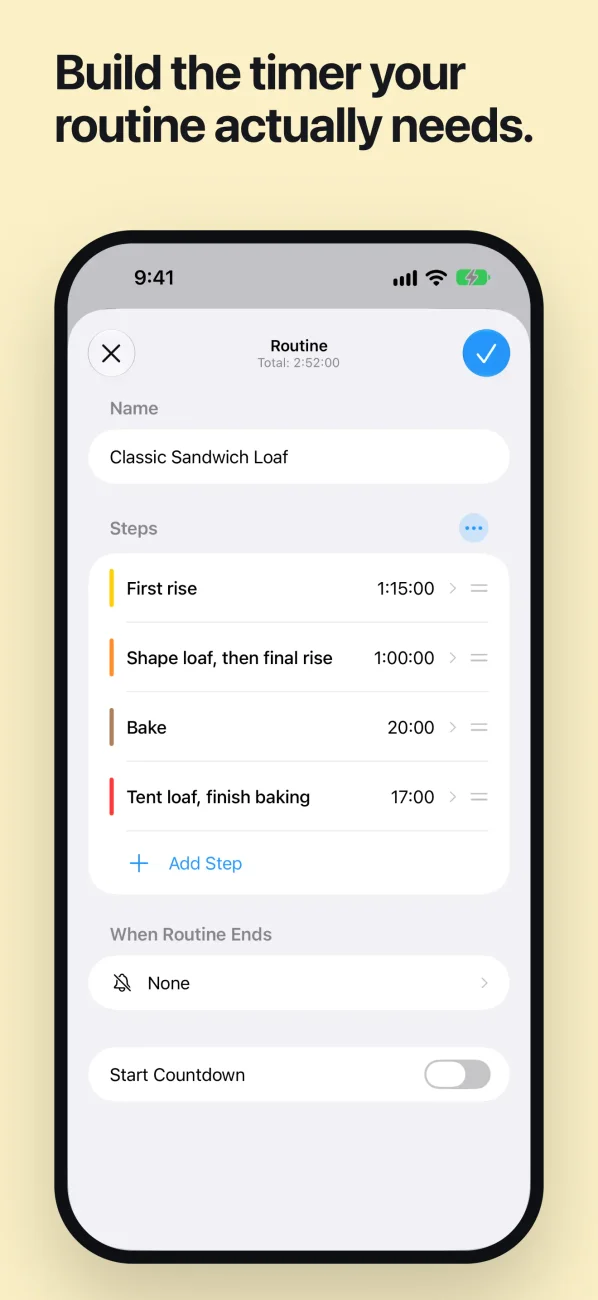
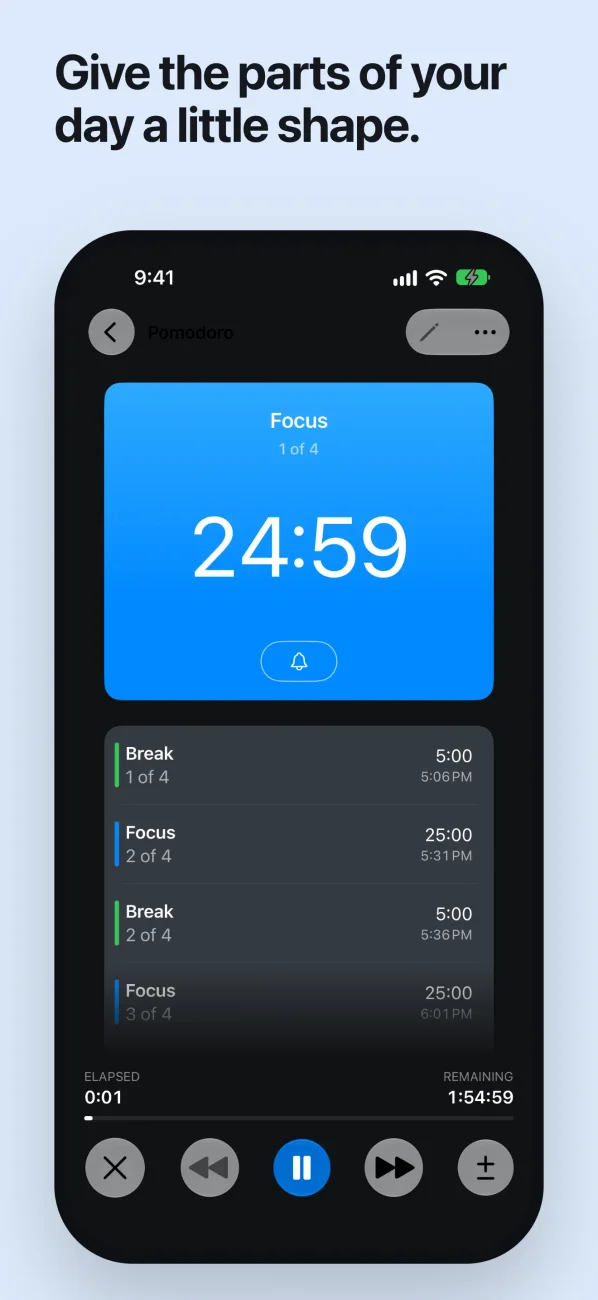
Ideal for interval workouts, Tabata, HIIT, yoga flows, breathing exercises, baking bread, and other multi-step activities.
+ Build an interval timer with custom work times, rests, and repeats
+ Combine Timer and Stopwatch steps in Blocks with their own Repeats and rests
+ Give every step its own name, duration, color, sounds, and talking alerts
+ Hear each step’s name, what’s up next, or “Switch sides” for one-sided exercises
+ Add a Start Countdown, Warmup, Cooldown, and steps between repeats
+ Let a step wait for you to tap Done, or move on automatically
+ Skip or extend a step while your routine is running
+ Start with ready-made Tabata Workout, Pomodoro, and EMOM templates
SHARING
+ Share a copy of a timer with a link (beta)
+ Anyone can add it to Timer+ or try it without installing the app. Links last 7 days.
TIMER HISTORY
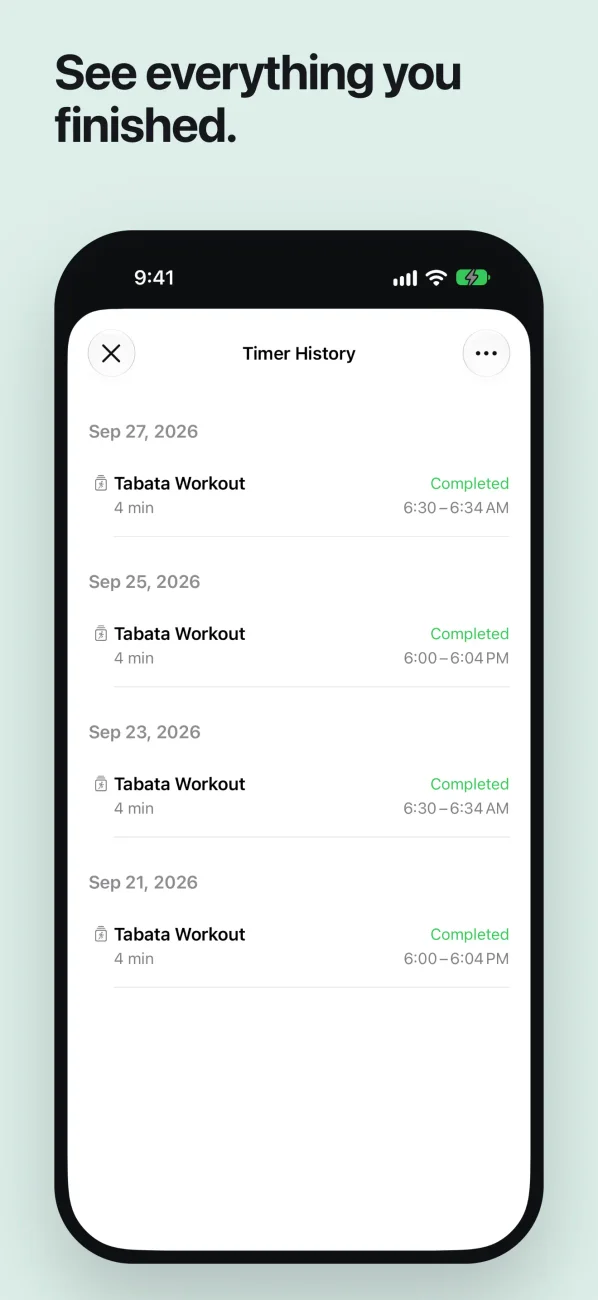
+ Review completed and cancelled runs, including routine steps and stopwatch laps
+ Turn Timer History off or clear it anytime
WIDGETS, WATCH & SIRI
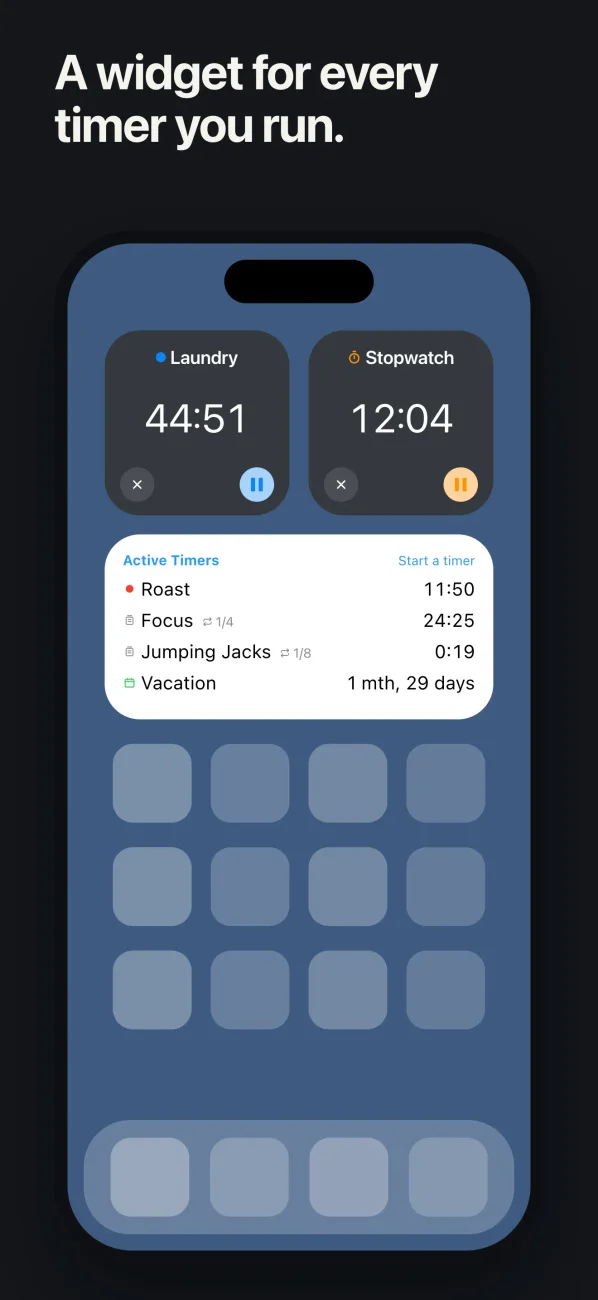
+ Start, pause, or cancel timers from Home Screen widgets
+ See all running and paused timers with the Active Timers widget
+ Follow timers on your Lock Screen and in the Dynamic Island
+ View and control timers from Apple Watch
+ Create and start timers with Siri and Shortcuts
+ Use Timer+ in landscape on iPhone, or with a sidebar on iPad
QUESTIONS AND ANSWERS
Q: Why use Timer+ instead of the built-in Clock app?
A: Save reusable timers, run several timers and stopwatches at once, build multi-step routines, hear timers out loud, and adjust time while a timer is running.
Q: Can Timer+ ring in Silent mode?
A: Yes. On iOS 26 or later, urgent timers ring as an alarm, even in Silent mode or a Focus.
Q: Can Timer+ say the time out loud?
A: Yes. Timers and routines can speak their name and the time remaining, and stopwatches can speak the elapsed time, even when your iPhone is locked.
Q: Is Timer+ a good interval timer?
A: Yes. Use Timer+ as an interval timer for HIIT, Tabata, and EMOM workouts. Start from a template, or build a routine with timed steps, rests, and spoken alerts.
Q: What is included in Timer+ Pro?
A: Timer+ Pro removes ads and unlocks unlimited saved timers, full timer history, advanced routines, and advanced announcements. Choose a recurring subscription or a one-time lifetime purchase.
www.timerplusapp.com/privacy
www.timerplusapp.com/terms
What’s new
Version 4.0.2 · Nov 17, 2026
+ Smoother progress bars and routines, more reliable notifications, and general bug fixes.
App privacy
What Minima Software declares on the App Store about how this app handles data.
-
Data used to track you
May be used to track you across apps and websites owned by other companies.
- Identifiers
- Usage data
- Diagnostics
-
Data not linked to you
May be collected but is not linked to your identity.
- Purchases
- Identifiers
- Usage data
- Diagnostics
Privacy practices may vary, for example with the features you use or your age.
Information
- Seller
- Minima Software LLC
- Category
- Utilities
- Version
- 4.0.2
- Updated
- Nov 17, 2026
- Released
- Sep 21, 2010
- Size
- 230.8 MB
- Requires
- iOS 18.0 or later
- Age rating
- 4+
- Price
- Free
- In-app purchases
- Yes
- Languages
- English, Arabic, French, German, Hindi, Indonesian, Italian, Japanese, Korean, Polish, Portuguese, Russian + 7 more
- Copyright
- © 2026 Minima Software LLC
You might also like
-
 MultiTimer: Multiple timersVisual countdown seconds timer
-
 Stopwatch & Countdown TimerStudy, cooking, HIIT & fitness
-
 Repeat Timer: Interval RemindMultitimer Alarm Clock
-
 Stopwatch‰Simple large display Stopwatch
-
 Multi-StopwatchMultiple lap timer & stopwatch
-
 Timer ٞKitchen cooking alarm
-
 Repeat TimerMultitimer, Interval, Pomodoro
-
 Stopwatch for Sport & WorkMeasure, Track, Analysis Time
-
 Fullscreen Clock: Flip & FocusAesthetic Study Timer & Widget
-
 The Clocks: Alarm, World ClockGenuine Flip, Digital, Analog