
Timers & Alarms: Multi Timer
Countdown, Interval, Stopwatch
Designed for iPhone, iPad
Free · In-app purchases
- Age rating4+
- CategoryUtilities
- DeveloperDetlev Voss
- LanguagesEnglish+ 3 more
- Size14.8 MB
Links to the official App Store page
Download.org hosts no file of Timers & Alarms: Multi Timer. The button opens its official App Store page, published by Detlev Voss. Listing last checked on Nov 23, 2026.
Screenshots

About
Run several timers at once and keep them in sight — on the Lock Screen, in the Dynamic Island and in widgets. Interval timers for HIIT, Tabata and Pomodoro, alarms and a stopwatch, in sync on your iPhone and iPad. Free, with no ads, no tracking and no sign-up.
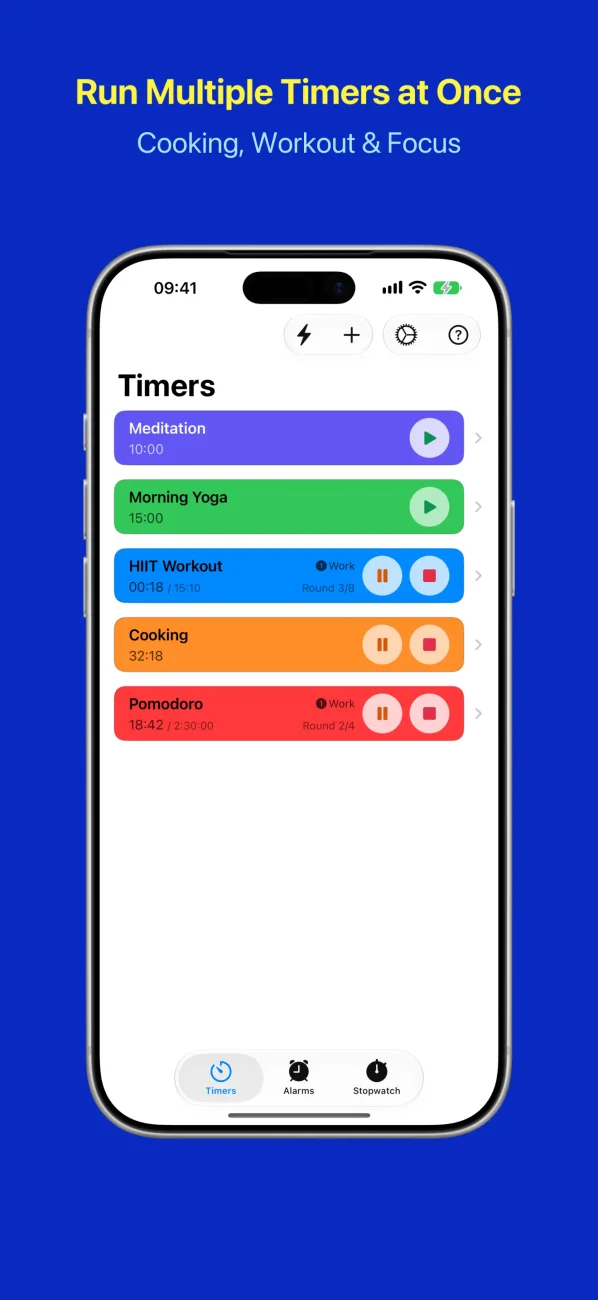
MULTIPLE TIMERS AT ONCE
Create as many named timers as you need, each with its own duration, color and alarm sound. Start, pause, resume and stop them independently — the pasta, the sauce and the oven all at once.
QUICK TIMERS & PRESETS
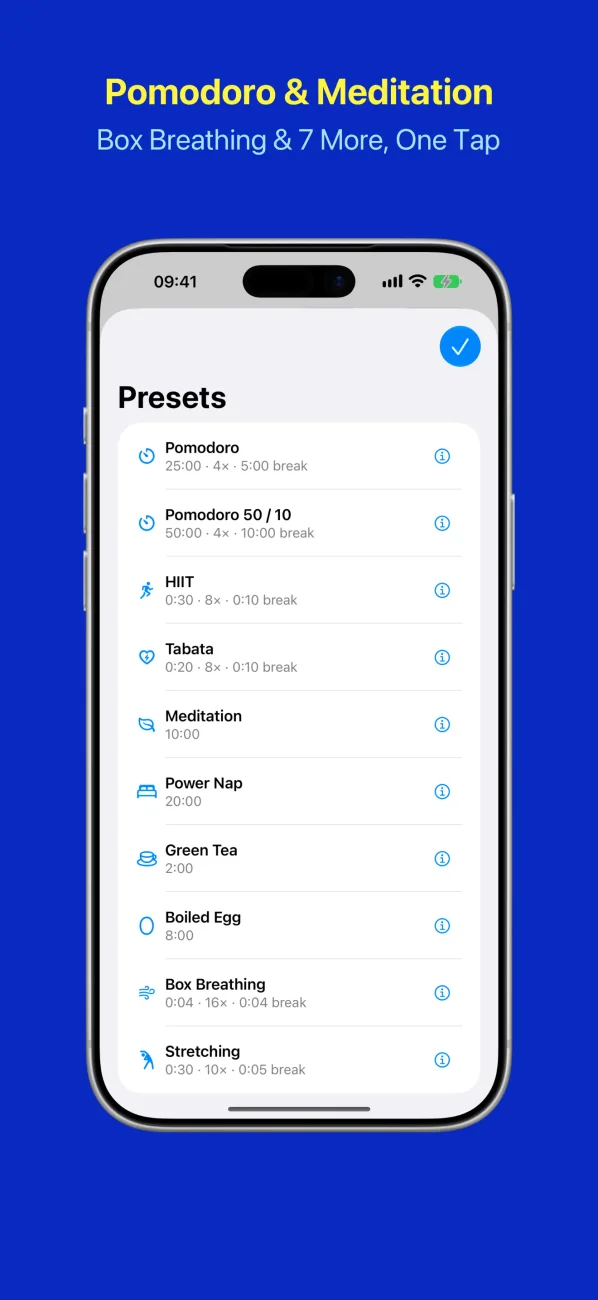
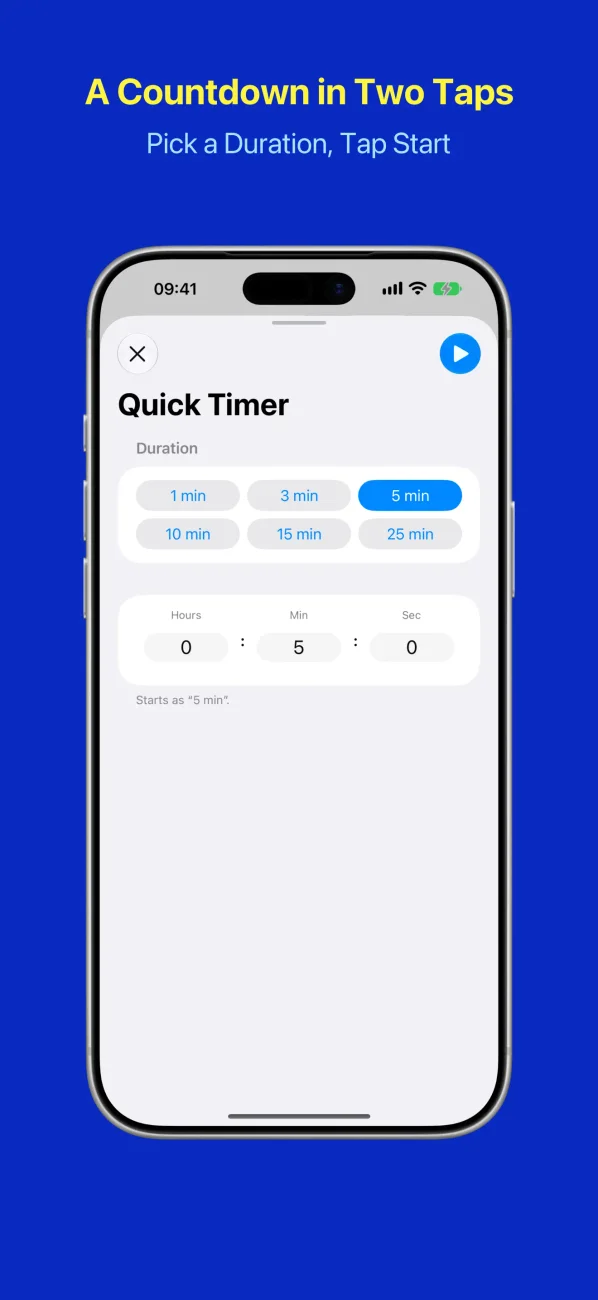
Get a countdown running in seconds: tap the lightning bolt beside +, pick 1, 3, 5, 10, 15 or 25 minutes or dial any duration, and tap Start. It runs at once and clears itself from the list when you're done. Or start from one of ten ready-made presets: Pomodoro, Pomodoro 50 / 10, HIIT, Tabata, Meditation, Power Nap, Green Tea, Boiled Egg, Box Breathing and Stretching. Each explains what it's for and can be edited like any other timer.
INTERVAL TIMERS
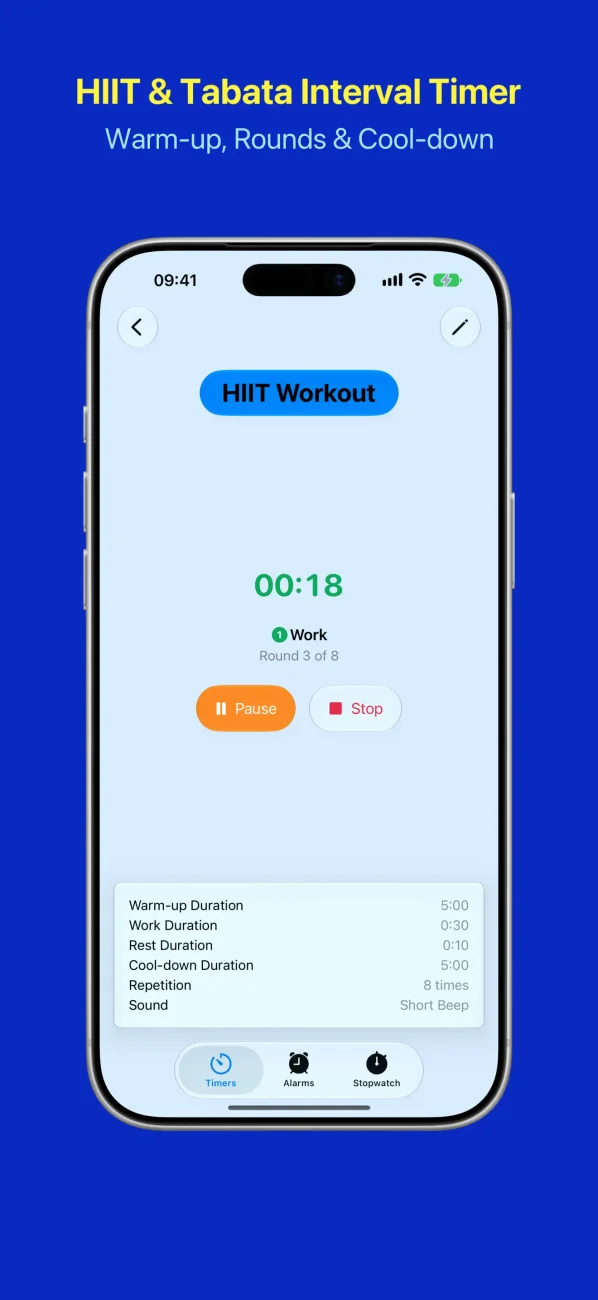
Set up two alternating phases — perfect for HIIT workouts, Pomodoro sessions or any activity with work and rest periods. Give each phase its own name, duration and alarm sound. Add an optional warm-up before the first round and a cool-down after the last — or rename the cool-down to "Long Break" for full Pomodoro sessions.
REPEATING TIMERS
Let timers repeat — a fixed number of rounds or endlessly until you stop them — and follow your progress round by round.
ALARMS
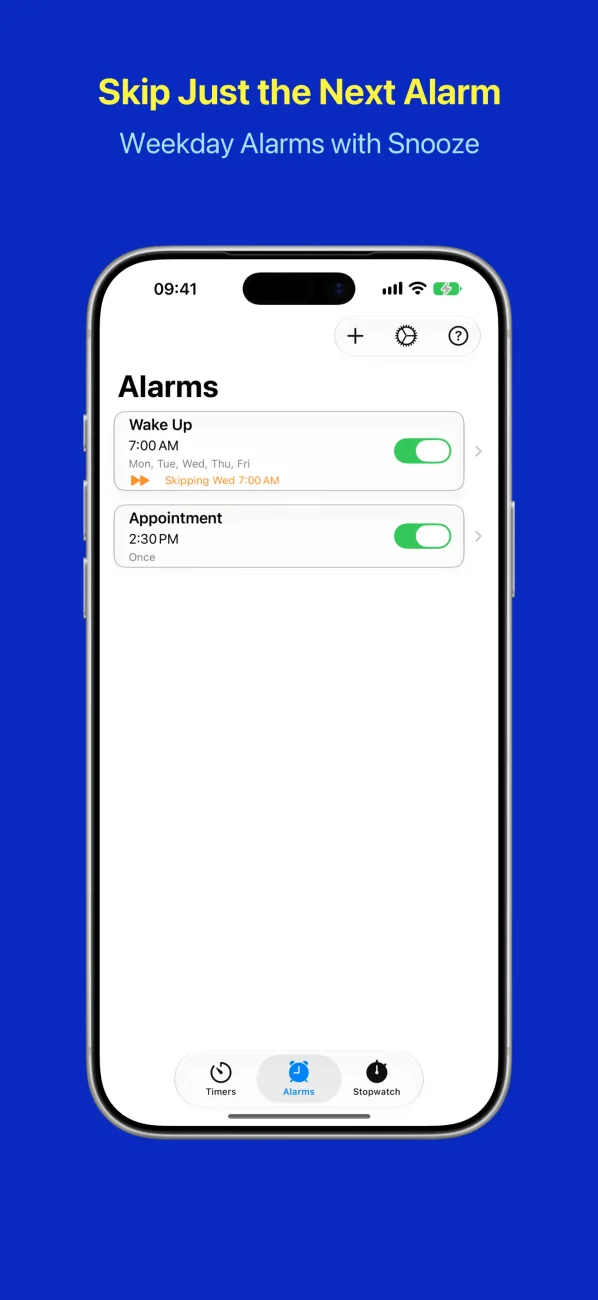
Schedule alarms with flexible weekday repeats. Skip just the next ring of a repeating alarm and keep the rest of the week. One-time alarms switch off after ringing. Snooze for as long as you choose.
STOPWATCH
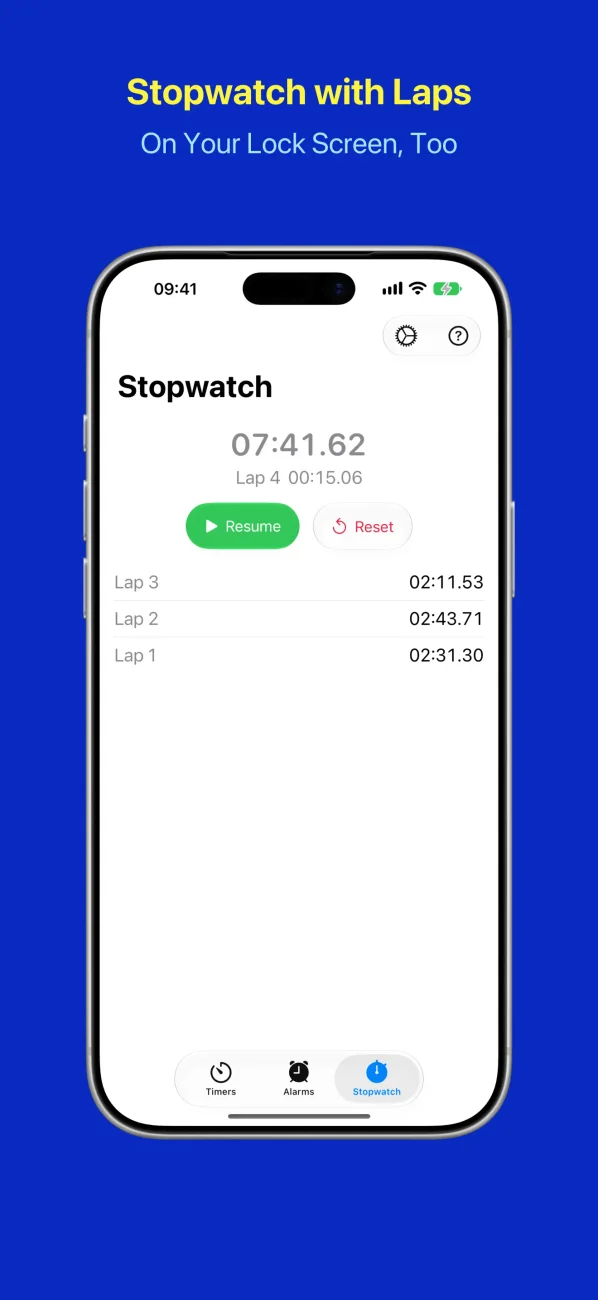
A third tab counts up from zero. Take a lap with one tap and compare the laps in the list. It keeps going when you leave the app or restart your device, and costs no battery. It appears on the Lock Screen, in the Dynamic Island and on the Smart Stack of your Apple Watch, with Pause and Lap right there. The Stopwatch control starts it from Control Center, the Lock Screen or the Action button.
WIDGETS & LIVE ACTIVITIES
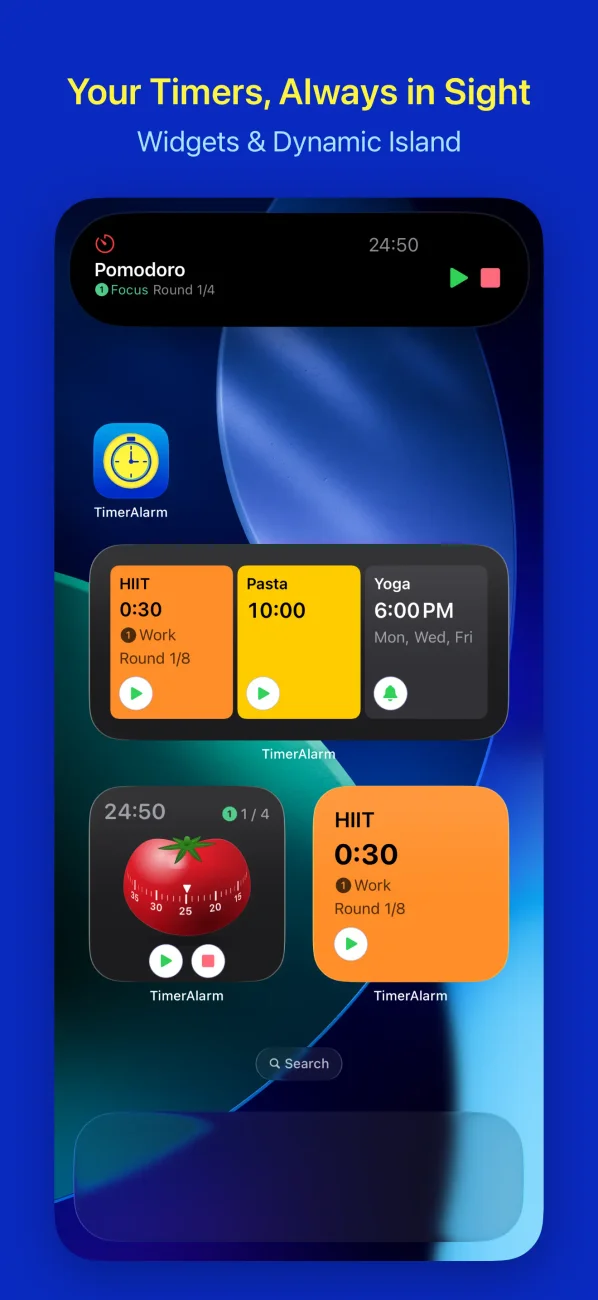
Small and medium widgets show your timers and alarms at a glance — start, pause or stop without opening the app. The Quick Timer widget starts a countdown with a single tap. The Tomato Timer widget (small, medium, large) brings a classic kitchen-timer tomato to your Home Screen. Live Activities keep your countdown visible on the Lock Screen and in the Dynamic Island.
iCLOUD SYNC
Your timers and settings stay the same on every iPhone and iPad signed in to your Apple Account. Alarms stay on the device where you set them, unless you turn on "Sync to My Devices": then they appear on your other devices switched off and ring only where you switch them on. Running timers aren't synced.
SIRI, SHORTCUTS & SPOTLIGHT
Start a saved timer, set a quick one, stop a timer, ask how much time is left, move to the next round or turn an alarm on or off. Start the stopwatch, stop it or take a lap with Siri, and read its time in your own shortcuts. Spotlight finds your timers and alarms by name and offers their actions.
iPAD & iPHONE Duo
On iPad and the large inner display of an iPhone Duo, timers and alarms sit in a grid, and the alarm list stays beside the alarm you open. On an iPhone Duo, the timer detail and the stopwatch split at the fold. With a keyboard, ⌘N adds a new timer.
25 ALARM SOUNDS
From gentle chimes to clear bells, plus four short ticks for fast intervals — preview each one before you choose.
MAKE IT YOURS
• A color of its own for every timer
• Sort by name or duration, active timers on top
• Light, dark or automatic appearance
• Settings in five clear panes
• VoiceOver and Dynamic Type up to accessibility sizes
PRIVACY FIRST
No analytics, no tracking, no sign-up. Your timers stay on your device and, with iCloud Sync, in your own iCloud, encrypted. Not even the developer can read them.
Made by an independent developer. Timers & Alarms is free to use; if you like it, you can leave a tip.
What’s new
Version 1.5.1 · Nov 18, 2026
Version 1.5.1 contains the following changes:
New: iCloud sync
• Your timers and settings stay the same on every iPhone and iPad signed in to your Apple Account.
• Alarms stay on the device where you set them. Turn on "Sync to My Devices" for an alarm to have it on your other devices as well: it arrives switched off and rings only where you switch it on.
• Running timers and the stopwatch stay on the device that started them.
• iCloud Sync is on by default; you can turn it off in Settings › General. Your data is stored encrypted in your own iCloud.
New: Siri, Shortcuts and Spotlight
• Start the stopwatch, stop it or take a lap with Siri; reset it in Shortcuts.
• "Get Stopwatch Time" gives your shortcuts the elapsed time, the current lap and every lap.
• Spotlight now finds your alarms as well, and its results say what they do: start, stop, time left, on or off.
• "Stop a timer" without a name stops the one that is running, quick timers included.
New: Settings in five panes
• Timers, Alarms, Widgets, General and Support instead of one long list.
• Support: rate the app, tell a friend, leave a tip, send feedback, read the blog and find other apps by the same developer.
New languages: English (UK) and Spanish (Mexico).
Improvements:
• The app asks for a rating after your 10th, 25th and 50th finished timer, and suggests a tip only from the 100th.
• On an unfolded iPhone Duo, empty lists, the welcome pages and the milestone banner no longer lie across the fold.
• Help covers everything new, in every language.
Fixes:
• On iPad, several windows of the app switched tabs together. The app now opens in one window.
App privacy
What Detlev Voss declares on the App Store about how this app handles data.
-
Data not collected
The developer does not collect any data from this app.
Privacy practices may vary, for example with the features you use or your age.
Information
- Seller
- Detlev Voss
- Category
- Utilities
- Version
- 1.5.1
- Updated
- Nov 18, 2026
- Released
- Apr 29, 2026
- Size
- 14.8 MB
- Requires
- iOS 26.3 or later
- Age rating
- 4+
- Price
- Free
- In-app purchases
- Yes
- Languages
- English, French, German, Spanish
- Copyright
- © 2026 Detlev Voss
You might also like
-
 AlarmCrew: Wake Up TogetherMorning routine with friends
-
 Adhoro: Your Flexible TimerFor work, exercise and more
-
 Glance — Clock for Every ModeBig Desk & Night Clock, Alarms
-
 Alarm Pro: Group AlarmsGrouped alarms & widgets
-
 IntVtimerA simple Interval Timer.
-
 Timerly: Stopwatch & CountdownTrack Time, Stay Focused
-
 Countdown & Interval TimerPomodoro, HIIT & Step Timer
-
 PhotoFloor: Storage CleanerMore Space. No Subscription.
-
 Multistage TimersTimers, but with stages.
-
 TimerIntervals & voice alerts