TimerWOD: WOD & Interval Timer
AMRAP, EMOM, Tabata & HIIT
Designed for iPhone, iPad
Free
- Age rating4+
- CategoryHealth & Fitness
- DeveloperClick Statement Inc
- LanguagesEnglish+ 2 more
- Size29.2 MB
Links to the official App Store page
Download.org hosts no file of TimerWOD: WOD & Interval Timer. The button opens its official App Store page, published by Click Statement Inc. Listing last checked on Nov 24, 2026.
Screenshots


About
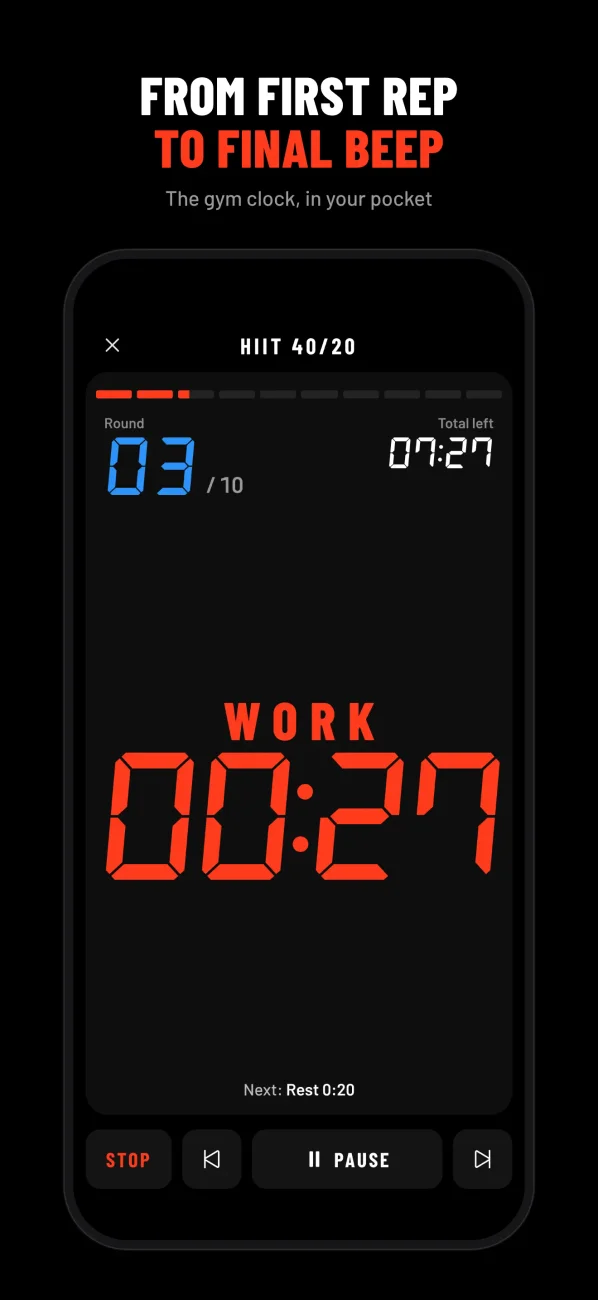
The gym clock, in your pocket. From first rep to final beep.
One timer for every workout: For Time, AMRAP, EMOM, intervals, or a Mix of all of them. Set it up in seconds, press START and train. Big LED digits you can read from across the gym, beeps that land on the second, and every workout saved to your log. Free. No account needed.
EVERY FORMAT
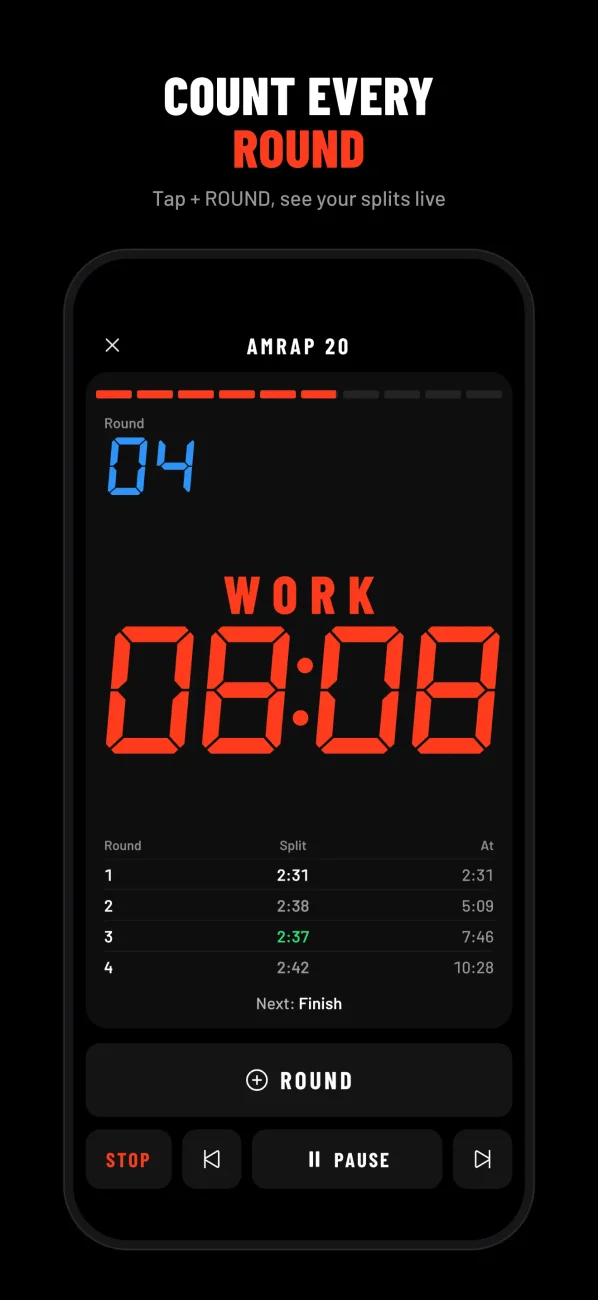
• For Time: count up to a time cap, or run with no cap. Tap + ROUND for every round and see your splits live.
• AMRAP: as many rounds as possible in a set time. Count rounds with one tap and add the reps of your last round at the end.
• EMOM: every minute on the minute, or every 2:00, every 0:30, whatever the workout says. Rounds, sets and rest between sets. Death By: one more rep every round.
• Intervals: work and rest. HIIT 40/20, HIIT 30/30, Tabata and FGB are ready to go, or set your own numbers.
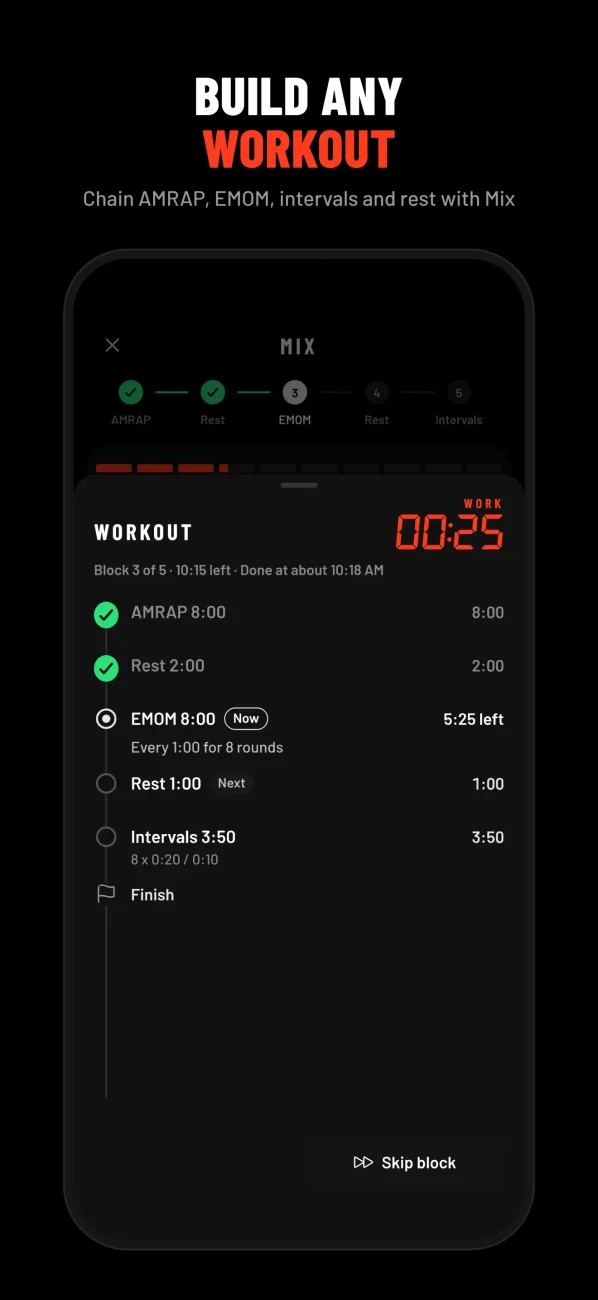
• Mix: chain For Time, AMRAP, EMOM, intervals, work and rest blocks into one workout, in any order. One START for the whole thing, and a timeline that shows where you are.
THE GYM CLOCK
• Big LED digits: red for work, green for rest, amber for the countdown. You know the phase at a glance.
• Turn the phone sideways and the clock fills the screen.
• Beeps on time with the phone locked, the screen off or your music playing. The music is lowered for each beep and comes back.
• Alerts on the lock screen while you train.
• Warm-up, cool-down and rest after the last round in More options. Count up or count down.
• The screen stays on for the whole workout.
PRESETS AND QUICK START
• Built in: HIIT 40/20, HIIT 30/30, Tabata, FGB, EMOM 10, EMOM 40, Death By and AMRAP 20.
• Save any setup or finished workout as your own preset. Your last workouts sit under Quick start on the home screen: one tap and the clock is running.
AFTER THE WORKOUT
• Results with your time, rounds and reps, and every round time, the faster rounds in green.
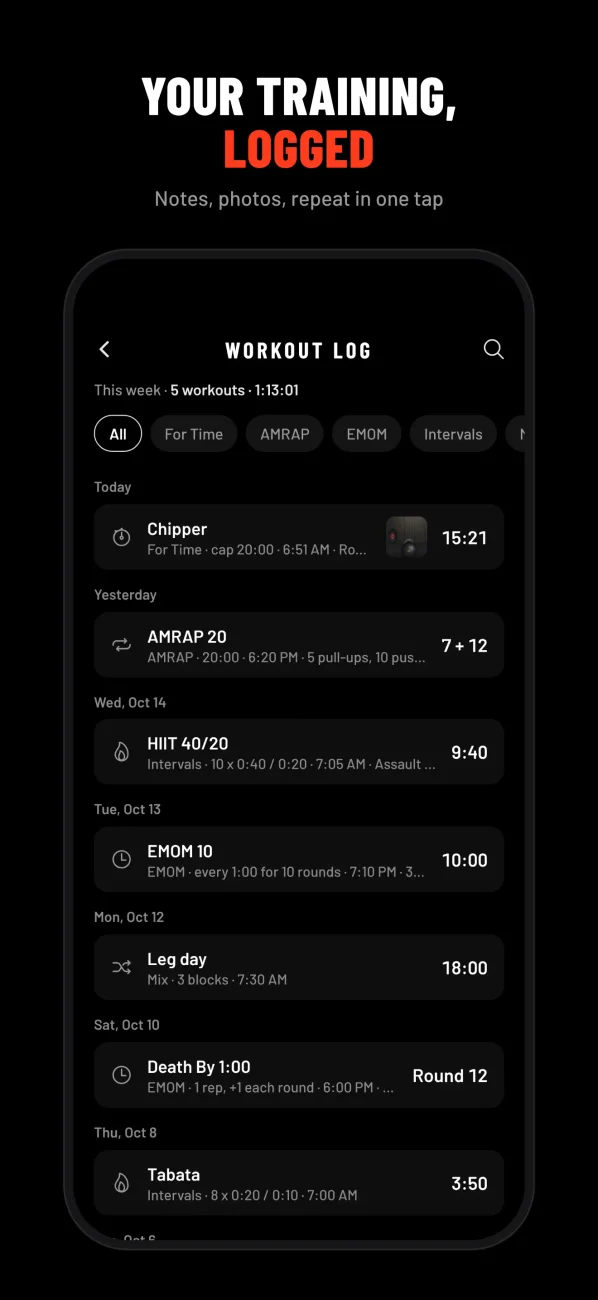
• How it felt, notes and a photo of the whiteboard, saved with the workout.
• Workout log: every workout with its notes and photos, how many you did this week, and Repeat to run the same workout again.
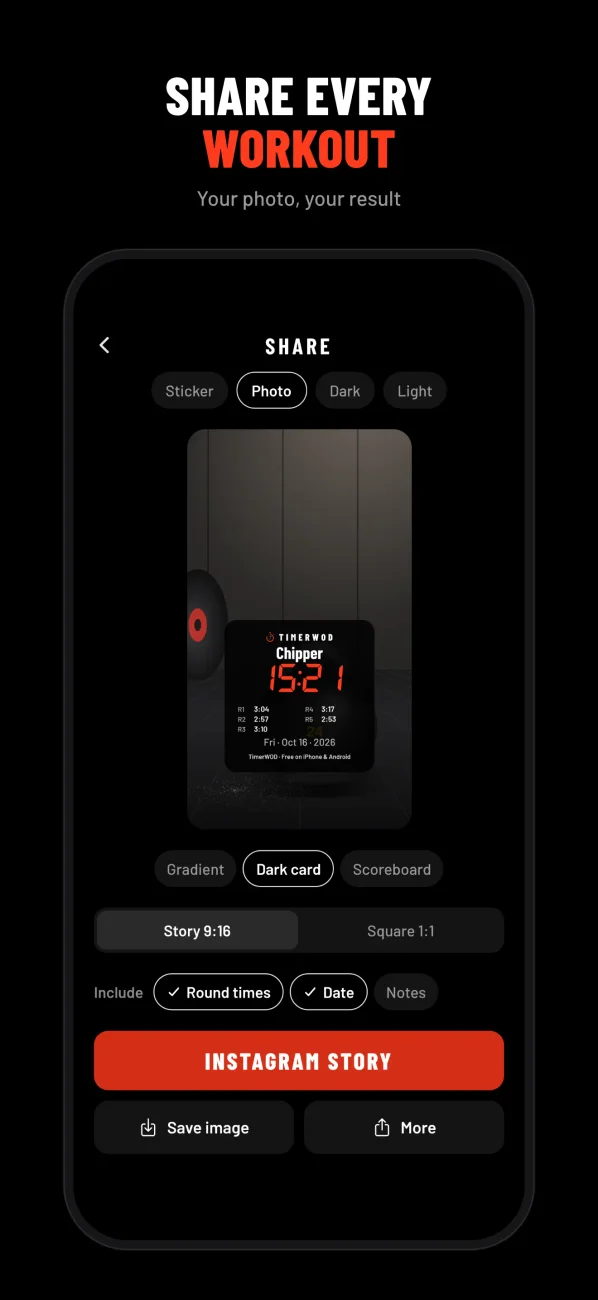
• Share image: your result on your own photo as a Gradient, a Dark card or a Scoreboard, or on a dark, light or sticker card. Story and square sizes, straight to Instagram or saved to your photos.
IN YOUR LANGUAGE
English, Spanish and Portuguese. The app follows your phone's language, or pick one in Settings.
FREE, NO ACCOUNT NEEDED
No sign-up. Open the app and train.
Questions or ideas: support@timerwod.com
What’s new
Version 3.1 · Nov 23, 2026
- Mix now opens with the workout you built, not the last ready-made one you started.
- Panels that slide up now close with a quick flick down.
- Under-the-hood updates for stability.
App privacy
What Click Statement Inc declares on the App Store about how this app handles data.
-
Data not linked to you
May be collected but is not linked to your identity.
- Health and fitness
- Identifiers
- Usage data
- Diagnostics
Privacy practices may vary, for example with the features you use or your age.
Information
- Seller
- Click Statement Inc
- Category
- Health & Fitness
- Version
- 3.1
- Updated
- Nov 23, 2026
- Released
- May 14, 2021
- Size
- 29.2 MB
- Requires
- iOS 17.6 or later
- Age rating
- 4+
- Price
- Free
- Languages
- English, Portuguese, Spanish
- Copyright
- © 2026 Click Statement Inc.
You might also like
-
 Box Timer - Simple WOD ClockHIIT, Tabata & Gym Training
-
 Let’s WOD: CrossFit WorkoutsGenerator, Timer & Tracker
-
 The WOD Generator: Workout15,000+ workouts, timer, log
-
 IBEX TrainingHealth & Fitness
-
 SmartWOD Workout GeneratorWOD Finder for Cross Training
-
 KBMH - Kettlebell WorkoutsKettlebell Fitness From Home
-
 Hero WOD - Workouts GeneratorWOD Generator & Home Workouts
-
 CompTrainComplete Fitness & Coaching
-
 WODBumPSocial WOD Tracking
-
 Tabata and EMOM TimerIntuitive Tabata and EMOM