TimerWOD: WOD & Interval Timer
AMRAP, EMOM, Tabata & HIIT
Được thiết kế cho iPhone, iPad
Miễn phí
- Độ tuổi4+
- Danh mụcSức Khỏe & Thể Dục
- Nhà phát triểnClick Statement Inc
- Ngôn ngữTiếng Anh+ 2 ngôn ngữ khác
- Kích thước29,2 MB
Liên kết đến trang App Store chính thức
Download.org không lưu trữ tệp nào của TimerWOD: WOD & Interval Timer. Nút này mở trang ứng dụng trên App Store, nơi Click Statement Inc phát hành ứng dụng. Trang được kiểm tra lần cuối: 24/11/2026.
Ảnh chụp màn hình


Giới thiệu
Nhà phát triển chưa cung cấp nội dung này bằng ngôn ngữ của bạn.
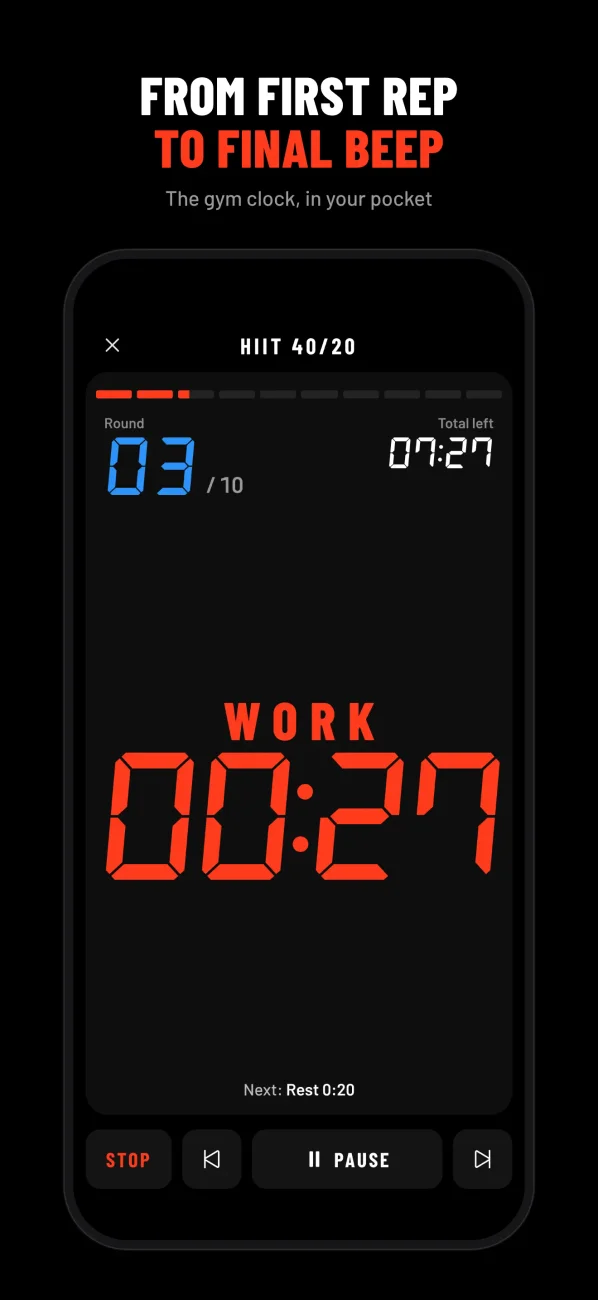
The gym clock, in your pocket. From first rep to final beep.
One timer for every workout: For Time, AMRAP, EMOM, intervals, or a Mix of all of them. Set it up in seconds, press START and train. Big LED digits you can read from across the gym, beeps that land on the second, and every workout saved to your log. Free. No account needed.
EVERY FORMAT
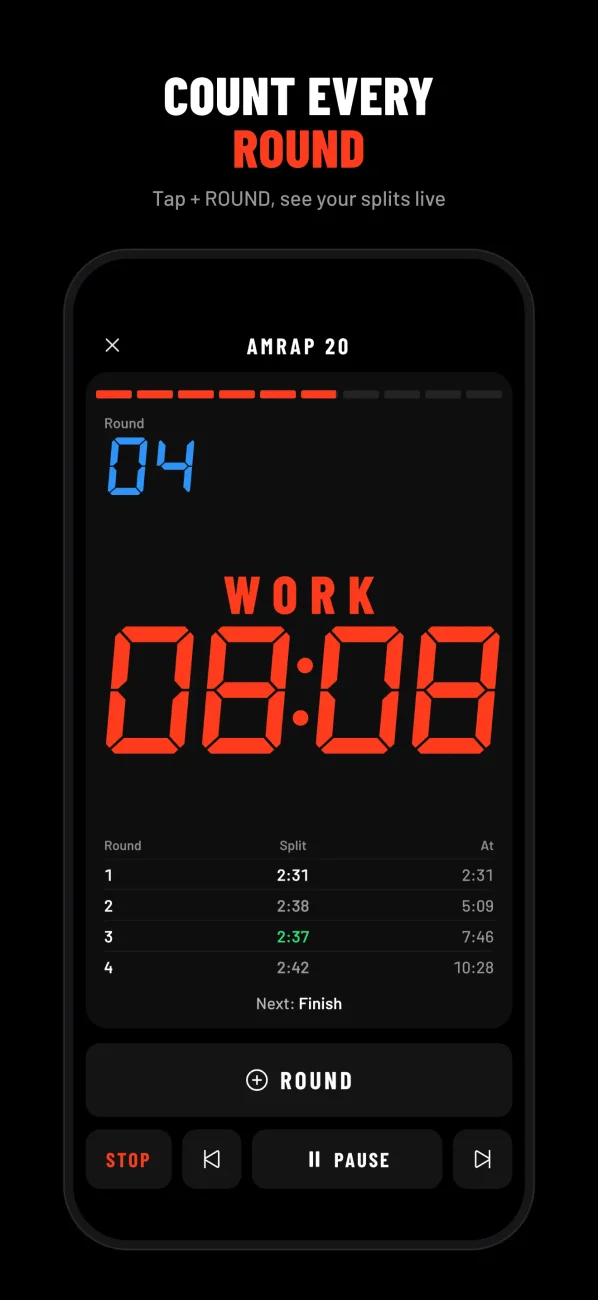
• For Time: count up to a time cap, or run with no cap. Tap + ROUND for every round and see your splits live.
• AMRAP: as many rounds as possible in a set time. Count rounds with one tap and add the reps of your last round at the end.
• EMOM: every minute on the minute, or every 2:00, every 0:30, whatever the workout says. Rounds, sets and rest between sets. Death By: one more rep every round.
• Intervals: work and rest. HIIT 40/20, HIIT 30/30, Tabata and FGB are ready to go, or set your own numbers.
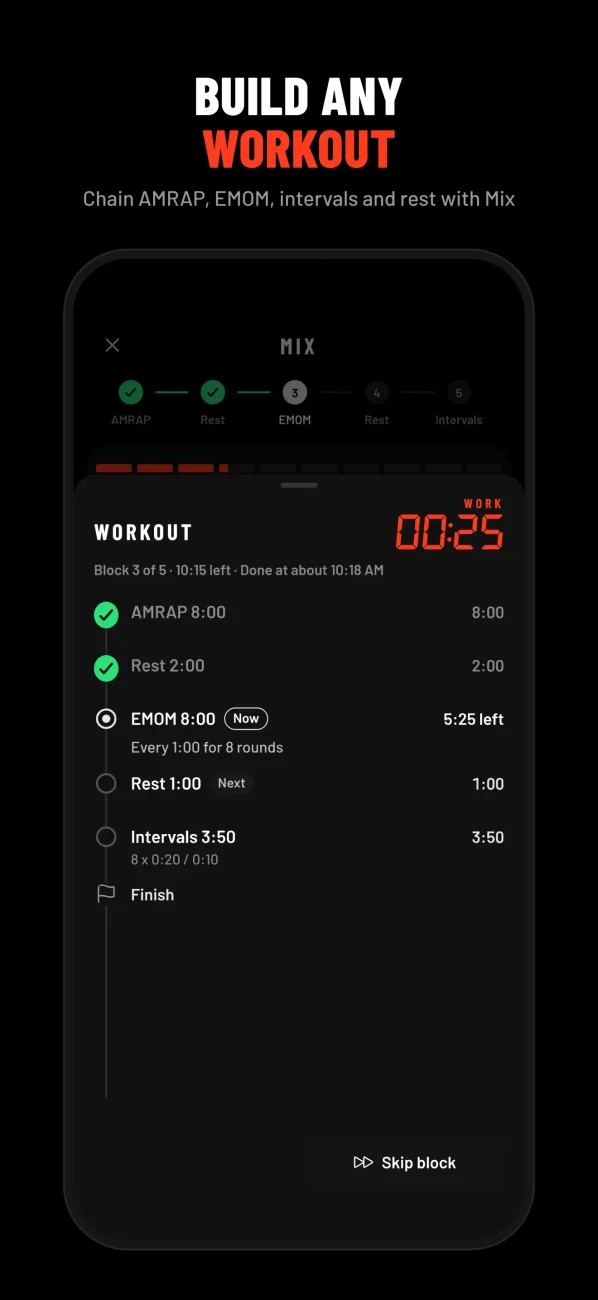
• Mix: chain For Time, AMRAP, EMOM, intervals, work and rest blocks into one workout, in any order. One START for the whole thing, and a timeline that shows where you are.
THE GYM CLOCK
• Big LED digits: red for work, green for rest, amber for the countdown. You know the phase at a glance.
• Turn the phone sideways and the clock fills the screen.
• Beeps on time with the phone locked, the screen off or your music playing. The music is lowered for each beep and comes back.
• Alerts on the lock screen while you train.
• Warm-up, cool-down and rest after the last round in More options. Count up or count down.
• The screen stays on for the whole workout.
PRESETS AND QUICK START
• Built in: HIIT 40/20, HIIT 30/30, Tabata, FGB, EMOM 10, EMOM 40, Death By and AMRAP 20.
• Save any setup or finished workout as your own preset. Your last workouts sit under Quick start on the home screen: one tap and the clock is running.
AFTER THE WORKOUT
• Results with your time, rounds and reps, and every round time, the faster rounds in green.
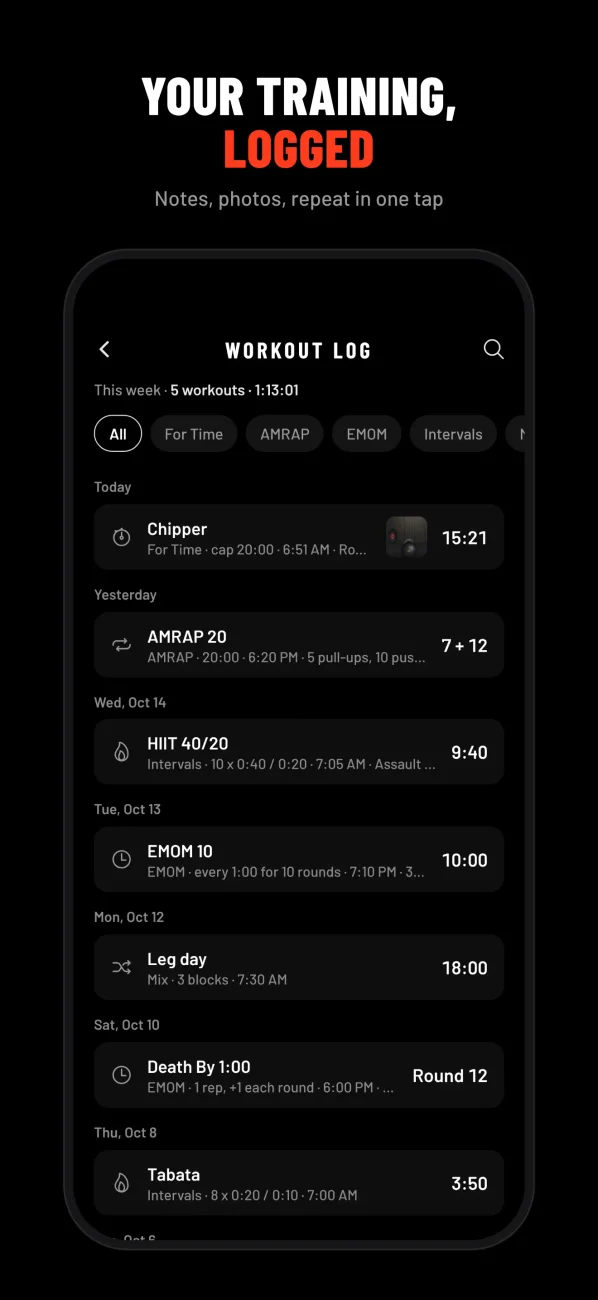
• How it felt, notes and a photo of the whiteboard, saved with the workout.
• Workout log: every workout with its notes and photos, how many you did this week, and Repeat to run the same workout again.
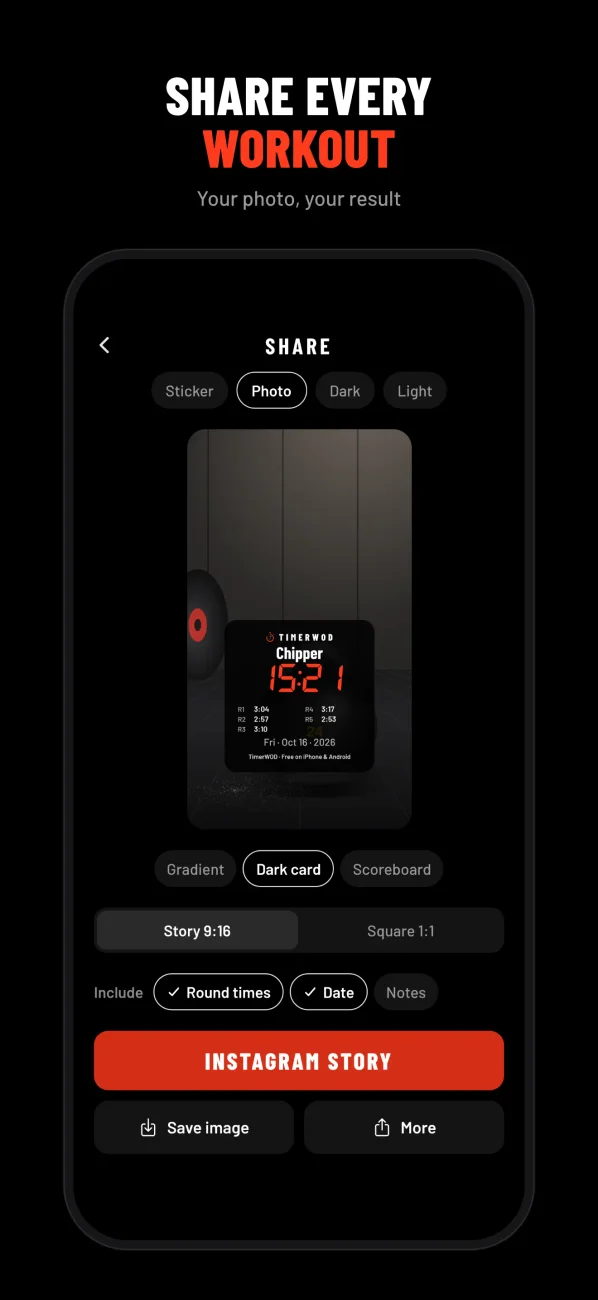
• Share image: your result on your own photo as a Gradient, a Dark card or a Scoreboard, or on a dark, light or sticker card. Story and square sizes, straight to Instagram or saved to your photos.
IN YOUR LANGUAGE
English, Spanish and Portuguese. The app follows your phone's language, or pick one in Settings.
FREE, NO ACCOUNT NEEDED
No sign-up. Open the app and train.
Questions or ideas: support@timerwod.com
Có gì mới
Phiên bản 3.1 · 23/11/2026
- Mix now opens with the workout you built, not the last ready-made one you started.
- Panels that slide up now close with a quick flick down.
- Under-the-hood updates for stability.
Quyền riêng tư của ứng dụng
Những gì Click Statement Inc khai báo trên App Store về cách ứng dụng này xử lý dữ liệu.
-
Dữ liệu không liên kết với bạn
Có thể được thu thập nhưng không liên kết với danh tính của bạn.
- Sức khoẻ và thể chất
- Mã định danh
- Dữ liệu sử dụng
- Chẩn đoán
Phương thức đảm bảo quyền riêng tư có thể khác nhau, chẳng hạn như tuỳ theo các tính năng bạn sử dụng hoặc độ tuổi của bạn.
Thông tin
- Người bán
- Click Statement Inc
- Danh mục
- Sức Khỏe & Thể Dục
- Phiên bản
- 3.1
- Cập nhật
- 23/11/2026
- Phát hành
- 14/05/2021
- Kích thước
- 29,2 MB
- Yêu cầu
- iOS 17.6 trở lên
- Độ tuổi
- 4+
- Giá
- Miễn phí
- Ngôn ngữ
- Tiếng Anh, Tiếng Bồ Đào Nha, Tiếng Tây Ban Nha
- Bản quyền
- © 2026 Click Statement Inc.
Có thể bạn cũng thích
-
 Box Timer - Simple WOD ClockSức Khỏe & Thể Dục
-
 Let’s WOD: CrossFit WorkoutsSức Khỏe & Thể Dục
-
 The WOD Generator: WorkoutSức Khỏe & Thể Dục
-
 IBEX TrainingSức Khỏe & Thể Dục
-
 SmartWOD Workout GeneratorSức Khỏe & Thể Dục
-
 KBMH - Kettlebell WorkoutsSức Khỏe & Thể Dục
-
 Hero WOD - Workouts GeneratorSức Khỏe & Thể Dục
-
 CompTrainSức Khỏe & Thể Dục
-
 WODBumPSức Khỏe & Thể Dục
-
 Tabata and EMOM TimerSức Khỏe & Thể Dục