
Timezone World Clock: Timebase
Time zone converter & planner
Designed for iPhone
Free
- Age rating4+
- CategoryUtilities
- DeveloperAmrith Shanbhag
- LanguagesEnglish
- Size9.7 MB
Links to the official App Store page
Download.org hosts no file of Timezone World Clock: Timebase. The button opens its official App Store page, published by Amrith Shanbhag. Listing last checked on Nov 14, 2026.
Screenshots

About
Timebase is a calmer way to keep time across the world.
Add the cities you care about, scrub through the day to see what time it is everywhere at once, and plan meetings that actually land at humane hours. Watch your upcoming calendar events count down on the lock screen. Glance at every city from a widget on your home screen.
Designed for people who live and work across timezones — distributed teams, remote workers, families abroad, frequent travelers, and anyone who just wants to know what time it is somewhere else right now.
— FEATURES —
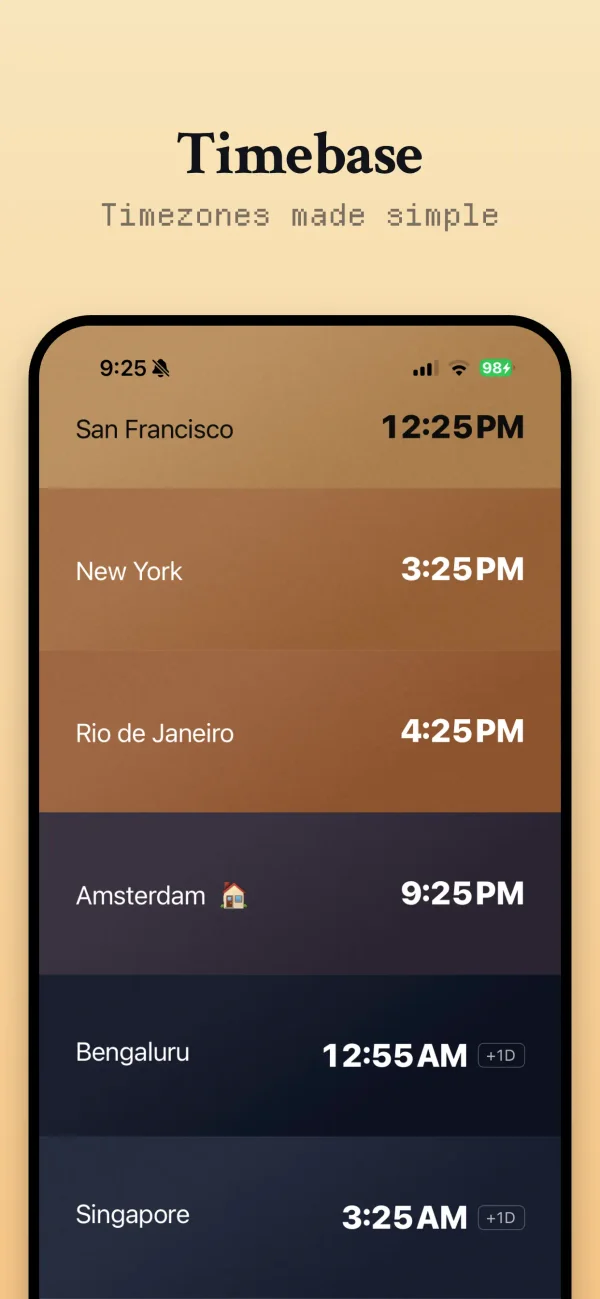
WORLD CLOCK
• Up to 8 cities, automatically ordered by timezone offset
• Time-of-day gradients that flow with the hour, anywhere on Earth
• Fluid parallax gradients that respond to how you hold your phone
• Scrub vertically through the day — every clock moves together
• Tap any city for daylight and the local date
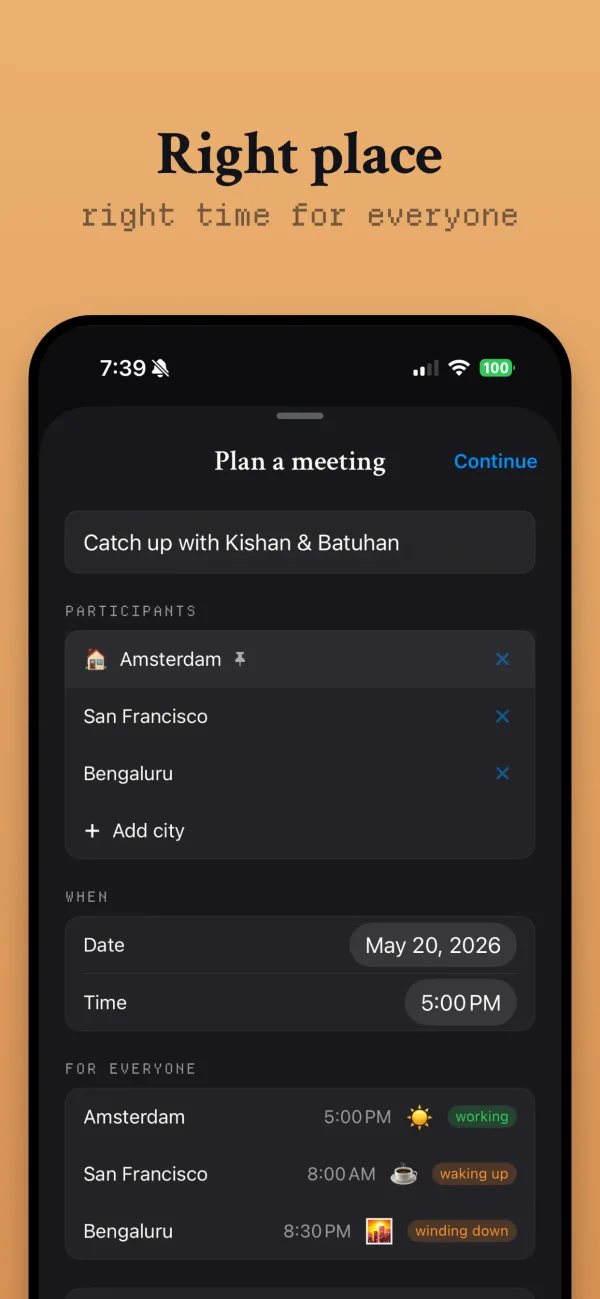
MEETING PLANNER
• Pick participants by city, find a time that works for everyone
• Anchor the meeting to anyone's timezone — your home or theirs
• Save straight to your calendar with one tap
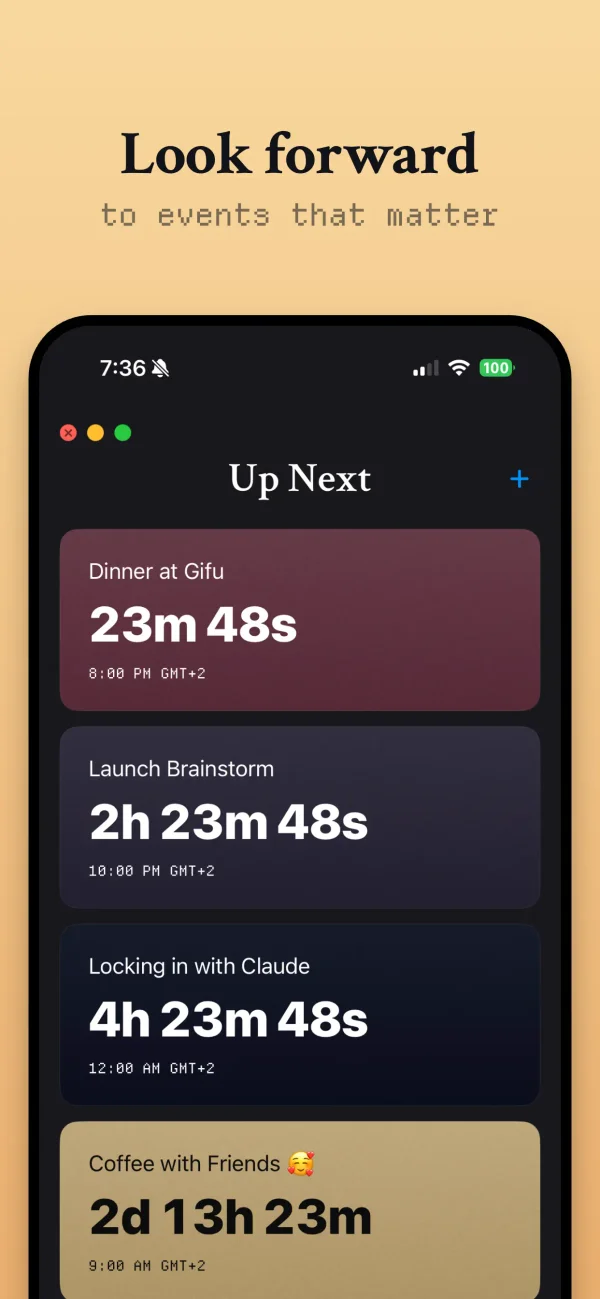
UP NEXT
• Native Apple Calendar integration — no signup required
• See countdowns to your upcoming events
• Pull to refresh for the latest changes
WIDGETS (HOME & LOCK SCREEN)
• Small, medium, large home screen widgets
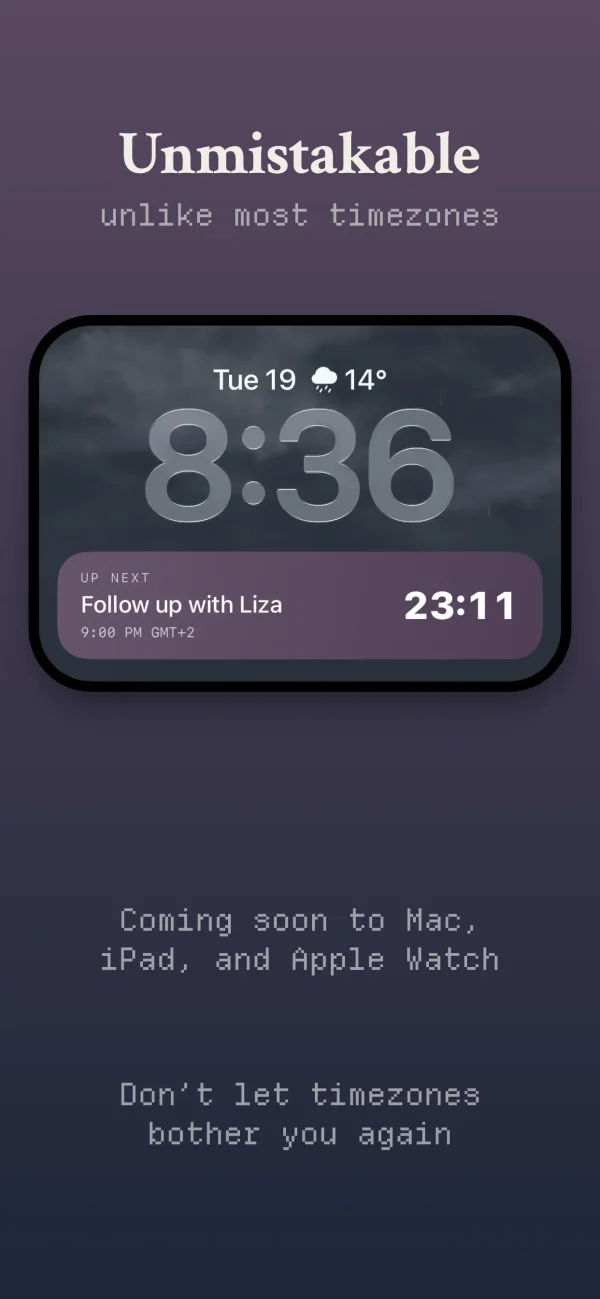
• Lock screen accessory widgets (circular, rectangular, inline)
• Up Next countdown widgets in every size
LIVE ACTIVITIES + DYNAMIC ISLAND
• Lock screen card for your next event with a live ticking countdown
• Branded gradient design that matches your event's time-of-day
• Glance the time-to-next-meeting from the Dynamic Island
SIRI + SHORTCUTS + SPOTLIGHT
• "Hey Siri, what time is it in Tokyo?"
• Spotlight indexed — search any of your cities from anywhere on iOS
• Quick actions on app icon long-press
CONTROL CENTER
• One-tap Timebase tile (iOS 18+)
ALSO
• Auto-rotating app icon that changes through the day
• Multiple alternate app icons
• Full iCloud sync across your devices
• No accounts, no signup, no tracking
PRIVACY
Timebase does not collect, store, or sell your data. Cities, settings, and calendar access stay on your device or sync via your own iCloud account.
Crafted by @amrith.
What’s new
Version 1.0.1 · Nov 13, 2026
Your app icon now stays the one you pick. Automatic icon changes are gone, along with the alert on every switch.
Also new: widgets work with tinted and clear icons, Home Screen quick actions work, Up Next updates as soon as your calendar changes, and tapping a city in Spotlight or a widget opens it.
App privacy
What Amrith Shanbhag declares on the App Store about how this app handles data.
-
Data not collected
The developer does not collect any data from this app.
Privacy practices may vary, for example with the features you use or your age.
Information
- Seller
- Amrith Shanbhag
- Category
- Utilities
- Version
- 1.0.1
- Updated
- Nov 13, 2026
- Released
- May 25, 2026
- Size
- 9.7 MB
- Requires
- iOS 17.0 or later
- Age rating
- 4+
- Price
- Free
- Languages
- English
- Copyright
- © 2026 Dusk Research
You might also like
-
 World Clock: Time ZonesUtilities
-
 GlobezonesConvert timezones
-
 ZoneFlipWorld clocks at a glance
-
 Tempus World ClockTime Zones & Meeting Finder
-
 Multi-Zone Times ToolA tool to help on timezones
-
 LigaCheh KeyboardKeyboard for Arabic, Urdu, LD
-
 UnifiedCalcHandle daily life calculations
-
 CLK WrldAll in one Clock solution
-
 ZoneSyncElegant World Clock
-
 TimeTapeVisual World Time Timeline