
Tiny Video Compressor & Editor
Compress & Collage
Designed for iPhone, iPad, iPod touch
Free · In-app purchases
- Age rating4+
- CategoryMusic
- DeveloperTu Anh Do
- LanguagesEnglish
- Size106.0 MB
Links to the official App Store page
Download.org hosts no file of Tiny Video Compressor & Editor. The button opens its official App Store page, published by Tu Anh Do. Listing last checked on Nov 14, 2026.
Screenshots
About
Tiny Video allows you to combine your photos, videos and background music to create your own unique slideshow videos in minutes.
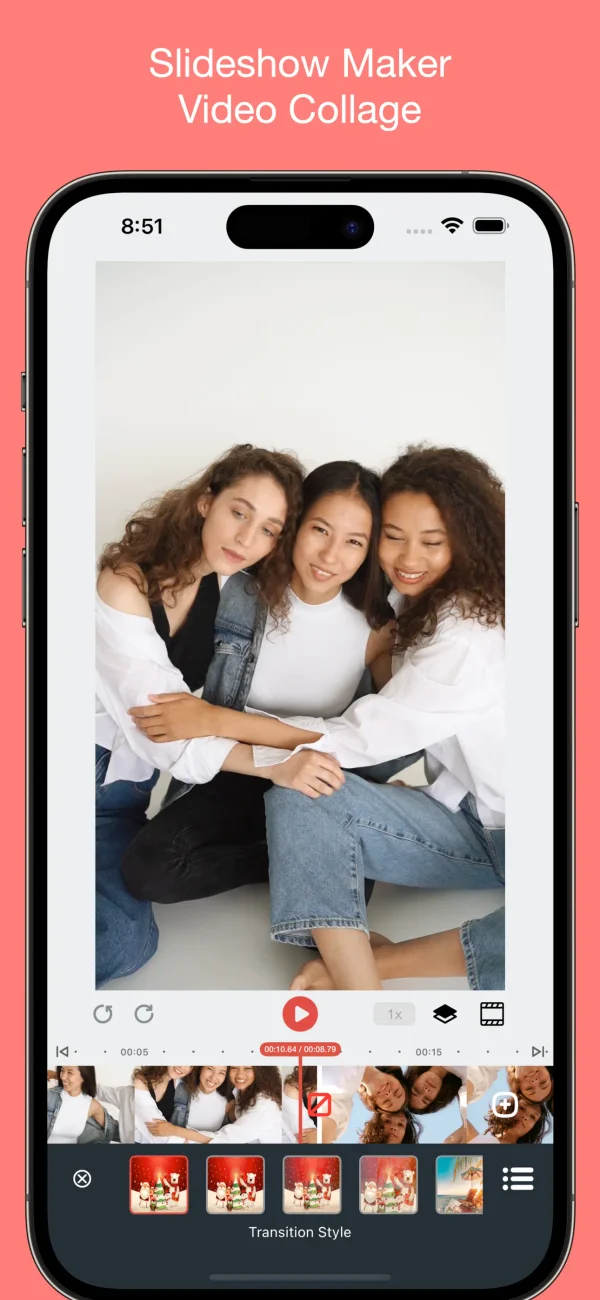
The app is very fun and easy to make slideshow videos. Starting by selecting photos and/or videos you want, then the application will automatically create a slideshow for you. After that, you can export or edit the slideshow using below tools:
◉ VIDEO TIMELINE - MANAGE SLIDES
- This timeline shows a list of slides connected together by transition icons.
- Tap on each slide for more options such as edit/delete the slide or you can insert one or more photos/videos/title just before or after the selected slide.
- Tap on a transition icon which is in the middle of two slides to change transition types.
- Re-order slides: Tap and hold on a slide to go to the re-order mode, then long press and drag the slide to change its order.
◉ SLIDE EDITOR
- Control the duration for each photo slides, while video slides can be trimmed and change playing speed to 0.5x, 1x, 2x, 4x.
- Control the start->end animations by scaling/positioning the image with your two fingers
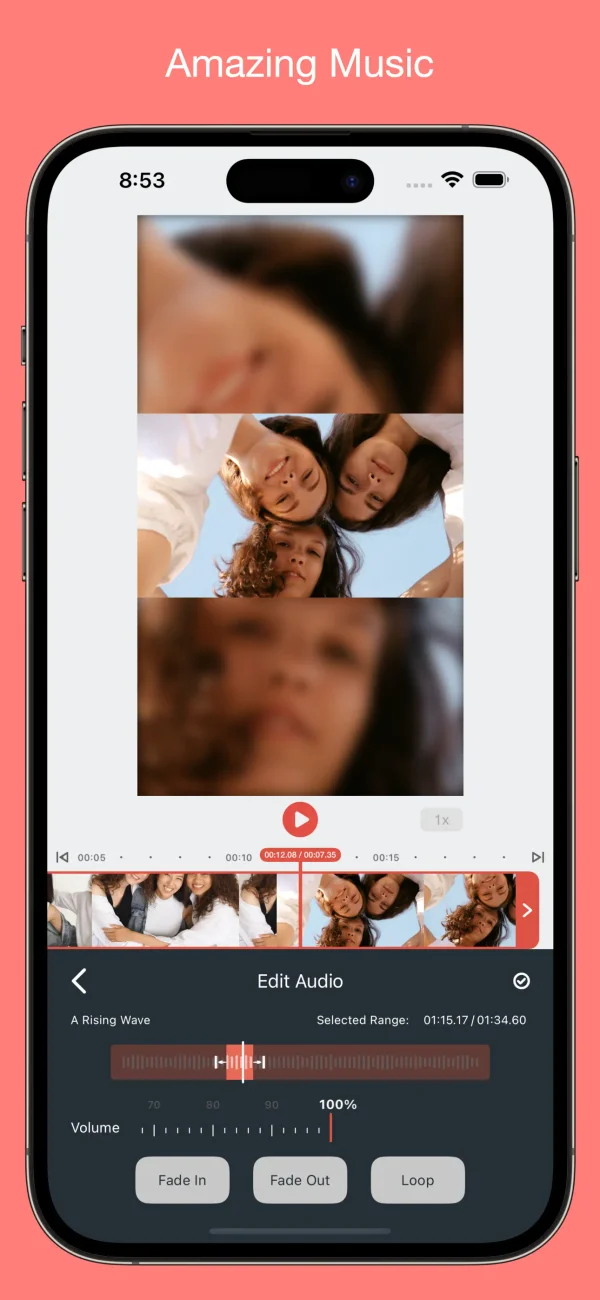
◉ AUDIO TIMELINE - ADD & TRIM MUSIC
- Switch to Audio tab, then tap on the Plus icon to add an audio item.
- Find and select a background music, or load a song from your iTunes Library, or record your voice.
- There is a slider to change the audio's volume.
- Trim the song: Select the audio waveform to show its left/right handles, move these handles to trim the begin/end of the song respectively.
- Choose when an audio item starts to play in the slideshow: Long press and drag the audio item to the position you want it to play at.
◉ TEXT TIMELINE - ADD TEXT TO VIDEOS
- Switch to Text tab, then tap on the Plus icon to add a new text.
- Change text's font, color, styles (background color, border), animations.
- Text items in the timeline can be managed same as audio items in the audio timeline, which means you can change the text duration, when the text begins to appear in the slideshow.
◉ SAVE & SHARE
- The slideshow can be exported in high resolution and up to 60 FPS.
- Your works can be saved as projects to edit later.
- The slideshow also supports many ratios: 1:1, 16:9, 9:16, 4:3, 3:4.
◉ PIC MUSIC PRO
Pic Music Pro offers two subscription options:
$6.99 Monthly
Prices may vary by location.
Privacy Policy: https://privacy.vanlangapps.com
Terms of Use: https://tos.vanlangapps.com
Should you choose to upgrade to a Pro subscription, payment will be charged to your iTunes account at confirmation of purchase. Subscription automatically renews unless auto-renew is turned off at least 24-hours before the end of the current period. Account will be charged for renewal within 24-hours prior to the end of the current period.
You may cancel automatic renewal and manage your subscription by selecting Manage App Subscriptions in your iTunes Account settings and selecting the subscription you want to modify. Any unused portion of a free trial period, if offered, will be forfeited when you purchase a Pro subscription, where applicable.
What’s new
Version 3.1 · Feb 5, 2024
-Change app's name & icon
App privacy
What Tu Anh Do declares on the App Store about how this app handles data.
-
Data used to track you
May be used to track you across apps and websites owned by other companies.
- Usage data
-
Data not linked to you
May be collected but is not linked to your identity.
- Usage data
- Diagnostics
Privacy practices may vary, for example with the features you use or your age.
Information
- Seller
- Tu Anh Do
- Category
- Music
- Version
- 3.1
- Updated
- Feb 5, 2024
- Released
- Oct 4, 2015
- Size
- 106.0 MB
- Requires
- iOS 13.0 or later
- Age rating
- 4+
- Price
- Free
- In-app purchases
- Yes
- Languages
- English
- Copyright
- © Poly Apps 365
You might also like
-
 Smart Metronome - Tempo&TunerPowerful Music Practice Tools
-
 Piano Notes FinderPlay, Learn & Read Sheet Music
-
 PulseKey TunerKey Finder & Instrument Tuner
-
 Tempo Loop: Video Slow DownerLearn songs by ear, loop A-B
-
 Songtiment: Music Diary & MoodSong Finder & Memory Journal
-
 Fine Studio (Tuner, Metronome)Tuner, Metronome & Chords
-
 Scale Study: tempo practicePiano scale progress log
-
 Song SeparatorMusic
-
 AI Music - Easy Music CreatorProfessional Music Editor
-
 TechnoJam: Kids Music MakerBeats & songs, no wrong notes