
Tiny Video Compressor & Editor
Compress & Collage
Được thiết kế cho iPhone, iPad, iPod touch
Miễn phí · Mua hàng trong ứng dụng
- Độ tuổi4+
- Danh mụcNhạc
- Nhà phát triểnTu Anh Do
- Ngôn ngữTiếng Anh
- Kích thước106,0 MB
Liên kết đến trang App Store chính thức
Download.org không lưu trữ tệp nào của Tiny Video Compressor & Editor. Nút này mở trang ứng dụng trên App Store, nơi Tu Anh Do phát hành ứng dụng. Trang được kiểm tra lần cuối: 14/11/2026.
Ảnh chụp màn hình
Giới thiệu
Nhà phát triển chưa cung cấp nội dung này bằng ngôn ngữ của bạn.
Tiny Video allows you to combine your photos, videos and background music to create your own unique slideshow videos in minutes.
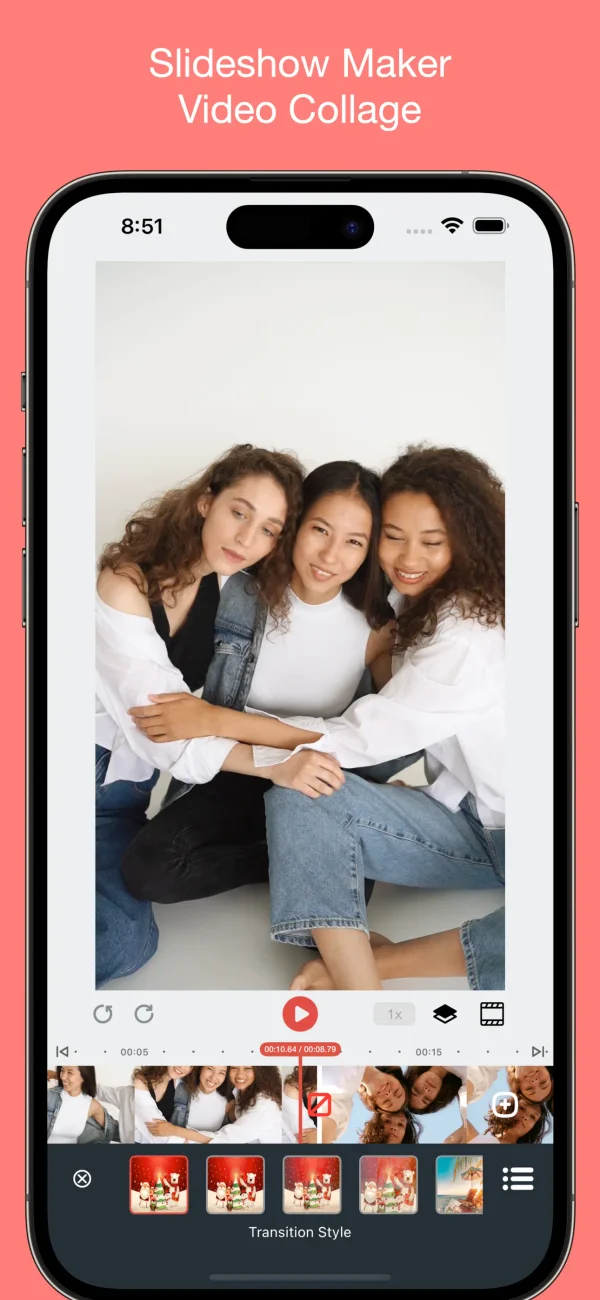
The app is very fun and easy to make slideshow videos. Starting by selecting photos and/or videos you want, then the application will automatically create a slideshow for you. After that, you can export or edit the slideshow using below tools:
◉ VIDEO TIMELINE - MANAGE SLIDES
- This timeline shows a list of slides connected together by transition icons.
- Tap on each slide for more options such as edit/delete the slide or you can insert one or more photos/videos/title just before or after the selected slide.
- Tap on a transition icon which is in the middle of two slides to change transition types.
- Re-order slides: Tap and hold on a slide to go to the re-order mode, then long press and drag the slide to change its order.
◉ SLIDE EDITOR
- Control the duration for each photo slides, while video slides can be trimmed and change playing speed to 0.5x, 1x, 2x, 4x.
- Control the start->end animations by scaling/positioning the image with your two fingers
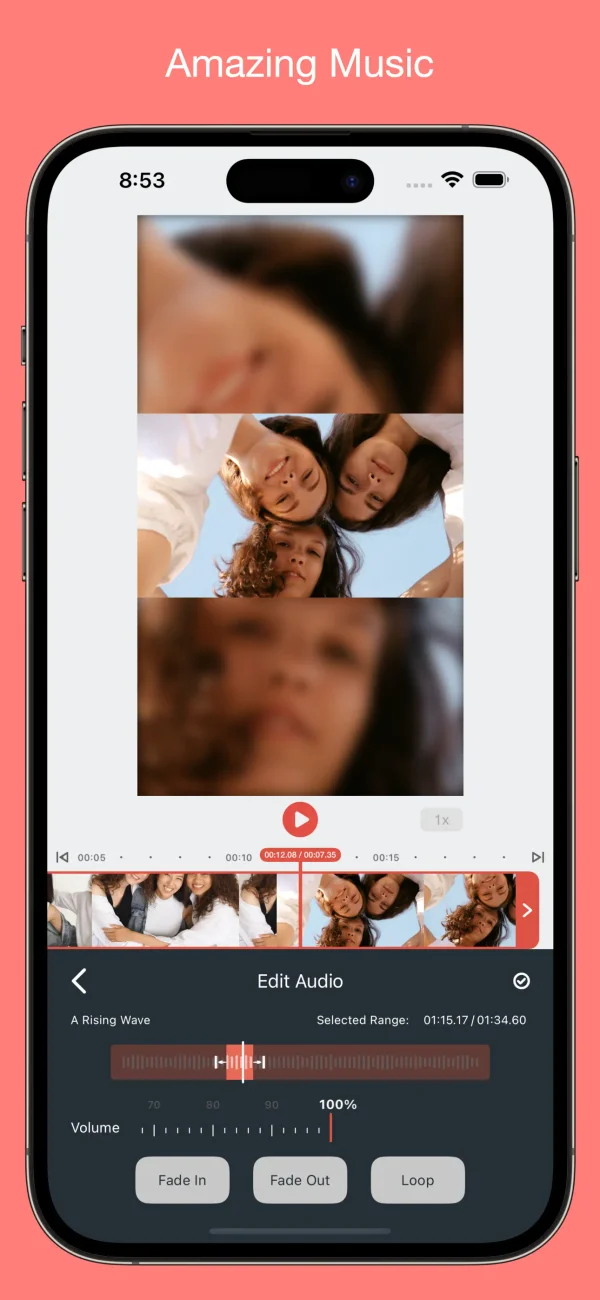
◉ AUDIO TIMELINE - ADD & TRIM MUSIC
- Switch to Audio tab, then tap on the Plus icon to add an audio item.
- Find and select a background music, or load a song from your iTunes Library, or record your voice.
- There is a slider to change the audio's volume.
- Trim the song: Select the audio waveform to show its left/right handles, move these handles to trim the begin/end of the song respectively.
- Choose when an audio item starts to play in the slideshow: Long press and drag the audio item to the position you want it to play at.
◉ TEXT TIMELINE - ADD TEXT TO VIDEOS
- Switch to Text tab, then tap on the Plus icon to add a new text.
- Change text's font, color, styles (background color, border), animations.
- Text items in the timeline can be managed same as audio items in the audio timeline, which means you can change the text duration, when the text begins to appear in the slideshow.
◉ SAVE & SHARE
- The slideshow can be exported in high resolution and up to 60 FPS.
- Your works can be saved as projects to edit later.
- The slideshow also supports many ratios: 1:1, 16:9, 9:16, 4:3, 3:4.
◉ PIC MUSIC PRO
Pic Music Pro offers two subscription options:
$6.99 Monthly
Prices may vary by location.
Privacy Policy: https://privacy.vanlangapps.com
Terms of Use: https://tos.vanlangapps.com
Should you choose to upgrade to a Pro subscription, payment will be charged to your iTunes account at confirmation of purchase. Subscription automatically renews unless auto-renew is turned off at least 24-hours before the end of the current period. Account will be charged for renewal within 24-hours prior to the end of the current period.
You may cancel automatic renewal and manage your subscription by selecting Manage App Subscriptions in your iTunes Account settings and selecting the subscription you want to modify. Any unused portion of a free trial period, if offered, will be forfeited when you purchase a Pro subscription, where applicable.
Có gì mới
Phiên bản 3.1 · 05/02/2024
-Change app's name & icon
Quyền riêng tư của ứng dụng
Những gì Tu Anh Do khai báo trên App Store về cách ứng dụng này xử lý dữ liệu.
-
Dữ liệu được sử dụng để theo dõi bạn
Có thể được sử dụng để theo dõi bạn trên các ứng dụng và trang web do công ty khác sở hữu.
- Dữ liệu sử dụng
-
Dữ liệu không liên kết với bạn
Có thể được thu thập nhưng không liên kết với danh tính của bạn.
- Dữ liệu sử dụng
- Chẩn đoán
Phương thức đảm bảo quyền riêng tư có thể khác nhau, chẳng hạn như tuỳ theo các tính năng bạn sử dụng hoặc độ tuổi của bạn.
Thông tin
- Người bán
- Tu Anh Do
- Danh mục
- Nhạc
- Phiên bản
- 3.1
- Cập nhật
- 05/02/2024
- Phát hành
- 04/10/2015
- Kích thước
- 106,0 MB
- Yêu cầu
- iOS 13.0 trở lên
- Độ tuổi
- 4+
- Giá
- Miễn phí
- Mua hàng trong ứng dụng
- Có
- Ngôn ngữ
- Tiếng Anh
- Bản quyền
- © Poly Apps 365
Có thể bạn cũng thích
-
 Bộ điều chỉnh nhịp điệuLàm chủ nhịp điệu và tốc độ
-
 Piano Notes FinderChơi, Học & Đọc Bản Nhạc!
-
 PulseKey TunerNhạc
-
 Tempo Loop: Video Slow DownerNhạc
-
 Songtiment: Music Diary & MoodNhạc
-
 Fine Studio (Tuner, Metronome)Nhạc
-
 Scale Study: tempo practiceNhạc
-
 Song SeparatorNhạc
-
 AI Music - Easy Music CreatorNhạc
-
 TechnoJam: Kids Music MakerNhạc