
- Age rating4+
- CategoryDeveloper Tools
- DeveloperChristian Lobach
- LanguagesEnglish
- Size2.2 MB
Links to the official App Store page
Download.org hosts no file of TinyServer. The button opens its official App Store page, published by Christian Lobach. Listing last checked on Nov 21, 2026.
Screenshots
About
Use your mobile device as a web server!
Access static websites from a computer or other mobile device.
FEATURES
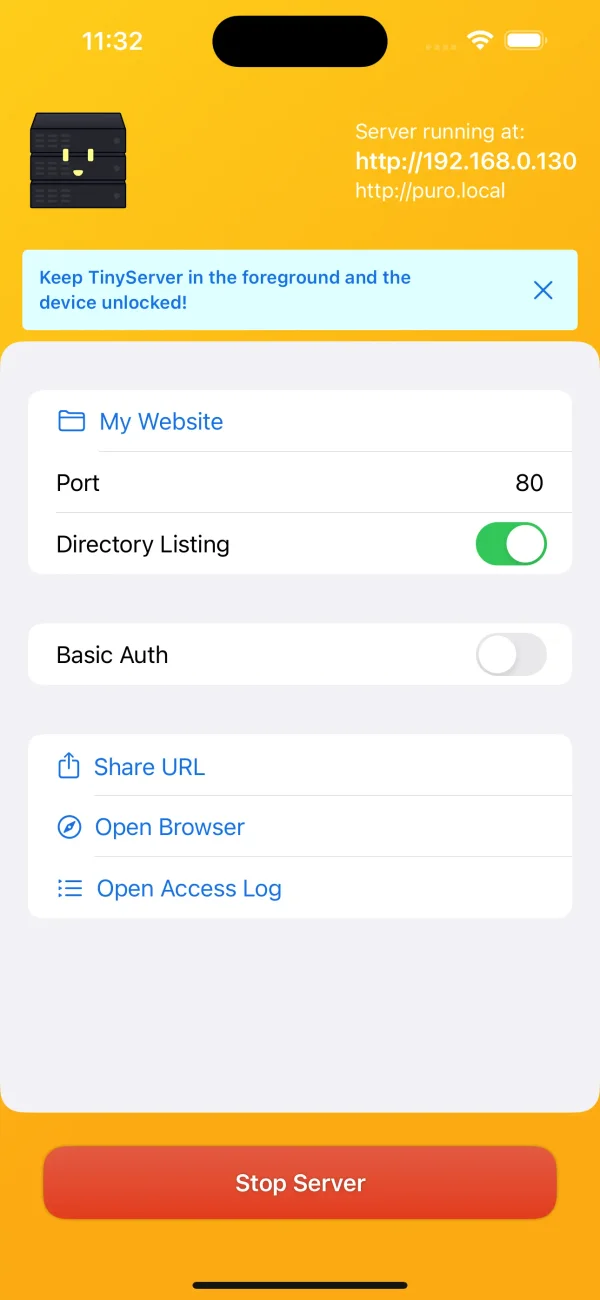
• use folders stored locally on your iPhone/iPad or in iCloud
• serve static files and websites over HTTP
• enable Directory Listing to browse the selected folder in your browser
• Bonjour: no need to type in IP addresses - TinyServer will show a friendly URL like http://myiPhone.local:8080
• iPad Multitasking: use an external editor to edit your files and preview them in Safari running alongside TinyServer
• Open an in-app browser to access your served files
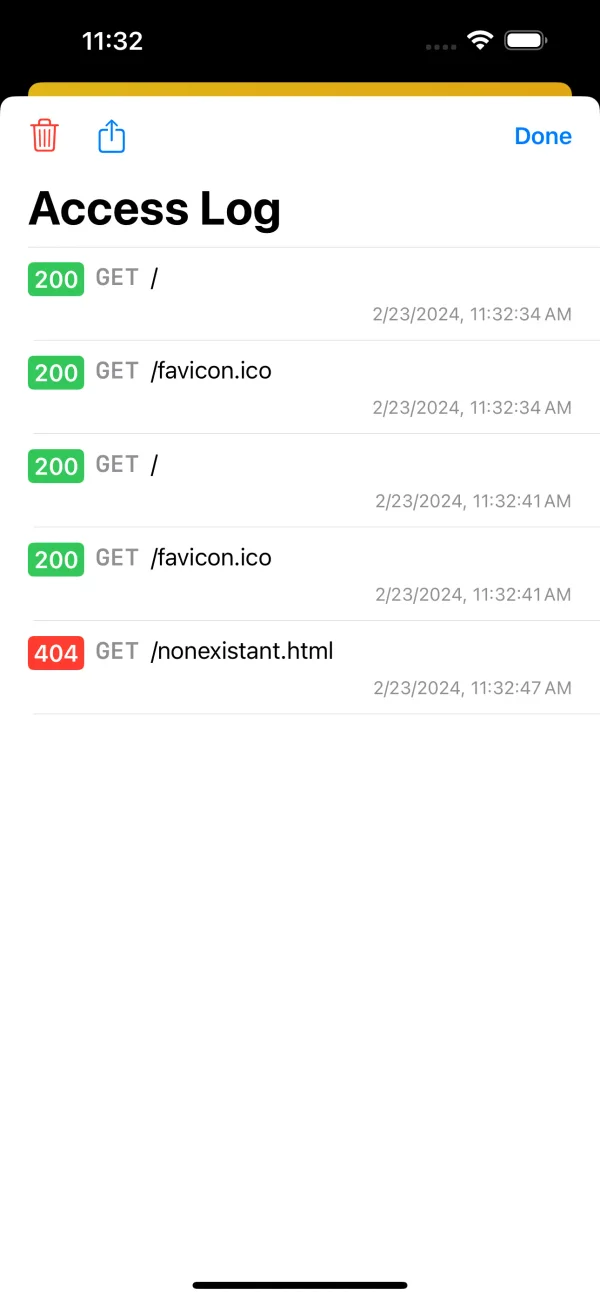
• See the access log of the web server
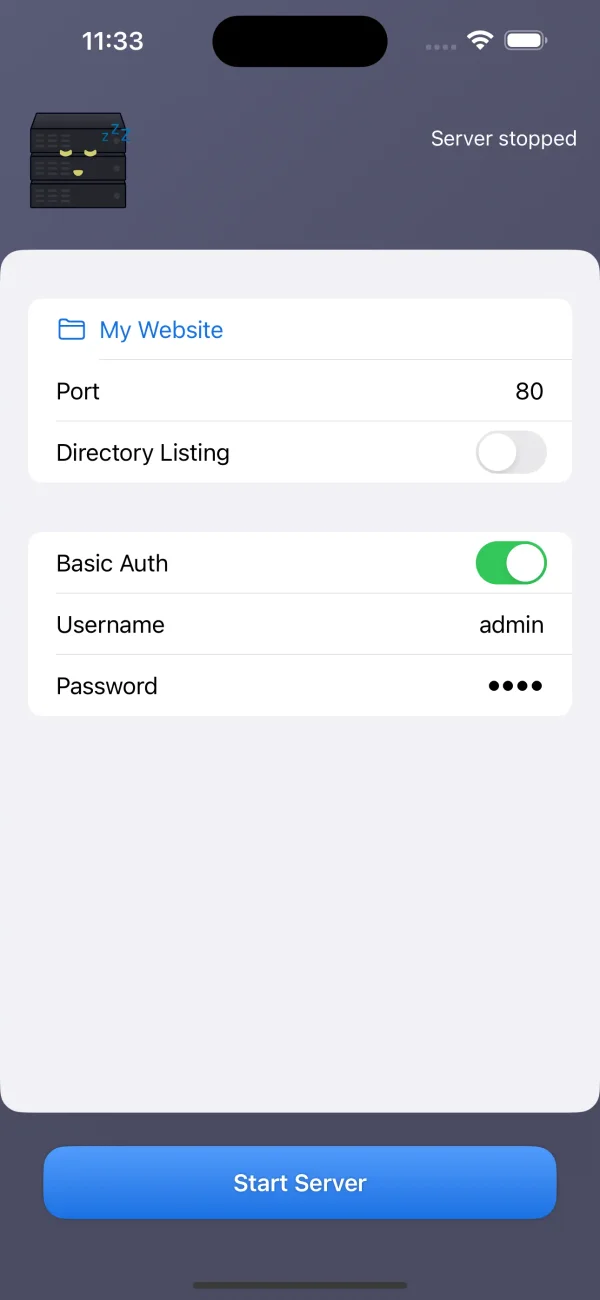
• Basic auth protection
CHOOSING A FOLDER
There are several ways to open a folder to be served by TinyServer.
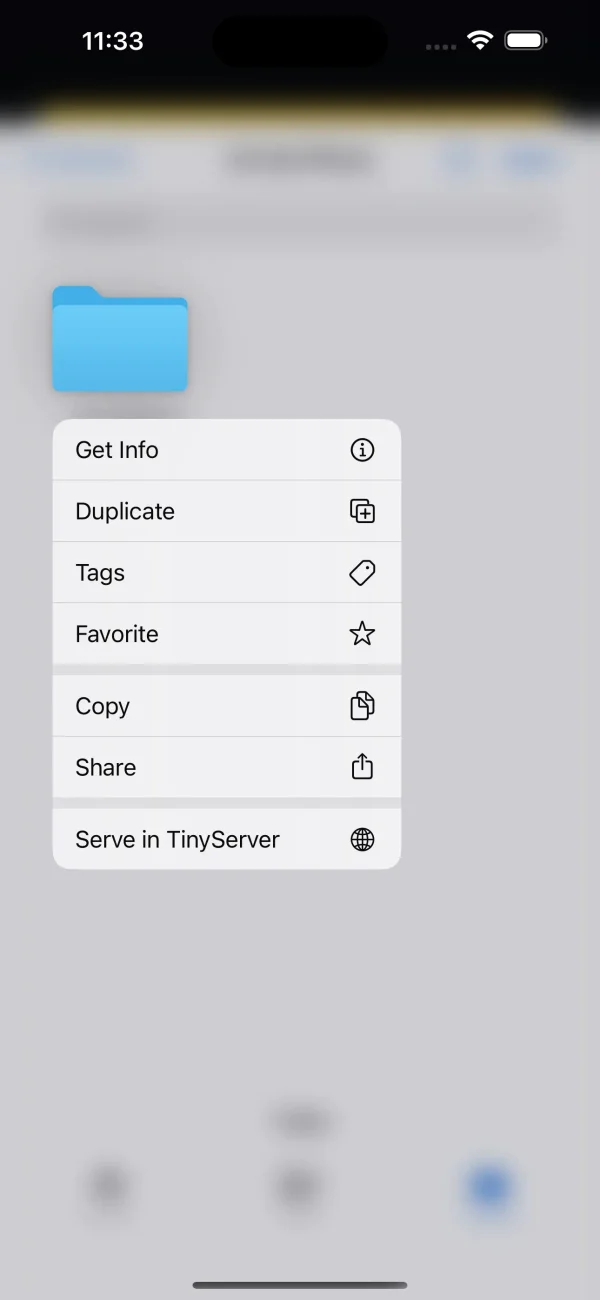
• In the app, tap "Choose Folder", then long-press a folder to bring up the context menu. Choose "Serve in TinyServer"
• In the app, tap "Choose Folder", tap "Select" in the navigation bar, select a folder and tap "Open" in the navigation bar
• on iPad, you can have the files app and TinyServer side by side in multitasking. You can drag and drop folders to the top of the TinyServer interface.
Keep in mind that this way creates a copy, so if you change the files you have to drag them to the app again to see the changes.
IMPORTANT:
The web server cannot run in the background. Keep TinyServer in the foreground and the device unlocked. If you do change apps, the web server will restart automatically when you bring the TinyServer app back to the foreground.
TinyServer only works on local WiFi. The web server is not accessible via a cellular network connection.
It is meant for static files, so you can't run e.g. a PHP or Ruby on Rails backend from it.
What’s new
Version 1.7 · Nov 11, 2026
- Recent folders: quickly serve folders you’ve used before
- Display QR code: easily scan the server’s URL as a QR code with another device
- bug fixes
App privacy
What Christian Lobach declares on the App Store about how this app handles data.
-
Data not collected
The developer does not collect any data from this app.
Privacy practices may vary, for example with the features you use or your age.
Information
- Seller
- Christian Lobach
- Category
- Developer Tools
- Version
- 1.7
- Updated
- Nov 11, 2026
- Released
- Jun 7, 2020
- Size
- 2.2 MB
- Requires
- iOS 16.0 or later
- Age rating
- 4+
- Price
- $3.99
- Languages
- English
- Copyright
- © 2020-2025 Christian Lobach
You might also like
-
 Simple Server: HTTP ServerShare Files over Web Server
-
 UDevice - Dev AssistantGeek/Developer Kit
-
 BLE SpyScriptable Bluetooth Smart
-
 DraftCode for PHP IDEWordPress Dev, Offline Coding
-
 Python Recipes ProPython + SQL, runnable code
-
 SQLed - SQL Database ManagerThe SQLite Database Manager
-
 Code - Compile & Run ProgramStart coding instantly!
-
 Code Recipes ProRunnable code in 20 languages
-
 JSON Navigator for SafariJSON reader & API debugger
-
 DNS Client: Lookup & QueryDig, NSLookup & DoH Resolver