TodayShot
Photo calendar to record every
Designed for iPhone, iPad, iPod touch
Free
- Age rating4+
- CategoryLifestyle
- DeveloperAtsushi Ezaki
- LanguagesEnglish+ 1 more
- Size6.1 MB
Links to the official App Store page
Download.org hosts no file of TodayShot. The button opens its official App Store page, published by Atsushi Ezaki. Listing last checked on Nov 18, 2026.
Screenshots

About
Coordinating calendar "TodayShot
By the way, what number of days did you wear that clothes?
Let's register the pattern of coordination as we go on a trip!
What was the former nail design like?
Kittens grow fast so I want to record every day!
etc···
Not limited to coordination, it is an application to record various things as one picture of the day every day.
The operation is very easy!
"One picture", "favorite setting" and "comment" three!
I wanted to register multiple photos or want to record a lot of memo, I left it to the diary application, I made it simple.
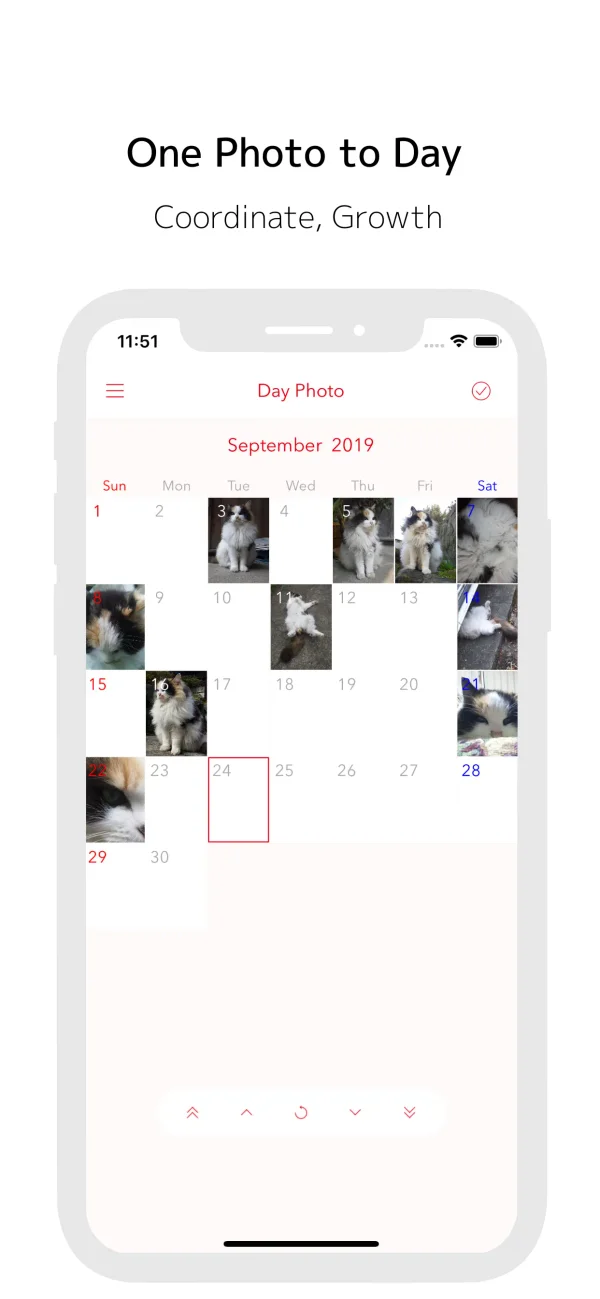
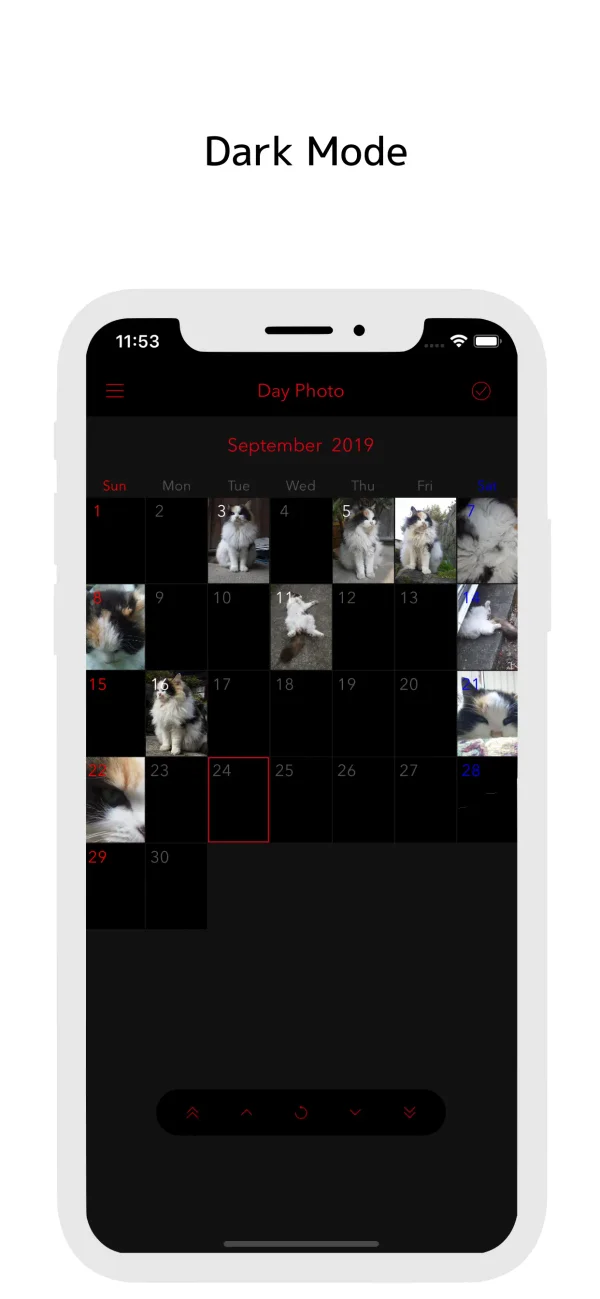
The calendar screen is easy to see in the month display.
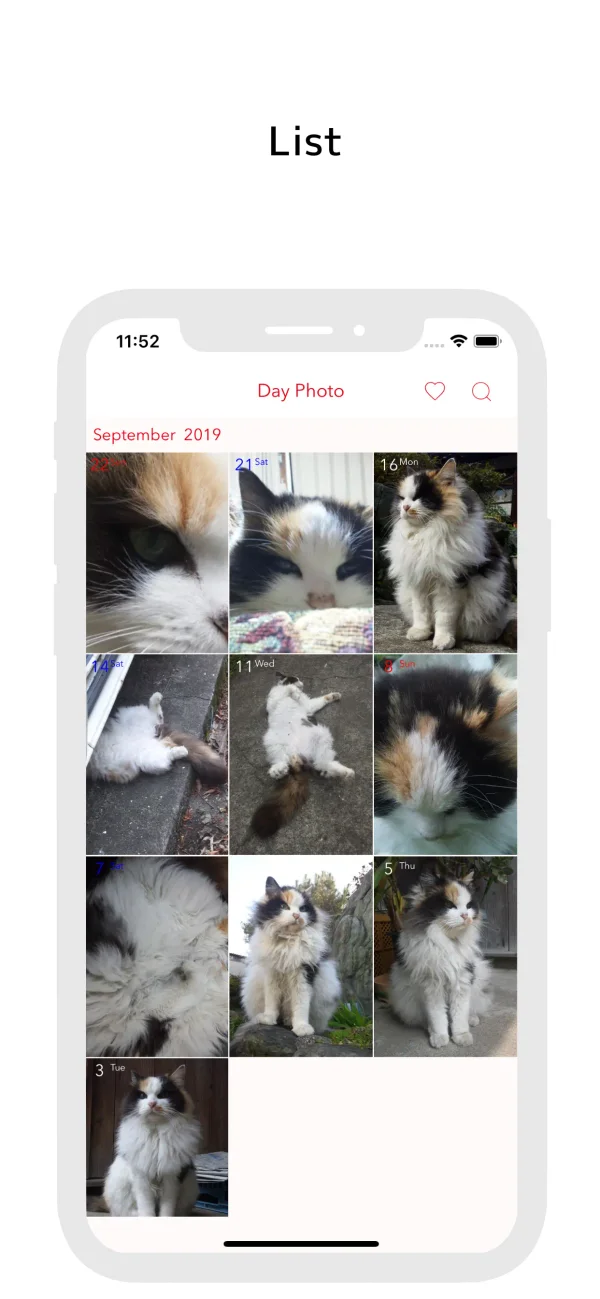
The list displays registered information in detail.
In the photo list, only photos are displayed.
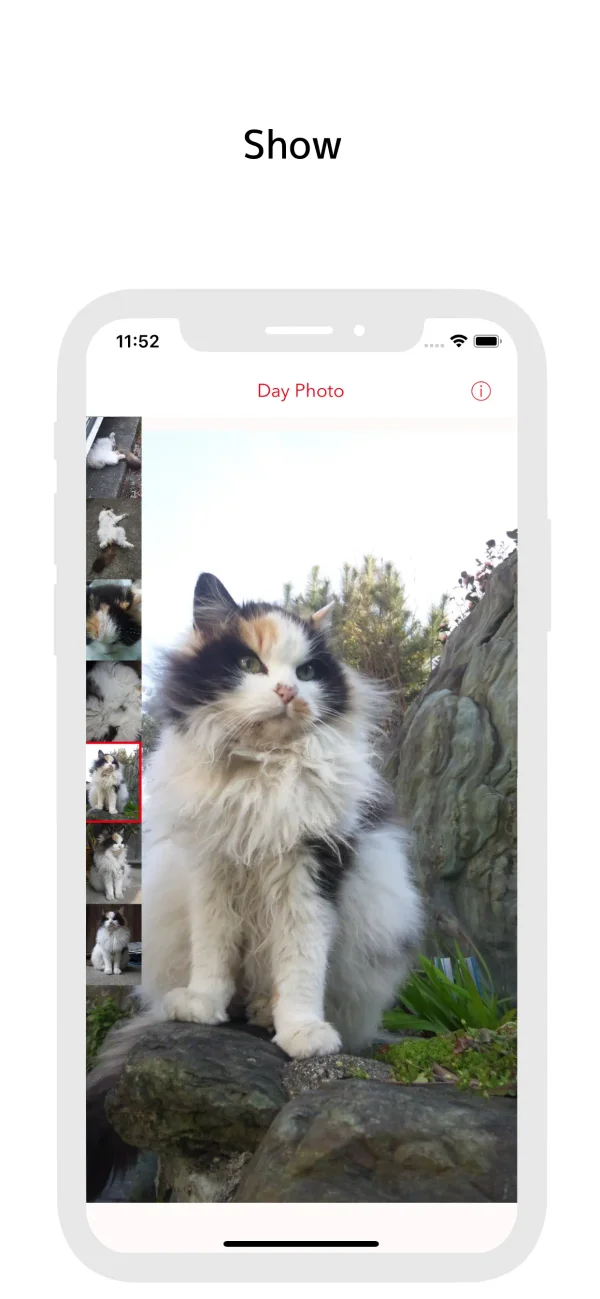
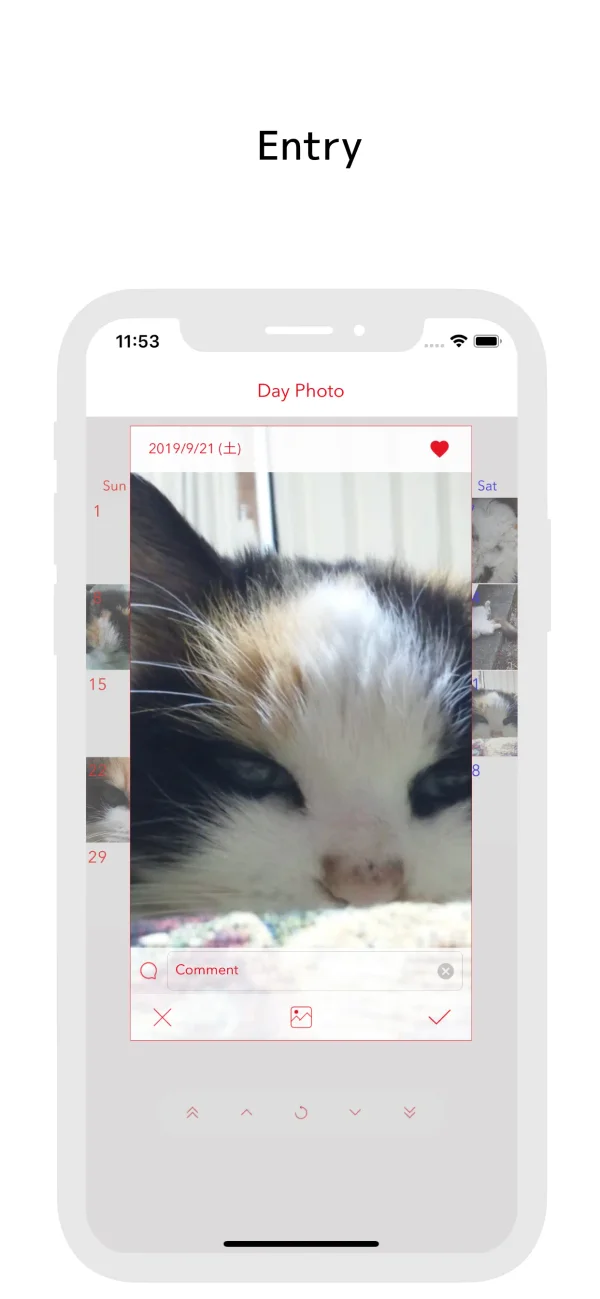
On the preview screen, add favorites and comments.
Usage is free! Please try using it.
【screen structure】
Main screen (Calendar, list, Photo list)
Preview screen
Setting screen
【Screen Details】
■ Main screen: Calendar
- Swipe up and down to move year and month
- Tap on the year and month, move to the current month. Display year / month specification screen by long press of year / month.
- Swipe left to photo list
- Tap of date, photo registration or preview display. Long press to edit or delete
- Switch registration method (quick, detailed)
■ Main screen: List
- Pull down to resize (3 rows, 5 columns, comment list)
- Tap on the photo, preview display
- Swipe right to the calendar screen
- Header tap to display target year / month on the calendar screen
■ Main screen: Photo list
- Tap of photo to show / hide thumbnail bar
- Thumbnail bar can be set right / left in setting screen
- In the information area tap, go to the calendar screen
■ Preview screen
- Favorite settings
- Comment input
- Tap to display photos only
- Swipe down to close
■ Setting screen
- Dark mode
- Font color setting
- English notation of year and month and day of the week
- Show days of the week from Monday
- Widget display (none, recently, favorites)
- Sync display of calendar and photo list
- Display item availability setting (favorites, comments)
- Change registration method (Quick, Detail)
- Left and right position and size of thumbnail bar of show screen
What’s new
Version 3.2.1 · Sep 5, 2026
UI bug fixes
App privacy
What Atsushi Ezaki declares on the App Store about how this app handles data.
-
Data used to track you
May be used to track you across apps and websites owned by other companies.
- Location
- Identifiers
- Usage data
- Diagnostics
-
Data linked to you
May be collected and linked to your identity.
- Location
- Identifiers
- Usage data
- Diagnostics
-
Data not linked to you
May be collected but is not linked to your identity.
- Diagnostics
Privacy practices may vary, for example with the features you use or your age.
Information
- Seller
- Atsushi Ezaki
- Category
- Lifestyle
- Version
- 3.2.1
- Updated
- Sep 5, 2026
- Released
- Jan 6, 2017
- Size
- 6.1 MB
- Requires
- iOS 13.0 or later
- Age rating
- 4+
- Price
- Free
- Languages
- English, Japanese
- Copyright
- © 2017 Atsushi Ezaki
You might also like
-
 Simple photo diary app -Nikky-record with picture in word
-
 DailySnap - Photo CalendarOne Photo a Day Diary
-
 PHOKIPHOKI - Photo Calendar
-
 Outfit JournalTrack what you wear
-
 Photo Journal: PicDiaryDaily picture & video diary
-
 PLAPP(PL@Y2)Photo Calendar & Ticket Book
-
 Outfit Tracker: Diary PlannerAI to journal fashion clothing
-
 Diarium Journal: Private DiaryDaily Mood & Travel Notes
-
 Palu - Handwriting Calendar -Shared Handwriting Calendar
-
 Journey - Diary, JournalDaily Motivation & Journal