
Trace Camera - Stop Motion Cam
Stop Motion with Overlay Mode
Designed for iPhone, iPad
In-app purchases
- Age rating4+
- CategoryPhoto & Video
- DeveloperRyoma Yanagimoto
- LanguagesJapanese+ 11 more
- Size6.0 MB
Links to the official App Store page
Download.org hosts no file of Trace Camera - Stop Motion Cam. The button opens its official App Store page, published by Ryoma Yanagimoto. Listing last checked on Nov 23, 2026.
Screenshots
About
Create Professional Stop Motion Animation with TraceCamera
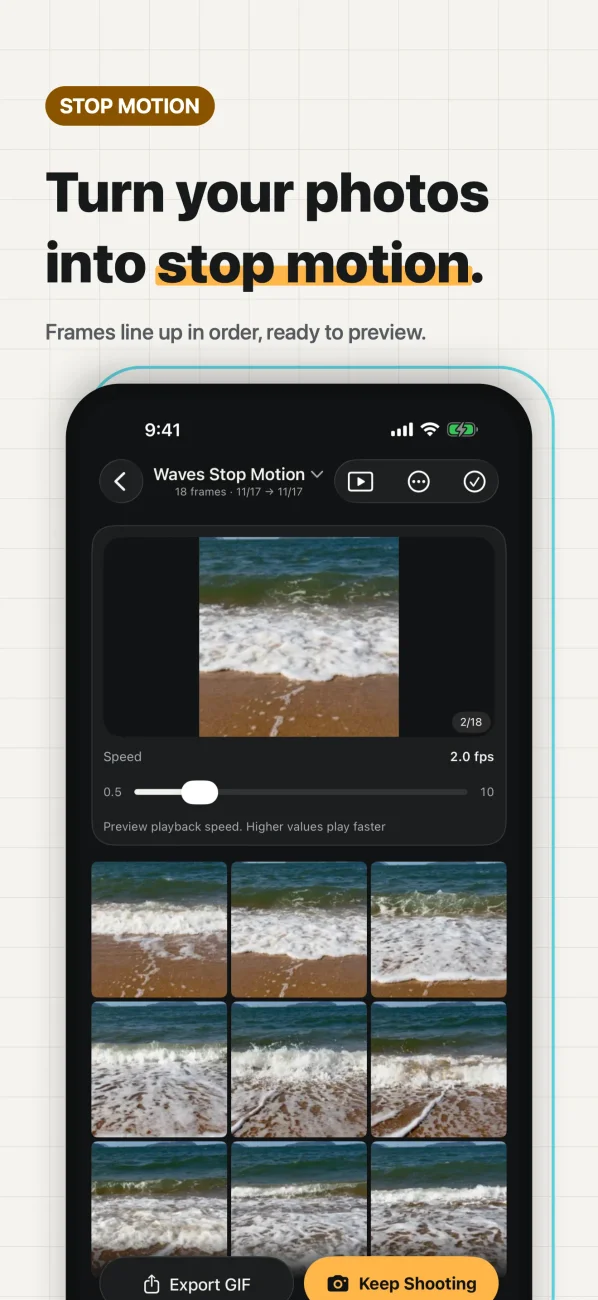
TraceCamera is an intuitive camera app that makes stop motion animation easy for everyone. With our unique feature that lets you see the previous frame while shooting, creating smooth and beautiful motion has never been easier.
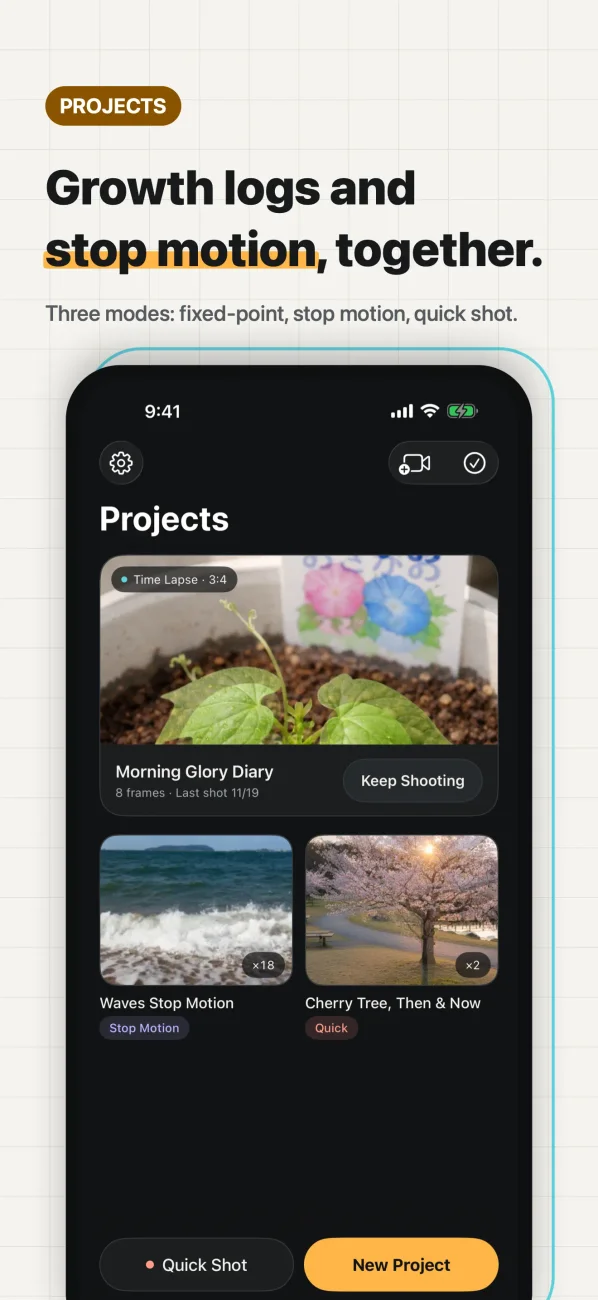
3 Shooting Modes
Sequential Shooting Mode
Create a project and shoot multiple frames continuously. See the previous frame as an overlay while shooting, making smooth motion simple to achieve.
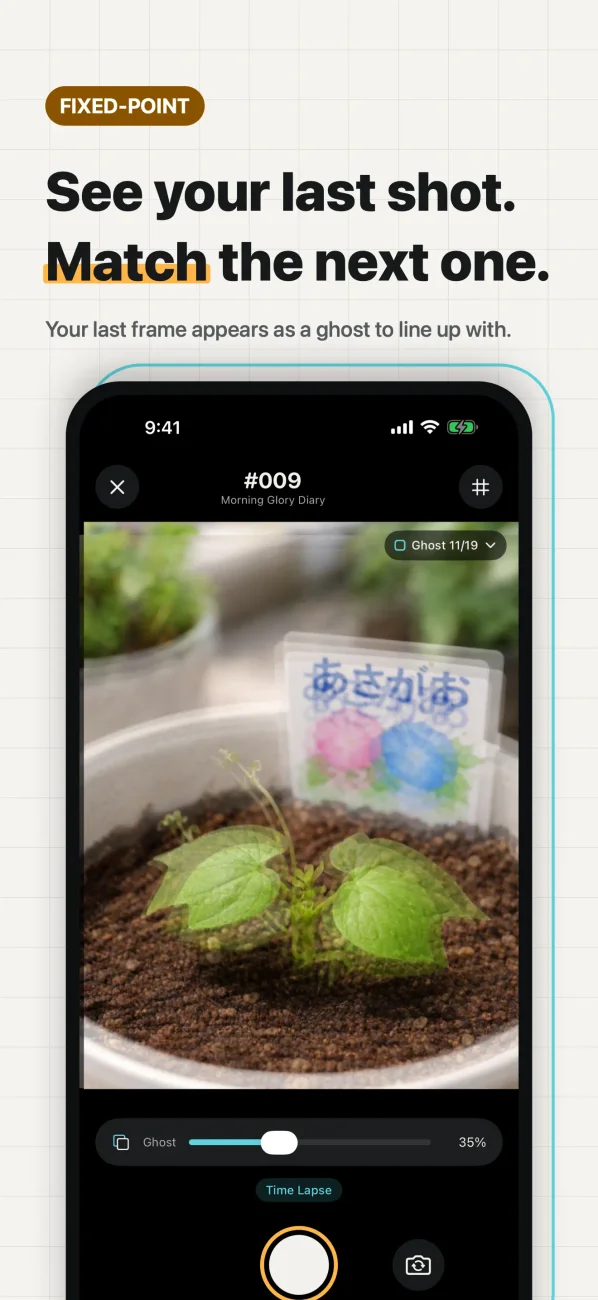
Fixed-Point Shooting Mode
Perfect for serious stop motion with a tripod. Record long-term changes like plant growth or cloud movements.
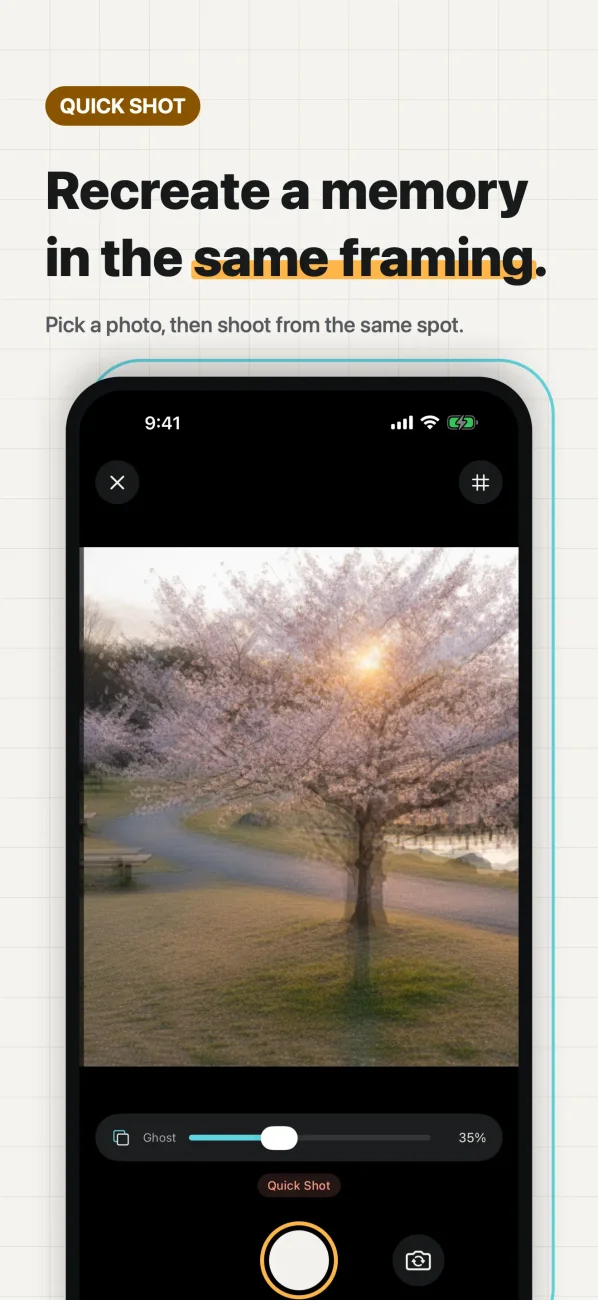
Quick Shooting Mode
Select a reference photo and capture new shots with the same composition. Ideal for "same pose photos" while traveling or product comparison shots.
Key Features
3 Shooting Modes
Sequential, Fixed-Point, and Quick Shooting. Choose the optimal mode for your needs
Video Import
Extract frames from your videos to create stop motion projects. Perfect for converting videos to GIFs
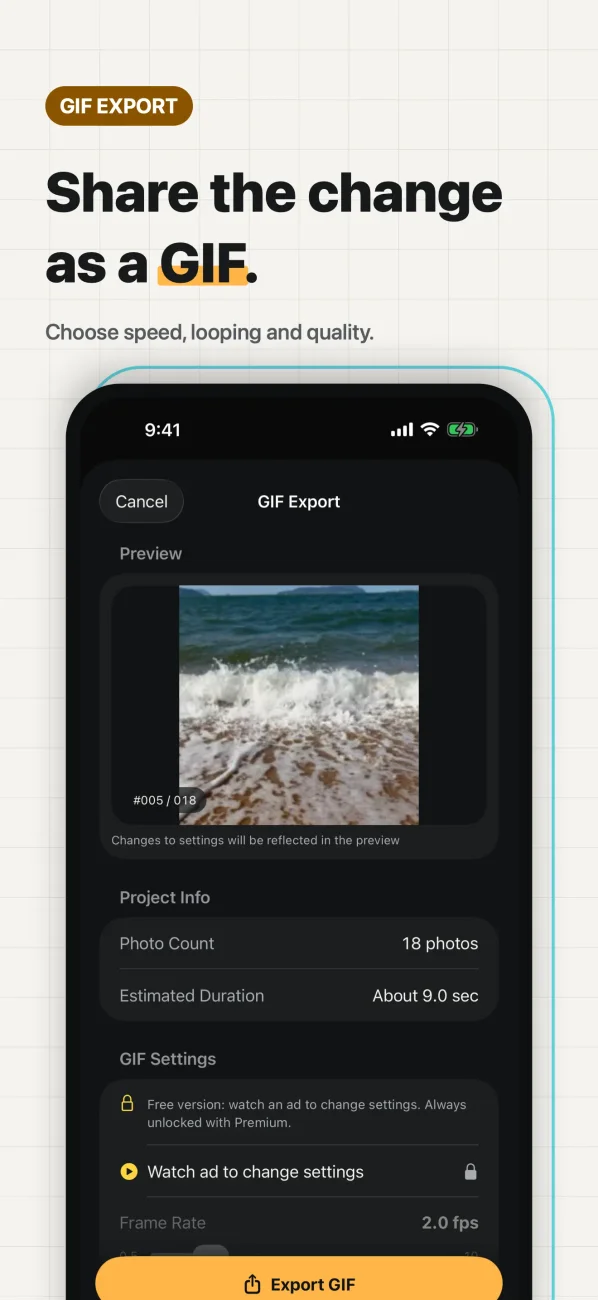
GIF Animation Export
Convert your captured frames into GIF animations with one tap. Customize frame rate, quality, and loop count
Frame Size Selection
Choose aspect ratios suited to your needs: 16:9, 4:3, 1:1 (square), or full screen
Project Management
Create and manage multiple projects. Add photos later or rearrange their order
Photo Library Integration
Save captured photos and GIFs to your photo library
Use Cases
Stop motion animation with LEGO or figures
Hand-drawn animation (frame-by-frame paper drawings)
Clay animation
Time-lapse (plant growth, sky changes, etc.)
Product assembly instructions
Dance or sports form analysis
Recipe videos
Travel memories (same pose photos)
Simple 3 Steps
1. Select shooting mode
2. Capture frame by frame
3. Convert to GIF and save/share
Premium Features (Ad-Free)
Use comfortably without ads
More video import frames (up to 100)
Customize GIF export settings freely
Save photos in original size
One-time purchase: $1.99
Requirements
iOS 17.0 or later
Compatible with iPhone and iPad
All data stored on device (works offline)
Unleash your creativity with TraceCamera
What’s new
Version 1.3 · Nov 20, 2026
What's new in 1.3
IOS 27 & IPHONE DUO
• Optimized for both displays of the foldable iPhone — keep shooting as you open or close it
• On large screens a ghost panel sits beside the camera: adjust opacity and switch the ghost frame on the spot
• The camera keeps working during multitasking such as Split View
NEW "LIGHTBOX" DESIGN
• A dark, distraction-free camera with the previous frame overlaid as a cyan ghost
• Your latest project front and center — continue shooting in one tap
MORE
• Grid lines and flash control (on supported devices)
• Pick any earlier frame as the ghost
• Updated ads SDK and stability improvements
App privacy
What Ryoma Yanagimoto declares on the App Store about how this app handles data.
-
Data not collected
The developer does not collect any data from this app.
Privacy practices may vary, for example with the features you use or your age.
Information
- Seller
- Ryoma Yanagimoto
- Category
- Photo & Video
- Version
- 1.3
- Updated
- Nov 20, 2026
- Released
- Feb 18, 2026
- Size
- 6.0 MB
- Requires
- iOS 17.0 or later
- Age rating
- 4+
- In-app purchases
- Yes
- Languages
- Japanese, Italian, Indonesian, Spanish, Thai, German, French, Portuguese, Simplified Chinese, Traditional Chinese, English, Korean
- Copyright
- © 2026 RYC
You might also like
-
 CompareCameraReference overlay camera
-
 TimerlayerLayer Time · Capture Change
-
 Triple Pose Camera : Clone ArtShoot Unique Clone Photos
-
 Stop Motion Creator: AnimateMake Stop Motion Videos
-
 SeichiCam偶像同款構圖,半透明疊圖對準拍
-
 Stop Motion PlusCreate stop-motion video
-
 AlphaBunnyFun with picture morphing
-
 Merame: Match Cut Video EditorCinematic Stop Motion & Vlogs
-
 ShakeCam - Motion CameraShake to Capture Moments
-
 現場写真 Field Photo GPSPhoto & Video