
- Age rating4+
- CategoryUtilities
- DeveloperConnor Gallopo
- LanguagesEnglish
- Size85.7 MB
Links to the official App Store page
Download.org hosts no file of Tracearr. The button opens its official App Store page, published by Connor Gallopo. Listing last checked on Nov 20, 2026.
Screenshots
About
Tracearr is a real-time monitoring platform for Plex, Jellyfin, and Emby. One dashboard for all your media servers, on mobile and web.
REAL-TIME STREAMING DASHBOARD
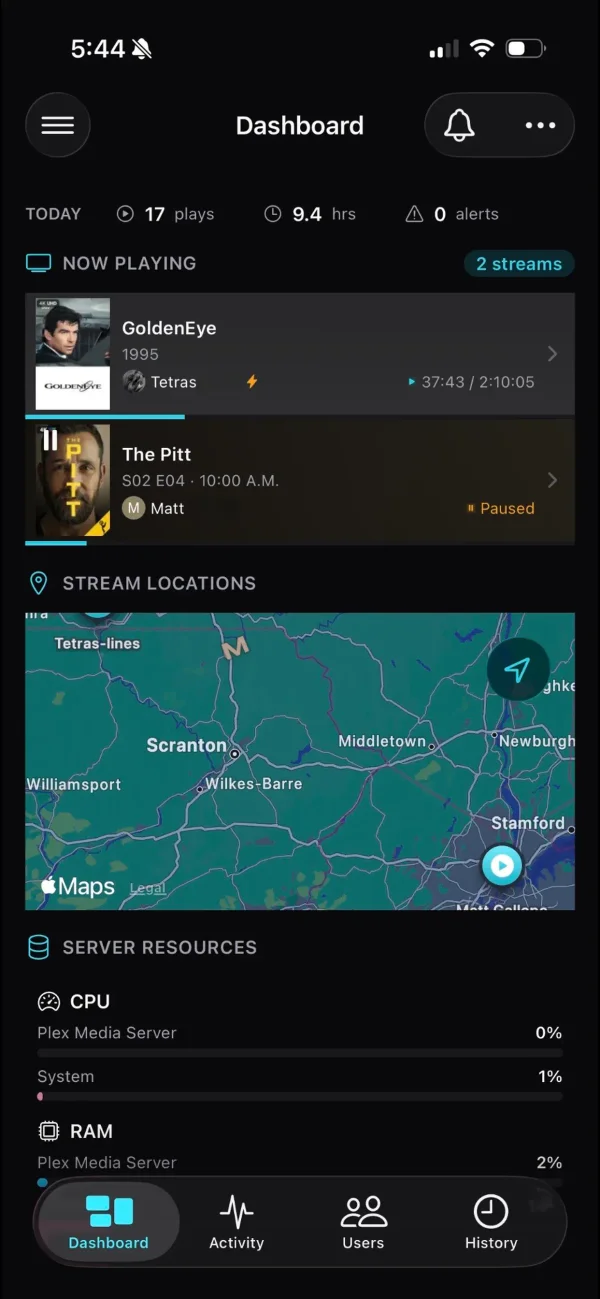
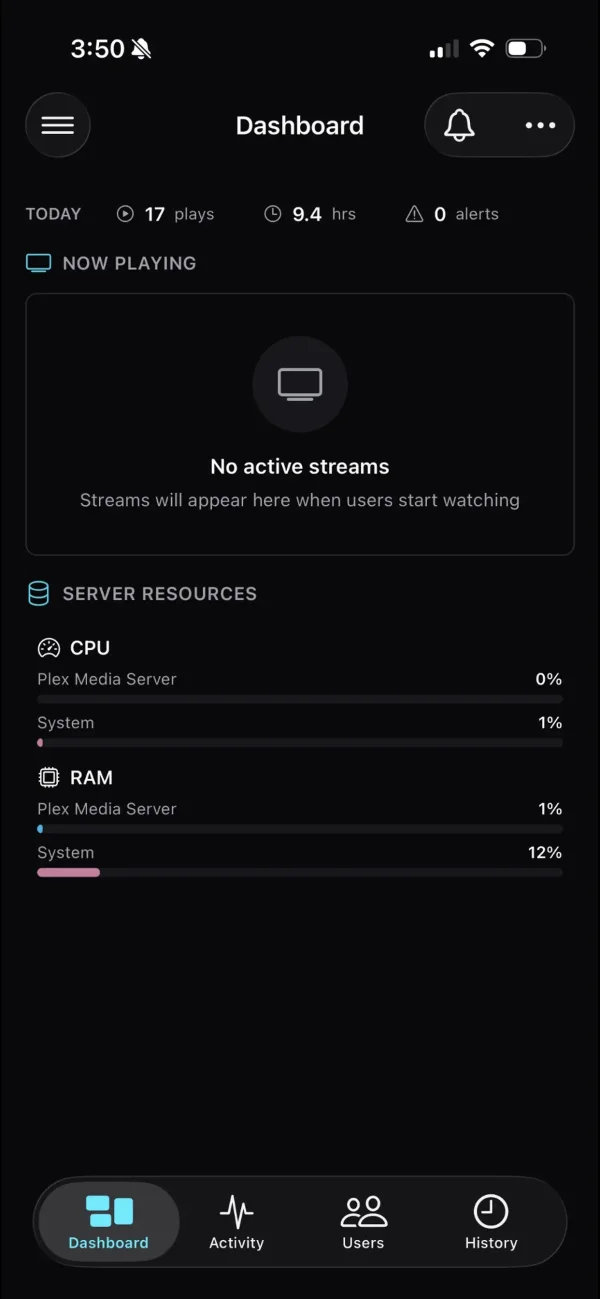
See who's watching, what they're playing, and where they're streaming from - the moment it happens. Active sessions show device, quality, location, and transcoding status, and you can end a stream right from the dashboard. Live CPU and memory for Plex, Jellyfin, and Emby, and a banner when a media server goes down. Plex streams update over Server-Sent Events; Jellyfin and Emby are polled, or push updates through the optional Tracearr plugin. A live stream map shows where your viewers are watching from.
AUTOMATIONS
Build automations in the Tracearr web dashboard from 30+ condition fields:
• Session behavior - concurrent streams, travel speed, unique IPs/devices in a time window, account inactivity
• Stream quality - resolution, transcoding, bitrate thresholds
• User attributes - specific users, trust score, account age
• Device & client - device type, platform, player app
• Network & location - country, IP ranges, local vs remote
• Scope - target specific servers or media types
Match all or any conditions in a group, and stack groups for finer control. A policy automation records a violation with a severity level when it matches. Then it can run any of these actions:
• Send notifications (push, Discord, email, webhooks, ntfy, Gotify, Pushover, and more)
• Adjust, set, or reset trust scores
• Terminate streams
• Message the client directly (Jellyfin/Emby)
Chain multiple actions, branch with if/otherwise, and set cooldowns to prevent spam. Ready-made templates for common patterns - impossible travel, simultaneous locations, device velocity, concurrent streams, geo restrictions - get you started in seconds.
In the app, pause or resume any automation, see what ran and why, and acknowledge alerts one at a time or all at once.
TRUST SCORES
Users earn (or lose) trust based on their behavior. Automations can adjust scores when they trigger. See at a glance which accounts might need attention.
SESSION HISTORY & ANALYTICS
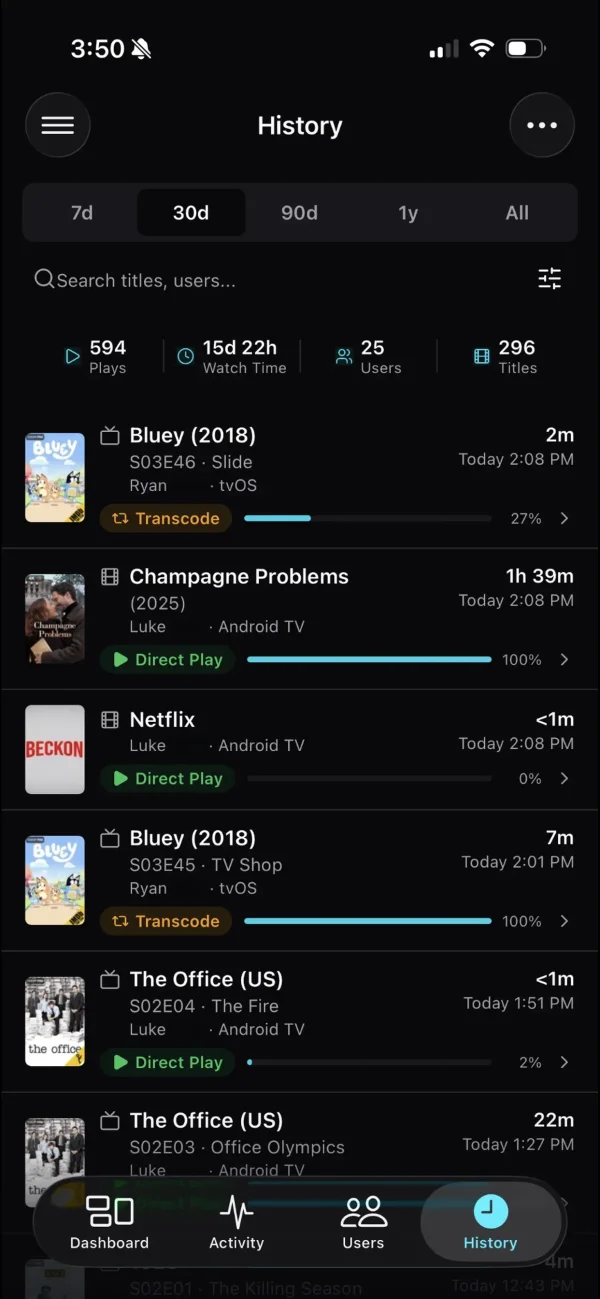
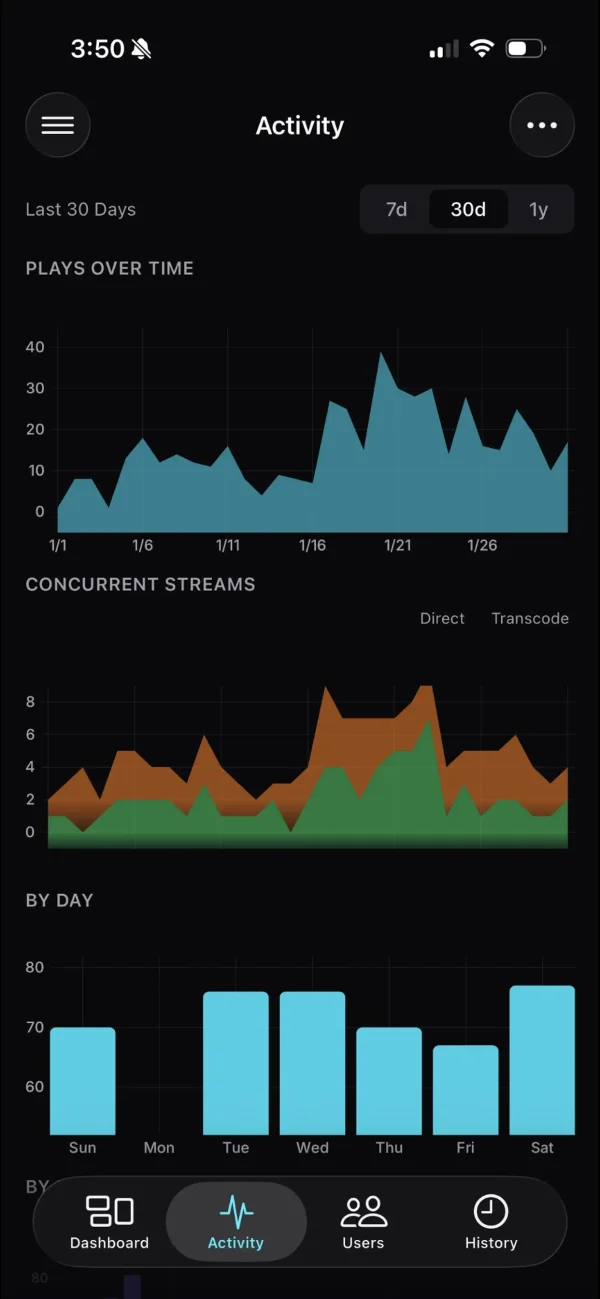
Browse complete session history with filters: date range, user, platform, country, media type, and transcode decision. Search across your entire watch history. See aggregated stats - total plays, watch time, unique viewers.
The web dashboard adds library analytics: storage, quality, duplicates, and engagement. Link Seerr, Overseerr, or Jellyseerr to see who requested each title and whether they watched it.
USER PROFILES
Search and sort your users, then open anyone to see recent sessions, known devices, locations, trust score, and violations across every server they use. Adjust a trust score on the spot.
PUSH NOTIFICATIONS
Configure notifications for:
• Violations (filter by severity)
• Stream starts and stops
• New device detection
• Trust score changes
• Server up/down status
Set quiet hours to pause notifications overnight. High-severity violations and server-down alerts can break through quiet hours if you allow it.
WIDGETS
A Now Playing widget for your home screen shows active streams and transcodes at a glance. It's new, and we'd like your feedback on GitHub or Discord.
MULTI-SERVER SUPPORT
Connect multiple Plex, Jellyfin, and Emby servers to a single Tracearr instance. Switch between servers or view combined stats.
SELF-HOSTED & PRIVATE
Tracearr runs on your hardware. Your watch history, user data, and analytics are stored on your server, and the mobile apps connect to it directly. Push notifications are delivered through Expo's push service.
Import existing data from Tautulli or Jellystat so you don't start from zero.
REQUIREMENTS
You need a running Tracearr server to use this app. It's free, open source, and runs in Docker. Visit github.com/connorgallopo/tracearr for setup instructions.
Questions or issues? Open an issue on GitHub or join the Discord community.
What’s new
Version 2026.11.2 · Nov 18, 2026
Colors follow the new Tracearr web style in the app, widgets and notifications.
With Tracearr 3.1.4 or newer, the notification switches in Settings show which automations send each event, and a change applies to every device.
People are shown by name, without the account username under it. The user screen is split into sections like the web dashboard. The server picker is a menu and is hidden when there is only one server.
Pictures of merged people load from the right server, and the watched trigger reads correctly in automation descriptions.
App privacy
What Connor Gallopo declares on the App Store about how this app handles data.
-
Data not linked to you
May be collected but is not linked to your identity.
- Identifiers
- Usage data
- Diagnostics
Privacy practices may vary, for example with the features you use or your age.
Information
- Seller
- Connor Gallopo
- Category
- Utilities
- Version
- 2026.11.2
- Updated
- Nov 18, 2026
- Released
- Feb 19, 2026
- Size
- 85.7 MB
- Requires
- iOS 17.0 or later
- Age rating
- 4+
- Price
- $4.99
- Languages
- English
- Copyright
- © 2026 Connor Gallopo
You might also like
-
 DashboarrUtilities
-
 Unraid Deck - Server ManagerUnraid NAS Monitor & Control
-
 ShelfPulseAudiobookshelf Analytics
-
 Sable.Mobile File Manager
-
 Icarus - Media ManagerMedia Management, Elevated
-
 Pangolin ClientSimple, secure remote access
-
 YaArrManage Your Media Servers
-
 TechnitoMobile Technitium Management
-
 CrowdSec MonitorControl your CrowdSec instance
-
 HelmarrOne app to rule them all