
Traceline: Light Box Trace
Draw Any Photo on Paper in AR
Designed for iPhone, iPad, Mac
Free · In-app purchases
- Age rating4+
- CategoryGraphics & Design
- DeveloperCihat Salik
- LanguagesEnglish+ 32 more
- Size64.7 MB
Links to the official App Store page
Download.org hosts no file of Traceline: Light Box Trace. The button opens its official App Store page, published by Cihat Salik. Listing last checked on Nov 28, 2026.
Screenshots
About
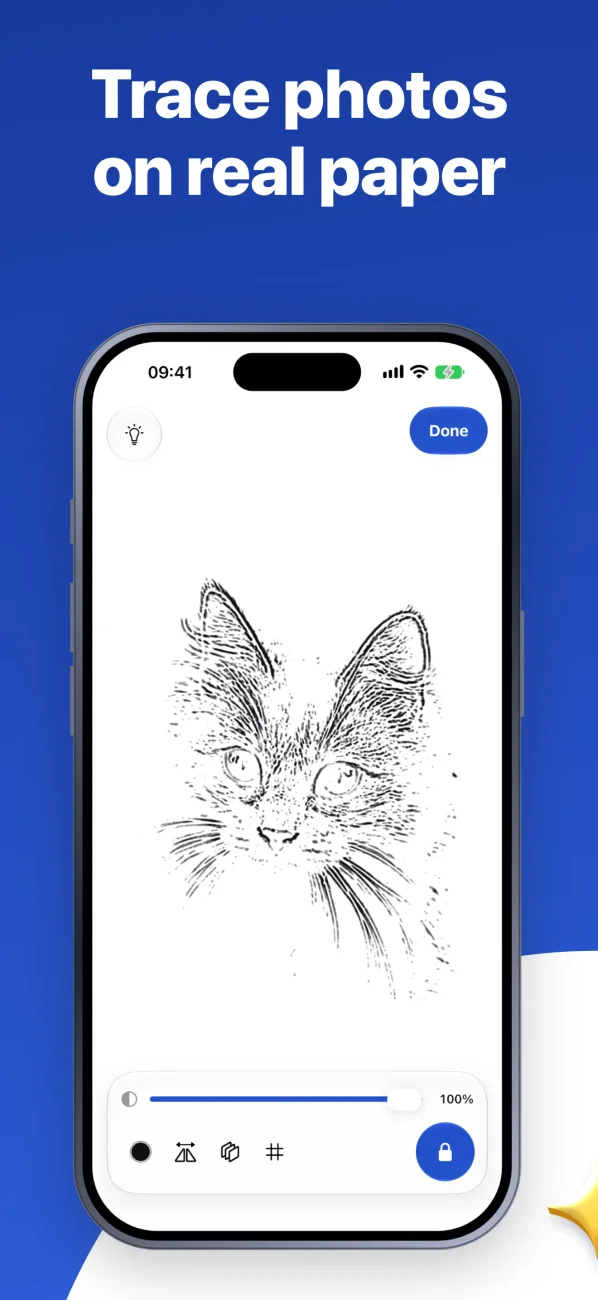
Prop your phone above a sheet of paper and the drawing appears on it. Follow the lines with your pencil, and a portrait, a lettering piece or an Ottoman ornament takes shape under your hand.
Trace on paper
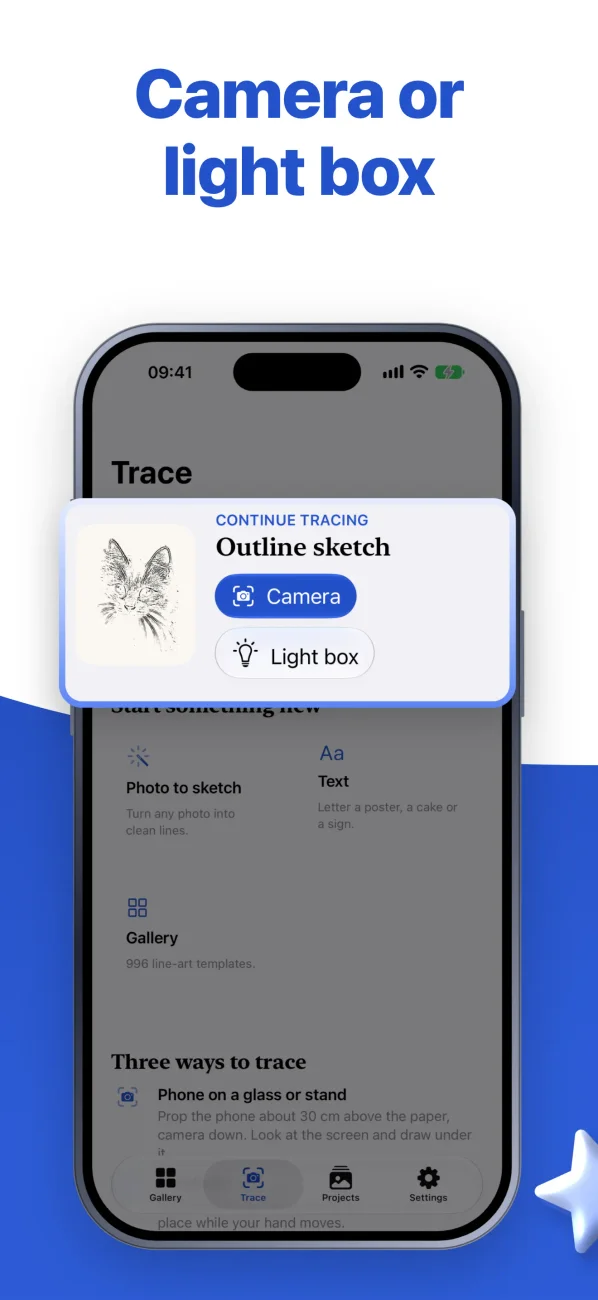
Pick a template or a photo and see it over your paper through the camera. Set the line opacity, move, scale, rotate or mirror it, then lock the screen so a stray touch never shifts the drawing. Hold the lock badge to unlock.
Handheld with AR
On iPhone and iPad, AR pins the drawing to the paper's surface, so it stays in place even when you hold the phone in your hand.
Light box
Lay thin paper on the screen and trace the glowing lines. Brightness goes up while the light box is on, and the camera is not needed.
Your photos as sketches
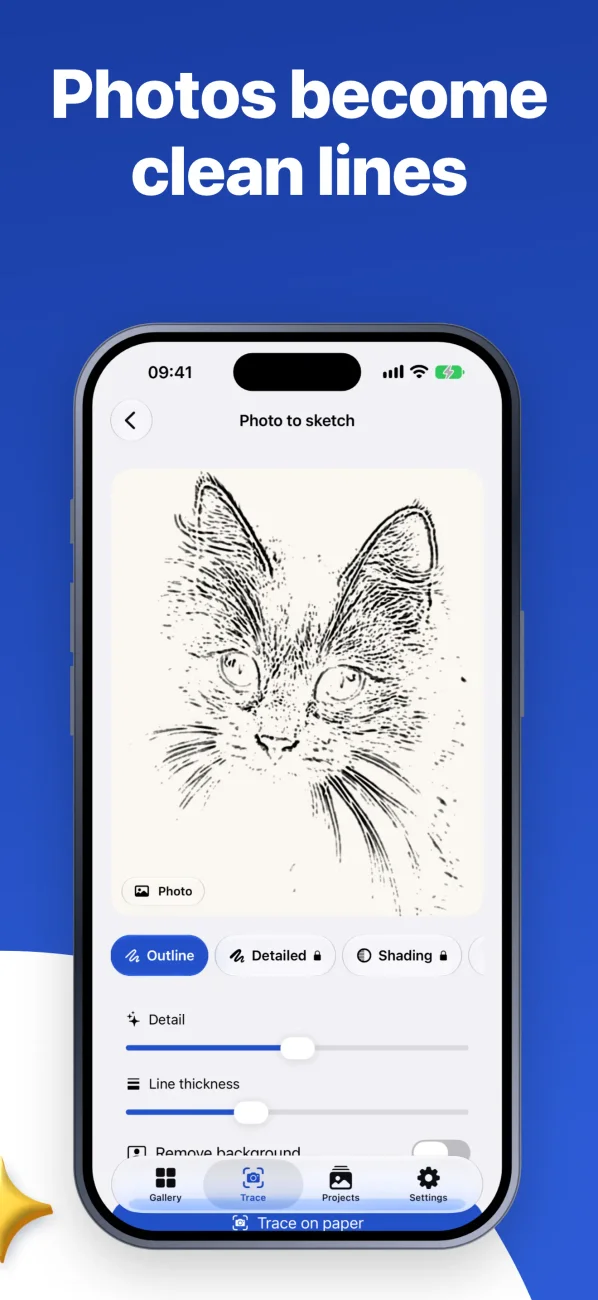
Turn any photo into clean line art on your device: Outline, Detailed, Shading or Grid, with adjustable detail and line weight. Remove the background to keep only the subject.
Templates from pattern books
Nearly a thousand line drawings traced from public-domain ornament books: tezhip and rumi scrolls, Islamic star and girih geometry, moresque and Cairo plates, borders, rosettes, Celtic knots, Gothic tracery, Renaissance and Baroque ornament, Byzantine and East Asian motifs. Each one shows its difficulty and roughly how long it takes.
Step by step
Step mode splits a drawing into stages, so you trace the big shapes first and the details last.
Lettering
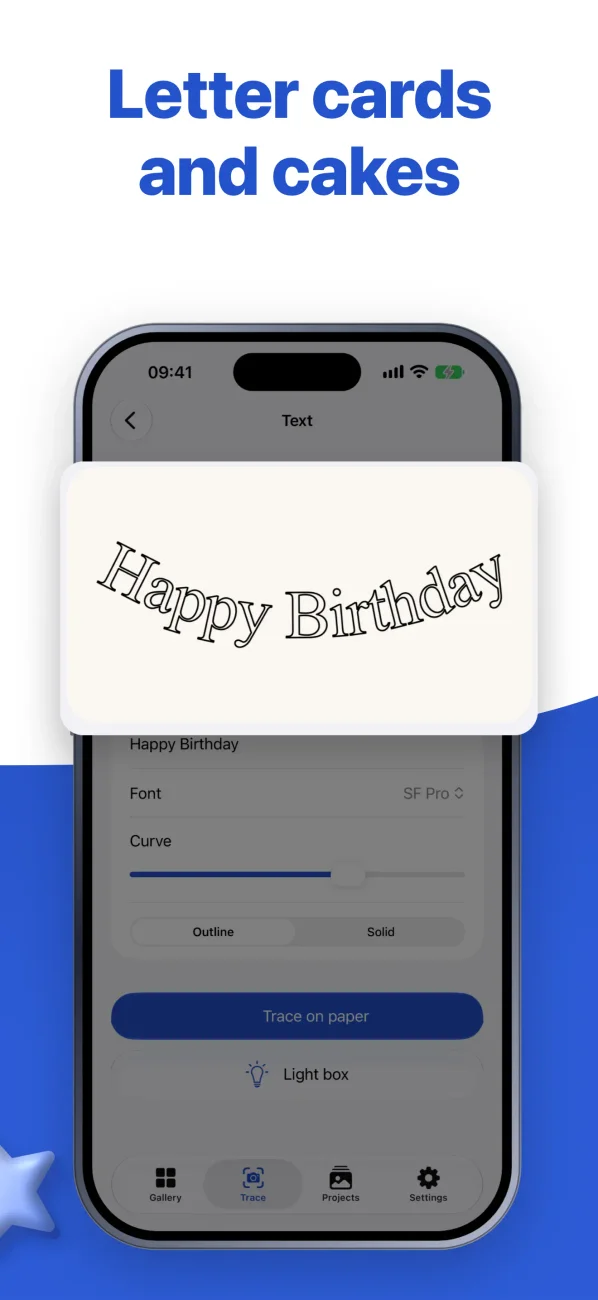
Type a word, choose a typeface, bend it along a curve and trace it for a poster, a card or a cake.
Timelapse
Record your session and get a short video of the drawing coming together, cropped to the paper, with a before and after reveal at the end.
Also in Traceline
• Projects keep your finished pieces with a photo and the timelapse
• Share an image from Photos or Safari straight into Traceline (iPhone and iPad)
• Template of the day widget, a Live Activity timer and a Control Center button (iOS 18 and later)
• Works on iPhone, iPad and Mac, in light and dark mode
Traceline needs no account. Camera frames and photos are processed on your device.
Terms of Use: https://www.apple.com/legal/internet-services/itunes/dev/stdeula/
Privacy Policy: https://apps.cihat.dev/traceline/privacy-policy/
What’s new
Version 2.2.1 · Nov 27, 2026
If you turn off renewal for Traceline Pro, the app now shows the date Pro ends and lets you pick another plan or turn renewal back on in one step.
App privacy
What Cihat Salik declares on the App Store about how this app handles data.
-
Data not linked to you
May be collected but is not linked to your identity.
- Purchases
- Usage data
Privacy practices may vary, for example with the features you use or your age.
Information
- Seller
- Cihat Salik
- Category
- Graphics & Design
- Version
- 2.2.1
- Updated
- Nov 27, 2026
- Released
- Jun 30, 2025
- Size
- 64.7 MB
- Requires
- iOS 17.0 or later
- Age rating
- 4+
- Price
- Free
- In-app purchases
- Yes
- Languages
- English, Arabic, Catalan, Croatian, Czech, Danish, Dutch, Finnish, French, German, Greek, Hebrew + 21 more
- Copyright
- © 2026 Cihat Salik
You might also like
-
 Ink MarblingSuminagashi Art
-
 Marbling ArtMarbling art realistic water
-
 Mesh GradientCreate your own gradients
-
 Tracevelle: Tracing LightboxEmbroidery, Stencils & Art
-
 T-SketchSketch, collaborate, present.
-
 Tracemate: AR Drawing & SketchTrace photos onto paper
-
 PicStitch: Photo to DST PESDigitize Logos & Photos Fast
-
 Entangle - Geometric drawingCreate Geometric Line Art
-
 LightPad: Tracing Light BoxLight box for paper tracing
-
 ShaperyGeometric minimal wallpapers