
Transcribe Private Voice Notes
Audio to Text, Fully Offline
Designed for iPhone, iPad
Free · In-app purchases
- Age rating4+
- CategoryProductivity
- DeveloperDotdotdotapps LLC
- LanguagesEnglish+ 11 more
- Size16.9 MB
Links to the official App Store page
Download.org hosts no file of Transcribe Private Voice Notes. The button opens its official App Store page, published by Dotdotdotapps LLC. Listing last checked on Nov 27, 2026.
Screenshots
About
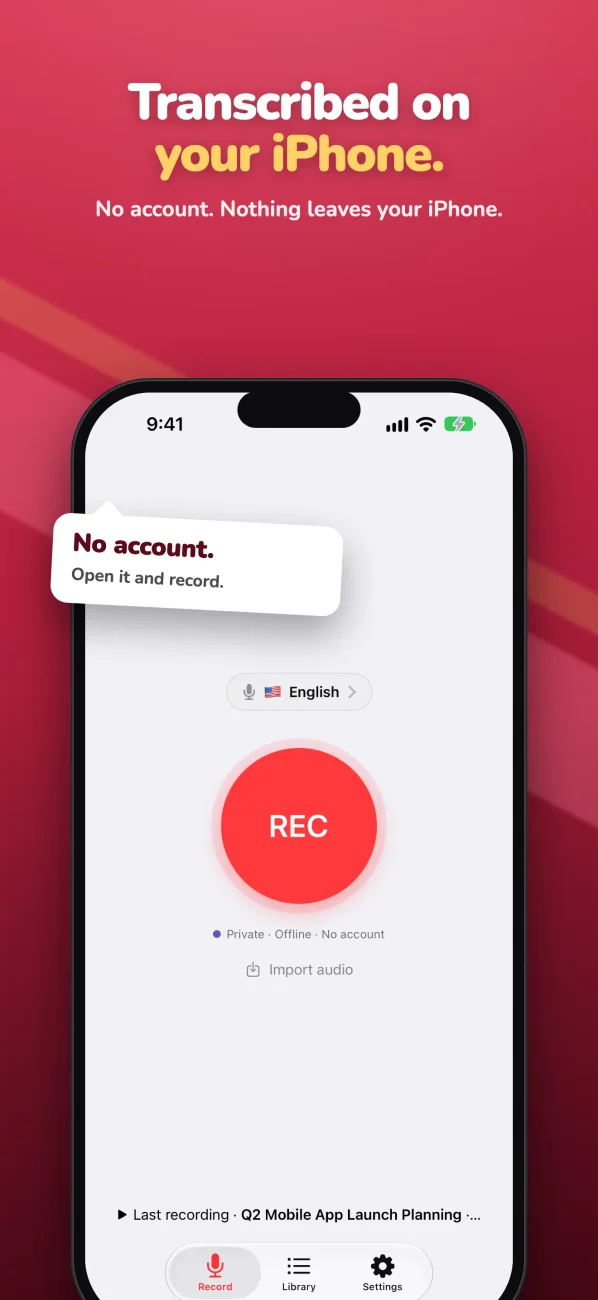
Turn voice memos, meetings and lectures into text on your iPhone, with nothing uploaded. Transcribe works offline after a one-time language download, needs no account, and your voice never leaves your device.
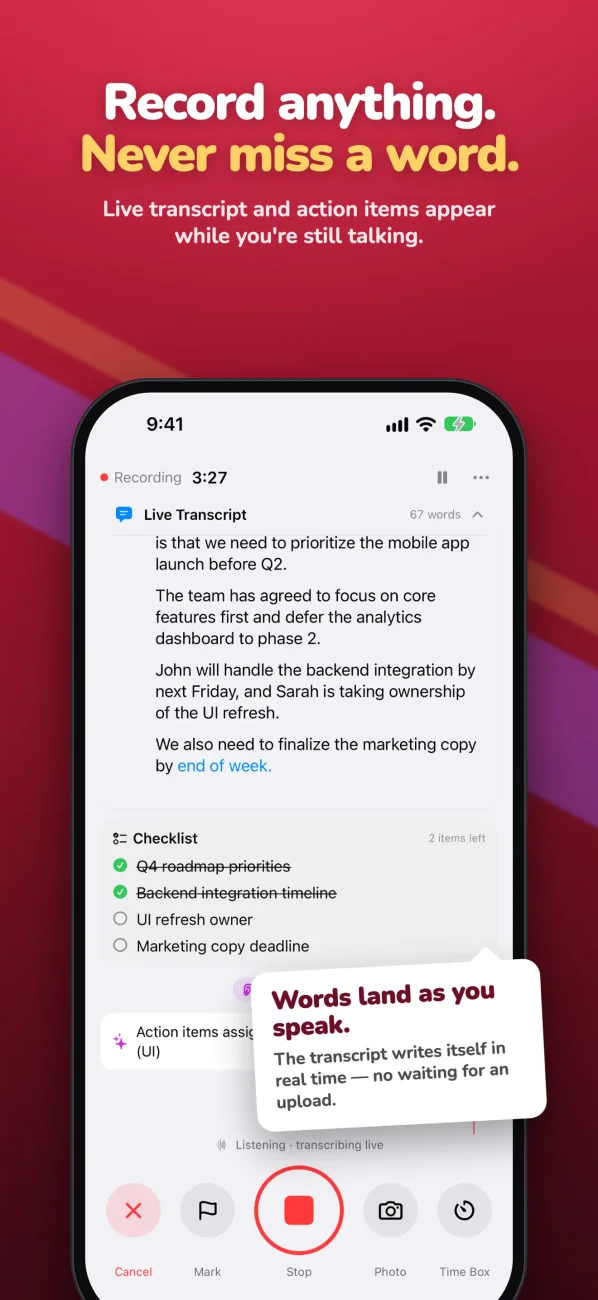
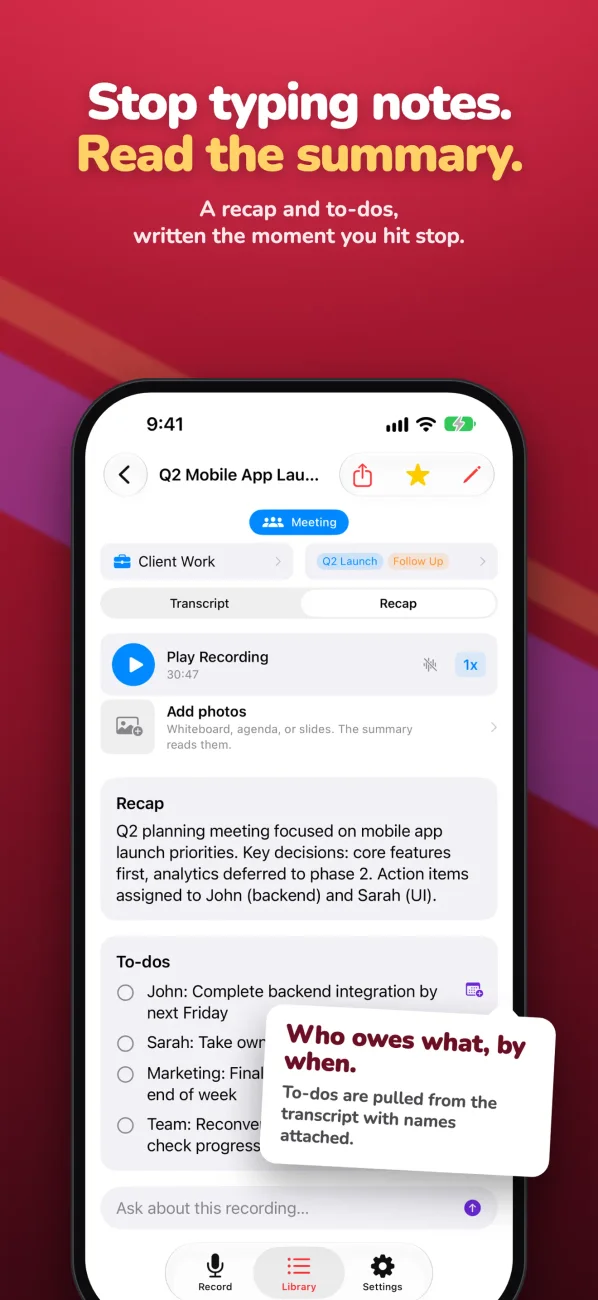
Share a Voice Memo to Transcribe and it opens on the recording and starts transcribing. Send the transcript to Notes in a tap, or record a meeting or lecture and get a live transcript and a Recap with to-dos, all processed on your device. Start recording in 3 taps.
FREE ON EVERY DEVICE
• Unlimited recordings, no time limit
• Full on-device transcription of every recording
• Works on any iPhone or iPad running iOS 26 -- no Apple Intelligence needed
PRO ON EVERY DEVICE
• Export to compressed M4A audio, PDF and SRT subtitles
• Share the original audio
• Encrypted backup of your library with scheduled reminders
• Transcribe in 22 languages
• My words -- teach Transcribe your names and terms; fix a word once and every recording and export is corrected
SUMMARIES AND ANSWERS (Pro, Apple Intelligence devices)
• Summaries with key points and action items
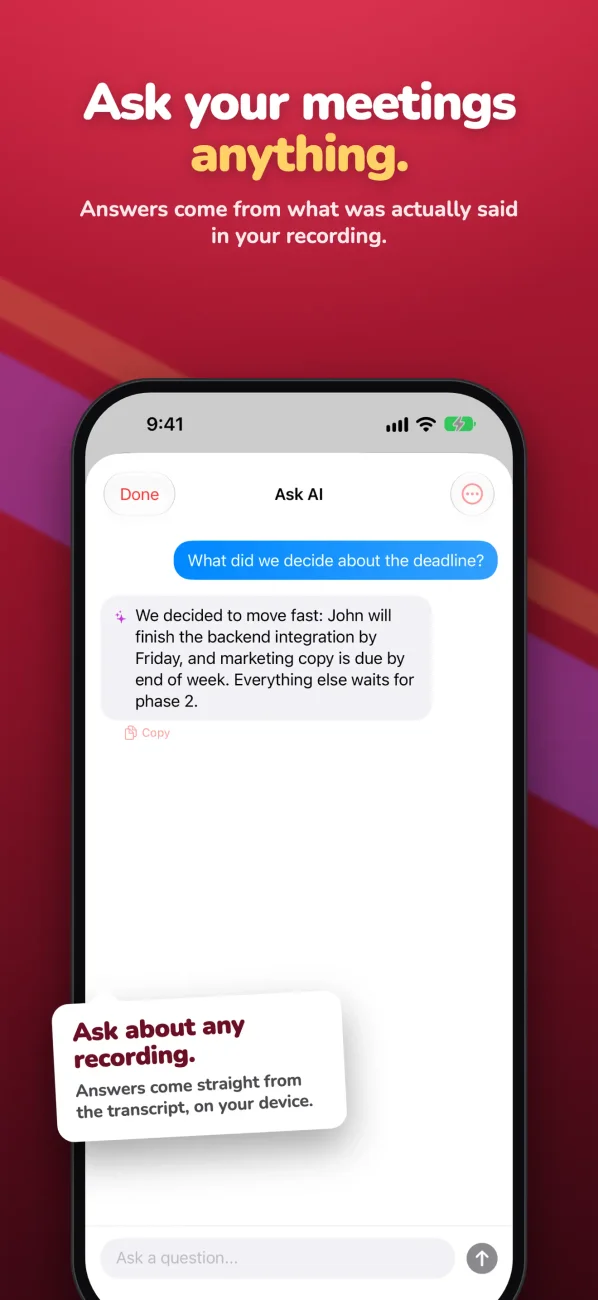
• Ask questions about a recording: "What did we decide?"
• Auto-detects meetings, lectures, and interviews
• "Since last time" recap for recurring meetings
RECORD SMARTER (free)
• Name Ping -- see exactly when your own name came up
• Time Box -- set a target length before you start and see if you're on track
• Coverage Checklist -- list what to cover, check items off as you go
ORGANIZE YOUR WAY
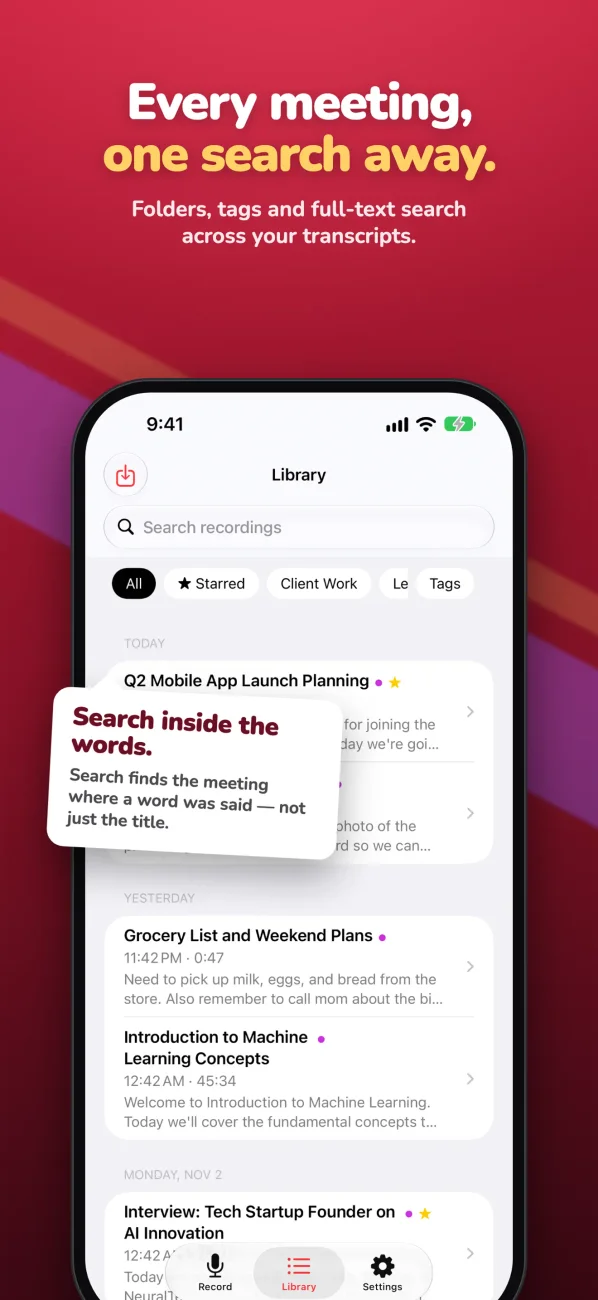
• Custom folders with colors and icons
• Tags for instant filtering, smart folders for Favorites, Recent, Meetings, Lectures
• Search across your entire library
ON-DEVICE BY DESIGN.
Transcription runs on your device -- no cloud upload, no server processing, no data collection. If a language has no on-device model, Transcribe tells you and sends nothing.
WHY PROFESSIONALS CHOOSE TRANSCRIBE
• Journalists: protect your sources, nothing to subpoena from a server
• Business: never miss a meeting detail, nothing uploaded, nothing to breach
MORE
• Karaoke-Style Playback -- words highlight in sync as the audio plays
• Multi-Language -- transcribe 22 languages, summaries in 16; device default is free, others are Pro
PRICING
No per-minute billing, no usage caps, no weekly plan, no free trial that turns into a charge.
Free Forever (all devices):
• Unlimited recordings
• Full transcription
• Name Ping, Time Box, Coverage Checklist
Pro (all devices):
• My words -- your names and terms, corrected everywhere
• Mark moments as they happen, jump straight back to them later
• Additional transcription languages
• Library backup & export
• Choose monthly, annual or lifetime. The price is shown in the app before you buy.
Pro + Apple Intelligence device:
• Unlimited summaries and questions about a recording
• Photo-aware summaries and agenda scanning (iOS 27)
DEVICE REQUIREMENTS
Recording & Transcription (FREE):
• Any iPhone or iPad with iOS/iPadOS 26.0+
Summaries and questions (Pro):
• iPhone 15 Pro, iPhone 15 Pro Max, or newer
• iPad with M1 chip or newer
• Apple Intelligence enabled in Settings
• Summarize with a Photo and Snap the Agenda require iOS 27
Note: no App Store app can record phone calls -- iOS doesn't allow it.
COMMON QUESTIONS
Works without internet? Yes, after a one-time speech-model download (automatic on first use), transcription runs fully offline.
Is it free? Unlimited recordings and transcription are free forever, no account needed. Summaries and questions about a recording need Pro plus Apple Intelligence, and run on your device.
Speaker labels? Not yet.
Does anything leave my phone? No. Transcription runs entirely on the device. If a language has no on-device model, Transcribe tells you and sends nothing.
Download now. Recording and transcription stay on your device.
Terms: https://dotdotdotapps.com/terms
Privacy: https://dotdotdotapps.com/privacy
What’s new
Version 1.31.0 · Nov 25, 2026
Smoother from the first recording to the finished transcript.
• A short note before your first recording explains why Transcribe asks for the microphone and Speech Recognition.
• New "More from this recording" under the transcript: recap, ask, translate and PDF in one place.
• Calmer, faster Home and Library.
• Saved recordings now appear within moments after you tap Stop.
• Tidier share and export rows, with a clear description for each format.
• Fixes and polish.
App privacy
What Dotdotdotapps LLC declares on the App Store about how this app handles data.
-
Data not collected
The developer does not collect any data from this app.
Privacy practices may vary, for example with the features you use or your age.
Information
- Seller
- Dotdotdotapps LLC
- Category
- Productivity
- Version
- 1.31.0
- Updated
- Nov 25, 2026
- Released
- Dec 23, 2025
- Size
- 16.9 MB
- Requires
- iOS 26.0 or later
- Age rating
- 4+
- Price
- Free
- In-app purchases
- Yes
- Languages
- English, Dutch, French, German, Italian, Japanese, Korean, Portuguese, Russian, Simplified Chinese, Spanish, Traditional Chinese
- Copyright
- © 2026 dotdotdotapps
You might also like
-
 Murble: AI Voice NotesPrivate on-device voice notes
-
 Transcribe AI Voice Note TakerMeeting Minutes & Record Audio
-
 Transcribe Speech to Text – AIMeeting Notes & Voice Recorder
-
 TwinMind: AI Notes & MemorySecond brain for life and work
-
 HiNoter - AI Note TakerAuto transcribe & summarize
-
 Notta Transcribe Voice to TextSpeech Notes, Meeting Recorder
-
 Note AI: Smart Note TakerTranscribe audio to text
-
 Transkriptor - Speech to TextTranscribe Video & Audio Note
-
 Flownote - AI Note TakerTranscribe, Record Voice Audio
-
 Voice Memos Recorder - BreefyTranscribe Speech to Text Note