Tri Clipper
Web clipper for Trilium
Designed for iPhone, iPad, Mac
In-app purchases
- Age rating4+
- CategoryProductivity
- DeveloperJustin Meyer
- LanguagesGerman+ 23 more
- Size7.2 MB
Links to the official App Store page
Download.org hosts no file of Tri Clipper. The button opens its official App Store page, published by Justin Meyer. Listing last checked on Nov 23, 2026.
Screenshots
About
Tri Clipper saves web pages into your own Trilium server, straight from Safari.
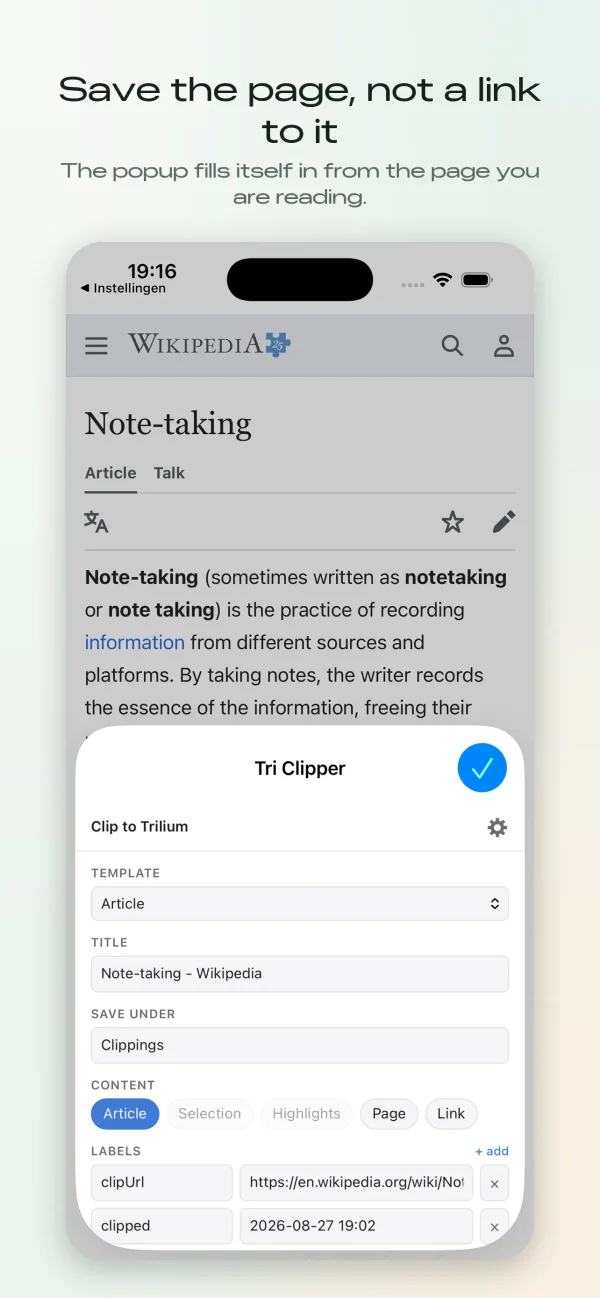
It reads the article, drops the navigation and the clutter around it, and files what is left as a proper Trilium note: HTML, with the title, author, publication date and address already attached as labels.
WHAT YOU CAN CLIP
• The article, found for you
• Only what you selected
• Passages you highlighted, and nothing else
• The whole page
• A link with its description, when the page itself is not worth keeping
TEMPLATES
A template decides four things: where the note goes, what it is called, which labels it carries, and what its body looks like. Give a template the sites it should claim, and clipping from those sites picks it by itself.
Titles and labels are written with variables — the page title, its author, the publication date, any meta tag, any JSON-LD field, or the text of any element you name. Filters shape them: format a date, take the first author out of a list, cut a long title down to size.
HIGHLIGHTS
Turn on highlight mode, mark the passages worth keeping, and clip those. Clip the same page again later and the new passages join the note you already made, instead of starting a second one.
BEFORE ANYTHING IS SENT
The popup shows the note that is about to be written: the real title, the real labels, the real body, rendered. Change any of them there and that is what Trilium receives.
YOUR SERVER, YOUR NOTES
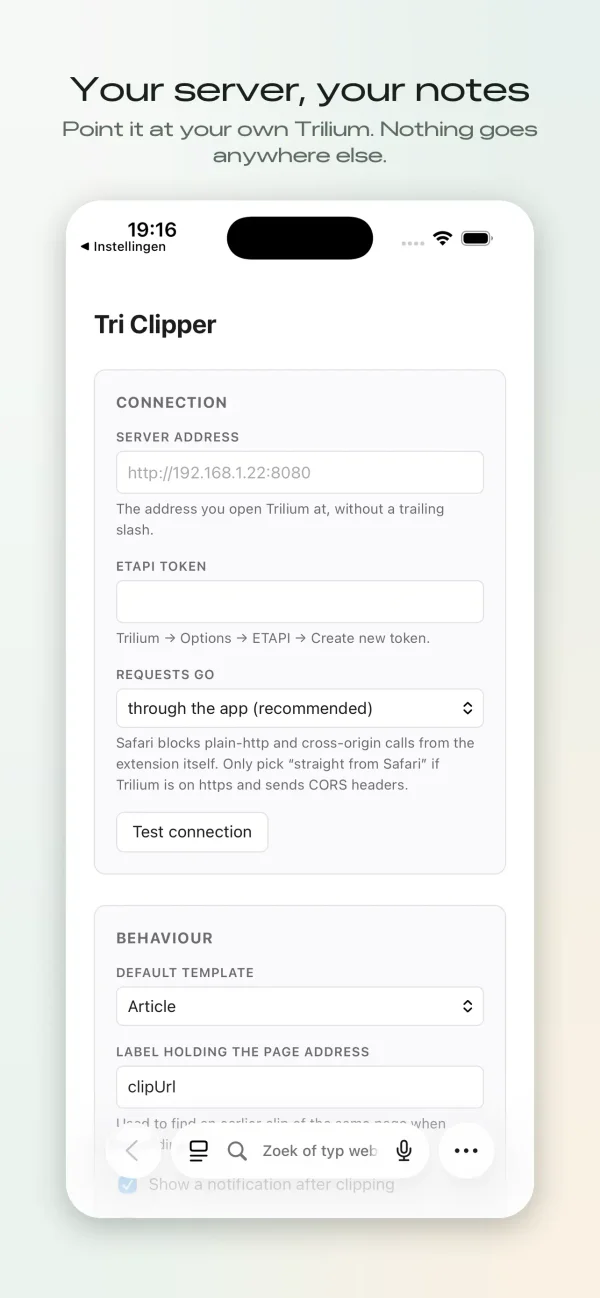
Point it at your own Trilium and paste an ETAPI token. That is the only place anything is ever sent. There is no account to make, no service in between, and nothing is collected.
ON MAC, IPHONE AND IPAD
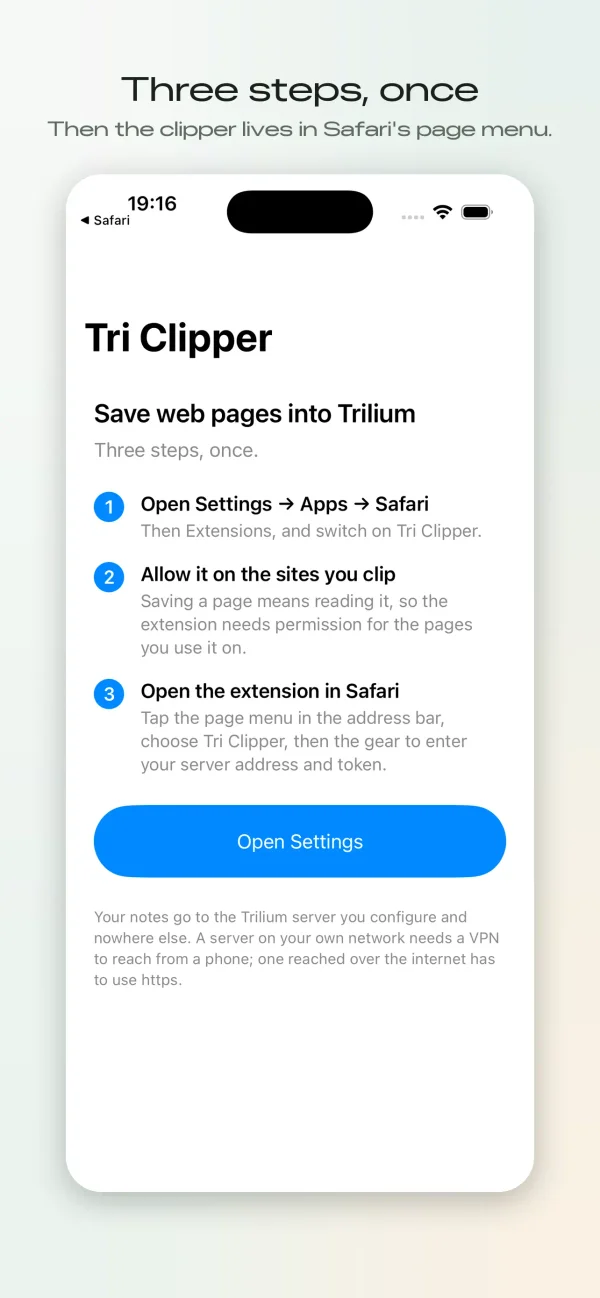
Tri Clipper is free to try: your first ten clips cost nothing, and a one-time in-app purchase then unlocks unlimited clipping on all three. The Mac version puts a button in Safari's toolbar; on iPhone and iPad the clipper lives in Safari's page menu. Templates and settings are entered per device.
REQUIREMENTS
A Trilium server with ETAPI enabled that the device can reach. Built and tested against Trilium 0.105. A server on your own network can be plain http; one reached from further away — which is what a phone away from home needs — has to be https.
Tri Clipper is not affiliated with or endorsed by the Trilium project.
What’s new
Version 1.1 · Nov 18, 2026
Tri Clipper is now free to download. Ten clips are free; a one-time purchase unlocks unlimited clipping on iPhone, iPad and Mac. Bought Tri Clipper before? Then unlimited clipping is already yours.
App privacy
What Justin Meyer declares on the App Store about how this app handles data.
-
Data not collected
The developer does not collect any data from this app.
Privacy practices may vary, for example with the features you use or your age.
Information
- Seller
- Justin Meyer
- Category
- Productivity
- Version
- 1.1
- Updated
- Nov 18, 2026
- Released
- Sep 15, 2026
- Size
- 7.2 MB
- Requires
- iOS 16.0 or later
- Age rating
- 4+
- In-app purchases
- Yes
- Languages
- German, Bulgarian, Danish, English, Estonian, Finnish, French, Greek, Irish, Italian, Croatian, Latvian + 12 more
- Copyright
- © 2026 Justin Meijer
You might also like
-
 Clover: Notes for TriliumRead & write TriliumNext notes
-
 StopShortcutControl videos instantly
-
 QingMo - Markdown EditorLive preview, flash publish
-
 ScanKit - Document ScannerScan, OCR & Sign Privately
-
 Quest NotesNotes, Checklists & Scanner
-
 Executive OS: Decision JournalPrivate AI Chief of Staff
-
 Noteline - Markdown NotesLocal-first .md note editor
-
 Let The Rest GoFewer Tasks. More Focus.
-
 Capta - GTDCapture ideas, GTD method
-
 Write.r - Idea DraftShape rough thought into text