
- Age rating4+
- CategoryPhoto & Video
- DeveloperRonald Derksen
- LanguagesEnglish
- Size50.7 MB
Links to the official App Store page
Download.org hosts no file of Trim Forge. The button opens its official App Store page, published by Ronald Derksen. Listing last checked on Nov 14, 2026.
Screenshots
About
Trim Forge helps you turn longer videos into focused clips without setting up a full editing project. It is especially useful for camera and drone recordings, including videos captured with DJI drones, when you want to keep only the flight highlights.
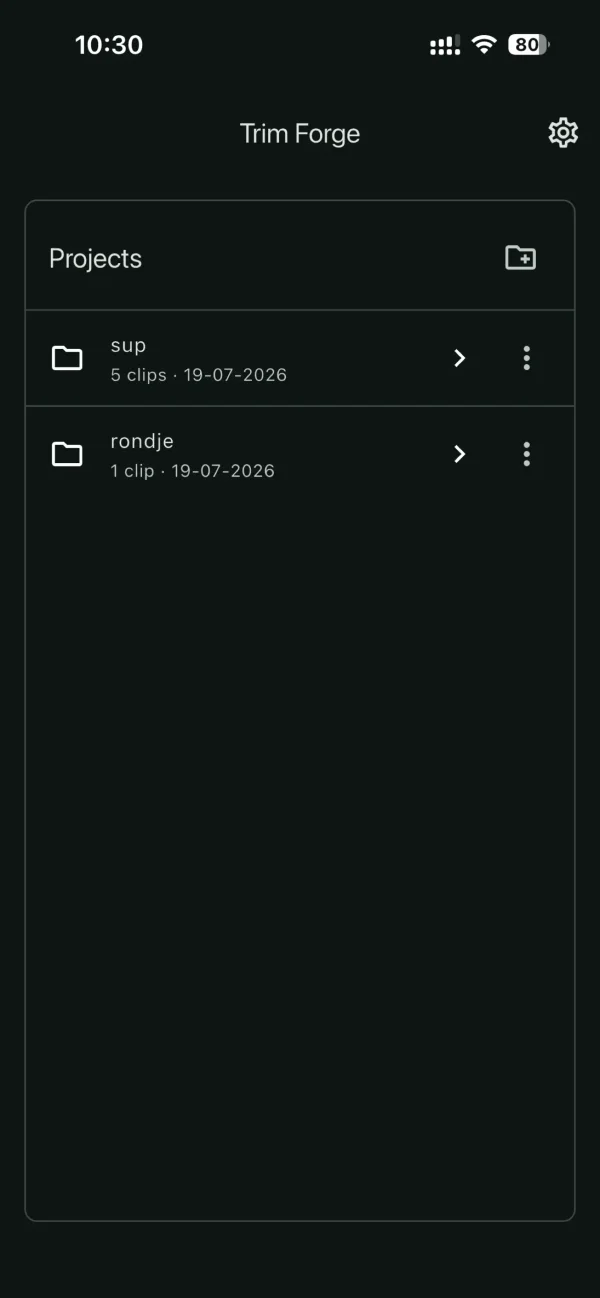
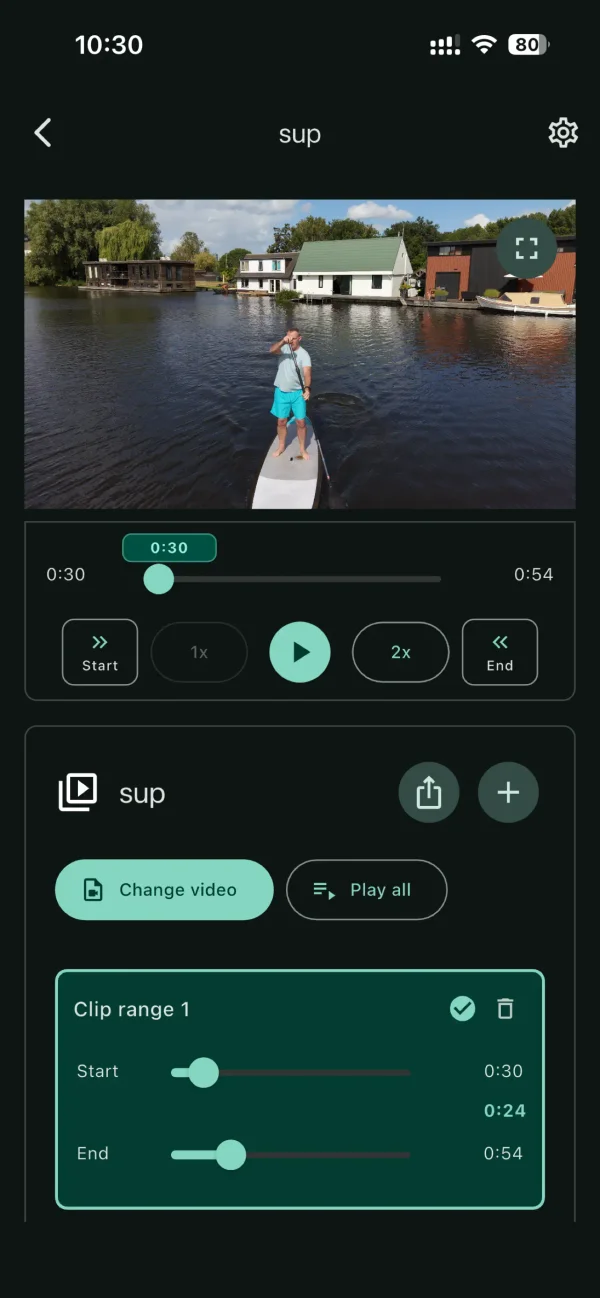
Create a project, choose a video from your library, mark the parts you want to keep, preview the selected ranges, and export the result back to Photos. Trim Forge is built for practical clip preparation: saving drone footage highlights, cutting long recordings into shorter segments, and keeping simple trimming work organized by project.
What you can do:
- Create local projects for videos you want to trim.
- Choose videos from your photo library.
- Trim camera, drone, and DJI drone videos into focused clips.
- Add one or more clip ranges to a project.
- Set clip start and end points from the video preview.
- Play selected clips in sequence before exporting.
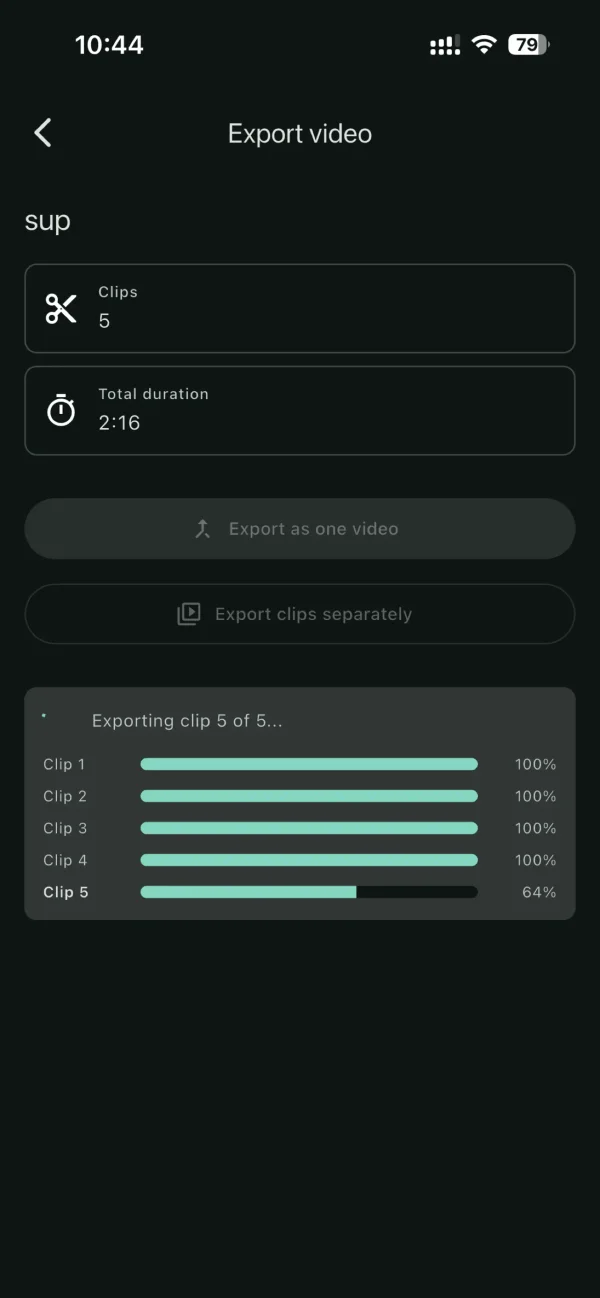
- Export selected ranges as one combined video.
- Export selected ranges as separate clips.
- Save exported videos back to Photos in a Trim Forge album.
- Keep project data stored locally on your device.
- Switch between system, light, and dark appearance.
Trim Forge always uses lossless copy export, so compatible videos can be trimmed without re-encoding. Export support depends on the source video format and the device.
Privacy:
Trim Forge does not require an account and does not send your videos to a server. Project metadata is stored locally on your device. The app requests photo library access so you can choose source videos and save exported clips back to Photos.
Terms of Use: https://www.apple.com/legal/internet-services/itunes/dev/stdeula/
What’s new
Version 1.4.0 · Aug 30, 2026
- Bug fixes and stability improvements.
App privacy
What Ronald Derksen declares on the App Store about how this app handles data.
-
Data used to track you
May be used to track you across apps and websites owned by other companies.
- Usage data
-
Data linked to you
May be collected and linked to your identity.
- Usage data
Privacy practices may vary, for example with the features you use or your age.
Information
- Seller
- Ronald Derksen
- Category
- Photo & Video
- Version
- 1.4.0
- Updated
- Aug 30, 2026
- Released
- Aug 12, 2026
- Size
- 50.7 MB
- Requires
- iOS 15.6 or later
- Age rating
- 4+
- In-app purchases
- Yes
- Languages
- English
- Copyright
- © 2026 Ronald Derksen
You might also like
-
 Cut Away ProHear where to cut your videos
-
 VideoTrim: No Quality LossLossless cutter, split & clip
-
 TRUEFILMx真实胶片 TRUE FILM Film Camera
-
 Virai - AI Video&Image MakerAI Photo & Video Generation
-
 Split Video: Lossless CutAI auto cut: moments & beats
-
 Black Encoder - かんたん動画圧縮&サイズ縮小Photo & Video
-
 Panura: Video Browser, TV CastWeb player with subtitles
-
 AirStoryPhoto & Video
-
 VideoPlayerS - Media PlayerAny codec with subtitles
-
 Memorial photo animatorPhoto becomes a short video