
VideoPlayerS - Media Player
Any codec with subtitles
Designed for iPhone, iPad, iPod touch
Free
- Age rating4+
- CategoryPhoto & Video
- Developerjinkyun kim
- LanguagesEnglish+ 4 more
- Size47.5 MB
Links to the official App Store page
Download.org hosts no file of VideoPlayerS - Media Player. The button opens its official App Store page, published by jinkyun kim. Listing last checked on Nov 24, 2026.
Screenshots

About
VideoPlayerS is a video player that plays virtually any video stored on your device without codec limits. It finds every video on your device and loads matching subtitles for you.
Tired of seeing Unsupported file format. This video player bundles its own playback engine, so MKV, AVI, TS and RMVB files, or videos carrying AC3 and DTS audio that the stock player refuses to open, will simply play.
[ Plays Any Codec ]
- Plays MP4, MKV, AVI, MOV, WMV, FLV, WEBM, M4V, MPG, TS, M2TS, VOB, RMVB, ASF and 3GP.
- Video codecs H.264, H.265 HEVC, VP8, VP9, AV1, MPEG-2 and MPEG-4 are supported.
- Audio codecs AAC, MP3, AC3, EAC3, DTS, FLAC, Vorbis and Opus are supported.
- Hardware accelerated playback comes first and only unsupported codecs fall back to software playback.
[ Subtitles That Never Break ]
- Supports SRT, SMI, ASS, SSA and VTT subtitle files along with subtitle tracks embedded in the video.
- Many subtitle files are not saved as UTF-8, so other players show garbled text. This app detects the encoding of each subtitle file and converts it before playback.
- SMI subtitles are converted to a standard subtitle format inside the app, and when one file carries several languages only the subtitle matching your display language is shown.
- A subtitle file sharing the video name is applied automatically the moment playback starts.
- You can pick a subtitle file yourself, and sync adjusts in 0.5 second steps.
[ Speed Control ]
- Playback speed runs from 0.25x to 4x in 0.05 steps.
- Press and hold the screen for a temporary 2x boost that ends the moment you release.
- The last speed you used is saved and applied to your next video.
[ Gestures And Screen Lock ]
- Slide up and down on the left half for brightness and on the right half for volume.
- Double tap either side to jump 10 seconds, or drag horizontally to seek.
- Screen lock blocks every control during playback. Unlocking needs a long press.
[ Never Fights Other Apps For Sound ]
- Music playing in another app stops when you open a video, so only the video is heard.
- An incoming call pauses playback and it resumes afterwards. Navigation prompts only lower the volume.
- Unplugging headphones pauses at once, so nothing blasts out in public.
- Leaving the app pauses playback.
[ Repeat And Resume ]
- Cycle through repeat off, repeat all and repeat one with one button.
- Long press the repeat button for section repeat that loops only the part you choose.
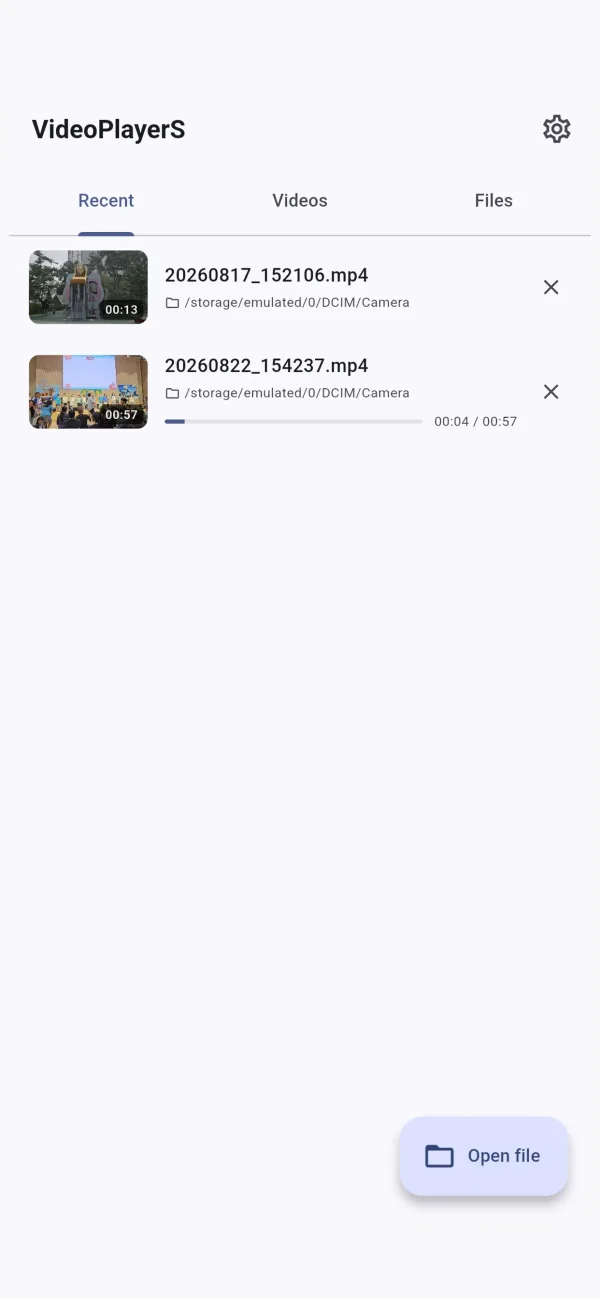
- Your position is remembered automatically, and reopening a video asks whether to resume.
- Audio track switching, three aspect ratio modes and landscape or portrait lock are included.
[ Find Every Video ]
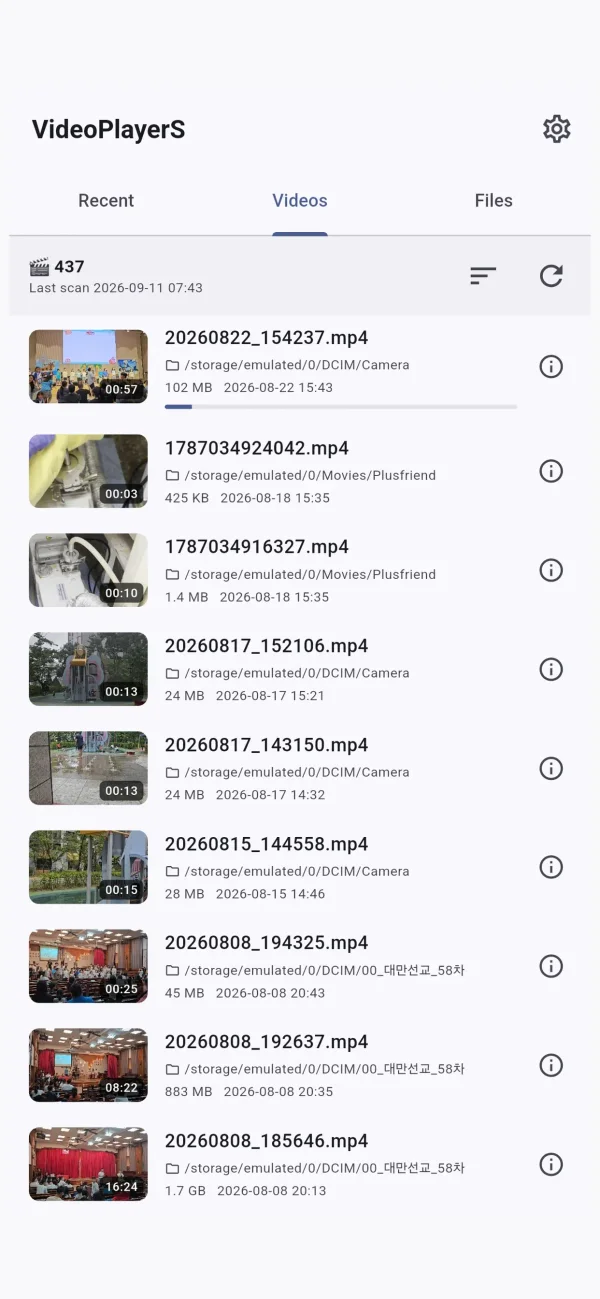
- Gathers every video on your device into a single list sorted newest first.
- Results stream in as they are found, so you never wait for the whole scan.
- Each row carries a thumbnail, duration, folder path, size and date.
- Search by file name or folder name and filter per folder. Sort by date, name or size.
- Long press for share, rename, open with another app, info and delete, or select several at once.
[ No Ads And No Account ]
- There is no sign up and no login anywhere in the app.
- Your videos and subtitles are never uploaded to an external server or cloud.
- Playback works completely without a network connection.
[ Five Languages And Dark Mode ]
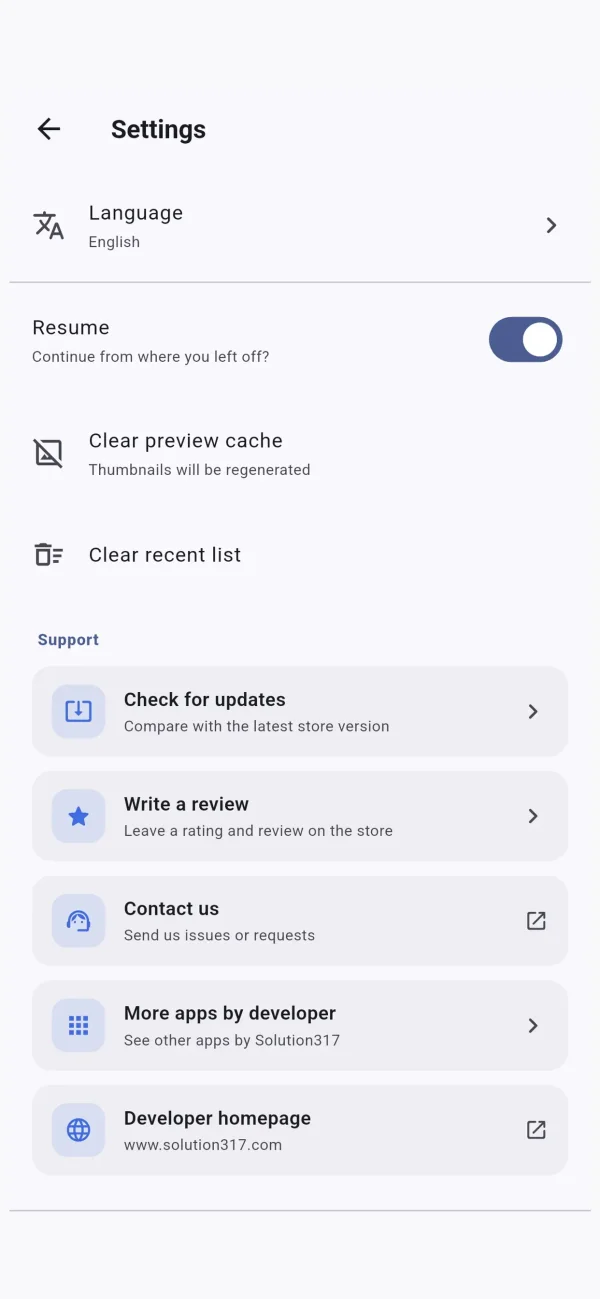
- English, Korean, Japanese, Chinese Simplified and Chinese Traditional are supported with an in app language picker.
- Dark mode follows your system setting, and iPad with every orientation is supported.
made by Solution317
What’s new
Version 1.0.2 · Nov 23, 2026
VideoPlayerS 1.0.2
- No more overlapping sound. Music stops when a video opens.
- A call pauses playback and resumes after. Unplugging headphones or leaving the app pauses it.
- Subtitle encoding is fixed automatically, so subtitles no longer look garbled. SMI works.
- Smoother scrolling, faster video tab, and deleting asks once.
Plays MKV, AVI, TS. Speed 0.25x to 4x, search and folder filters, multi select, gesture brightness and volume, screen lock, section repeat, resume.
App privacy
What jinkyun kim declares on the App Store about how this app handles data.
-
Data not linked to you
May be collected but is not linked to your identity.
- Identifiers
Privacy practices may vary, for example with the features you use or your age.
Information
- Seller
- jinkyun kim
- Category
- Photo & Video
- Version
- 1.0.2
- Updated
- Nov 23, 2026
- Released
- Sep 14, 2026
- Size
- 47.5 MB
- Requires
- iOS 15.0 or later
- Age rating
- 4+
- Price
- Free
- Languages
- English, Japanese, Korean, Simplified Chinese, Traditional Chinese
- Copyright
- © Solution317
You might also like
-
 Pemutar Video - DALSOPhoto & Video
-
 Smart Player - Personal MediaYour Personal Video Experience
-
 Video Player & EditorPlay MKV AVI, Trim & Compress
-
 Anyvid: Video Player & AI SubsPlay any format, add subtitles
-
 Keeplay: Video & Photo PlayerFolder player, resume watching
-
 動画プレーヤー - Simple VideoPhoto & Video
-
 VideoHavenPlays almost anything
-
 MoviePro: 4K Video PlayerWatch Videos with Subtitles
-
 OVPlayerOffline Video Player
-
 Vupilo: Video PlayerLocal Files, NAS & Subtitles