
Trimly: PDF Crop
Trim white margins off pages
Designed for iPhone
Free · In-app purchases
- Age rating4+
- CategoryProductivity
- DeveloperJhomar Maravillas
- LanguagesEnglish+ 5 more
- Size687.0 KB
Links to the official App Store page
Download.org hosts no file of Trimly: PDF Crop. The button opens its official App Store page, published by Jhomar Maravillas. Listing last checked on Nov 23, 2026.
Screenshots

About
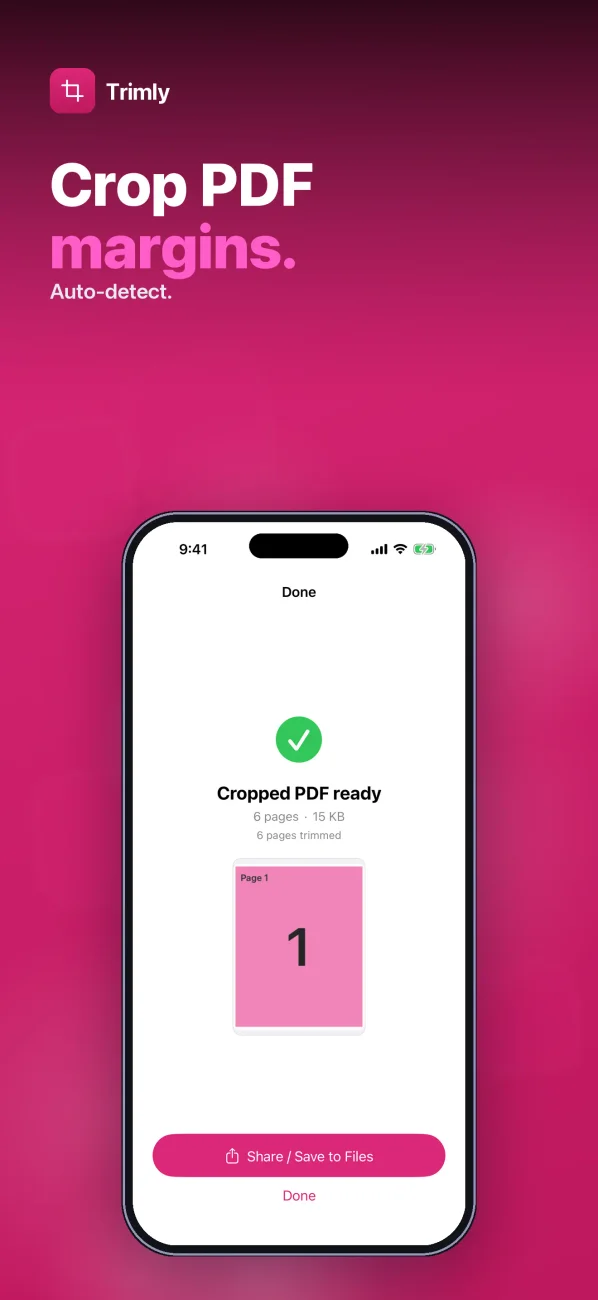
PDF pages with wide white margins that make the text tiny on your iPhone or e-reader? Trimly finds the content on every page and crops away the empty margins, so pages fill the screen and print without wasted space.
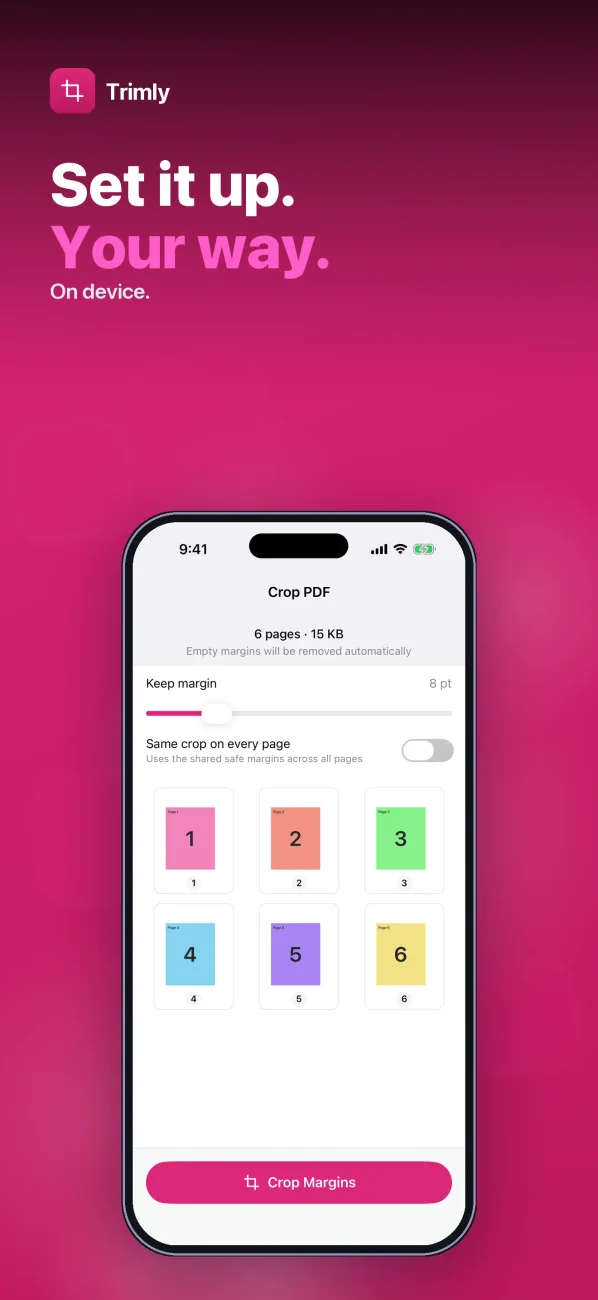
Select a PDF, set how much margin to keep, and tap Crop Margins. Trimly checks each page, trims the blank edges and gives you a new PDF to share or save to Files.
• AUTOMATIC CONTENT DETECTION — each page is scanned for text, images and lines; faint scanner specks and near-white noise are ignored.
• KEEP A LITTLE MARGIN — a slider keeps 0–40 points of breathing room around the content so nothing is cut flush.
• SAME CROP ON EVERY PAGE — optionally apply one shared crop to all pages for a uniform page size, or let each page crop to its own content.
• LOSSLESS AND SHARP — pages are re-drawn from the original vector content, not turned into images, so text stays crisp and searchable.
• LINKS AND BOOKMARKS KEPT — links are moved with the cropped content and the bookmark outline is carried over.
• PAGE PREVIEW — see thumbnails of every page before you crop.
Honest scope: Trimly crops only white or near-white margins automatically — there is no manual crop box, and colored or gray page backgrounds (common on scans) may not be trimmed. Password-protected PDFs must be unlocked first. PDFs up to 200 pages and 80 MB are supported. Your original file is never changed.
Everything happens on your iPhone. Nothing is uploaded and no account is needed.
Try it free — 3 PDFs. A one-time $4.99 purchase unlocks unlimited PDFs and batch cropping — pick up to 50 PDFs at once. No subscription, no ads.
Questions: overlapmarr@gmail.com
What’s new
Version 1.0.8 · Nov 22, 2026
Fixed: a PDF you share to Trimly from another app (Files, Mail or the share sheet) now always opens ready to crop. Before, if your last cropped PDF was still on screen, Trimly could open its home screen instead, and a PDF shared while a crop was running was ignored. Now it opens right after.
App privacy
What Jhomar Maravillas declares on the App Store about how this app handles data.
-
Data not collected
The developer does not collect any data from this app.
Privacy practices may vary, for example with the features you use or your age.
Information
- Seller
- Jhomar Maravillas
- Category
- Productivity
- Version
- 1.0.8
- Updated
- Nov 22, 2026
- Released
- Jul 27, 2026
- Size
- 687.0 KB
- Requires
- iOS 16.0 or later
- Age rating
- 4+
- Price
- Free
- In-app purchases
- Yes
- Languages
- English, French, German, Japanese, Portuguese, Spanish
- Copyright
- © 2026 Trimly
You might also like
-
 Crop & Trim PDF MarginsCrop margins on any PDF page
-
 Scan & Organize: PDF ScanScan docs, receipts, expenses
-
 Tomato Dial - Focus TimerTactile Pomodoro Timer
-
 iScanKit: Offline ScannerOffline Scan·OCR·On-device
-
 ChatTAP: Chat AI, AssistantBuilt on GPT-5, GPT-4, Grok AI
-
 Atteno - Focus Timer & StudyHeatmap & Time Manager
-
 Notas: AI Notes & Voice MemoNotepad, Journal & Reminder
-
 PageFlow: Reorder PDF PagesMerge, Split & Remove Blanks
-
 PDF Splitter - Split & ExtractSeparate PDF pages by range
-
 PDF Splitter by OpenSquareExtract Pages from PDF