TrueFocus: Screen Time Control
Focus, App Blocker & Timer
Designed for iPhone
Free · In-app purchases
- Age rating12+
- CategoryUtilities
- DeveloperQuillstone Limited
- LanguagesEnglish+ 17 more
- Size50.3 MB
Links to the official App Store page
Download.org hosts no file of TrueFocus: Screen Time Control. The button opens its official App Store page, published by Quillstone Limited. Listing last checked on Nov 17, 2026.
Screenshots


About
Did you know the average adult checks their phone over 100 times a day—mostly on autopilot? That’s over 5 hours of your day spent scrolling without ever consciously deciding to.
TrueFocus is here to help you take your life back. By protecting your mornings, focus sessions, and sleep, TrueFocus replaces frustrating hard blocks with intentional daily guards and mindful pauses. Build true self-discipline, reclaim up to 2 hours every single day, and put your time where it actually matters.
Why Other Screen Time Control Apps Fail
We know you’ve tried to fix this before. But rigid locks only lead to frustration (and instant bypasses), while endless usage charts don't stop autopilot taps. TrueFocus is different. Instead of trapped restrictions, it gives your day structure, interrupts habit loops, and trains your brain to step away naturally.
The Benefits You’ll Have
• Reclaim 1–2 Hours Daily: Turn wasted scroll time into hobbies, family, and rest.
• Break Autopilot Taps: Stop impulsive app-opening habits before they start.
• Sleep Deeper & Rest Better: Gain up to 50 extra minutes of quality sleep every week.
• Supercharge Productivity: Complete tasks faster without constant digital noise.
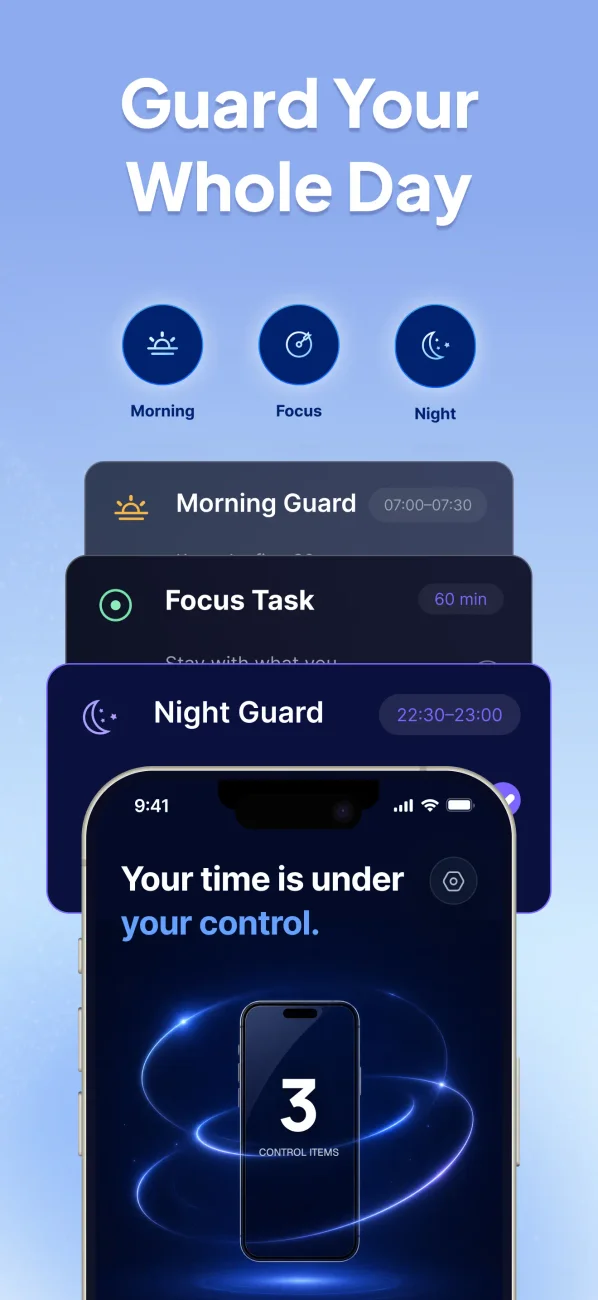
3 Smart Guards for Your Critical Routines
• Morning Guard: Stop losing your first 30 minutes in bed to doomscrolling. Start your morning with clarity before social feeds pull you in.
• Focus Guard: Eliminate constant app notifications during deep work or study. Protect your flow state and finish tasks in less time.
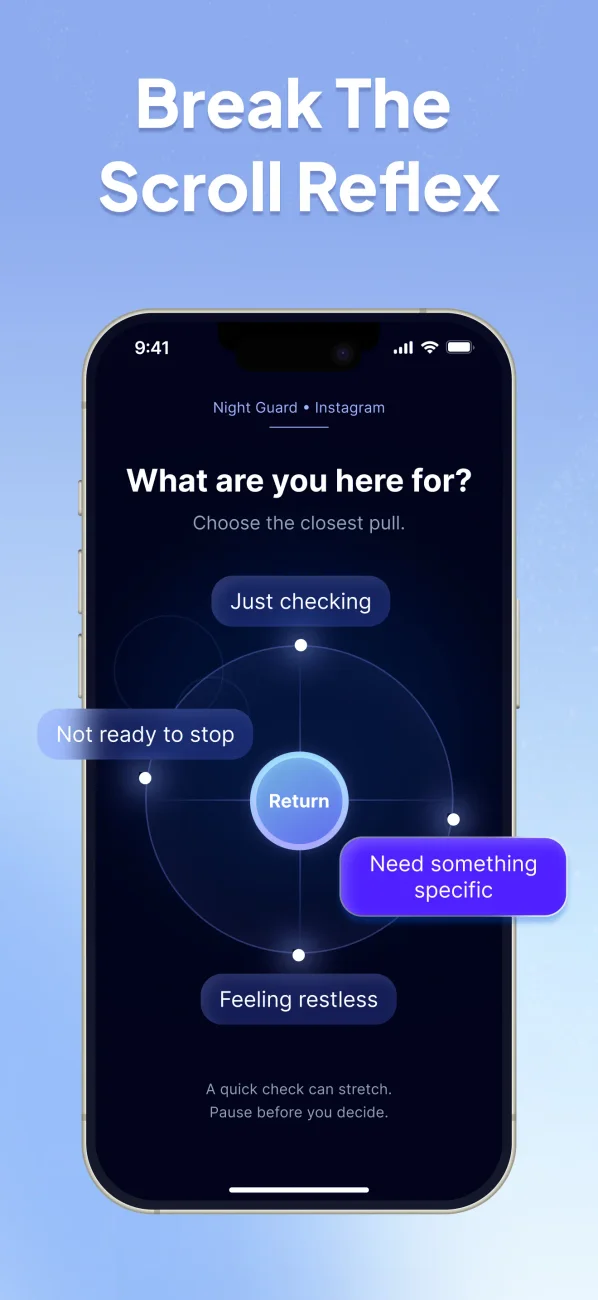
• Night Guard: End the "just 5 more minutes" bedtime trap. Keep screens out of bed, wind down peacefully, and protect your sleep quality.
A Mindful Pause, Not a Cold Hard Wall
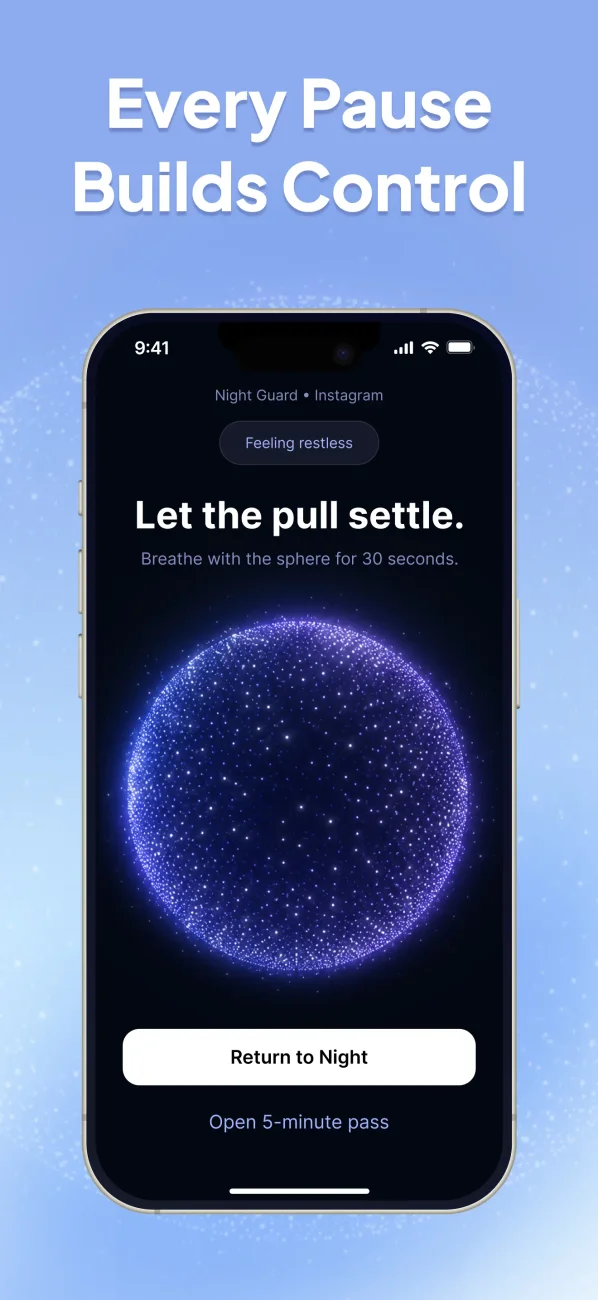
When you reach for a guarded app on autopilot, TrueFocus doesn't just slam the door—it interrupts the urge with interactive friction to help you wake up your prefrontal cortex:
• Intention Check-In: Answer one honest question: "What are you here for?"
• Guided Breathing: Take a 5-second deep breath to let the dopamine rush settle.
• Brain Micro-Tasks: Solve a quick math challenge or tap a mini-task to reset your impulsive brain.
• Science-Backed: Research published in PNAS found that adding a mindful pause before opening distracting apps helped reduce actual app openings by 57% over six weeks. Most times, you'll realize you didn't need the app at all!
Precision Rules: Allowlists, Blocklists & Categories
Tailor your limits to your actual lifestyle with maximum flexibility:
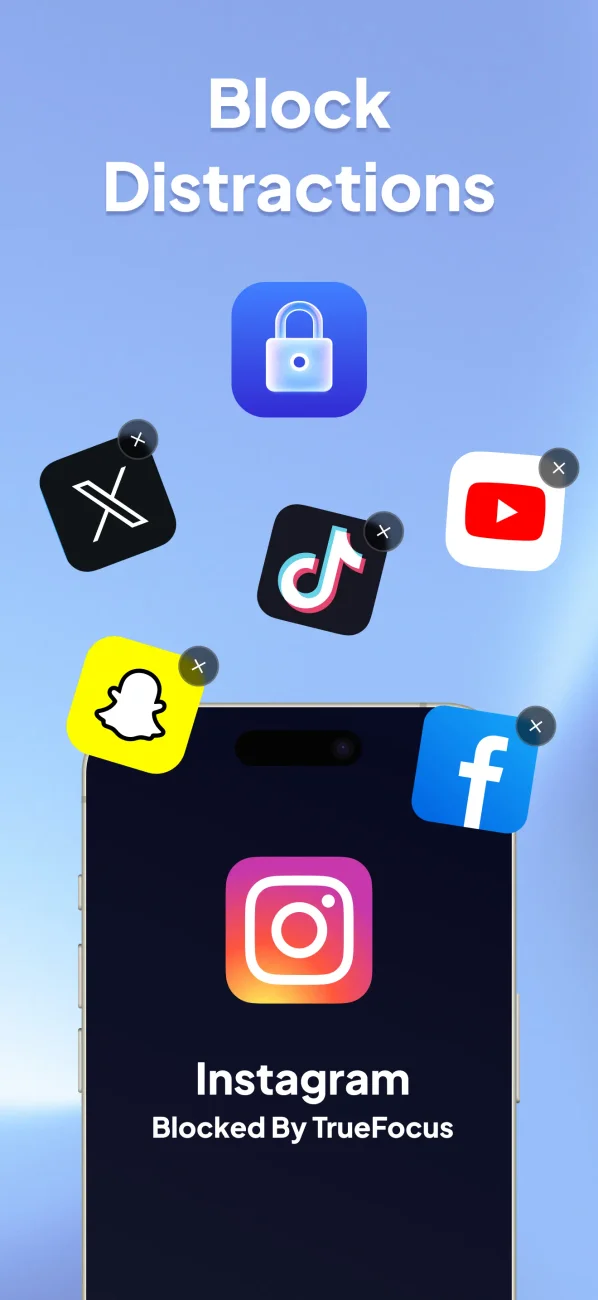
• Blacklists & Whitelists: Block specific distracting apps (Social, Games, Shopping, Video) or lock everything except essential tools like Maps, Work Chat, and Calls.
• Category & App-Level Control: Group and guard entire categories with one tap, or pick individual apps with surgical precision.
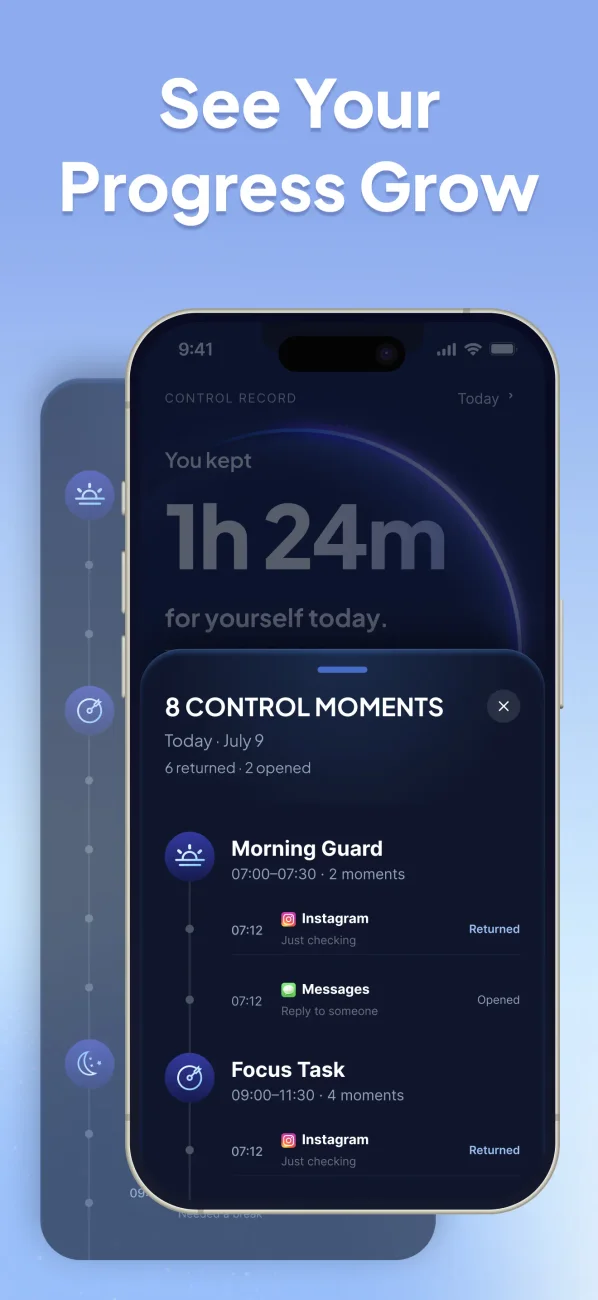
Detailed Control Logs: Track Every Attempt & Victory
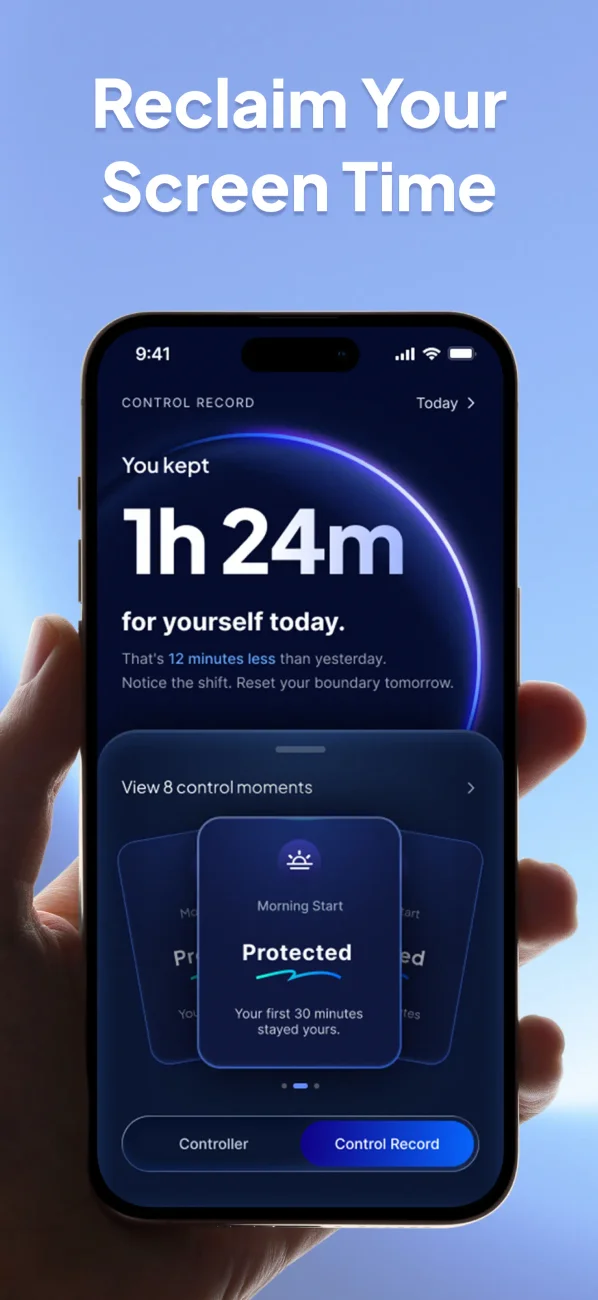
• Open vs. Resisted Counts: See exact daily metrics—how many times you reached for an app versus how many times you successfully resisted and walked away.
• Precise Timestamps: View a complete Control Moments timeline showing the exact time of every attempt, pause, and breakthrough.
• Daily Victory Summaries: Get positive, encouraging feedback ("You resisted 14 impulsive taps and reclaimed 1h 32m for yourself today!").
Private, Safe & In Your Control
• Powered by Apple’s Screen Time API: Built natively for iOS with zero battery drain.
• 100% Private: Your browsing history, messages, and personal data never leave your device.
• You Hold the Key: Turn any guard on or off whenever you choose.
Unlock TrueFocus Pro
Upgrade to TrueFocus Premium for smarter screen time control, distraction blocking, and tools to build healthier digital habits. TrueFocus Pro is available as an auto-renewable subscription. You can manage or cancel your subscription anytime in your Apple ID settings.
Privacy Policy: https://www.qstonelabs.com/screen-time-control-privacy.html
Terms of Use: https://www.qstonelabs.com/terms.html
What’s new
Version 1.1.3 · Oct 1, 2026
Performance improvements.
App privacy
What Quillstone Limited declares on the App Store about how this app handles data.
-
Data used to track you
May be used to track you across apps and websites owned by other companies.
- Identifiers
-
Data not linked to you
May be collected but is not linked to your identity.
- Identifiers
Privacy practices may vary, for example with the features you use or your age.
Information
- Seller
- Quillstone Limited
- Category
- Utilities
- Version
- 1.1.3
- Updated
- Oct 1, 2026
- Released
- Aug 12, 2026
- Size
- 50.3 MB
- Requires
- iOS 16.0 or later
- Age rating
- 12+
- Price
- Free
- In-app purchases
- Yes
- Languages
- English, Arabic, Dutch, French, German, Indonesian, Italian, Japanese, Korean, Polish, Portuguese, Russian + 6 more
- Copyright
- © Quillstone Limited
You might also like
-
 Clearmory : Clean Up StoragePhoto Cleaner, Free Up Space
-
 LeastricYour electricity buddy
-
 Timezy: Work Hours TrackerTime Track & Pay Calculator
-
 Turnitin™ : Plagiarism CheckerHumanize AI, Paraphrase Tool
-
 Kidper: Focus, Then BreakYour Apps First, Games Later
-
 Limitto: App Blocker & FocusScreen Time Limits & Habits
-
 Live Transcribe, Voice to TextDeaf translator, Dictation app
-
 Website Blocker・Adult ContentBeat Lust・Quit Urges・Reboot
-
 vMobile5Utilities
-
 Mold IdentifierInstant Fungal Analysis