
TSplus Remote Desktop
TSplus Remote Desktop App
Designed for iPhone, iPad, iPod touch
Free
- Age rating4+
- CategoryBusiness
- DeveloperTSPLUS
- LanguagesEnglish
- Size5.7 MB
Links to the official App Store page
Download.org hosts no file of TSplus Remote Desktop. The button opens its official App Store page, published by TSPLUS. Listing last checked on Nov 23, 2026.
Screenshots
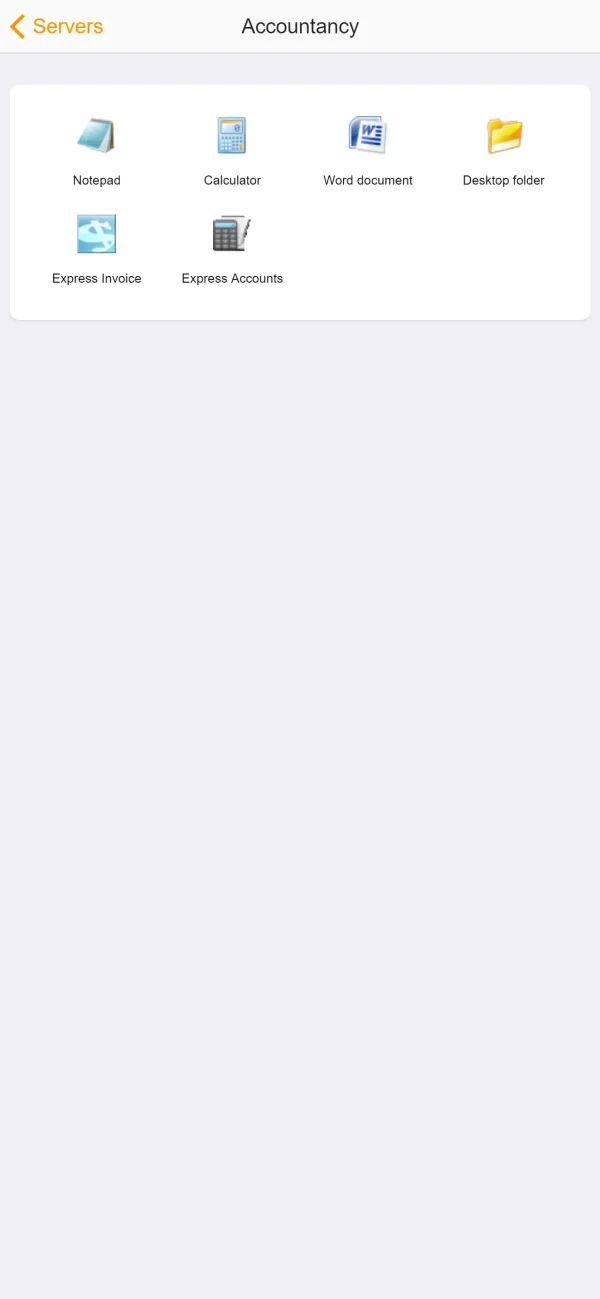

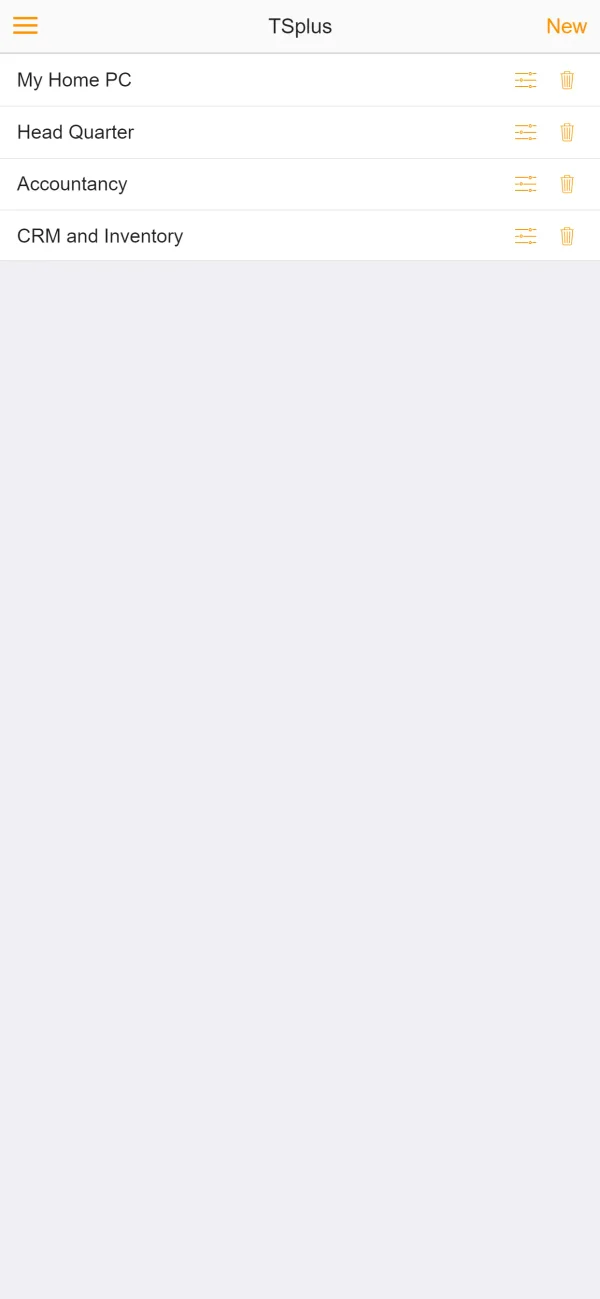
About
Working in the cloud... wherever you are, whenever you want. With the TSplus mobile app, your Windows applications are available anywhere in real time, simply by using Wifi or Internet connections.
TSplus is revolutionizing data management, information exchange and cooperation among all Application Servers - worldwide. Working in the cloud... wherever you are, whenever you want, with the TSplus app, business data and applications are available anywhere in real time.
Whether you work completely in the cloud, in the secure data center, or decide to connect to your own TSplus system, the TSplus mobile app represents a paradigm shift for business data management.
The app can build up any number of connections simultaneously to different servers and sites. With just one click, you are connected to the server in New York; with another, you start your CRM in Los Angeles. From smartphone to tablet, up to workstation - all end devices allow the same unlimited functionality for the same operation.
With TSplus apps your devices are ready for use within a few minutes. Whether on your desktop or mobile device, the apps are a gateway to each TSplus system. With the click or touch of a button, you are connected to a TSplus server where you can use the provided programs, such as QuickBooks, SAP or Office, in real time - wherever you are.
When leaving your workspace, you will be able to continue to work seamlessly from your mobile device.
Most users already use smartphones or tablets for personal or business purposes. The TSplus mobile app shows that mobile phones do not have to be limited to making phone calls or sending emails. Business professionals have unlimited mobile access to all data and applications inside and outside of their company facilities, and can make important decisions at any time and place. Since time is a crucial factor for businesses, the TSplus mobile app becomes a partner of your success.
TSplus goes mobile... anytime and anywhere, you can use all your business apps. Whether at your workplace, from home or in between... with the TSplus mobile app, you always have a secure connection to your data via desktop, tablet or smartphone.
No learning curve... you work in the same user environment, with the same full software functionality that you know from the workplace. For mobile devices, the software adapts automatically to touch operations, but also to the smartphone’s smaller display size.
What’s new
Version 17.21.4 · Nov 19, 2026
- Fixed sessions opening on a blank screen with recent TSplus server versions
- The help page no longer appears briefly when a session opens
- Fixed a blue band displayed at the top of the session on iOS
- Links opened from a session no longer break the connection with the app
- Printing from a session now works on iOS
- General stability improvements
App privacy
What TSPLUS declares on the App Store about how this app handles data.
-
Data not collected
The developer does not collect any data from this app.
Privacy practices may vary, for example with the features you use or your age.
Information
- Seller
- TSPLUS
- Category
- Business
- Version
- 17.21.4
- Updated
- Nov 19, 2026
- Released
- Feb 20, 2018
- Size
- 5.7 MB
- Requires
- iOS 13.0 or later
- Age rating
- 4+
- Price
- Free
- Languages
- English
- Copyright
- © 2026 TSplus
You might also like
-
 DualMon Remote AccessRemote Desktop Software
-
 Remote Desktop GuestComputer remote control
-
 Remote Access PlusBusiness
-
 FortiMonitorProductivity
-
 SAP Business One ServiceBusiness
-
 RemSupp - Remote DesktopBusiness
-
 iRemoteDesktop LiteConnect to your PC
-
 Remote UtilitiesRemote desktop & file transfer
-
 AppControllerProductivity
-
 PRTG - MonitoringApp for PRTG Network Monitor