TuckBack: Reminders & Notes
Voice capture & to-do list
Designed for iPhone, iPad
Free · In-app purchases
- Age rating17+
- CategoryProductivity
- DeveloperPranshu Rastogi
- LanguagesEnglish
- Size143.4 MB
Links to the official App Store page
Download.org hosts no file of TuckBack: Reminders & Notes. The button opens its official App Store page, published by Pranshu Rastogi. Listing last checked on Nov 13, 2026.
Screenshots
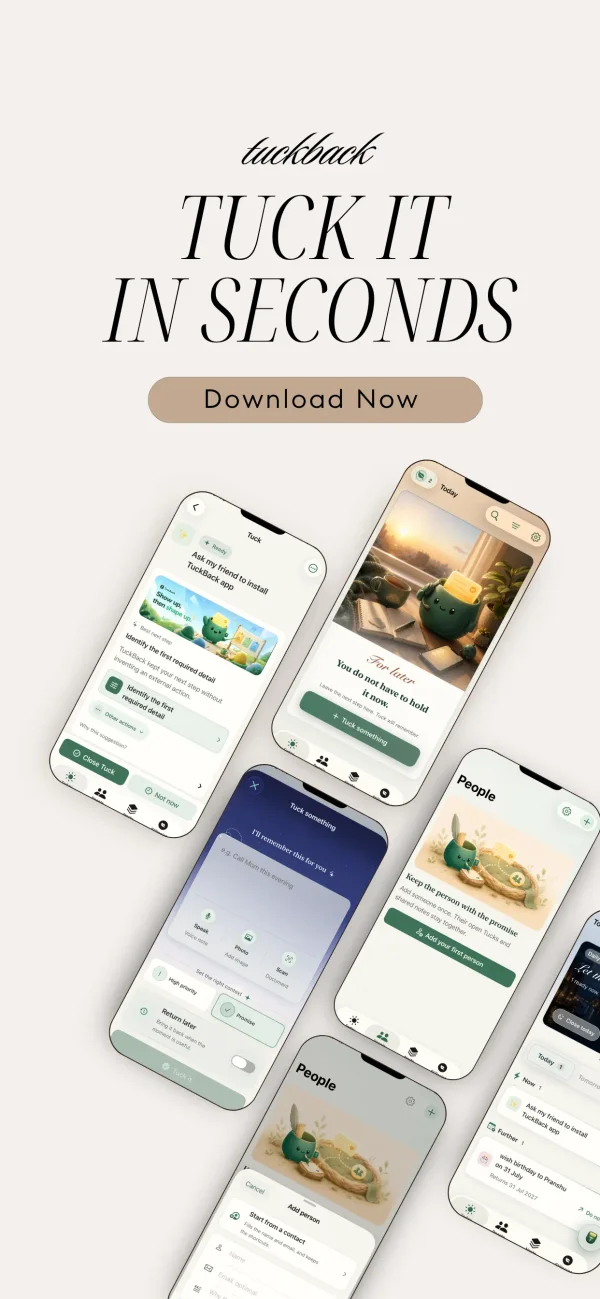
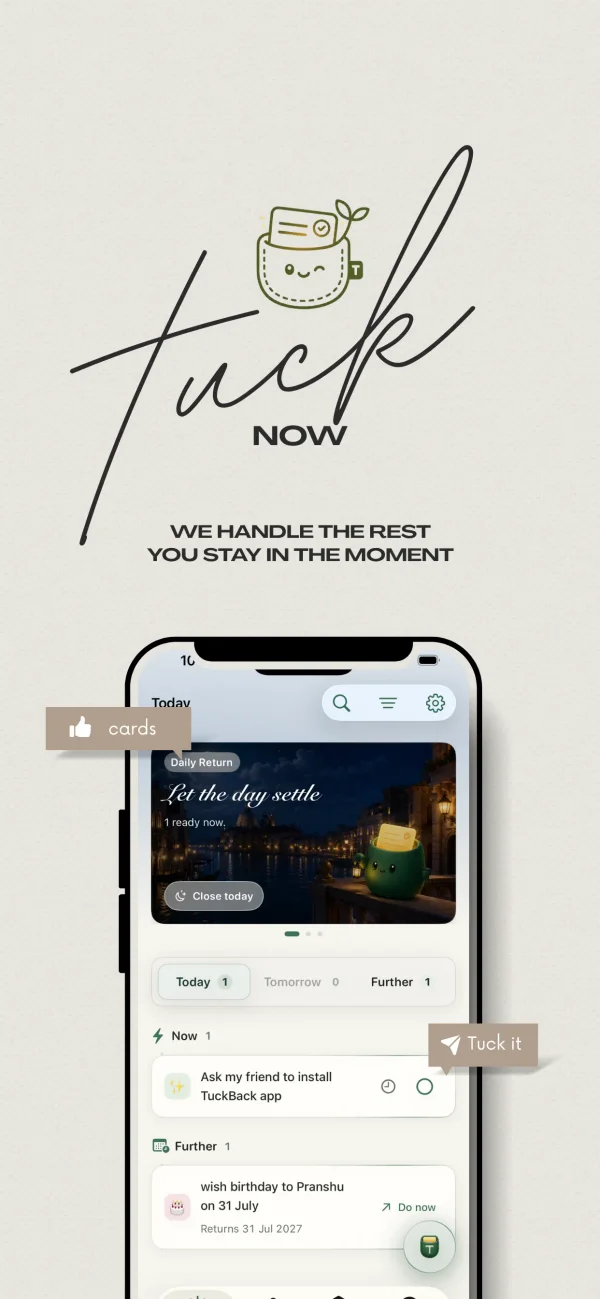

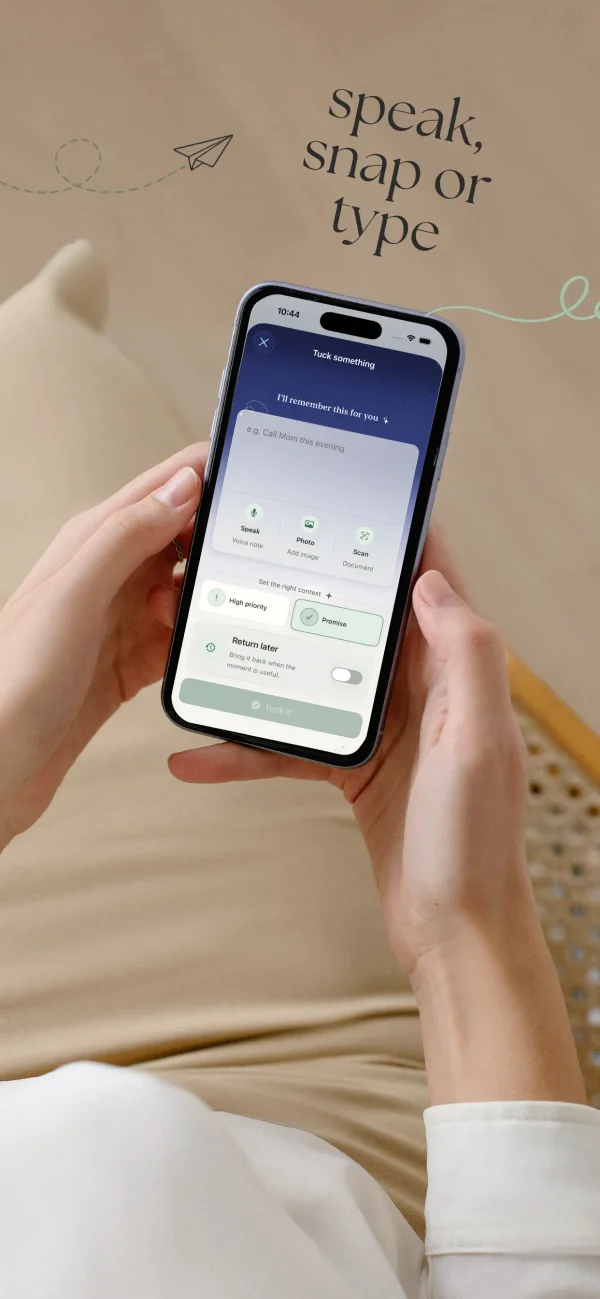


About
Put it down. Get it back when it matters.
TuckBack is a pocket for the things you can't do right now. Tuck in a thought, a voice note or a photo, and it comes back at the moment you can act on it: tomorrow at 7, when you get home, ten minutes before your call with Sam. The reason is still attached, and one small next step is ready.
TUCK IT
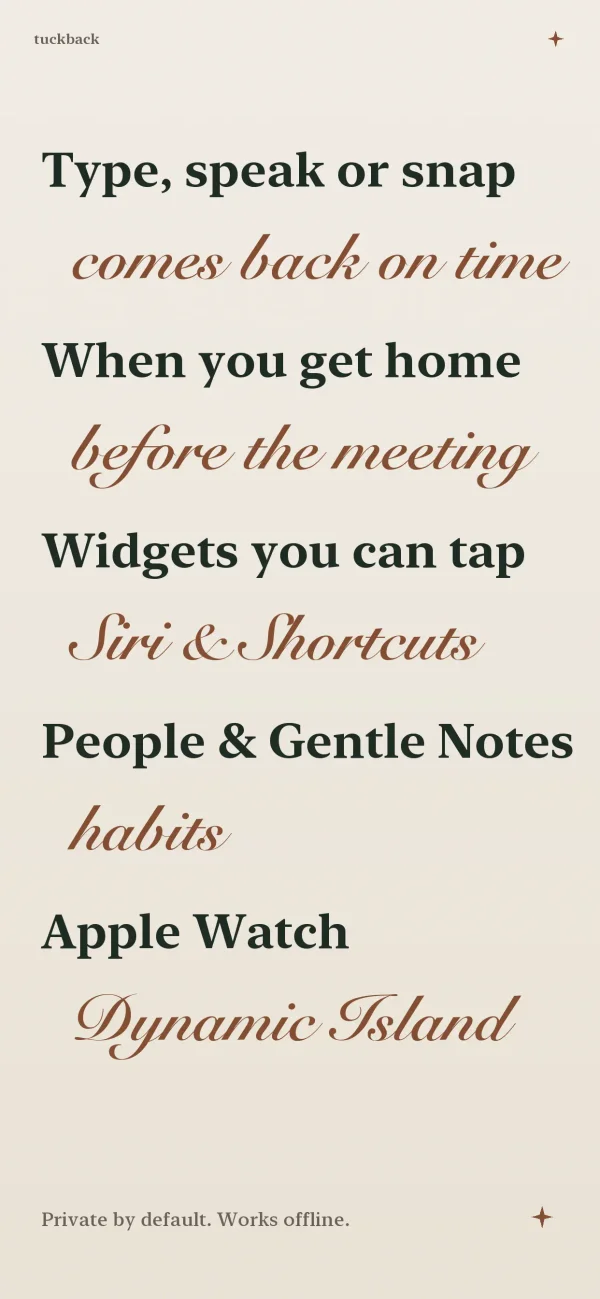
• Type it, say it, snap it or scan it. Messy is fine.
• "Call Ravi tomorrow evening" sets the time for you, in English, Hinglish, Hindi, Spanish and German.
• One thought hiding three jobs? TuckBack offers to split it.
• Forward a message to TuckBack on WhatsApp and it becomes a Tuck.
• Your words are saved on your iPhone first, before anything clever happens.
GET IT BACK
• At a time, at a place ("when I get home"), or around a meeting, even if the meeting moves.
• Ask Siri "What's back today?" and hear your day while your hands are busy.
• The Dynamic Island holds what you're doing now, with Done and Later one tap away.
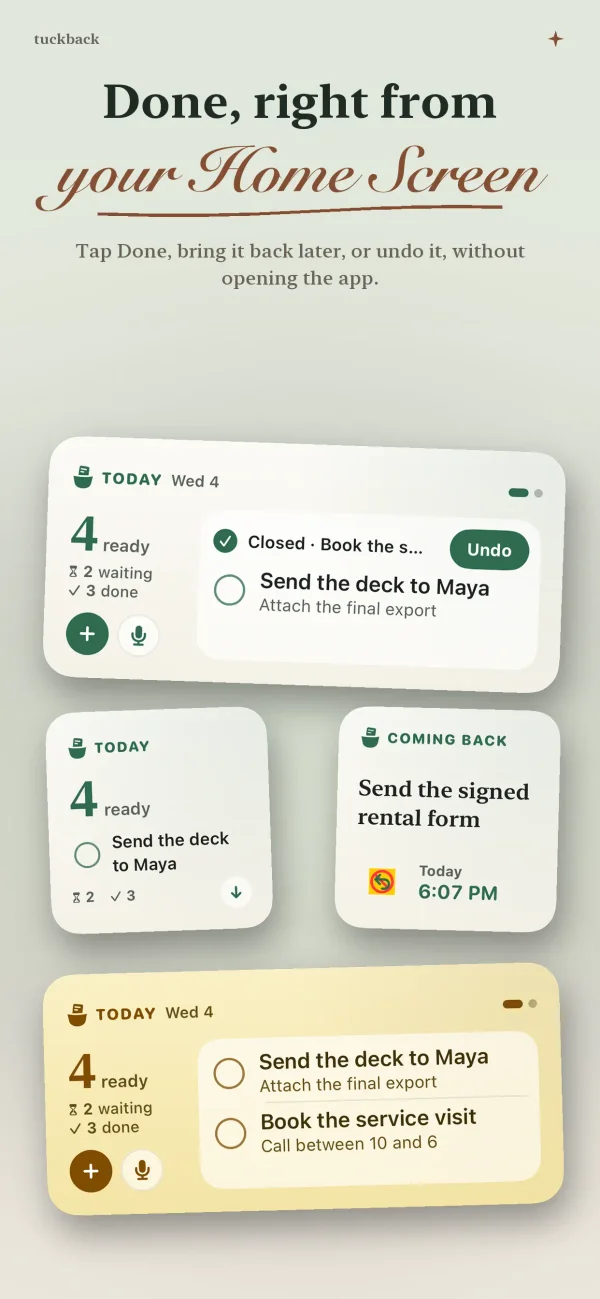
• Widgets you can tap: close a Tuck or bring it back later from your Home Screen.
CLOSE IT
• Done, waiting on someone, later, or let it go on purpose. Every ending counts.
• Nothing turns red and nothing shouts. Running late gets one calm choice: a new time, or let it go.
SMALL MOMENTS OF DELIGHT
• Every Tuck lands under its own sky, following the real light where you live: sunrise, dusk, monsoon rain, winter snow, autumn leaves.
• Stillpoint gives you a quiet minute, a look back at what moved, and one Tuck to carry forward.
LISTS, HABITS AND PEOPLE
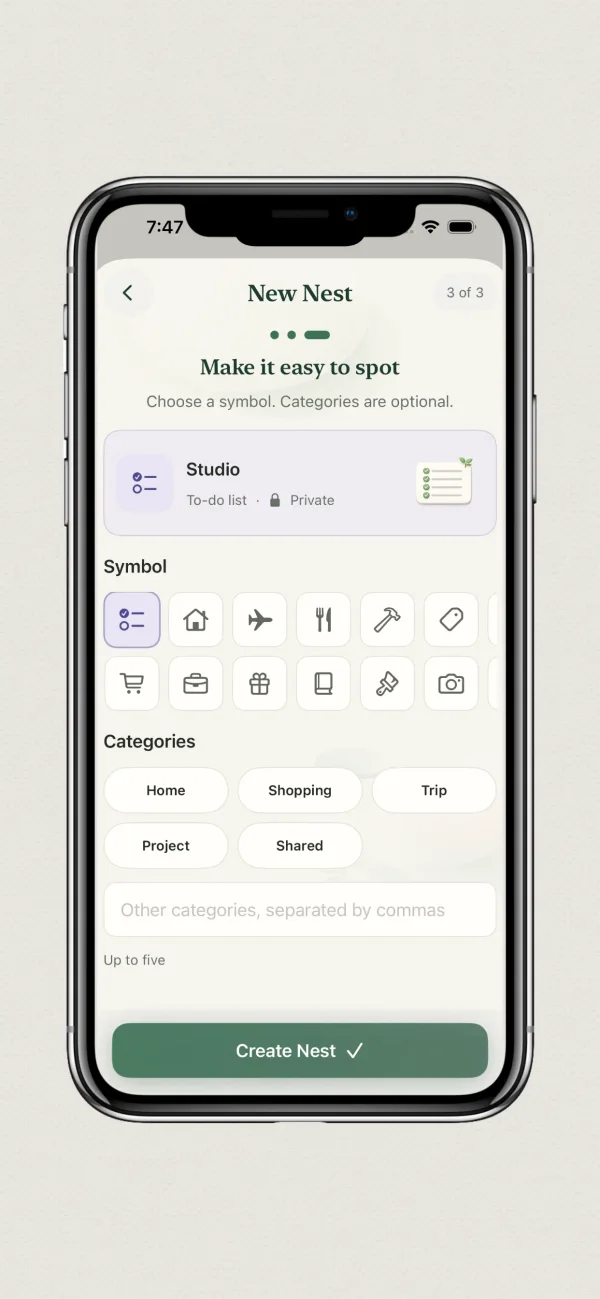
• Nests: to-do lists, private habits and shared lists, started in one tap.
• Keep promises next to the people they're for, and send a short Gentle Note.
• Invite friends: share your code, friends get a week of Premium, and you can earn up to a year.
PRIVATE BY DEFAULT
• Works without an account or a connection.
• No ads. No tracking.
• It never sends, pays, books or decides anything for you. It drafts; you tap.
• It never reads your notifications, your clipboard or your other apps.
• Apple Intelligence suggestions run on your iPhone. Your own OpenAI, Gemini or Claude key is optional, and nothing is sent until you agree.
TuckBack is here to help you finish what matters, not to keep you busy.
TuckBack Premium is optional. Capture, Returns, closing a Tuck, local search and the archive stay free. Subscriptions renew automatically unless cancelled at least 24 hours before the end of the current period, and can be managed in your Apple Account settings.
Terms of Use: https://www.tuckback.com/terms
Privacy Policy: https://www.tuckback.com/privacy
What’s new
Version 1.4.0 · Nov 7, 2026
Ask, and it's back.
• "Hey Siri, what's back today?" Hear what's ready, what returns later today and what's waiting, hands-free. Works from Spotlight and the Action Button too.
• Invite friends. Share your code: friends get a free week of Premium, and you earn a month at 4 friends, three at 10 and a year at 20. Find it in Settings.
• The Tucked screen follows the real sky where you live: true sunrise and sunset, monsoon rain, winter snow, spring blossoms, autumn leaves. Now and then, an old friend from the pocket drops by.
• Small scenes instead of a single icon: a card and a few coins for a bill, a paper plane and a letter for a message.
• Widgets, polished: icon-only buttons, cleaner shapes and nothing clipped, on every size.
• WhatsApp capture now takes voice notes and photos with Premium.
• Stillpoint has a calmer Look back and a Return gently card that carries one Tuck.
• Tuck tiles have new hand-drawn icons.
• Security improvements and plenty of small fixes.
App privacy
What Pranshu Rastogi declares on the App Store about how this app handles data.
-
Data linked to you
May be collected and linked to your identity.
- Purchases
- Contact info
- Contacts
- User content
- Identifiers
- Usage data
- Other data
Privacy practices may vary, for example with the features you use or your age.
Information
- Seller
- Pranshu Rastogi
- Category
- Productivity
- Version
- 1.4.0
- Updated
- Nov 7, 2026
- Released
- Oct 24, 2026
- Size
- 143.4 MB
- Requires
- iOS 18.0 or later
- Age rating
- 17+
- Price
- Free
- In-app purchases
- Yes
- Languages
- English
- Copyright
- © 2026 Blockfide
You might also like
-
 Krato: Notes & TasksVoice notes, tasks & reminders
-
 Cana.BuildAgentic workspace for teams
-
 Aether: To-Do List RPGSlay tasks. Level up for real.
-
 TapFold: Save & Read LaterBookmark Reels, Posts, Links
-
 Muse Voice NotesRemember everything you hear!
-
 Daily Agenda: Deep WorkDeep-work day planner
-
 LittlYour Personal AI Agent
-
 Messo: To-Do, Notes, TasksTo-do, tasks for daily life
-
 Task Organizer todo list dailyreminders grocery list planner
-
 TabMailOpen-Source AI-Powered Email