
- Age rating4+
- CategoryUtilities
- DeveloperSitthichai Sirikajorn
- LanguagesEnglish
- Size35.9 MB
Links to the official App Store page
Download.org hosts no file of Tune-Up Connect. The button opens its official App Store page, published by Sitthichai Sirikajorn. Listing last checked on Nov 18, 2026.
Screenshots

About
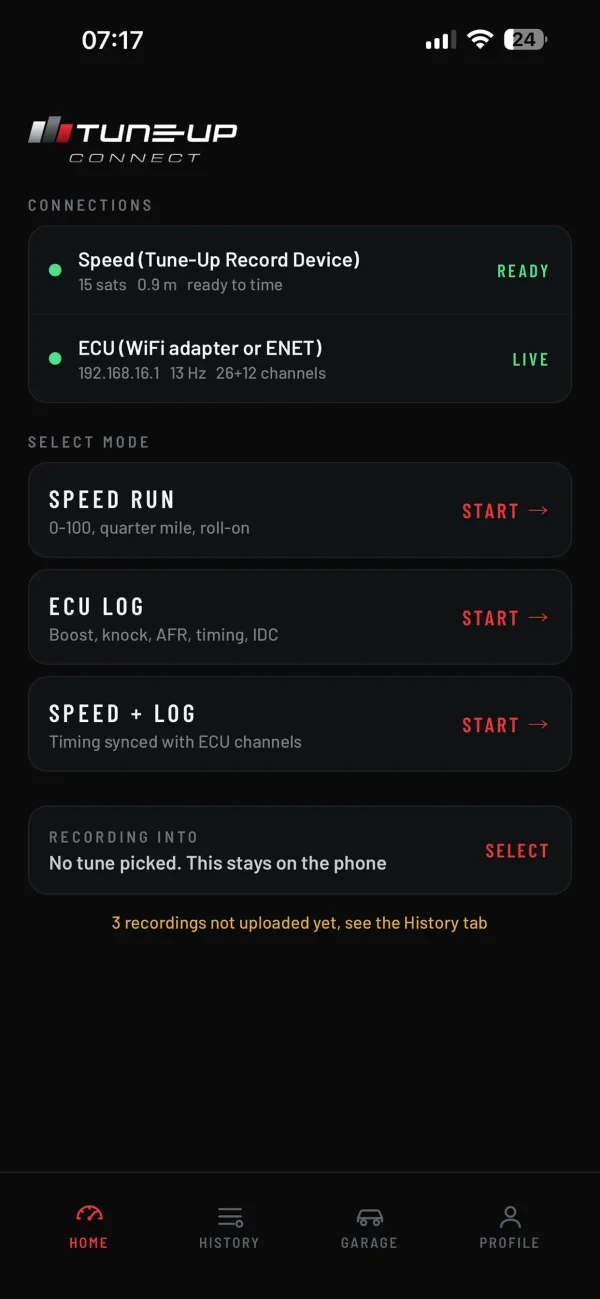
Tune-Up Connect turns your phone into the display and the logger for your car.
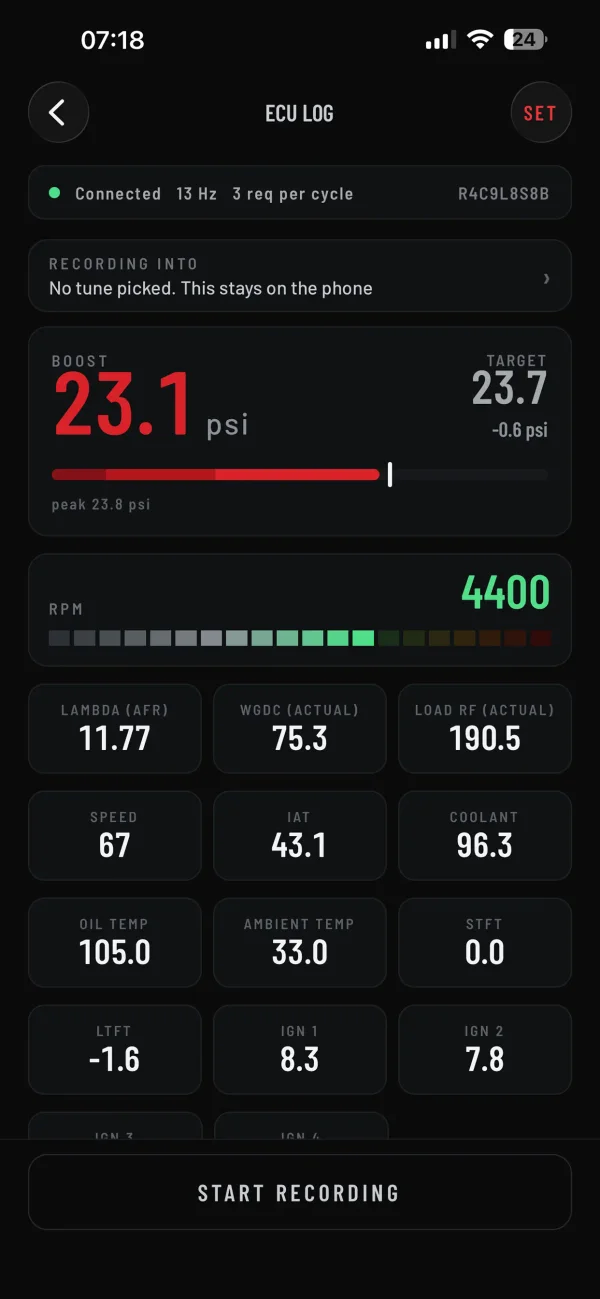
It connects to two things at once: the ECU in your BMW, over a Wi-Fi OBD adapter or a wired ENET cable, and a GPS timing box over Bluetooth. You get live boost, air fuel ratio, ignition timing and temperatures at the rate your ECU can actually answer, and accurate speed from a 10 Hz GPS receiver at the same time.
WHAT YOU CAN DO
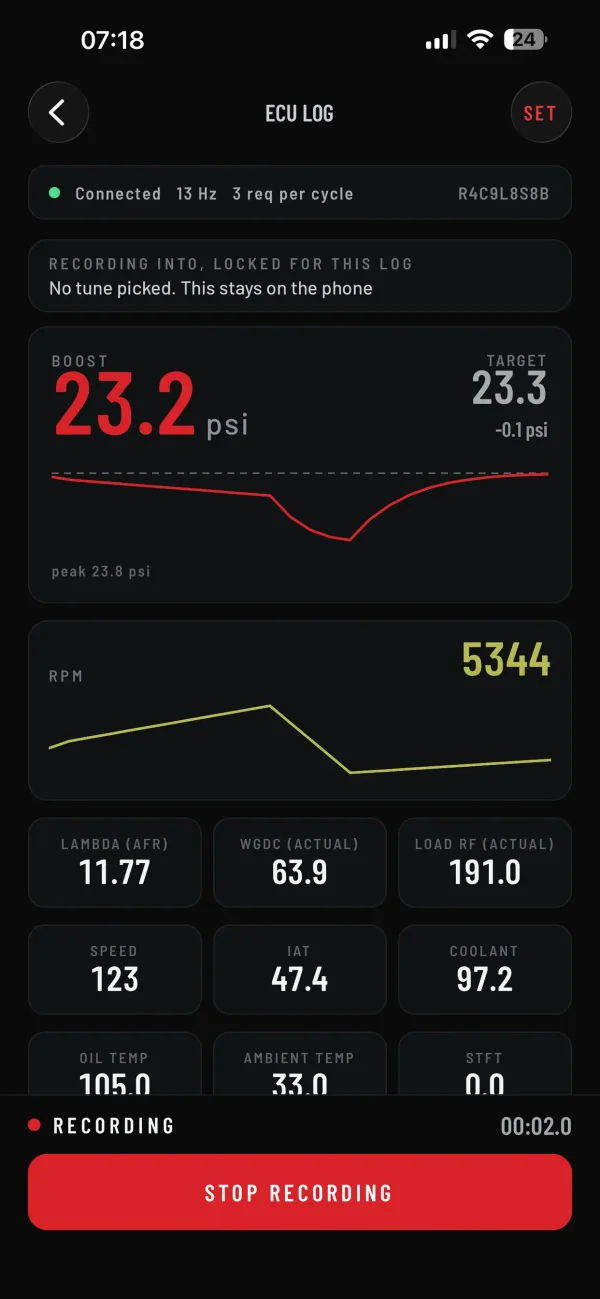
Live gauges. Pick the channels you care about and lay them out the way you want. Boost is drawn against the ECU's own boost target, so the gap opens up in front of you the moment something is off.
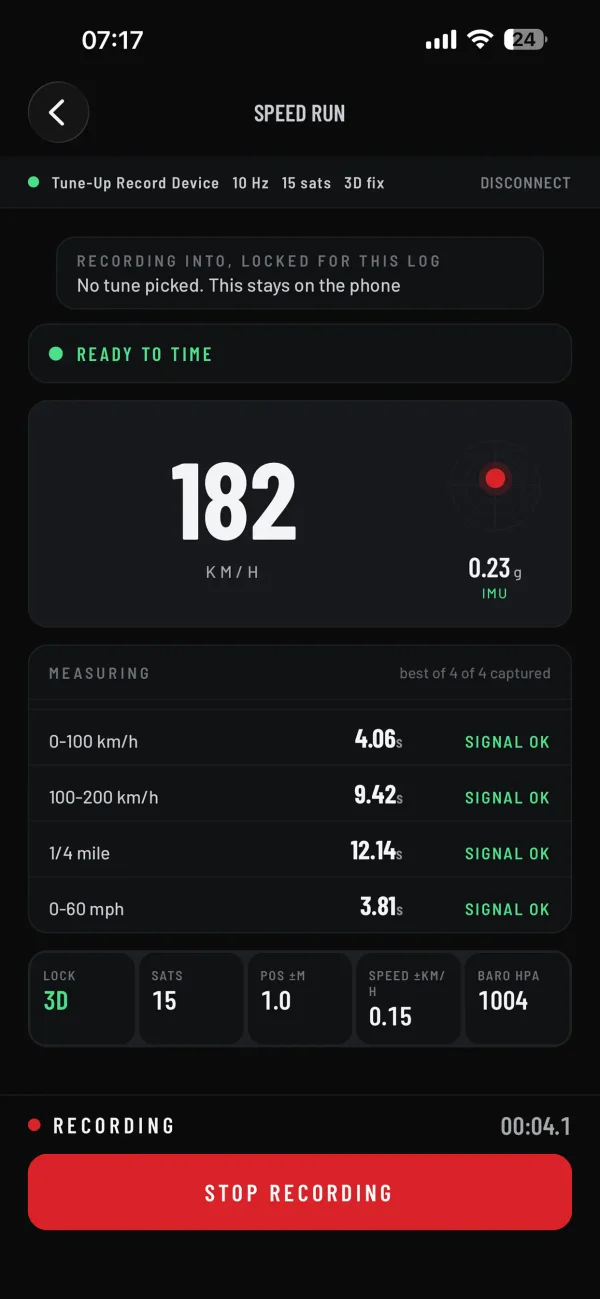
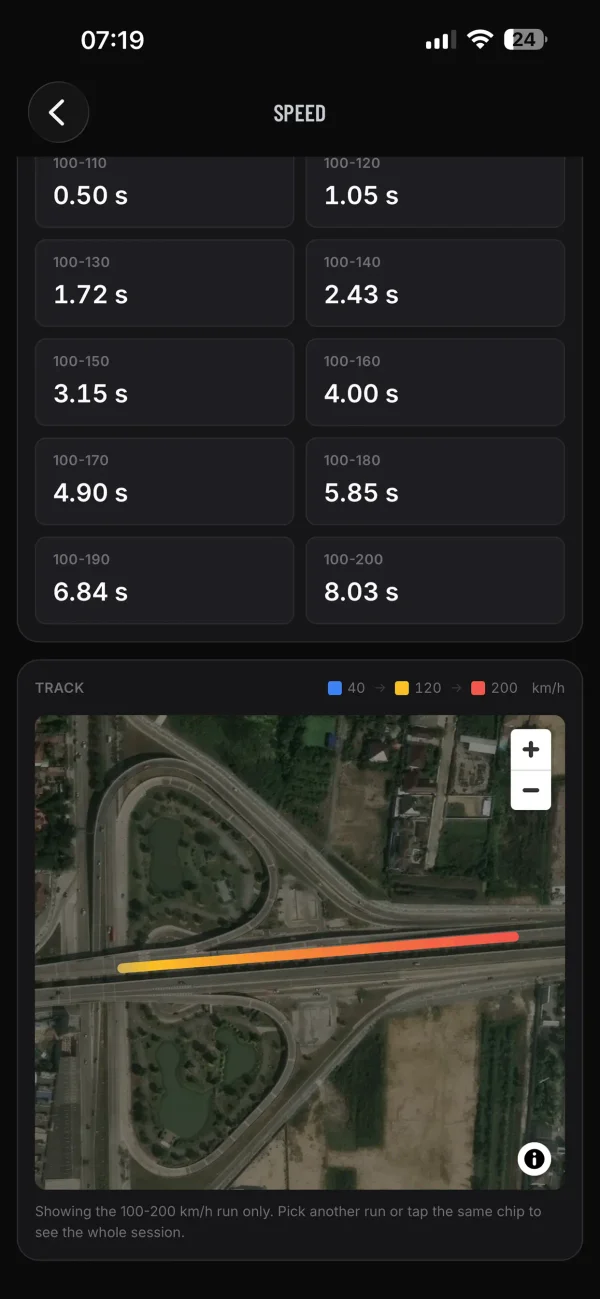
Speed runs. 0 to 100 km/h, 0 to 60 mph, quarter mile, roll ons, braking distances. Timing comes from Doppler ground speed rather than from position differences, and every result carries the speed accuracy it was measured at, so you know whether to trust it.
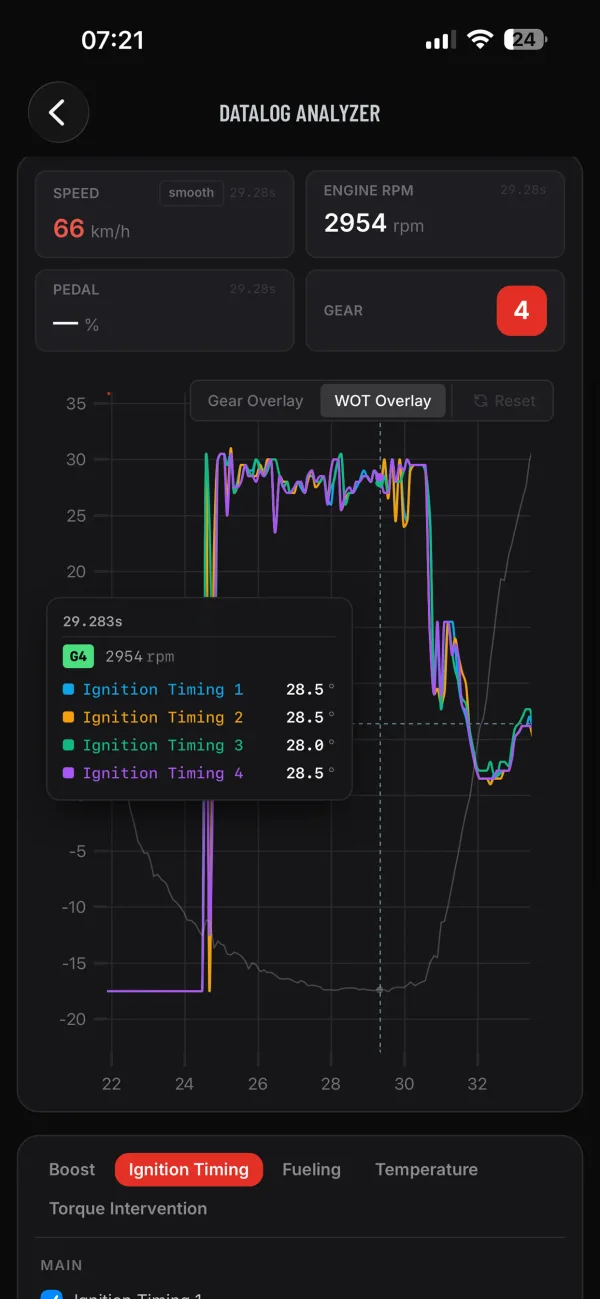
Combined logging. Record ECU channels and GPS into one session on one clock. That is what lets you see what the engine was doing at the exact moment the car was pulling.
Shift beep. Set an rpm, get a single beep as you cross it, and watch the boost bar flash. Off until you turn it on.
Upload. Sign in and send a recording straight to your tuning job, ready for your tuner to read.
IF YOU TUNE WITH TUNE-UP
Signing in pulls your jobs, your maps and every revision from Tune-Up Console. Pick the revision before you record, and the log reaches the shop already tagged with the car, the map and the revision it was made on. Comparing two revisions is then a matter of reading two logs rather than working out which log was which. When a new revision is added to your tune, the app notices and offers to record into that one instead.
Everything above this section works without an account. The upload side is there for customers, not a requirement for using the app.
WHAT YOU NEED
A BMW with a compatible ECU, and either a Wi-Fi OBD adapter or an ENET cable to reach it. For timing, a Tune-Up Record, Dragy or RaceBox device. The app reads only. It never writes to the ECU and never changes your calibration.
TRYING IT WITHOUT A CAR
Open the Profile tab and switch on Demo mode. The app simulates a connected car and a connected GPS device, and every screen behaves exactly as it does on a real drive.
SAFETY
Start a recording before you set off, or let a passenger handle the phone. The timing features are meant for a closed course or a private road, not for public roads.
App privacy
What Sitthichai Sirikajorn declares on the App Store about how this app handles data.
-
Data linked to you
May be collected and linked to your identity.
- Location
- Contact info
- Identifiers
Privacy practices may vary, for example with the features you use or your age.
Information
- Seller
- Sitthichai Sirikajorn
- Category
- Utilities
- Version
- 1.0
- Updated
- Sep 9, 2026
- Released
- Sep 9, 2026
- Size
- 35.9 MB
- Requires
- iOS 16.4 or later
- Age rating
- 4+
- Price
- Free
- Languages
- English
- Copyright
- © 2026 Tune-Up
You might also like
-
 OpenBimmerLive gauges, logs, fault codes
-
 BoostlineData logger for BMW engines
-
 Fix It: Car Doctor AIScan codes, beat repair bills
-
 VibeScan - OBD2 Gauges ScannerLive ECU Data & DTC Scanner
-
 Modern Mechanic OBD Car repairCar repair + OBD2 Diagnostics
-
 TunerView ProECU Dashboard & Datalogger
-
 Bimmer TelemetryLive BMW data without adapter
-
 BimmerDash: OBD2 GaugeReal-time performance monitor
-
 AXLY: OBD2 Car ScannerCheck Engine Light Code Reader
-
 OBD2 Car Scanner — CarviEasy auto diagnostics for all