
- Age rating4+
- CategoryMusic
- DeveloperJoshua McMahon
- LanguagesEnglish
- Size55.5 MB
Links to the official App Store page
Download.org hosts no file of TuneScribe. The button opens its official App Store page, published by Joshua McMahon. Listing last checked on Nov 17, 2026.
Screenshots


About
TuneScribe turns piano and vocal recordings into sheet music, MIDI, and chord progressions—entirely on your device.
Record a short performance with your microphone, wait for on-device processing, and open the project to view grand-staff notation, play a preview, and export MusicXML or MIDI when you are ready. No account required. No cloud upload of your audio.
HOW IT WORKS
1. Record — Capture piano or vocal audio on the Record tab.
2. Transcribe — TuneScribe processes the recording locally on your iPhone.
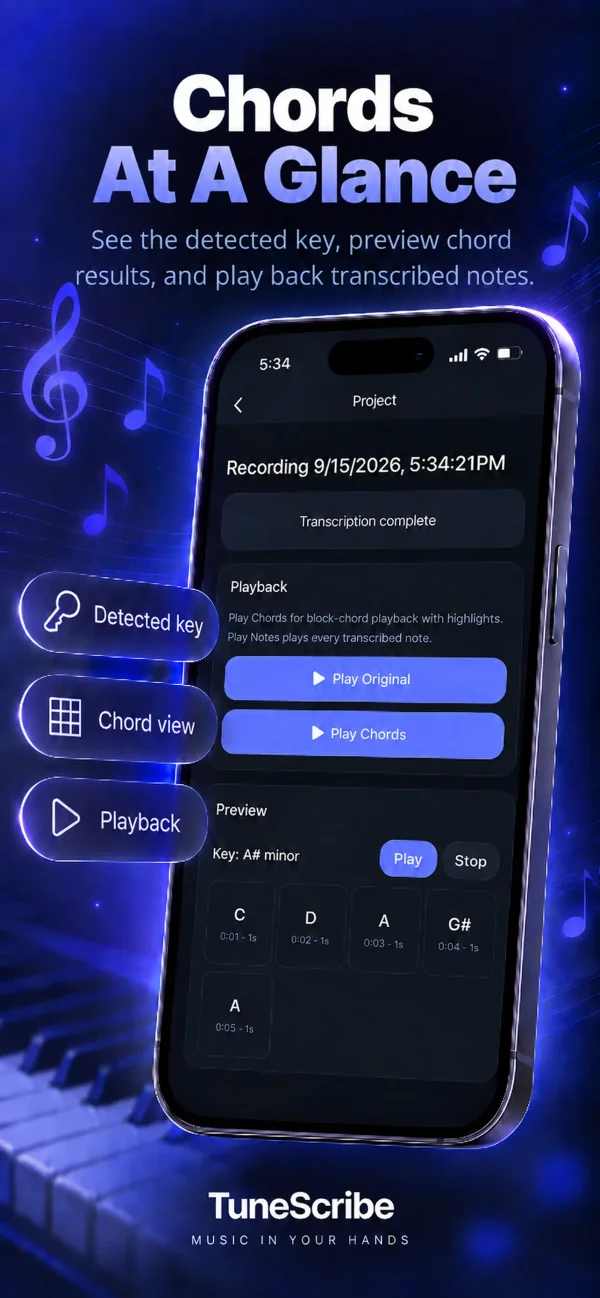
3. Review — View sheet music, play notes, and browse chord progressions.
4. Export — Share MusicXML or MIDI through the system share sheet.
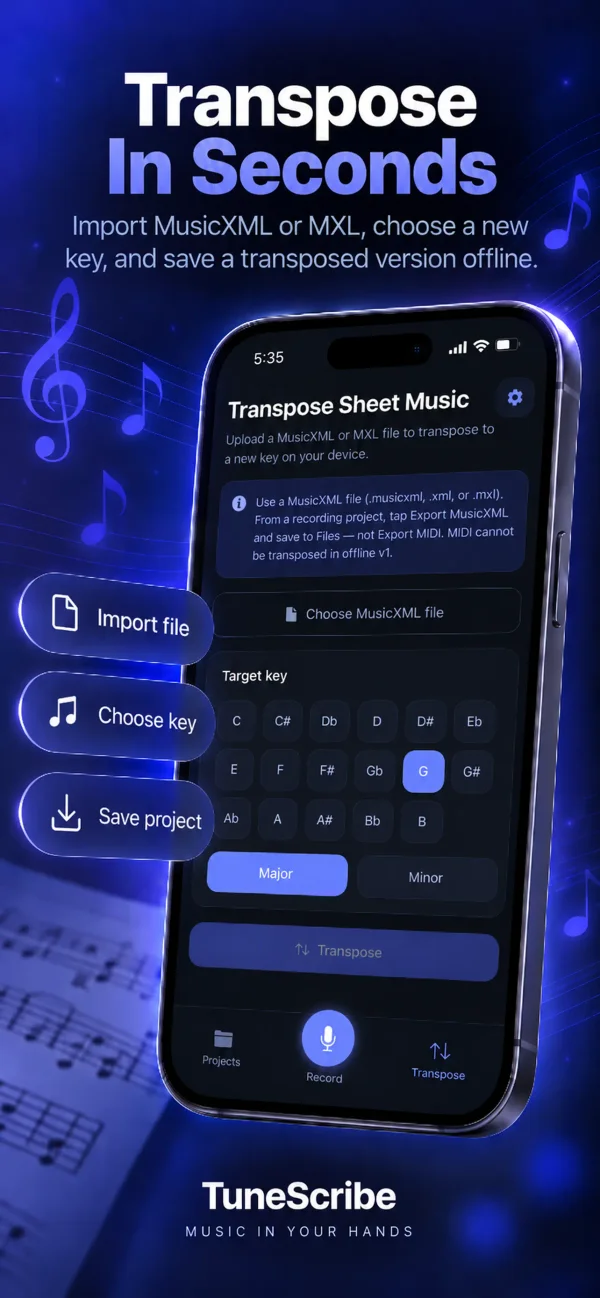
5. Transpose — Open a MusicXML file and shift it to a new key.
KEY FEATURES
• On-device transcription — Processing runs locally after install.
• Sheet music view — Grand staff notation for piano-friendly results.
• MIDI & MusicXML — Export formats for use in other music apps.
• Chord progressions — Optional chord analysis with playback preview.
• Transpose — Change the key of MusicXML files you provide.
• Projects — Save multiple recordings and delete them anytime.
• Offline use — Works in airplane mode with a production install.
• Private by design — Your recordings stay on your device unless you choose to export or share them.
WHO IT IS FOR
• Pianists who want a quick sketch of a melody or idea
• Singers capturing a vocal line to review as notation
• Songwriters experimenting with keys and chord changes
• Musicians who want a simple, offline transcription tool without subscriptions or sign-in
WHAT TO EXPECT
Transcription quality depends on your recording. Clear, short takes with minimal background noise work best. Complex polyphony, distant mics, and very noisy environments may produce imperfect results.
Offline v1 focuses on recording and MusicXML transpose. PDF scanning and optical music recognition (OMR) are not included. Transpose accepts MusicXML files—not MIDI or PDF.
PERMISSIONS
TuneScribe uses the microphone only to record performances for transcription. If you deny microphone access, recording is not available.
PRIVACY
TuneScribe does not require an account. In Offline v1, the app does not upload your recordings to our servers for processing. Export and sharing happen only when you initiate them.
Get from idea to notation in minutes—on your phone, on your terms.
What’s new
Version 1.1 · Sep 16, 2026
• Clearer sheet music layout with more consistent measures
• Full-screen score view with easier reading and landscape option
• Back navigation fixes on project screens
• More reliable note rhythms in exported MusicXML
• Stability and polish improvements throughout
App privacy
What Joshua McMahon declares on the App Store about how this app handles data.
-
Data not collected
The developer does not collect any data from this app.
Privacy practices may vary, for example with the features you use or your age.
Information
- Seller
- Joshua McMahon
- Category
- Music
- Version
- 1.1
- Updated
- Sep 16, 2026
- Released
- Jul 30, 2026
- Size
- 55.5 MB
- Requires
- iOS 15.1 or later
- Age rating
- 4+
- Price
- Free
- Languages
- English
- Copyright
- © 2026 Joshua McMahon
You might also like
-
 STPZTUNE Chromatic TunerAUv3, strobe, Thai and custom
-
 OnScoreOrganize & Create Sheet Music
-
 TabWriterMusic
-
 Piano TranscriberMusic
-
 Q BIT CrusherBit Crusher with Time Hold
-
 GrasswhistleSequenced arpeggiator
-
 Airwindows Consolidated AUv3500+ audio effects
-
 Piano TranscriptionistAudio to MIDI & Score
-
 Reprise: Transcribe MusicLink or Record Audio to Play
-
 Sheet Music Reader HalbestundeScan & Learn to Read Notes