
Tuppence Expense Tracker
Budget, savings and goals
Designed for iPhone
In-app purchases
- Age rating4+
- CategoryFinance
- DeveloperSimone Ruggiero
- LanguagesEnglish+ 4 more
- Size13.2 MB
Links to the official App Store page
Download.org hosts no file of Tuppence Expense Tracker. The button opens its official App Store page, published by Simone Ruggiero. Listing last checked on Nov 23, 2026.
Screenshots

About
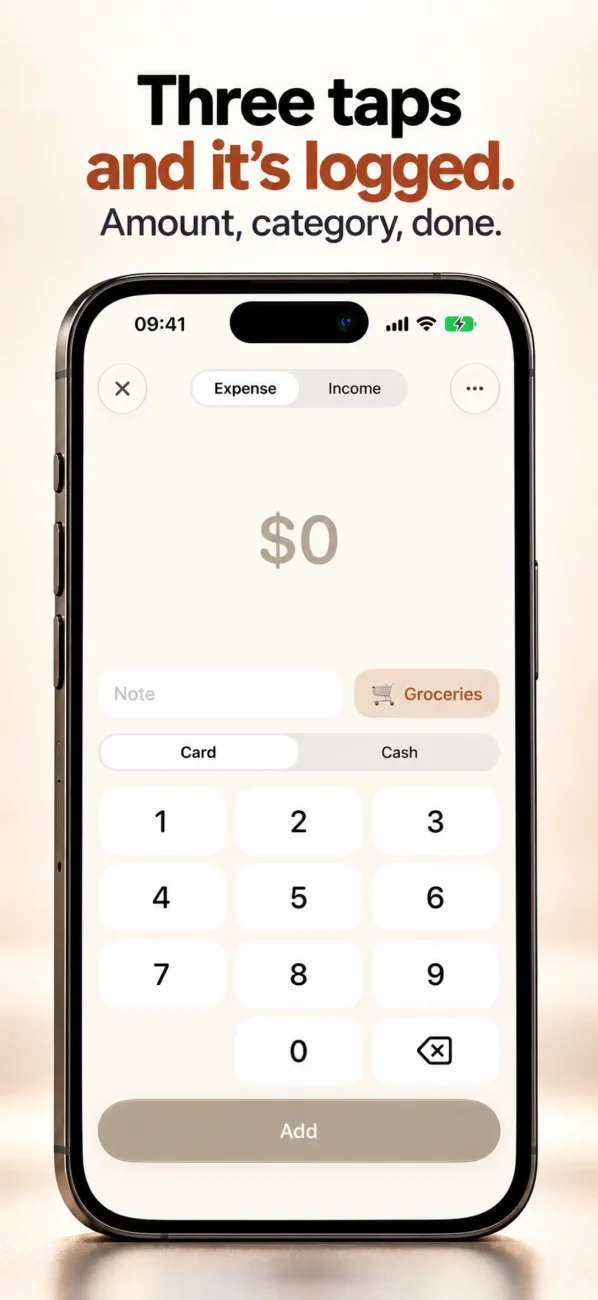
Logging a spend should take three seconds. Tuppence opens the keypad, you tap the amount, pick a category, and you are done. No forms, no sign-in, no bank account to connect.
WHAT IS LEFT, NOT WHAT YOU SPENT
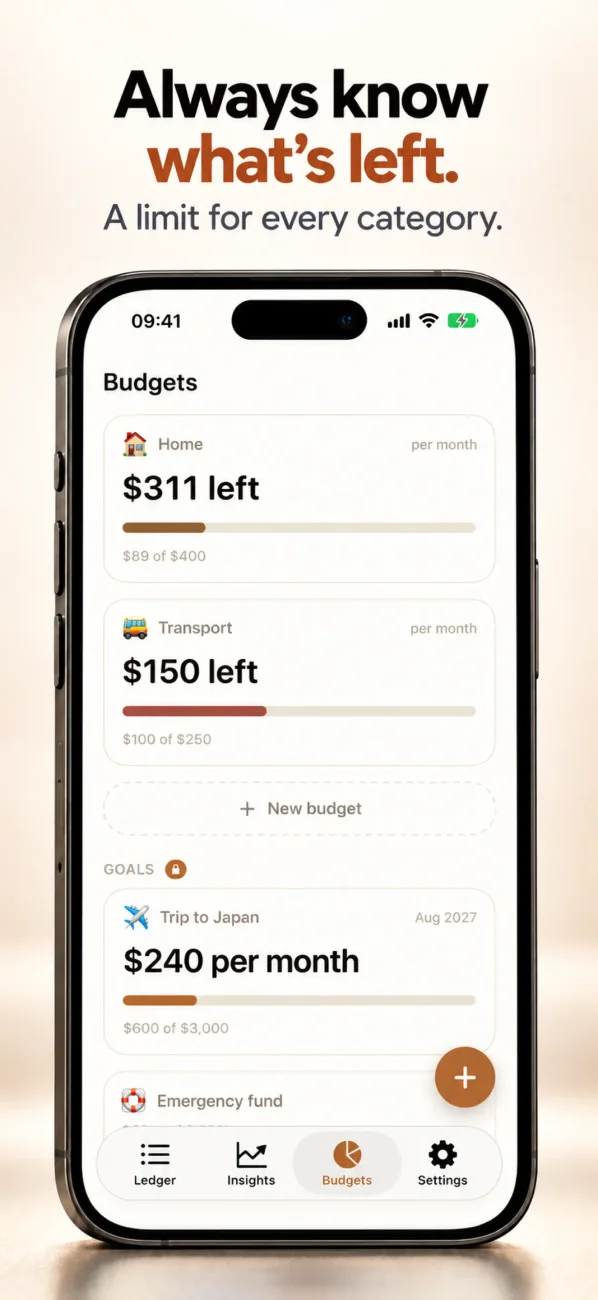
A budget answers one question. Tuppence shows it as the big number: what is left, today, on that limit. One overall budget, or one for each category.
THE LEDGER, AND A SEARCH THAT LOOKS EVERYWHERE
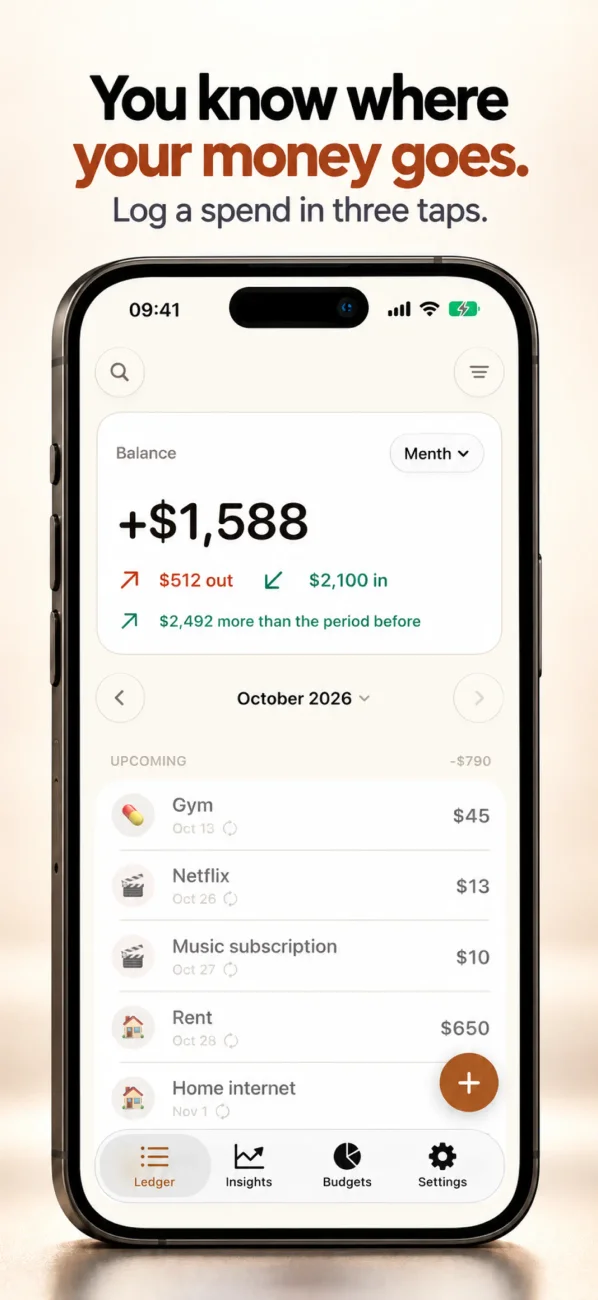
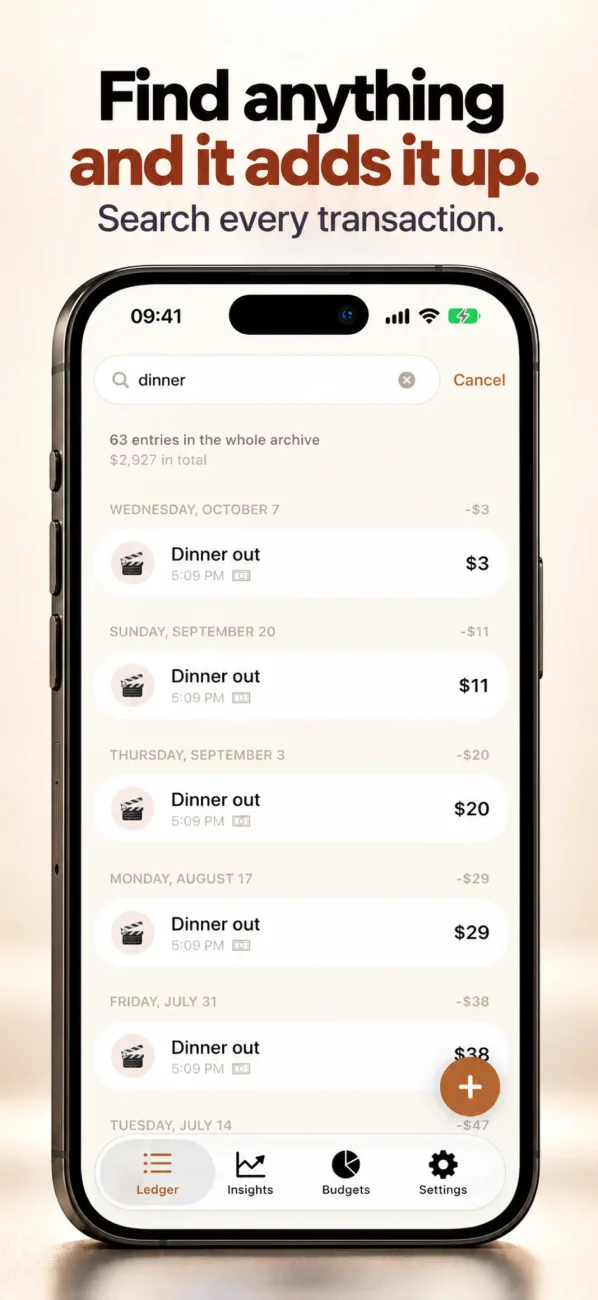
Every entry on its day, with the day's total. Search covers the whole archive, not just the month on screen: if a spend is there, you find it, even from three years ago.
THE SPENDS THAT COME BACK
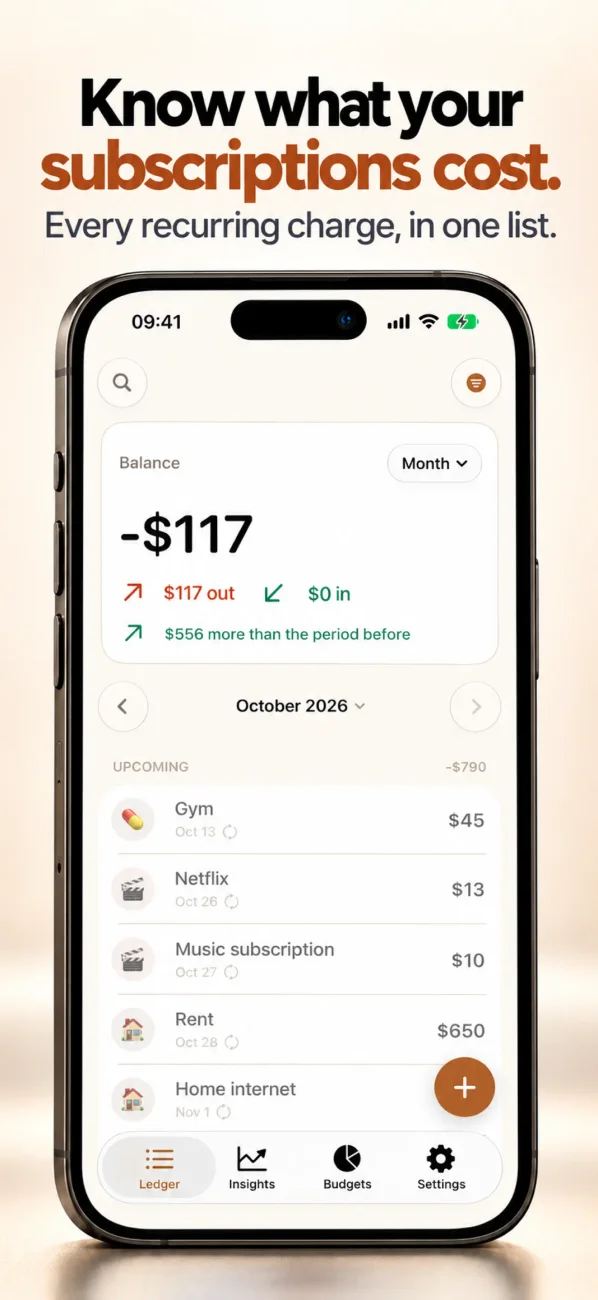
The subscription, the rent, the gym. Set them once and they return on their own, weekly, monthly, yearly, or every so many days. Underneath you see what you are committed to each month, which is the real question when you wonder what to cancel.
SAVINGS GOALS
Set an amount and, if you want, a date. Tuppence does not tell you how much you have put aside: it tells you how much to put aside each month to get there. That is the only figure you can act on today.
WHERE THE MONEY GOES
The month split by category, next to the month before, and how it shifts over time.
WIDGETS AND SIRI
What is left this month on your Home Screen. A cash spend without opening the app. Your repeating expenses one tap away in the widget.
YOUR DATA STAYS YOURS
No accounts to connect, no ads, no tracking. Your data lives on your phone and, if you want, on iCloud across your devices. Export it whenever you like, and import a CSV from another app.
TUPPENCE+
Adding, editing and deleting entries is free forever, and so are your history and the monthly summary. Tuppence+ adds budgets by category, recurring expenses, savings goals, statistics, widgets, sync and export.
— Tuppence Premium subscription —
• Free trial, then a weekly or yearly auto-renewing plan
• 3 days on the weekly plan, 7 days on the yearly one
• Price and duration are shown in the app before you buy
• Recording expenses stays free, always
Payment is charged to your Apple Account at confirmation of purchase. The subscription renews automatically unless it is cancelled at least 24 hours before the end of the current period.
Terms of Use (EULA): https://www.apple.com/legal/internet-services/itunes/dev/stdeula/
Privacy Policy: https://simonsruggi.github.io/app-policies/tuppence/PRIVACY
What’s new
Version 1.5.0 · Nov 18, 2026
You can now open future months in the ledger and see the recurring payments coming up. Upcoming shows only the month you're viewing, so a subscription no longer appears twice.
App privacy
What Simone Ruggiero declares on the App Store about how this app handles data.
-
Data not collected
The developer does not collect any data from this app.
Privacy practices may vary, for example with the features you use or your age.
Information
- Seller
- Simone Ruggiero
- Category
- Finance
- Version
- 1.5.0
- Updated
- Nov 18, 2026
- Released
- Sep 11, 2026
- Size
- 13.2 MB
- Requires
- iOS 17.0 or later
- Age rating
- 4+
- In-app purchases
- Yes
- Languages
- English, French, German, Italian, Spanish
- Copyright
- © 2026 Simone Ruggiero
You might also like
-
 TaschinoBudget, spese e risparmio
-
 Basis - Simple BudgetingFinance
-
 BlademapInstitutional options flow
-
 FlowBudget: Expense TrackerBudget Planner & Money Manager
-
 Gold Price Calculator - TodayLive Rate, Karat Value Tracker
-
 Portafoglio CondivisoFinance
-
 Rallies: AI Financial CopilotAgentic net worth tracking
-
 Couples Budget Tracker—BalanceHome Expenses, Finance & Bills
-
 Loan EMI Credit CalculatorMonthly Amortization & Cost