TuttiCam - Multi-Camera Sync
Interval Shots & Camera Remote
Designed for iPhone, iPad
Free · In-app purchases
- Age rating4+
- CategoryPhoto & Video
- Developer杰成 邓
- LanguagesEnglish+ 2 more
- Size8.1 MB
Links to the official App Store page
Download.org hosts no file of TuttiCam - Multi-Camera Sync. The button opens its official App Store page, published by 杰成 邓. Listing last checked on Nov 16, 2026.
Screenshots
About
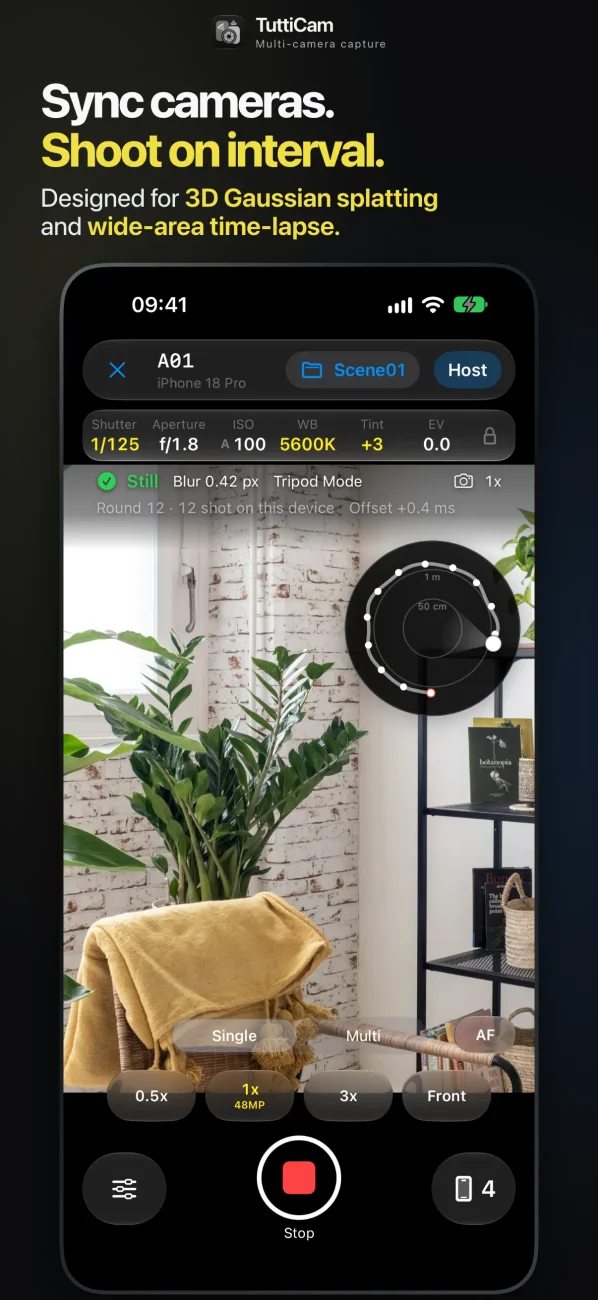
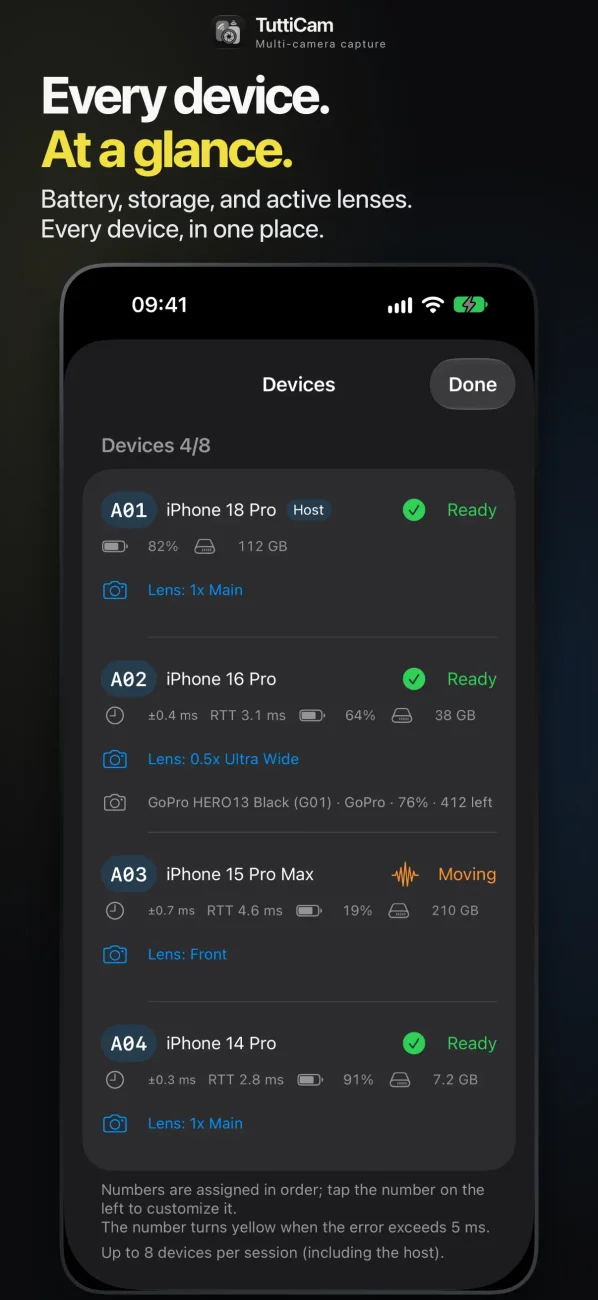
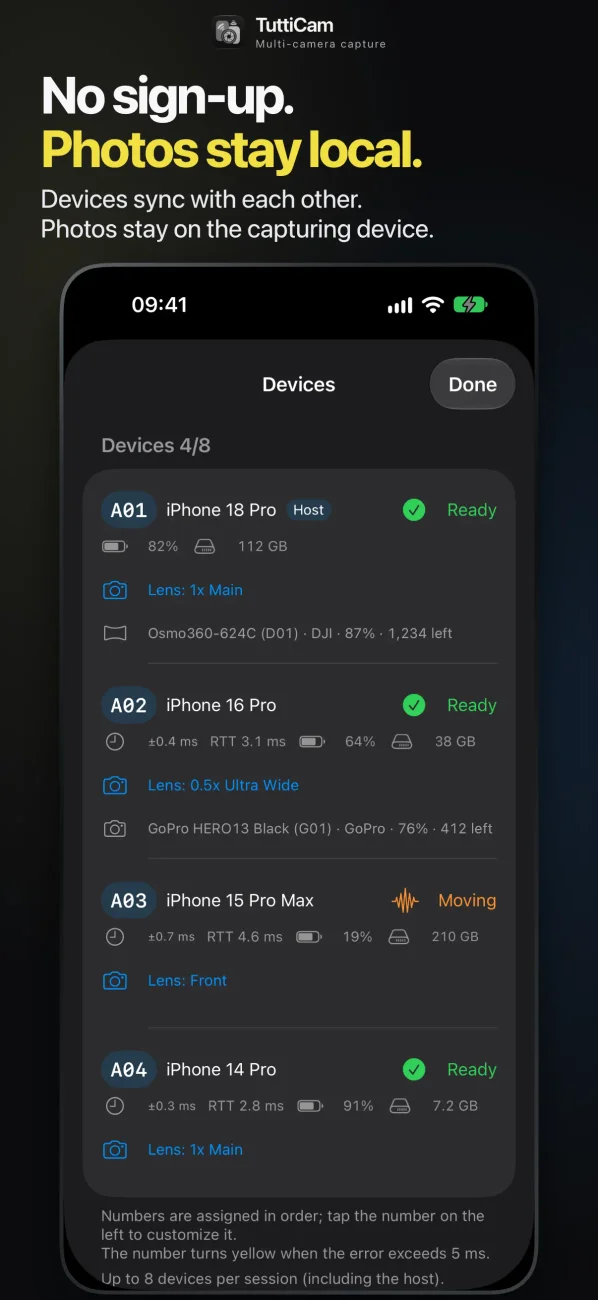
TuttiCam links multiple iPhones, action cams and mirrorless cameras into one group. One iPhone is the host; the others fire in sync, making interval shooting easier for timelapse, photogrammetry and 3D Gaussian Splatting (3DGS).
HOLD STILL, THEN SHOOT
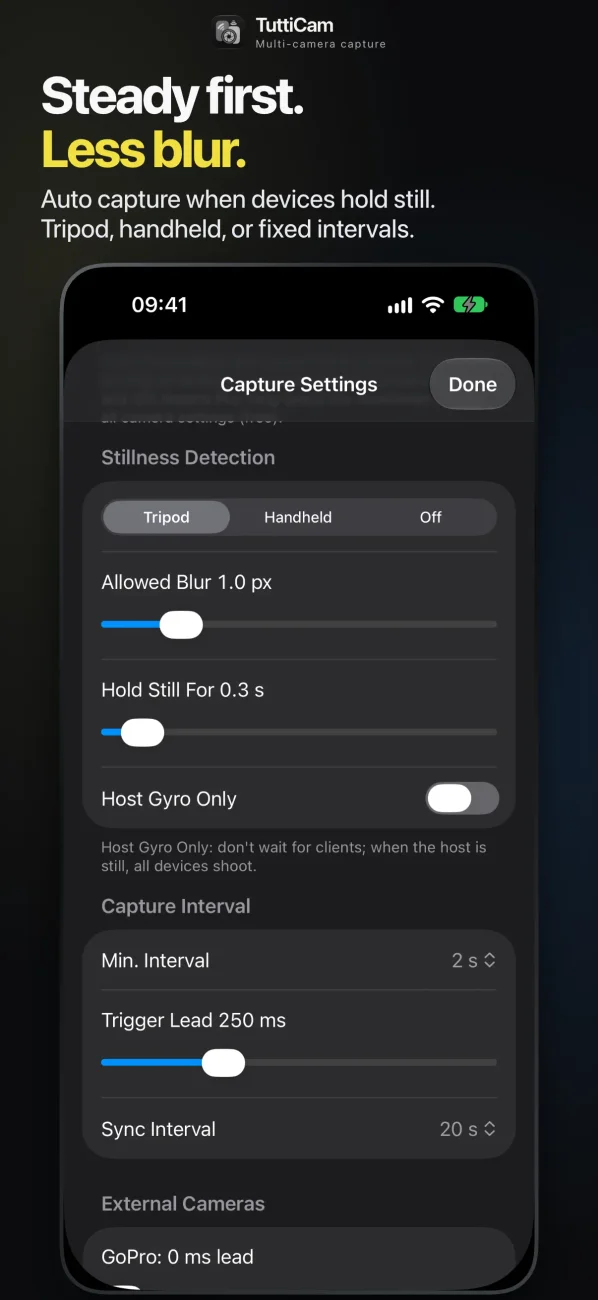
The gyroscope estimates motion blur, and the next round starts only when every connected iPhone is steady. Choose Tripod, Handheld, or plain interval shooting with no stillness detection. Walk to the next spot, hold still, and your devices keep shooting.
NO ROUTER NEEDED
Nearby iPhones connect peer to peer over AWDL, the technology behind AirDrop, with no internet needed; shared Wi-Fi works too. Clocks are aligned regularly and shutter lag is compensated. The host sets the interval, format and supported capture settings for the whole group.
EXPOSURE AND LENSES IN THE VIEWFINDER
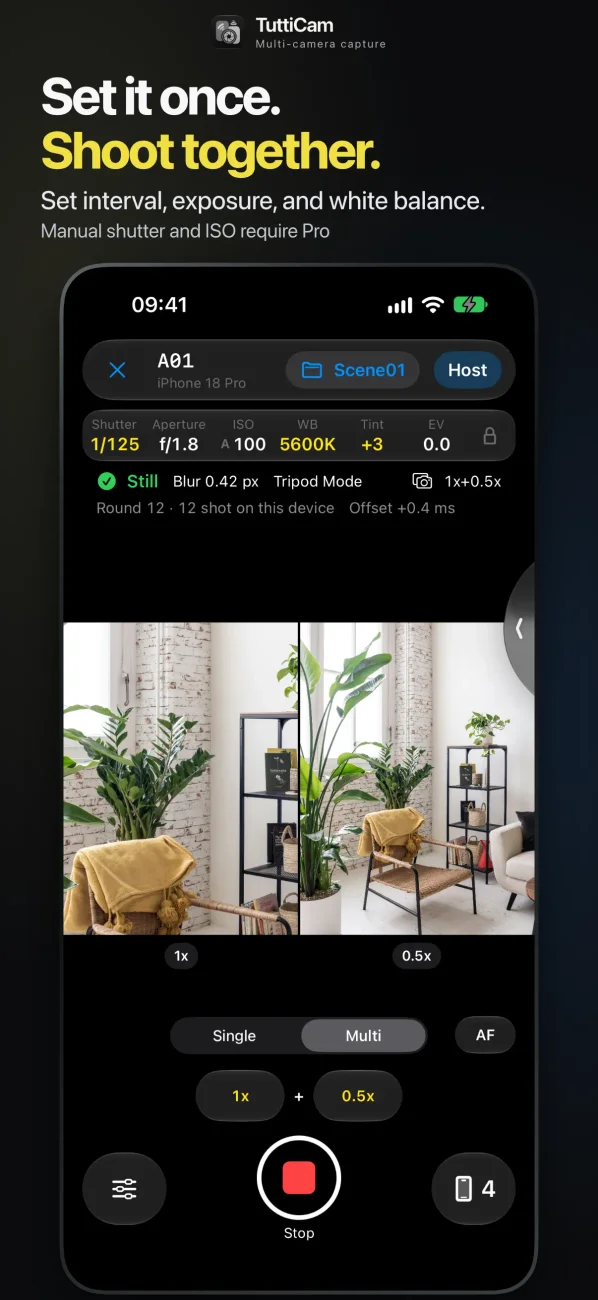
Adjust white balance, tint, exposure compensation and AF/MF. Pro adds manual shutter speed and ISO. Available lenses and controls depend on each device.
SINGLE-LENS RAW, DUAL-LENS CAPTURE
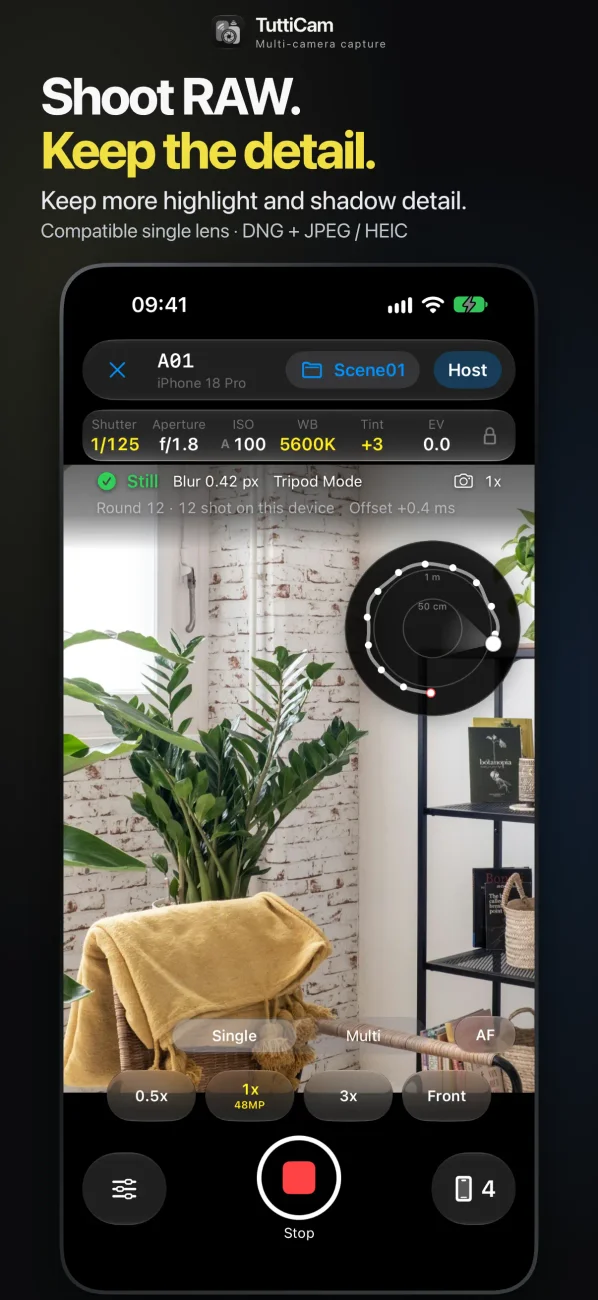
Single-lens interval shooting supports RAW (DNG) on compatible models and lenses, saved with the processed photo, for more highlight and shadow detail in night-scene 3DGS and large areas.
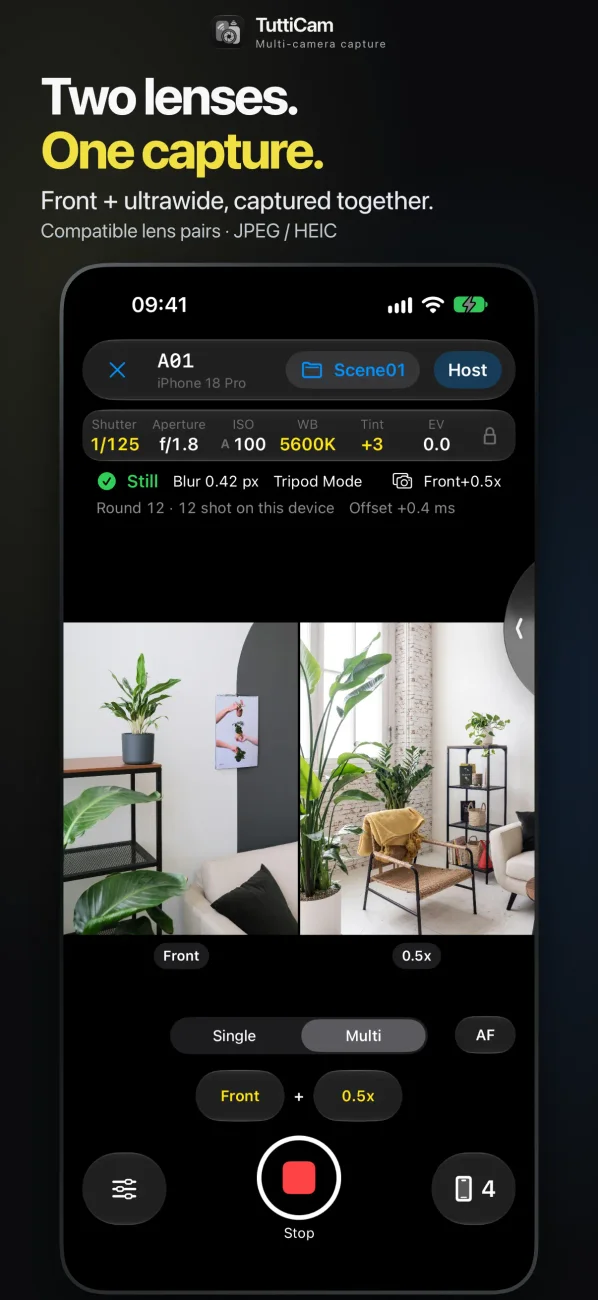
Supported devices can shoot with the 0.5x ultra wide and front cameras at once, with a side-by-side preview, in JPEG or HEIC. Multi-lens mode does not support RAW.
TURN ONE PHONE INTO A REMOTE
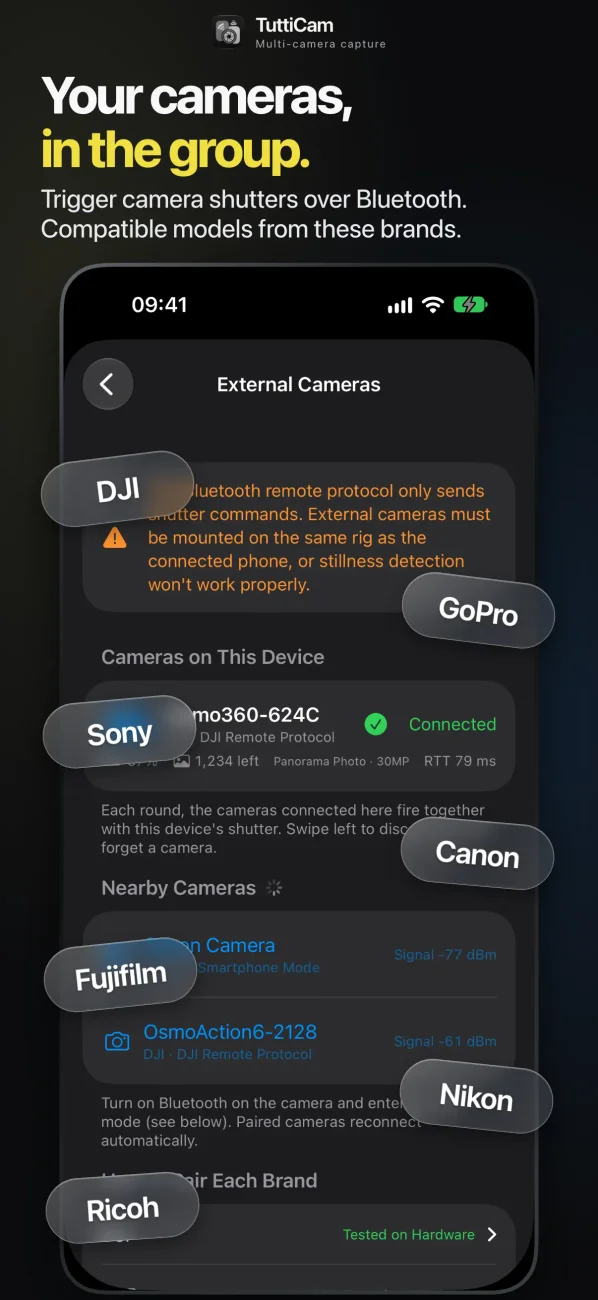
In Remote Mode the host skips its own camera and just sets up and triggers shots. Selected DJI, GoPro, Sony, Canon, Fujifilm, Nikon and Ricoh cameras trigger over Bluetooth; compatible DJI models also report battery and remaining shots.
External cameras must share a rig with an iPhone that detects stillness. See our website for supported models. Their photos stay on the camera and are exported separately.
CAPTURE DATA FOR EVERY PHOTO
Each photo gets a JSON file with exposure timing, sync deviation, camera settings and motion data.
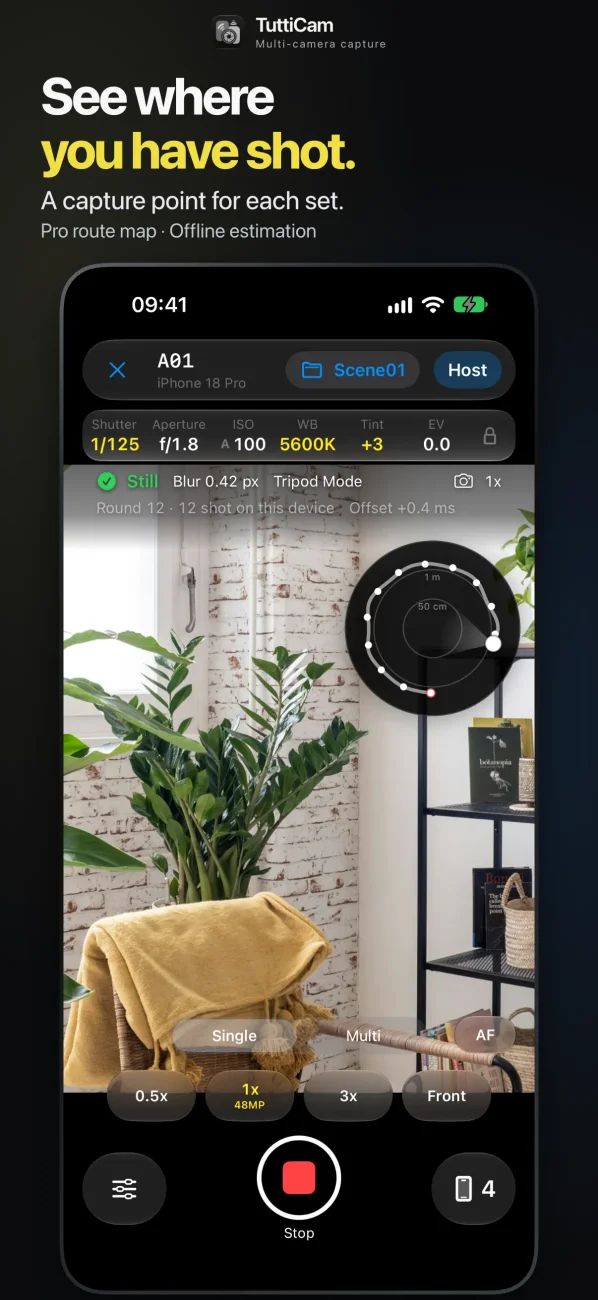
Route Compass (Pro) records capture points and your relative path, so you can see where you've been. It's estimated offline from the gyroscope and accelerometer, with no GPS or network; relative positions drift.
ORGANIZED BY SCENE, READY TO EXPORT
Create or switch scene folders anytime; Pro lets you name them. Photos and JSON files are sorted by scene, round, device and lens. Share or copy folders from the Files app for structure from motion, 3DGS training or timelapse editing. Export each iPhone's photos from that device.
THE DEVELOPER USES IT TOO
• DJI Osmo 360 + iPhone 14 Pro, a large car show: about 4,000 photos, aligned and trained into Gaussian splats in Spirula.
• iPhone 17 Pro + iPhone 14 Pro, my home: about 1,200 photos, processed in MipMap and published via Unity to VRChat to tour with friends.
TuttiCam captures photos and metadata; 3D reconstruction, 3DGS training and timelapse rendering happen in other software.
FREE STEADY INTERVAL SHOOTING. ONLY THE HOST NEEDS PRO.
Free: up to 3 devices, automatic steady interval shooting, manual white balance and tint, and AF/MF.
Pro: up to 8 devices, plus manual shutter and ISO, Route Compass and custom scene names. Pro is based on the host, so clients don't need to buy it. Pricing and trial eligibility are shown in the app.
NO ACCOUNT. PHOTOS STAY ON YOUR DEVICES.
No sign-up. Photos and capture data stay on each device. No advertising, analytics or crash-reporting SDKs, and location access is up to you.
Requires iOS 18 or later. Lens combinations, resolutions and RAW support vary by model. Actual exposure timing depends on the device, lighting and exposure length; coordinated triggering is not hardware-synchronized exposure.
Website and supported cameras: https://www.tutticam.com/
Support: https://www.tutticam.com/contact
Privacy Policy: https://www.tutticam.com/en/privacy
End User License Agreement: https://www.tutticam.com/en/eula
Membership Service Agreement: https://www.tutticam.com/en/membership
What’s new
Version 1.2 · Oct 18, 2026
New
DJI video mode: when a DJI camera is in a video mode (video, panorama video, slow motion and more), recording starts when shooting starts and stops when shooting stops, with no single shots in between; the status shows how much recording time is left.
DJI sleep: put a DJI camera to sleep from the External Cameras page to save battery; press any button on the camera to wake it, and it resumes automatically.
Client problems on the host: the hints on the host’s viewfinder now list each client’s problems, such as “A02: Save failed: …”, including camera errors, save failures, missed rounds, missing photos and missing reports.
Quick photo browsing: in full-screen Captured Media, drag the bar at the bottom to scrub from the scene’s first photo to its last.
Open in Files: the Devices page can open this iPhone’s photo folder directly in the Files app.
The About page now links to the website.
Improvements
Connecting to a DJI camera no longer switches it to panorama photo; the photo or video mode chosen on the camera is kept. Other modes such as timelapse or livestream are still switched to photo.
“Open as Host by Default” is now off by default, so the app opens to the role picker; once you turn it on in Settings, it’s remembered.
External cameras now all use a camera icon.
When shooting together with Android, save failures on clients are now reported to the host (both sides need the latest version).
App privacy
What 杰成 邓 declares on the App Store about how this app handles data.
-
Data not collected
The developer does not collect any data from this app.
Privacy practices may vary, for example with the features you use or your age.
Information
- Seller
- 杰成 邓
- Category
- Photo & Video
- Version
- 1.2
- Updated
- Oct 18, 2026
- Released
- Oct 12, 2026
- Size
- 8.1 MB
- Requires
- iOS 18.0 or later
- Age rating
- 4+
- Price
- Free
- In-app purchases
- Yes
- Languages
- English, Japanese, Simplified Chinese
- Copyright
- © 2026 TuttiCam
You might also like
-
 Studio Go CamPhoto & Video
-
 DistractCamNatural Photos, No Posing
-
 MeTop.ai 空间相机Photo & Video
-
 Snapper: Interval CameraHands-free photos, on repeat
-
 GSCam3DGSをARでプレビュー&録画
-
 MultiRoll: Shared Camera RollEasily create shared albums.
-
 FrameReady CameraVideo Guides & Prompter
-
 Director Board – Multi-CameraMulti-Camera Video Recording
-
 Tacticam - Pro CameraCinema Camera & Story Maker
-
 ShutterSayVoice & Gesture Shutter