
TV AC Remote
Remote for TV AC and More
Designed for iPhone
Free · In-app purchases
- Age rating17+
- CategoryUtilities
- Developer璐静 王
- LanguagesEnglish+ 1 more
- Size96.3 MB
Links to the official App Store page
Download.org hosts no file of TV AC Remote. The button opens its official App Store page, published by 璐静 王. Listing last checked on Nov 23, 2026.
Screenshots



About
Can’t find the remote? Are the remote buttons not working? Too many devices at home, and the remotes all look alike?
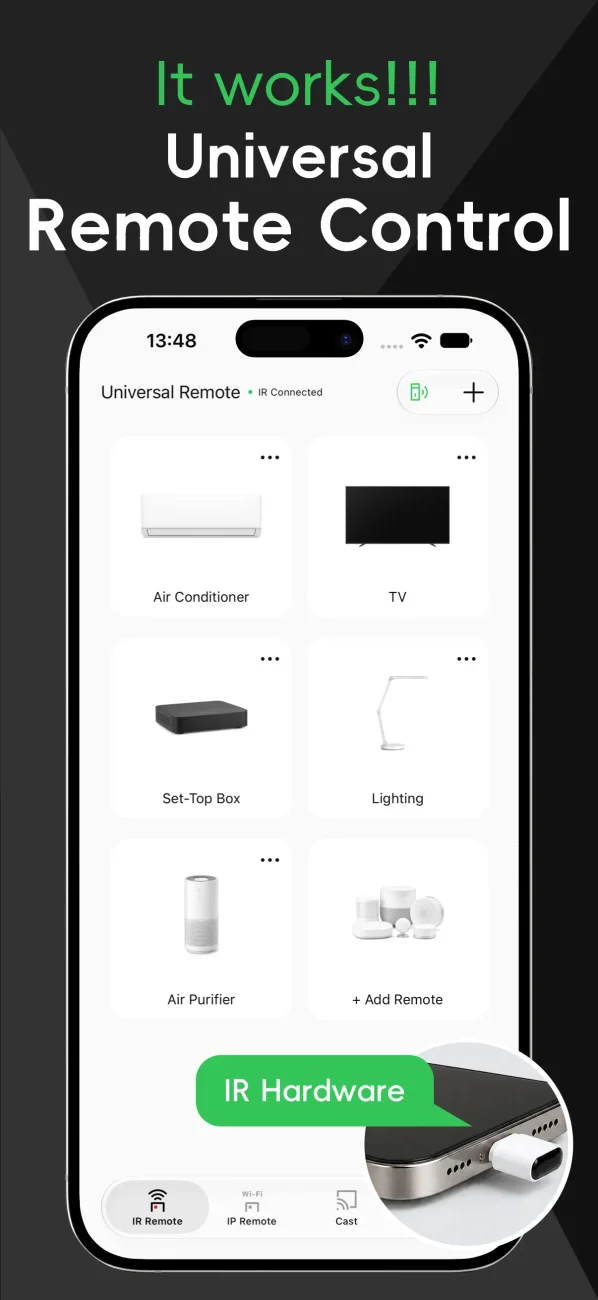
TV AC Remote helps you quickly discover and manage TVs, air conditioners, set-top boxes, projectors, fans, audio systems, and more. With your phone in hand, you can easily control devices throughout your home.
Traditional remotes are easy to lose, easy to mix up, and can leave you scrambling when the battery dies. TV AC Remote · Sense Edition uses dual-mode IR and Bluetooth sensing to help you discover nearby devices, complete pairing quickly, and manage common IR devices such as TVs, air conditioners, set-top boxes, projectors, audio systems, fans, and air purifiers from your phone. IR is used to control traditional home appliances, while Bluetooth is used for near-field discovery, pairing assistance, and expanded connectivity. Actual supported features depend on your phone hardware and device type.
Core Features
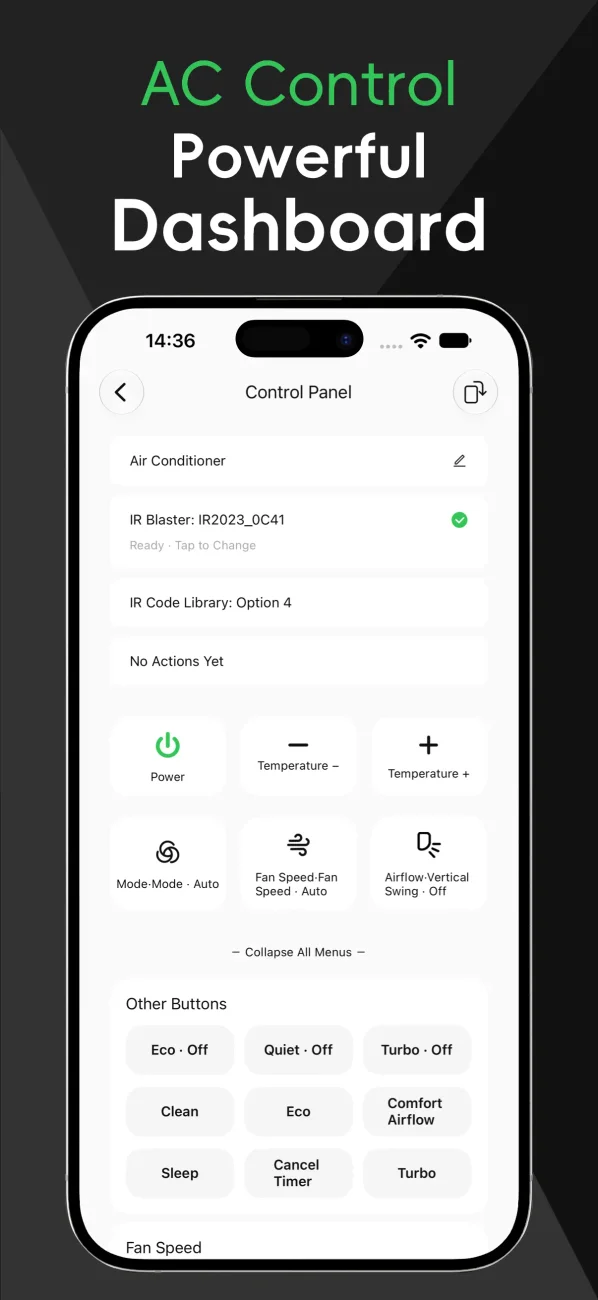
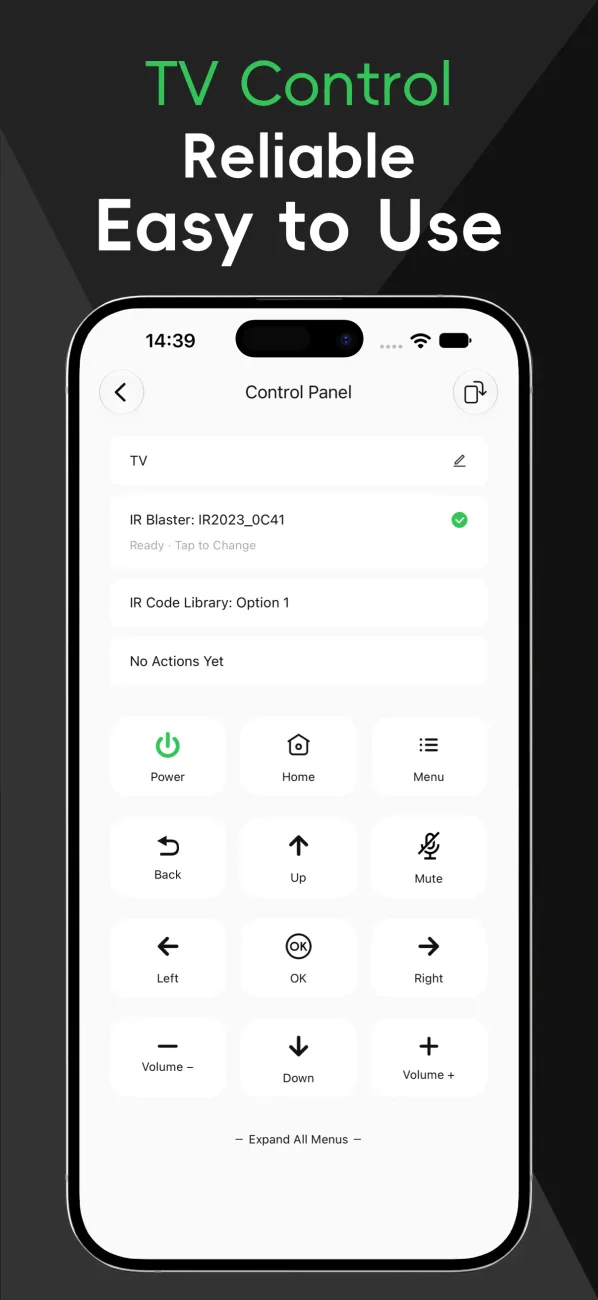
[Multi-device support] Manage common home appliances in one place, including TVs, air conditioners, projectors, TV boxes, remote-controllable fans, and remote-controllable desk lamps.
[Multi-brand compatibility] Uses an international standard IR code library and has been rigorously tested, with approximately 92% compatibility across various domestic and international brands.
[Dual-mode connection] Supports both IR and Bluetooth modes. IR mode requires an IR accessory; Bluetooth mode requires the target device to support Bluetooth control.
[Easy operation] Customized device panels highlight core buttons. Once configured, no need to set up again next time.
[Accurate identification] Each device has a unique identifier. When operating multiple devices, you can distinguish them by room and name to avoid confusion.
[Multiple device profiles] Save multiple device configurations and remember frequently used devices and buttons, reducing repeated setup.
[Subscription]
Subscription price and period
Weekly, Monthly, and Annual memberships are available.
Subscription content
Subscribers can access premium features during the subscription period.
Auto-renewal
App Store subscriptions are auto-renewing. Payment is charged to your iTunes Account upon confirmation. Users must manually manage auto-renewal in iTunes/Apple ID settings. The subscription period will automatically renew.
How to cancel
To cancel a subscription on your iOS device, go to Settings -> iTunes Store & App Store -> tap your Apple ID -> select View Apple ID -> Account Settings -> Subscriptions -> Manage -> select the subscription -> cancel.
**Privacy Policy:** https://docs.qq.com/doc/DV1hqdFJGSnJObmFJ
**Terms of Service:** https://docs.qq.com/doc/DV0xwRE9QcXVXaU5V
What’s new
Version 3.0 · Nov 18, 2026
- TV Assistant
- UI Improvement
- Tab Bar Adjustment
- BUG Fix
App privacy
What 璐静 王 declares on the App Store about how this app handles data.
-
Data used to track you
May be used to track you across apps and websites owned by other companies.
- Usage data
-
Data linked to you
May be collected and linked to your identity.
- Usage data
Privacy practices may vary, for example with the features you use or your age.
Information
- Seller
- 璐静 王
- Category
- Utilities
- Version
- 3.0
- Updated
- Nov 18, 2026
- Released
- Nov 4, 2026
- Size
- 96.3 MB
- Requires
- iOS 16.0 or later
- Age rating
- 17+
- Price
- Free
- In-app purchases
- Yes
- Languages
- English, Simplified Chinese
- Copyright
- © @wanglj
You might also like
-
 Remote - TV AC ControlUniversal TV Remote App
-
 万能遥控器-手机智能遥控家电 多家电可用Utilities
-
 Smart TV Remote - Remote TVUniversal TV Remote Control
-
 TV Remote Control & Media CastWi-Fi, Keyboard & Touchpad
-
 贞云智控 - 电视空调万能遥控器Utilities
-
 Sharp TV Remote - TV&ProjectorUniversal TV&Projector Remote
-
 乐视电视遥控器 - 万能遥控器万能家电遥控器
-
 Smart TV Remote &Universal TV Air Control WiFi
-
 万能空调遥控器 - 智能遥控器真实简单好用的万能遥控器
-
 Universal TV Remote - All TVsControl TV with Your Phone