TV Remote Control: Smart App
Easy Setup · Private Listening
Designed for iPhone
Free · In-app purchases
- Age rating4+
- CategoryUtilities
- DeveloperDylan Ho
- LanguagesEnglish+ 1 more
- Size15.4 MB
Links to the official App Store page
Download.org hosts no file of TV Remote Control: Smart App. The button opens its official App Store page, published by Dylan Ho. Listing last checked on Nov 24, 2026.
Screenshots


About
Lost the remote? Your iPhone takes over — for good.
Mote finds your streaming TV or player over Wi-Fi in seconds and hands you every button back: volume, power, keyboard, all of it.
No account, no pairing code, nothing to install on the TV.
WORKS RIGHT NOW
• Your device shows itself in seconds — no setup, no typing
• Every button of the real remote: d-pad, OK, home, back, mute, volume, power, options
• Volume that actually works — even on TVs that block it. Mote reaches the TV directly and fixes it.
WHEN THE REMOTE IS GONE
• Lost it, broke it, dog ate it — your phone takes its place a minute later
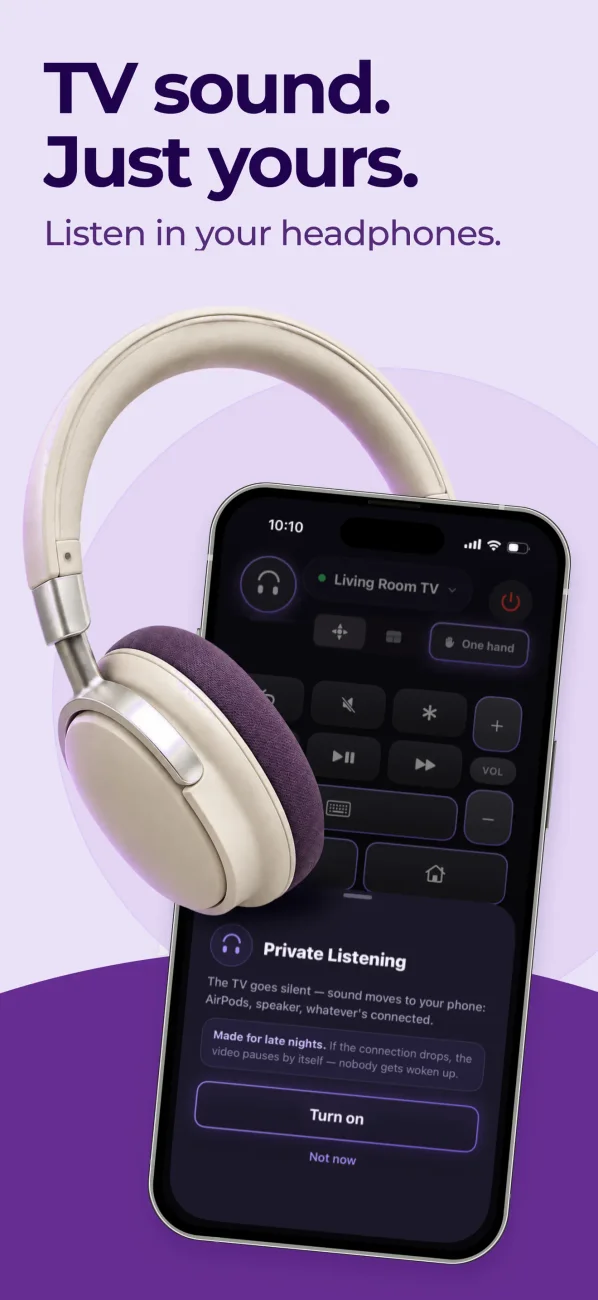
• Late-night mode: the TV goes silent and the audio lands in your earbuds
• Search by typing on your phone's keyboard — no hunting letters with arrows
• One-hand mode: the whole remote under your thumb, favorites a tap away
• Trackpad: glide your thumb, tap when you're there
• Your installed channels as tiles — straight into the one you want
WHAT IT WORKS WITH
Mote speaks to one streaming platform — a long list of TVs and players, but not every brand out there.
Checking your own TV is a one-minute job. Put the phone on the TV's network, open Mote, and a TV it can drive turns up by itself. Nothing to type, nothing to buy first.
It all happens over your home network — no infrared, no cables, no extra hardware.
NEVER STUCK
• Round-the-clock chat built in — ask about your TV, get an answer
• Setup checks in plain words: network, Local Network permission — Mote says exactly what's off
• TV staying invisible? Punch in its address manually and connect anyway
TRY IT, THEN DECIDE
• Your first 50 presses are free — no account, no card
• After that Mote Premium keeps every button and the keyboard working
• No ads between button presses, ever
Terms of Use (EULA): https://www.apple.com/legal/internet-services/itunes/dev/stdeula/
Privacy Policy: https://rokumote.com/privacy
What’s new
Version 1.7.0 · Nov 23, 2026
Now in Spanish. Faster device search and a simpler setup, plus bug fixes and performance improvements.
App privacy
What Dylan Ho declares on the App Store about how this app handles data.
-
Data not linked to you
May be collected but is not linked to your identity.
- User content
- Identifiers
- Usage data
Privacy practices may vary, for example with the features you use or your age.
Information
- Seller
- Dylan Ho
- Category
- Utilities
- Version
- 1.7.0
- Updated
- Nov 23, 2026
- Released
- Aug 22, 2026
- Size
- 15.4 MB
- Requires
- iOS 16.4 or later
- Age rating
- 4+
- Price
- Free
- In-app purchases
- Yes
- Languages
- English, Spanish
- Copyright
- © 2026 Dylan Ho
You might also like
-
 Remote TV Controller & VolumeFast Setup · Private Listening
-
 Stick Remote: Control TVTouchpad, Keyboard & TV Apps
-
 Remote TV Control for Smart TVMobile App · Volume & Channels
-
 QR Scanner | Barcode ReaderScan & Create QR Codes
-
 Lens - Identify Object via CamSearch by Pictures & Videos
-
 TV Remote Control - ZappingFor Samsung, LG, Roku & more
-
 TV Remote - Universal Control™Remote control for Smart TV
-
 TV Remote Roku: All TVsRoku TV Remote
-
 TV Remote Control PlusRemote Control for All TVs
-
 Universal Control - TV Remote.Remote Control for Smart TVs