
TwinKey: Two-Factor Security
TOTP Authenticator
Designed for iPhone, iPad, Mac, iPod touch
Free · In-app purchases
- Age rating4+
- CategoryUtilities
- DeveloperArtem Bolotov
- LanguagesEnglish+ 2 more
- Size13.0 MB
Links to the official App Store page
Download.org hosts no file of TwinKey: Two-Factor Security. The button opens its official App Store page, published by Artem Bolotov. Listing last checked on Nov 15, 2026.
Screenshots


About
Introducing TwinKey — a reliable two-factor authentication app
With TwinKey, you can conveniently store and manage your authentication codes, ensuring the security of your accounts.
Key Features:
- Secure Data Storage: TwinKey securely stores your data in the Keychain, guaranteeing that only you can access it.
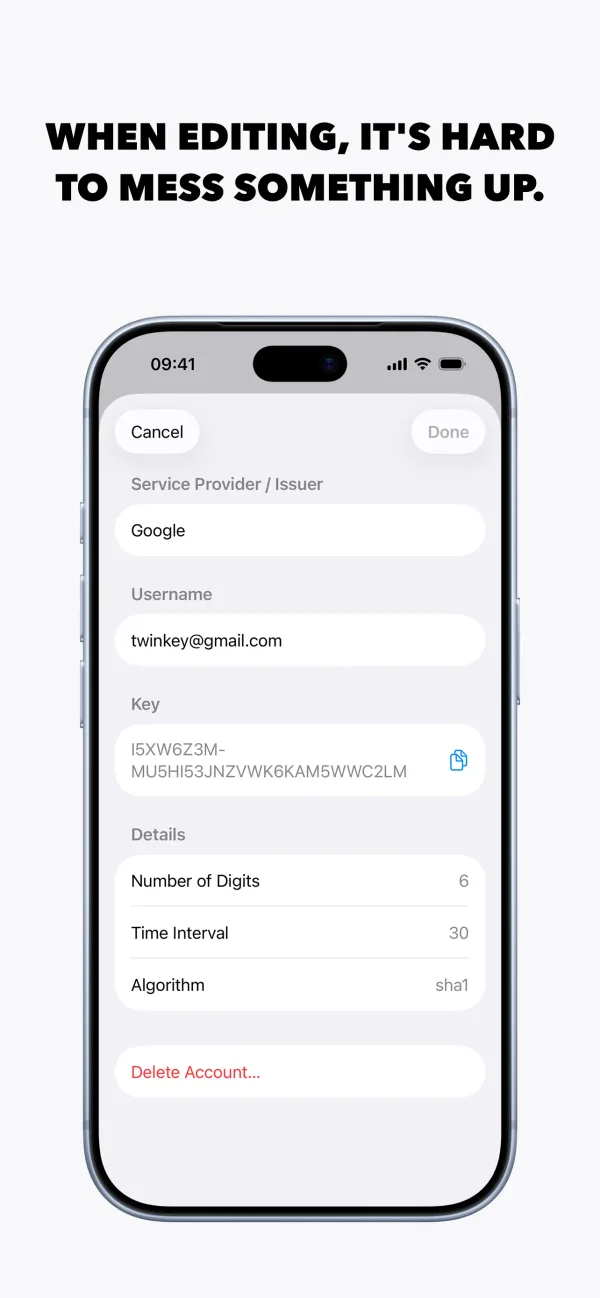
- Easy Setup: Adding accounts to TwinKey is effortless. Simply scan QR codes using your device's camera, import images with embedded QR codes from your photo albums, or - manually enter account information.
- Migration from Google Authenticator: Quickly transfer all your accounts from Google Authenticator without data loss.
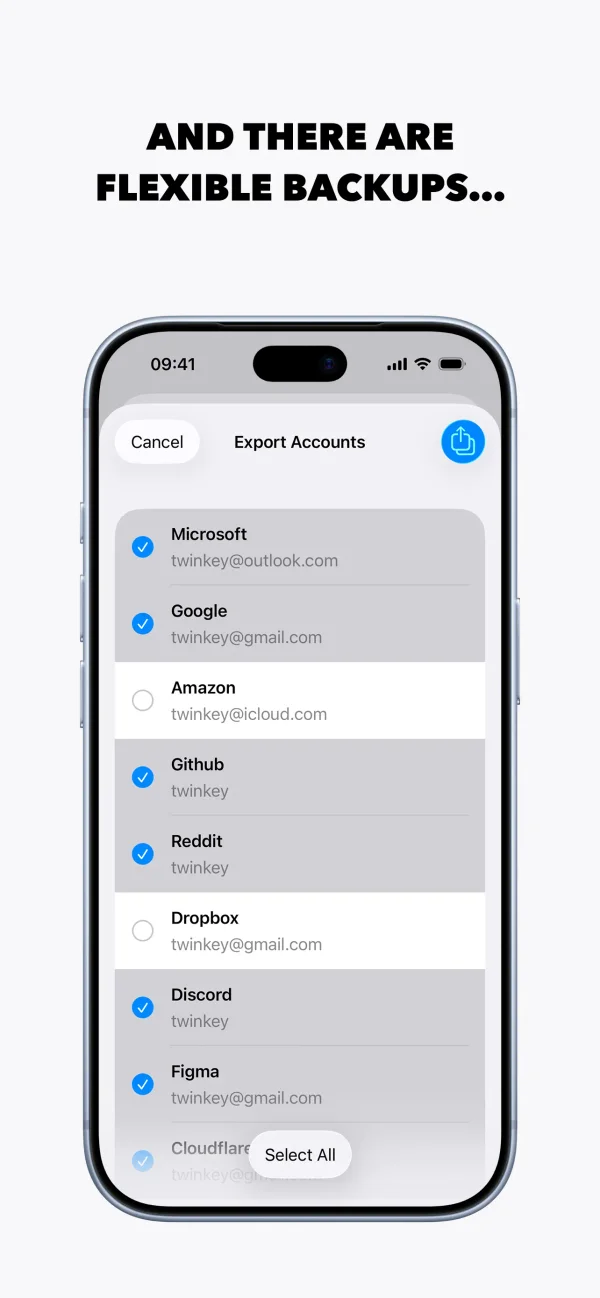
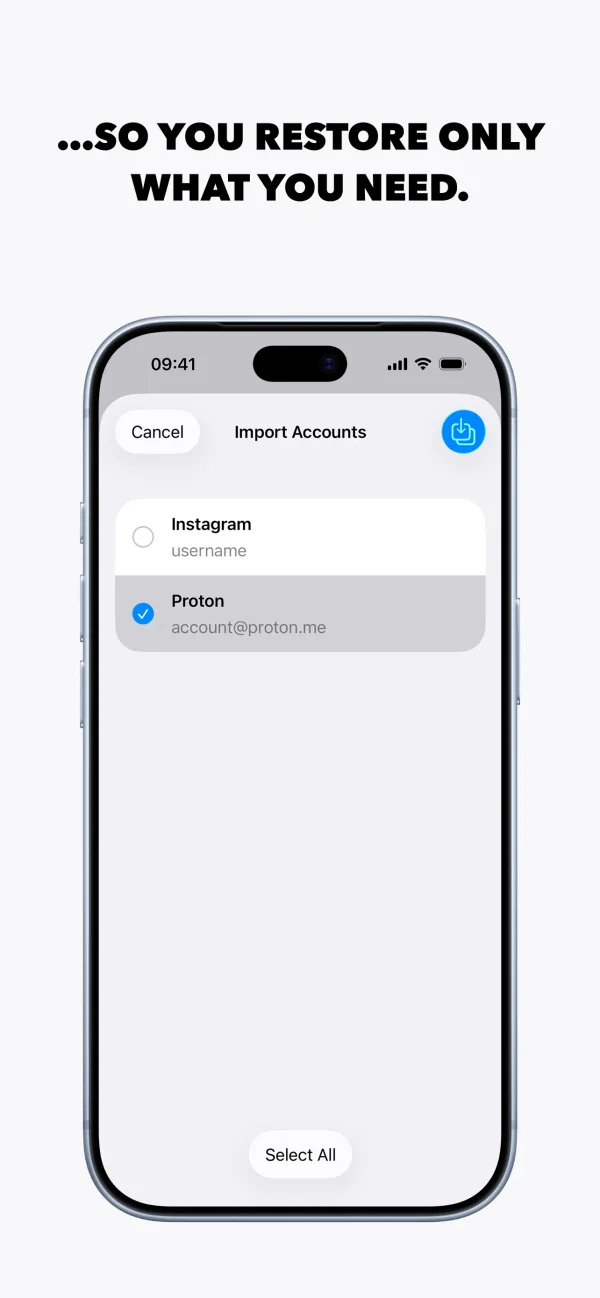
- Backup and Restore: TwinKey allows you to create full or partial backups of your accounts. Restore only what you need when necessary.
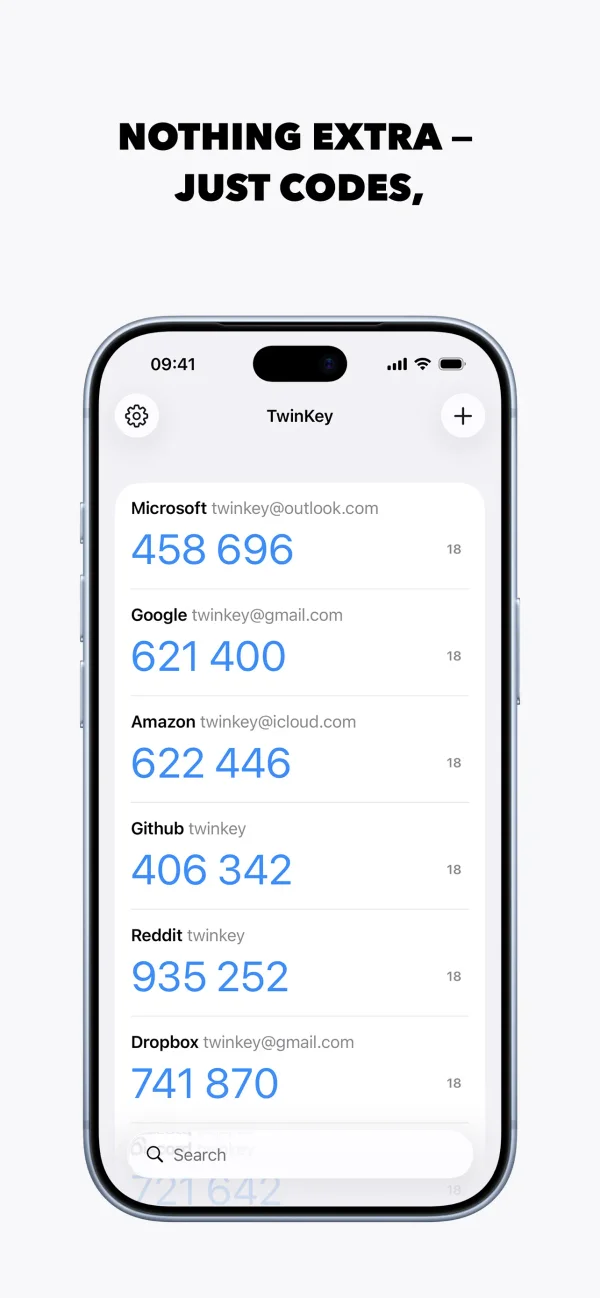
- User-Friendly Interface: TwinKey is designed for simplicity and efficiency. There are no folders or unnecessary icons — just the essential codes for your accounts.
TwinKey is also available for Mac. Enable iCloud Keychain sync and your accounts will appear on both devices automatically — no extra setup needed.
TwinKey makes two-factor authentication easy and straightforward. Protect your accounts if you haven't already done so. Download TwinKey now!
What’s new
Version 1.2.7 · Oct 4, 2026
• TwinKey now works on iPad. The layout adapts to the screen width: on iPad, on iPhone in landscape, and in a wide window on Mac, accounts are shown as cards in several columns. Drag the cards to change their order.
• Open a .twinkey backup right from Files or Finder: the app takes you straight to the import screen, even if another screen was open.
• Backups from the iOS and Android versions are now fully compatible: a file created on one platform restores on the other with nothing lost.
• If an account in a backup is damaged, all the others are still imported, and the import screen shows what was skipped and why.
• The introduction on first launch is now faster.
Fixes:
• The search field no longer jumps when you rotate the screen.
• Accounts with a colon in their name now import correctly.
App privacy
What Artem Bolotov declares on the App Store about how this app handles data.
-
Data not linked to you
May be collected but is not linked to your identity.
- Usage data
- Diagnostics
Privacy practices may vary, for example with the features you use or your age.
Information
- Seller
- Artem Bolotov
- Category
- Utilities
- Version
- 1.2.7
- Updated
- Oct 4, 2026
- Released
- Jun 23, 2023
- Size
- 13.0 MB
- Requires
- iOS 15.0 or later
- Age rating
- 4+
- Price
- Free
- In-app purchases
- Yes
- Languages
- English, Russian, Spanish
- Copyright
- © 2023 Artem Bolotov
You might also like
-
 Two Factor: AuthenticatorUtilities
-
 KeyConfigConfigure for BLE devices
-
 Least Common Multiple (LCM)LCM Calculator
-
 FuelAtom: Gas TrackerFuel Tracker & Vehicle Logger
-
 EvoKeyUtilities
-
 Granted: 2FA AuthenticatorTwo-step verification codes
-
 Multitimer Countdown: CountKitTIME & DATE Progress Counter
-
 2FA Authenticator - AutherisTwo-Factor Auth & OTP Codes