TypeClip
Write, save & share plain text
Designed for iPhone, iPad, iPod touch
Free
- Age rating4+
- CategoryProductivity
- DeveloperULTARA LLC
- LanguagesEnglish
- Size2.5 MB
Links to the official App Store page
Download.org hosts no file of TypeClip. The button opens its official App Store page, published by ULTARA LLC. Listing last checked on Nov 23, 2026.
Screenshots
About
TypeClip is an ultra-fast, offline-first plain-text (.txt) editor and clipboard scrubber built for developers, writers, IT pros, and researchers who need clean, distraction-free text without hidden formatting.
Whether you are cleaning up text copied from a PDF, stripping HTML and curly quotes before pasting into a terminal or code snippet, or jotting down local notes, TypeClip gets out of your way and keeps your text pure.
INSTANT CLIPBOARD SCRUBBER AND PLAIN-TEXT PIPE
Stop fighting rich-text clutter, smart quotes, and broken line wraps when copying between emails, PDFs, web forms, and terminals:
- Full Scrub (All-in-One): Normalizes line endings, strips zero-width invisible characters, straightens quotes and dashes, and trims trailing spaces in one tap.
- Straighten Quotes and Dashes: Converts curly quotes and em/en dashes into clean, straight ASCII characters.
- Remove Line Wraps: Joins hard-wrapped lines copied from narrow PDFs or email columns while preserving real paragraph breaks and bullet lists.
- Strip HTML and Markdown: Removes tags, decodes HTML entities, and cleans inline formatting.
- Line Utilities: Trim whitespace, strip empty lines, remove duplicate lines, or sort lines A-Z and Z-A.
- Selection or Whole Doc: Highlight a specific passage to clean only your selection, or run transforms across the entire document. The live platen ruler always shows your exact target scope.
1-TAP OPEN FROM CLIPBOARD WORKFLOW
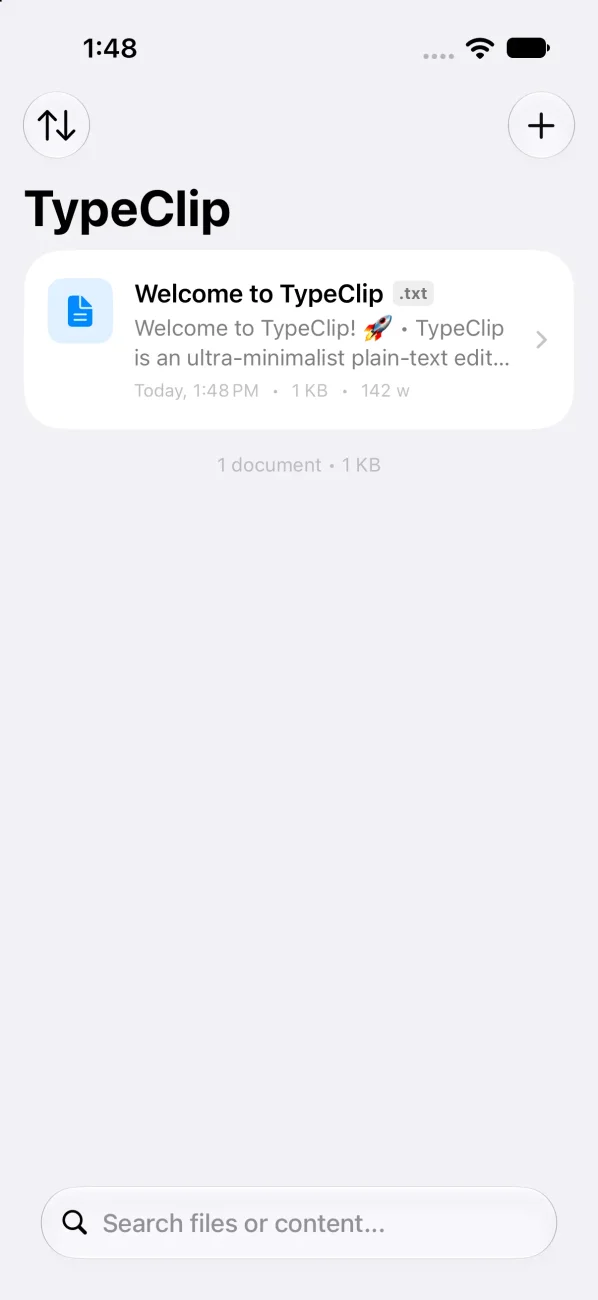
- Tap the paperclip button in the top toolbar to immediately pipe your current clipboard into a reusable Clipboard Scratchpad.txt file or a new clip.
- Optional Open Clipboard on Launch setting lets you open TypeClip straight into a freshly scrubbed clipboard scratchpad.
TACTILE TYPEWRITER DECK AND 4 STUDIO PALETTES
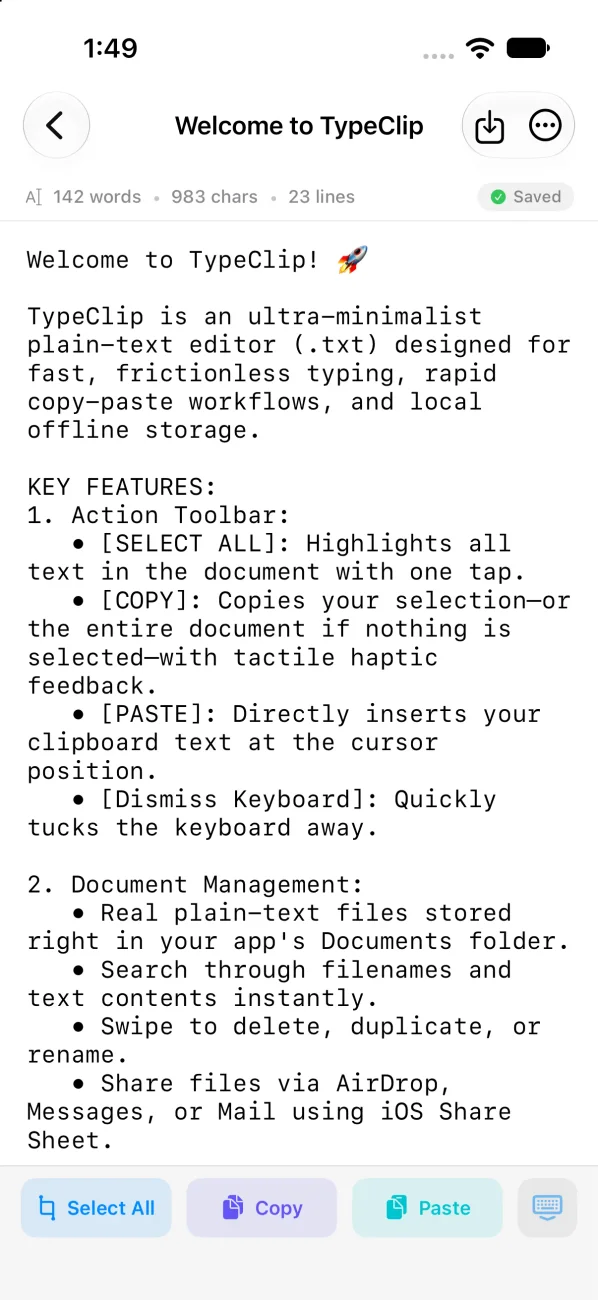
- Persistent bottom action deck featuring sculpted keycaps for SELECT ALL, COPY, PASTE, CLEAN, and keyboard dismiss.
- Four unified color themes covering every surface of the app: TypeClip Light (warm archival bond paper), TypeClip Dark (midnight carbon), Solarized Light, and Solarized Dark.
- Built-in Themed Typewriter Keyboard that matches your active color palette, with a one-tap globe key to switch to the standard Apple keyboard anytime.
- Customizable typography (Monospaced, System Sans, and Serif) with adjustable point size and live word, character, and line counters.
100% LOCAL, OFFLINE AND PRIVATE
- Real plain-text (.txt) files stored locally on your device.
- Zero accounts, zero cloud servers, zero analytics, zero session replay, and zero subscriptions.
- Your text never leaves your device unless you explicitly share a file.
What’s new
Version 1.0.1 · Nov 10, 2026
TypeClip has been upgraded into a fast, tactile plain-text editor and clipboard scrubber:
- Instant Clipboard Scrubber (CLEAN Key): One tap or long-press to convert curly quotes and dashes to straight ASCII, unwrap broken PDF/email line breaks, strip HTML and Markdown tags, trim trailing whitespace, remove duplicate lines, or sort lines A-Z and Z-A.
- Live Scope Indicator: The typewriter platen ruler and keycap sub-labels dynamically show whether COPY, PASTE, and CLEAN will target your highlighted Selection or the Whole Document.
- 1-Tap Clipboard Pipe and Launch Scratchpad: Tap the paperclip icon in the library - or enable Open Clipboard on Launch in Settings - to pipe your clipboard straight into a clean plain-text scratchpad.
- 4 High-Contrast Studio Palettes: Choose between TypeClip Light, TypeClip Dark, Solarized Light, and Solarized Dark, all tuned to meet WCAG 2.1 AA contrast standards.
- Built-In Themed Typewriter Keyboard: Matches your active color palette with tactile keycaps and 1-tap switching to the Apple system keyboard.
- Expanded Device Compatibility and Speed: Optimized with a zero-allocation text counter for instant typing performance and support back to iOS 15, iPadOS 15, and macOS 12.
App privacy
What ULTARA LLC declares on the App Store about how this app handles data.
-
Data not collected
The developer does not collect any data from this app.
Privacy practices may vary, for example with the features you use or your age.
Information
- Seller
- Ultara LLC
- Category
- Productivity
- Version
- 1.0.1
- Updated
- Nov 10, 2026
- Released
- Oct 26, 2026
- Size
- 2.5 MB
- Requires
- iOS 15.0 or later
- Age rating
- 4+
- Price
- Free
- Languages
- English
- Copyright
- © 2026 Ultara LLC