- 対象年齢4+
- カテゴリ仕事効率化
- 開発元ULTARA LLC
- 言語英語
- サイズ2.5 MB
App Storeの公式ページにリンクしています
Download.orgはTypeClipのファイルを一切ホストしていません。ボタンを押すと、ULTARA LLCが公開しているApp Storeのアプリページが開きます。ページの最終確認:2026/11/23。
スクリーンショット
概要
開発元はこのテキストをお使いの言語で提供していません。
TypeClip is an ultra-fast, offline-first plain-text (.txt) editor and clipboard scrubber built for developers, writers, IT pros, and researchers who need clean, distraction-free text without hidden formatting.
Whether you are cleaning up text copied from a PDF, stripping HTML and curly quotes before pasting into a terminal or code snippet, or jotting down local notes, TypeClip gets out of your way and keeps your text pure.
INSTANT CLIPBOARD SCRUBBER AND PLAIN-TEXT PIPE
Stop fighting rich-text clutter, smart quotes, and broken line wraps when copying between emails, PDFs, web forms, and terminals:
- Full Scrub (All-in-One): Normalizes line endings, strips zero-width invisible characters, straightens quotes and dashes, and trims trailing spaces in one tap.
- Straighten Quotes and Dashes: Converts curly quotes and em/en dashes into clean, straight ASCII characters.
- Remove Line Wraps: Joins hard-wrapped lines copied from narrow PDFs or email columns while preserving real paragraph breaks and bullet lists.
- Strip HTML and Markdown: Removes tags, decodes HTML entities, and cleans inline formatting.
- Line Utilities: Trim whitespace, strip empty lines, remove duplicate lines, or sort lines A-Z and Z-A.
- Selection or Whole Doc: Highlight a specific passage to clean only your selection, or run transforms across the entire document. The live platen ruler always shows your exact target scope.
1-TAP OPEN FROM CLIPBOARD WORKFLOW
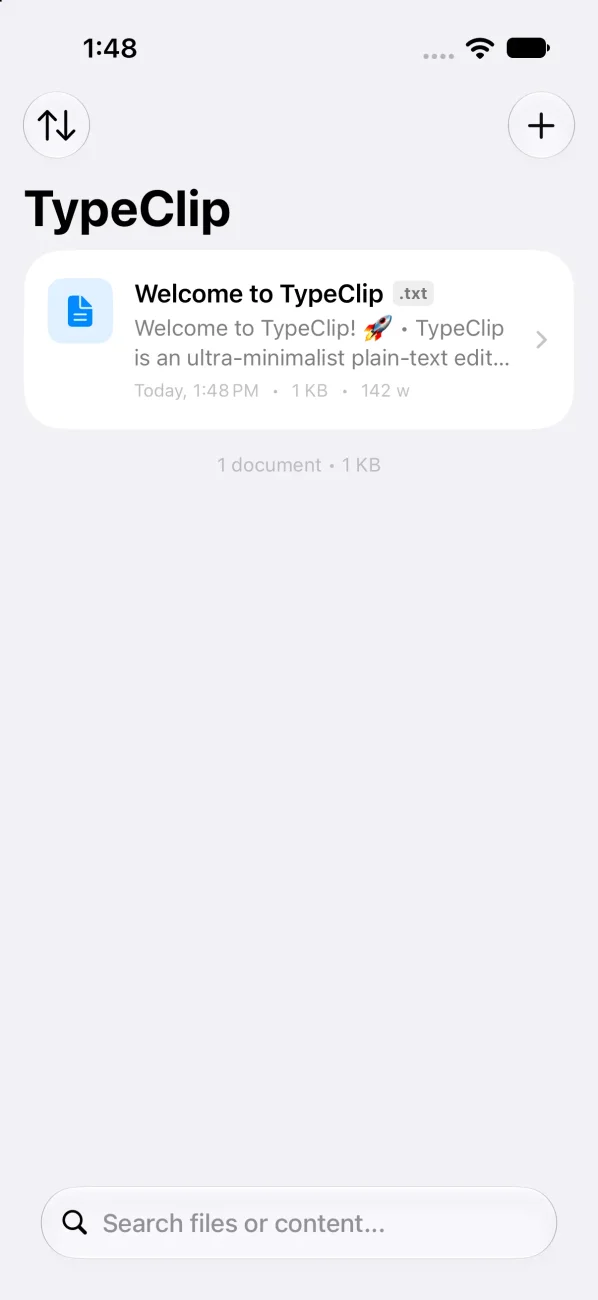
- Tap the paperclip button in the top toolbar to immediately pipe your current clipboard into a reusable Clipboard Scratchpad.txt file or a new clip.
- Optional Open Clipboard on Launch setting lets you open TypeClip straight into a freshly scrubbed clipboard scratchpad.
TACTILE TYPEWRITER DECK AND 4 STUDIO PALETTES
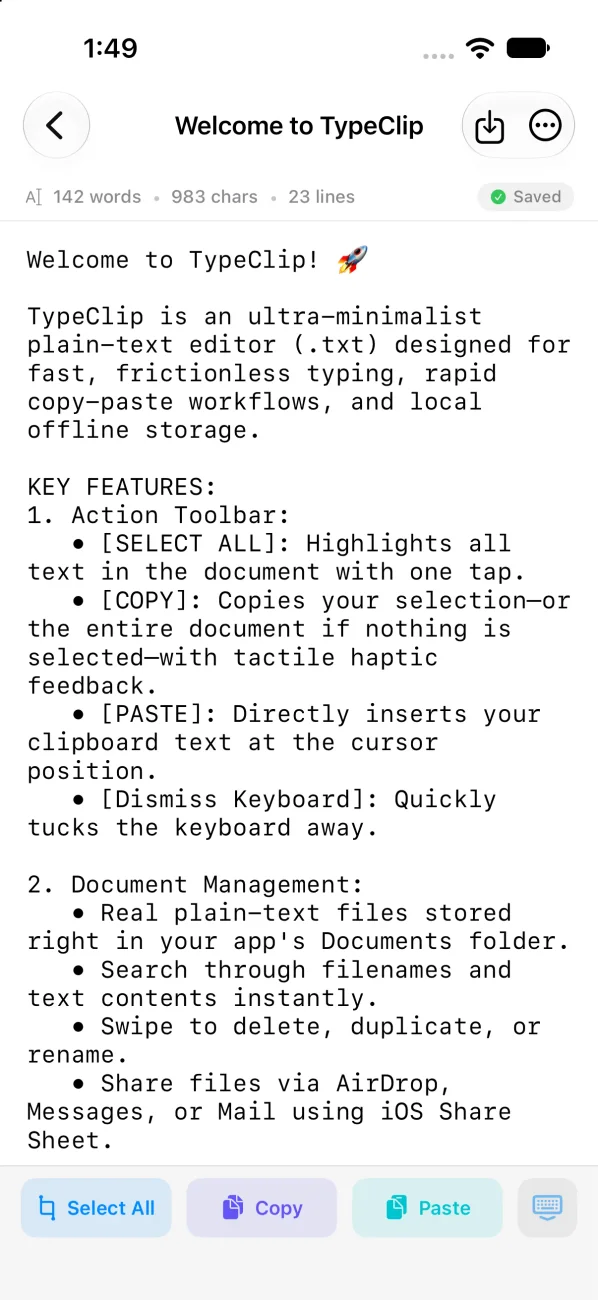
- Persistent bottom action deck featuring sculpted keycaps for SELECT ALL, COPY, PASTE, CLEAN, and keyboard dismiss.
- Four unified color themes covering every surface of the app: TypeClip Light (warm archival bond paper), TypeClip Dark (midnight carbon), Solarized Light, and Solarized Dark.
- Built-in Themed Typewriter Keyboard that matches your active color palette, with a one-tap globe key to switch to the standard Apple keyboard anytime.
- Customizable typography (Monospaced, System Sans, and Serif) with adjustable point size and live word, character, and line counters.
100% LOCAL, OFFLINE AND PRIVATE
- Real plain-text (.txt) files stored locally on your device.
- Zero accounts, zero cloud servers, zero analytics, zero session replay, and zero subscriptions.
- Your text never leaves your device unless you explicitly share a file.
新機能
バージョン 1.0.1 · 2026/11/10
TypeClip has been upgraded into a fast, tactile plain-text editor and clipboard scrubber:
- Instant Clipboard Scrubber (CLEAN Key): One tap or long-press to convert curly quotes and dashes to straight ASCII, unwrap broken PDF/email line breaks, strip HTML and Markdown tags, trim trailing whitespace, remove duplicate lines, or sort lines A-Z and Z-A.
- Live Scope Indicator: The typewriter platen ruler and keycap sub-labels dynamically show whether COPY, PASTE, and CLEAN will target your highlighted Selection or the Whole Document.
- 1-Tap Clipboard Pipe and Launch Scratchpad: Tap the paperclip icon in the library - or enable Open Clipboard on Launch in Settings - to pipe your clipboard straight into a clean plain-text scratchpad.
- 4 High-Contrast Studio Palettes: Choose between TypeClip Light, TypeClip Dark, Solarized Light, and Solarized Dark, all tuned to meet WCAG 2.1 AA contrast standards.
- Built-In Themed Typewriter Keyboard: Matches your active color palette with tactile keycaps and 1-tap switching to the Apple system keyboard.
- Expanded Device Compatibility and Speed: Optimized with a zero-allocation text counter for instant typing performance and support back to iOS 15, iPadOS 15, and macOS 12.
アプリのプライバシー
このアプリのデータの取り扱いについて、ULTARA LLCがApp Storeで申告している内容です。
-
データの収集なし
開発元はこのアプリからデータを収集しません。
プライバシーの取り扱いは、ご利用の機能やお客様の年齢などに応じて異なる場合があります。
情報
- 販売元
- Ultara LLC
- カテゴリ
- 仕事効率化
- バージョン
- 1.0.1
- 更新日
- 2026/11/10
- リリース
- 2026/10/26
- サイズ
- 2.5 MB
- 必要条件
- iOS 15.0以降
- 対象年齢
- 4+
- 価格
- 無料
- 言語
- 英語
- 著作権
- © 2026 Ultara LLC