Typefinity Keyboard & Numbers
Writing Text with Cursor Keys
Designed for iPhone, iPad, iPod touch
Free · In-app purchases
- Age rating4+
- CategoryProductivity
- DeveloperAI Tools Apps SRL
- LanguagesEnglish+ 11 more
- Size96.3 MB
Links to the official App Store page
Download.org hosts no file of Typefinity Keyboard & Numbers. The button opens its official App Store page, published by AI Tools Apps SRL. Listing last checked on Nov 20, 2026.
Screenshots



About
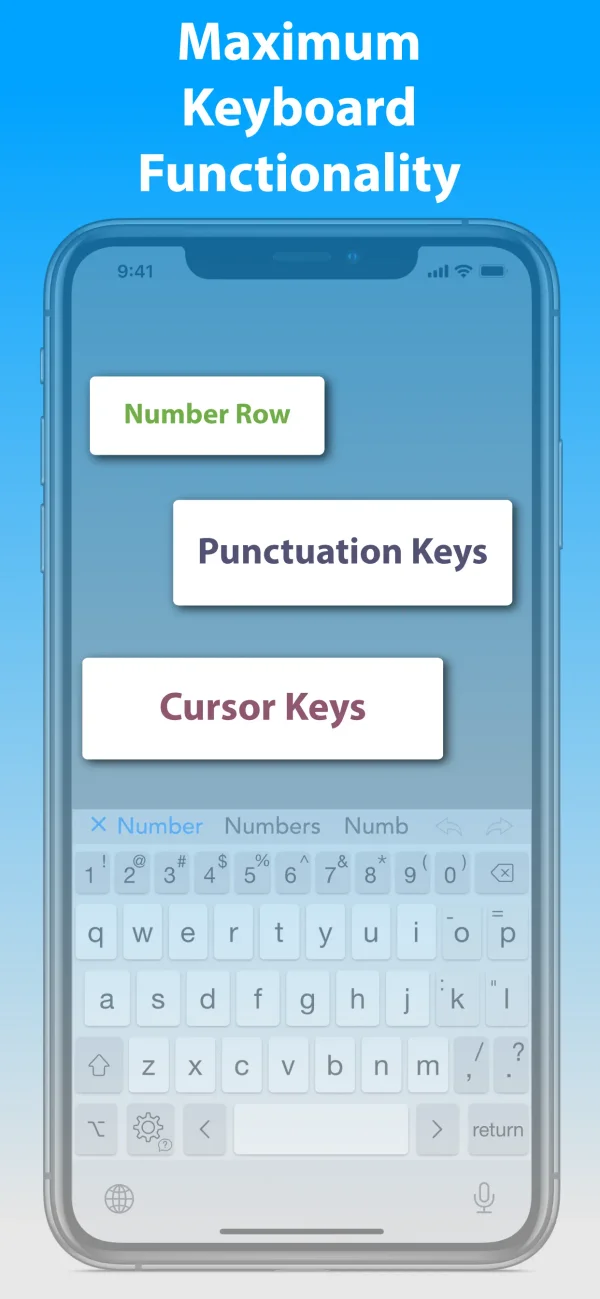
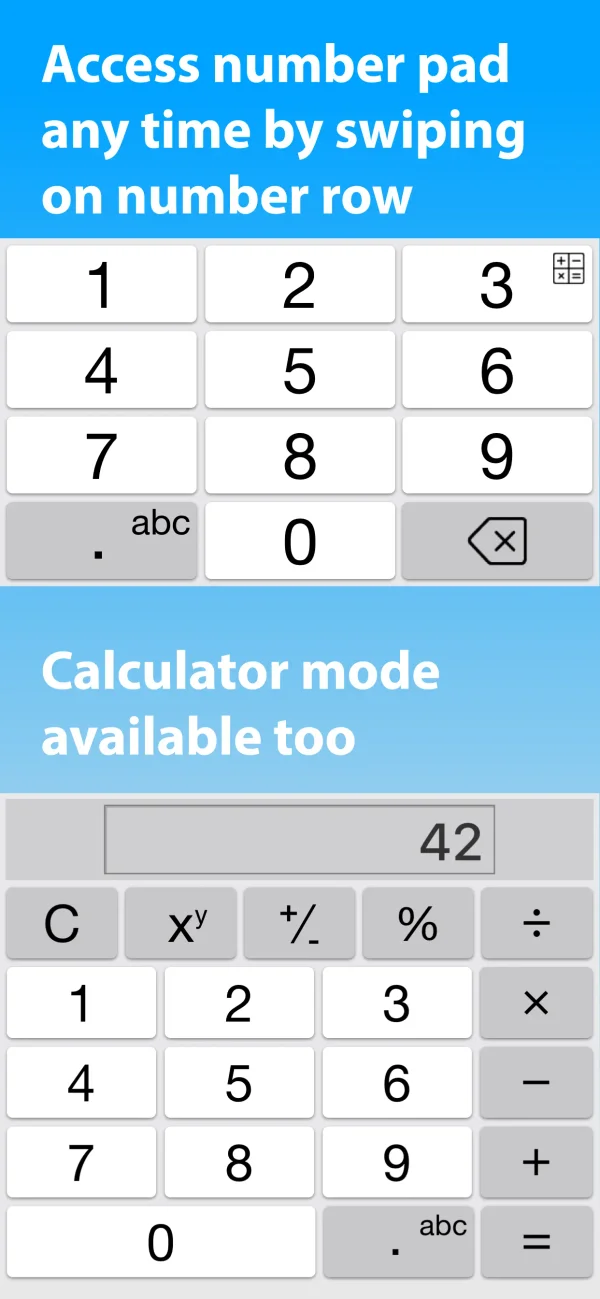
Typing without limits on iPad and iPhone. When it comes to on-screen keyboards, bigger IS different, and Typefinity is built to take advantage of the larger screen size on tablets and modern phones. Stay in the flow when it's time to type a number or symbol or you need to move around, because the needed keys are right there in the main layout. And we use the full width, not just the middle, to display word suggestions.
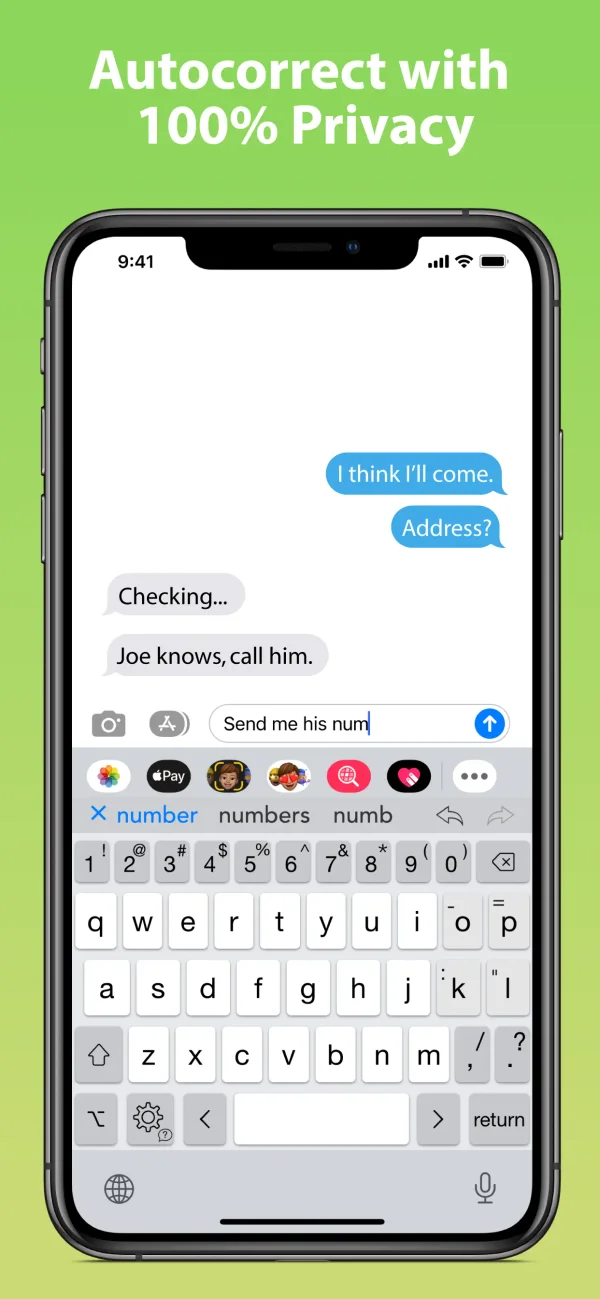
Ergonomics aren't sacrificed either. The main keys are big enough to type fast, and autocorrect is fine-tuned for catching common finger misses. You'll find using Typefinity is almost like having a full bluetooth keyboard, without the weight and bulk!
How it works:
- Step 1: Install Typefinity and open the app.
- Step 2: In Settings, open General, Keyboard, Keyboards and add Typefinity.
- Step 3: Tap the globe key in any app to switch to Typefinity.
- Step 4: Type fast with big keys, and numbers, punctuation and symbols always in view.
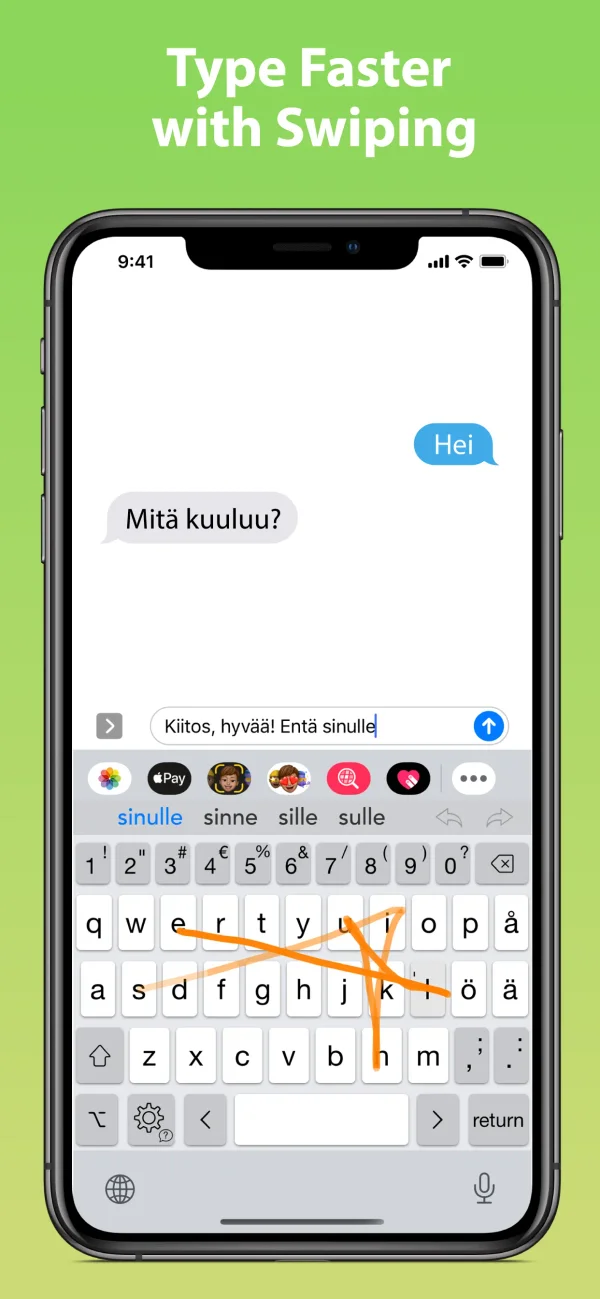
- Step 5: Swipe to trace words, and use the cursor keys to move by letter or word.
What you get:
- Numbers and punctuation in one layout, where your fingers remember.
- Cursor keys for easy, precise movement by letter or word.
- Dedicated keys for accented characters in your language.
- Option switch for typing other symbols and accented characters.
- Full autocorrect in all supported languages, showing more than three words.
- "Short" layout option for more screen visibility in landscape orientation.
- Swipe input (trace words with your finger), and flick up on number and punctuation keys for shifted versions.
- Numeric and calculator modes.
- Multilanguage support: English, Czech, Danish, Dutch, Finnish, French, German, Italian, Norwegian, Polish, Portuguese, Romanian, Spanish and Swedish.
Get full access to Typefinity:
- Enjoy many themes, dark mode & transparency options.
- Use premium custom key sounds & feedback.
- Get fine-tuning for autocorrect & punctuation.
Subscribe to access premium app features; subscription details:
- Payment will be charged to your Apple Account at confirmation of purchase.
- Subscription automatically renews unless auto-renew is turned off at least 24 hours before the end of the current period.
- The account will be charged for renewal within 24 hours prior to the end of the current period.
- Subscriptions may be managed by the user, and auto-renewal turned off, in Account Settings after purchase.
- Available plans: weekly or yearly.
Terms & Conditions:
https://magic-cake-e95.notion.site/iOS-Typefinity-Terms-Conditions-38ecf6557a0880958cf9e0fb058d8b34?source=copy_link
Privacy Policy:
https://magic-cake-e95.notion.site/iOS-Typefinity-Privacy-Policy-38ecf6557a08808bbba2c4f7128f1a22?source=copy_link
If you have any questions, please contact us at aitoolssrl@gmail.com
What’s new
Version 2.4 · Jul 14, 2026
Bug fixing and improvements
App privacy
What AI Tools Apps SRL declares on the App Store about how this app handles data.
-
Data used to track you
May be used to track you across apps and websites owned by other companies.
- Identifiers
- Usage data
-
Data not linked to you
May be collected but is not linked to your identity.
- Identifiers
- Usage data
Privacy practices may vary, for example with the features you use or your age.
Information
- Seller
- AI Tools Apps SRL
- Category
- Productivity
- Version
- 2.4
- Updated
- Jul 14, 2026
- Released
- May 23, 2020
- Size
- 96.3 MB
- Requires
- iOS 15.1 or later
- Age rating
- 4+
- Price
- Free
- In-app purchases
- Yes
- Languages
- English, French, German, Indonesian, Italian, Japanese, Korean, Polish, Portuguese, Russian, Simplified Chinese, Spanish
- Copyright
- © 2026 AI Tools
You might also like
-
 Diary Lock: My JournalPrivate Notes & Password
-
 CreatorBook: Creator AnalyticsAll your platform stats in one
-
 WikiTree SourcerFind & cite genealogy sources
-
 TenantDesk: Rental InspectionSecurity Deposit Photo Proof
-
 Clip Keyboard: Paste SnippetsClipboard Manager, Quick Reply
-
 AI Grammar Keyboard - iGrammarProofread, Rewrite & Translate
-
 Diction: Speech to TextPrivate AI Voice Keyboard
-
 Live Level - Habit TrackerBuild Habits & Reach Goals
-
 DBHub - Your Life OrganizerTrack Books, Habits & Spending
-
 Beam BrowserSidebar, Spaces & Command Bar