Clip Keyboard: Paste Snippets
Clipboard Manager, Quick Reply
Designed for iPhone, iPad, Mac
Free · In-app purchases
- Age rating4+
- CategoryProductivity
- Developerhyunho lee
- LanguagesEnglish+ 23 more
- Size82.7 MB
Links to the official App Store page
Download.org hosts no file of Clip Keyboard: Paste Snippets. The button opens its official App Store page, published by hyunho lee. Listing last checked on Nov 27, 2026.
Screenshots


About
Stop typing the same thing over and over. Save it once, then it is one tap.
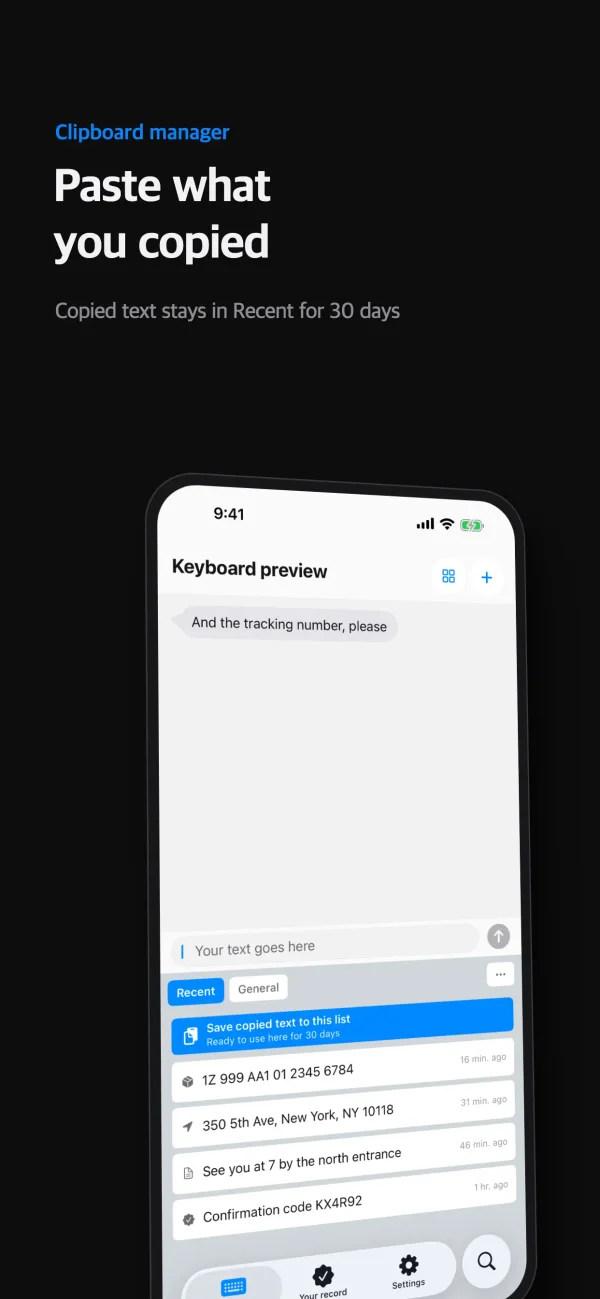
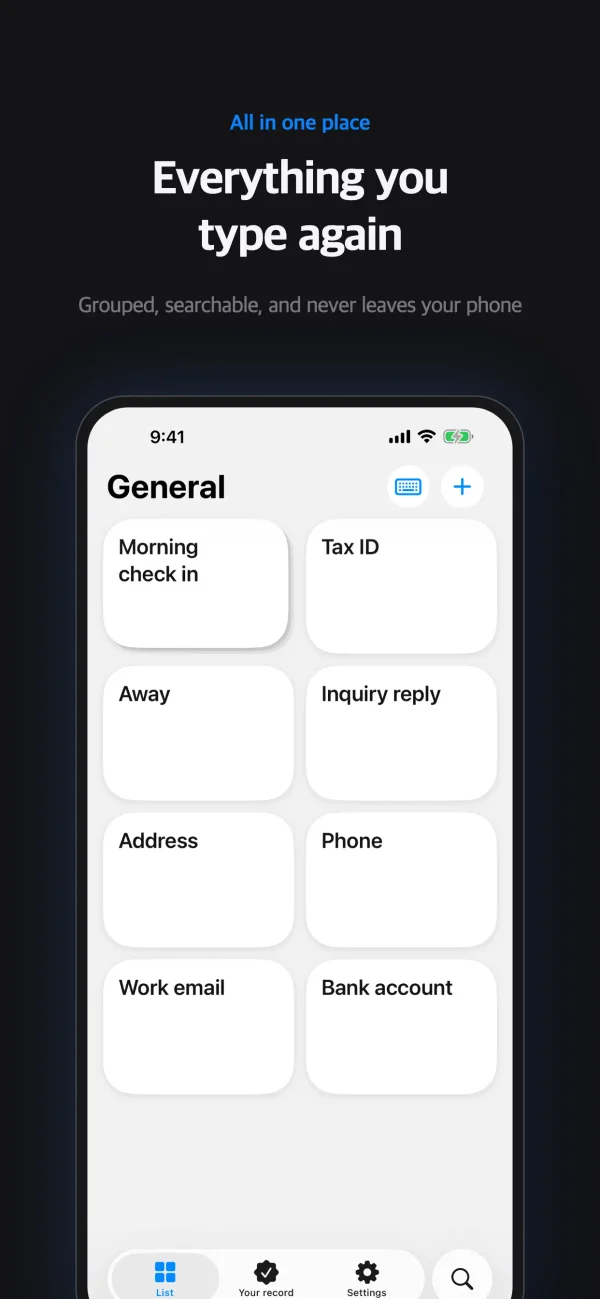
Keep the account numbers, addresses, introductions and email openers you reuse as snippets. In Messages, Mail, Safari, anywhere you can type, switch to ClipKeyboard, tap once, and the text lands in the field.
What it does
Snippets: what you saved goes in exactly as it is. One tap.
Templates: leave the parts that change as blanks, then fill them from values you already saved.
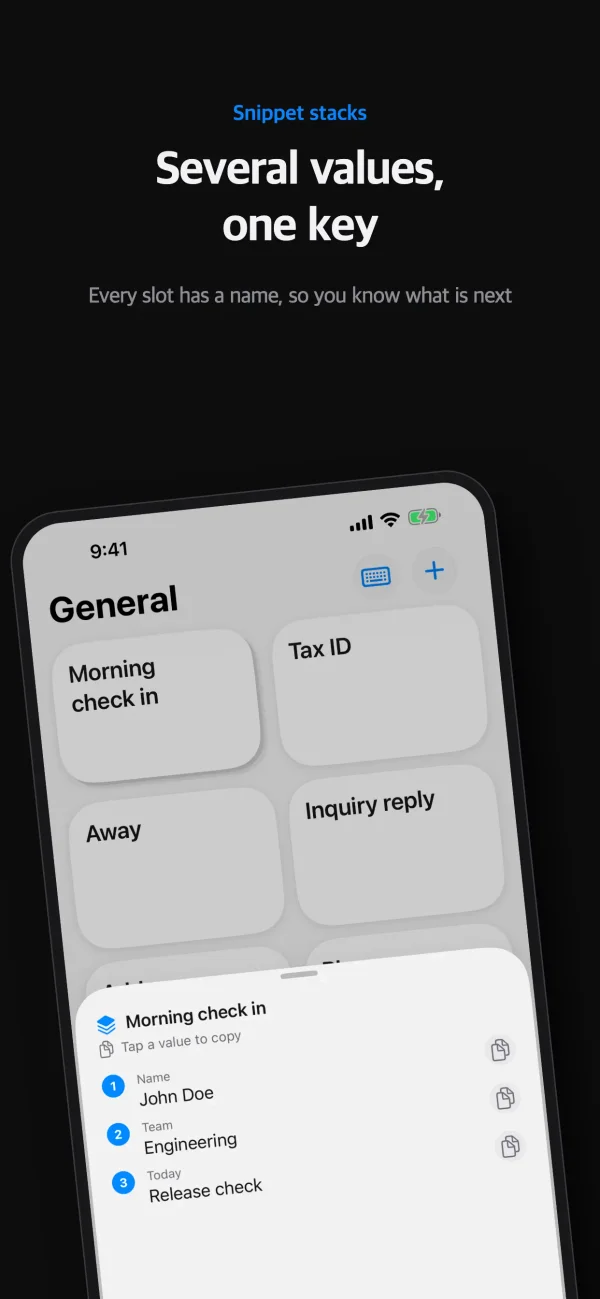
Stacks: keep several values in one place and send them in order, or switch between them with the arrow.
Secure snippets: lock passport and card numbers behind Face ID and open them only when you need them.
Smart clipboard: what you copy is sorted for you. It recognizes emails, phone numbers, addresses, card numbers and IBANs, so you find them again in a second.
Text recognition: photograph a card or a document, swipe over the part you want, and only that text becomes a value.
iCloud backup: it survives a new phone, image snippets included.
Please know this first
It is now a full keyboard too, with iPhone-style keys in 23 languages and your snippets on the same keyboard. Prefer the keyboard you already use? Keep it: after a snippet goes in, ClipKeyboard switches back to it, and you can turn that off. For Japanese and Chinese, conversion to kanji is not available yet.
Privacy
What you write stays on your device. If you turn on iCloud backup, it is stored encrypted in your own iCloud. We do not collect the contents of your snippets and we use no third-party analytics.
Free and Pro
Every feature is free until you have inserted snippets 100 times. After that, everything you made keeps working; the free limits apply only to new items. Pro removes every limit, as a one-time purchase or a yearly subscription.
Works on iPhone and iPad. Available in English, Korean, Japanese, Chinese (Simplified and Traditional), Russian, Spanish, German, French, Italian, Portuguese (Brazil), Dutch, Polish, Czech, Greek, Turkish, Indonesian, Swedish, Danish, Norwegian, Finnish, Thai and Vietnamese.
Contact: leeo@kakao.com
User guide: https://m1zz.github.io/ClipKeyboard/tutorial.html?lang=en
Terms of Use: https://m1zz.github.io/ClipKeyboard/terms.html?lang=en
EULA: https://www.apple.com/legal/internet-services/itunes/dev/stdeula/
What’s new
Version 5.1.29 · Nov 27, 2026
Get a thank-you gift when we use your idea
Smoother and more reliable overall
Small fixes and improvements
App privacy
What hyunho lee declares on the App Store about how this app handles data.
-
Data not linked to you
May be collected but is not linked to your identity.
- Diagnostics
Privacy practices may vary, for example with the features you use or your age.
Information
- Seller
- hyunho lee
- Category
- Productivity
- Version
- 5.1.29
- Updated
- Nov 27, 2026
- Released
- Dec 9, 2020
- Size
- 82.7 MB
- Requires
- iOS 26.0 or later
- Age rating
- 4+
- Price
- Free
- In-app purchases
- Yes
- Languages
- English, Arabic, Czech, Danish, Dutch, Finnish, French, German, Greek, Indonesian, Italian, Japanese + 12 more
- Copyright
- © MIT
You might also like
-
 NEN: Focus TimerPomodoro for study & deep work
-
 Podknow - Podcast & Offline AIPlayer, Transcripts & Learning
-
 CaseKeep: Legal Case OrganizerEvidence, Deadlines & Timeline
-
 Focus Sheep - Pomodoro TimerBlock Apps, Build Daily Habits
-
 Sequence: Time Block PlannerVisual Day & Schedule Builder
-
 HOAGuard: HOA Evidence LogViolation & Appeal Tracker
-
 Countpad: Inventory TrackerOffline stock count + reports
-
 Live Level - Habit TrackerBuild Habits & Reach Goals
-
 TooTask·Checklist&Task ManagerTask Manager & To Do List
-
 屋屋记Productivity