
TypingTalk AAC
Text-to-speech communication
Designed for iPhone, iPad
Free · In-app purchases
- Age rating4+
- CategoryUtilities
- DeveloperSamiya Noureen
- LanguagesEnglish
- Size8.6 MB
Links to the official App Store page
Download.org hosts no file of TypingTalk AAC. The button opens its official App Store page, published by Samiya Noureen. Listing last checked on Nov 12, 2026.
Screenshots

About
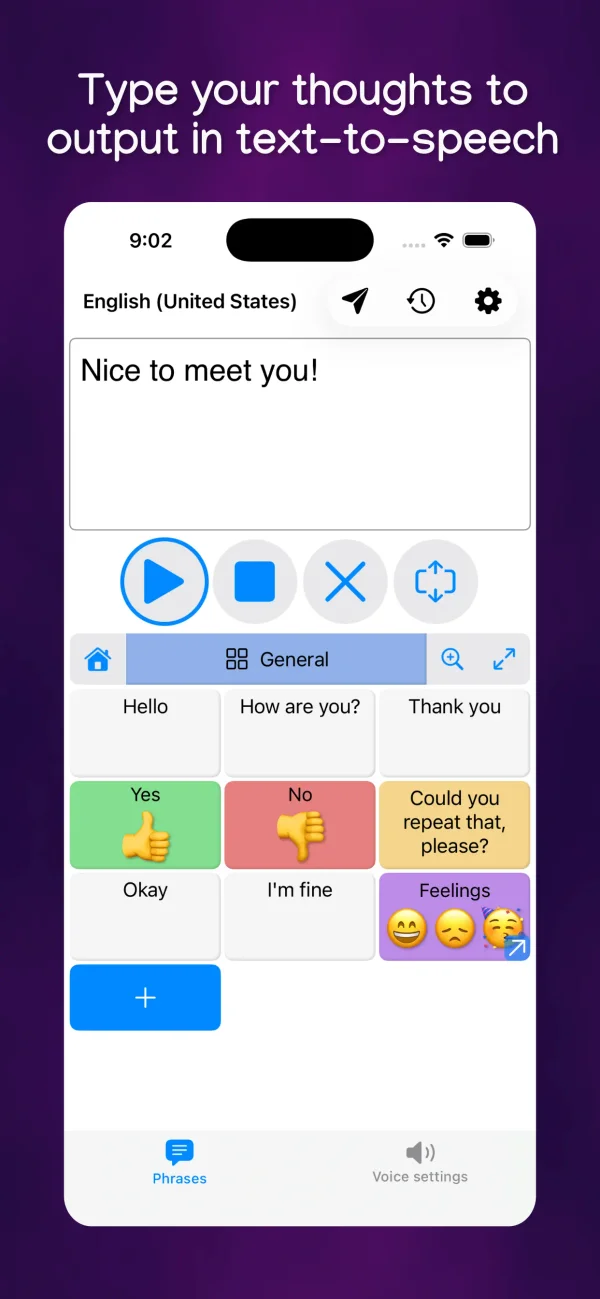
This app provides an easy-to-use interface to play back the text you type as text-to-speech audio. It's made to be used as augmentative and alternative communication (AAC). Some features:
Voices
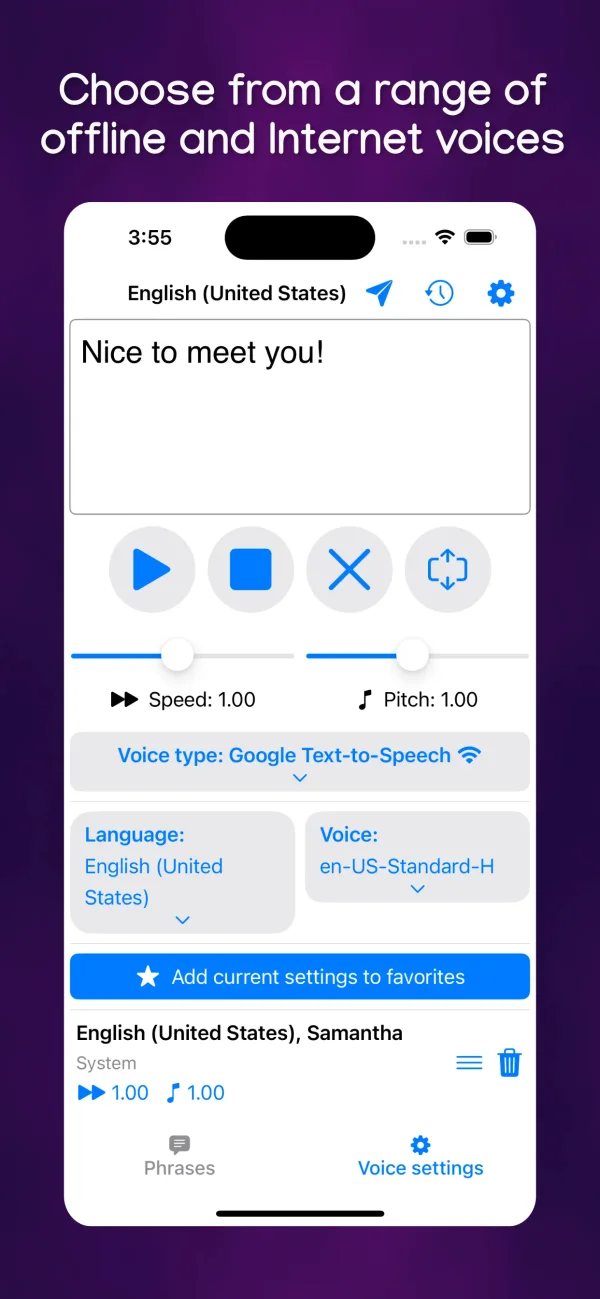
• Select from all the voice styles & languages on your device
• Choose between offline voices and Internet voices from Google, spanning 200+ voices in 60 languages. No download or login required
• Supports Personal Voice on newer devices, letting you create an offline text-to-speech voice that sounds like you (English & Mandarin only)
• Save your favorite voice settings in a convenient list
Phrases
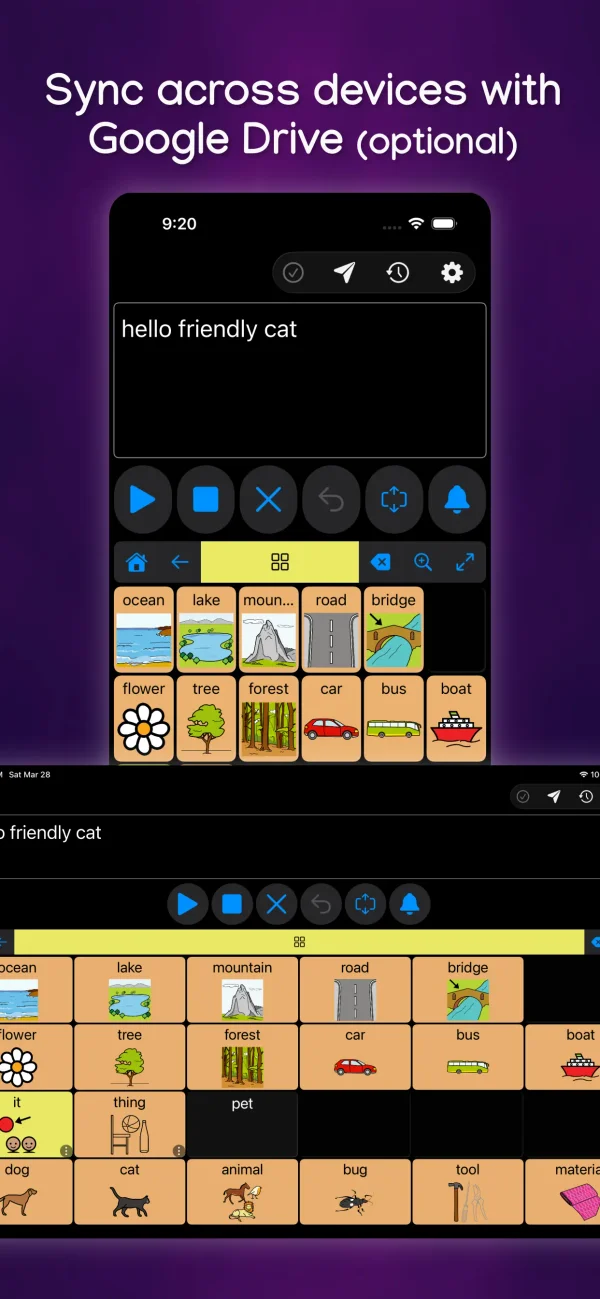
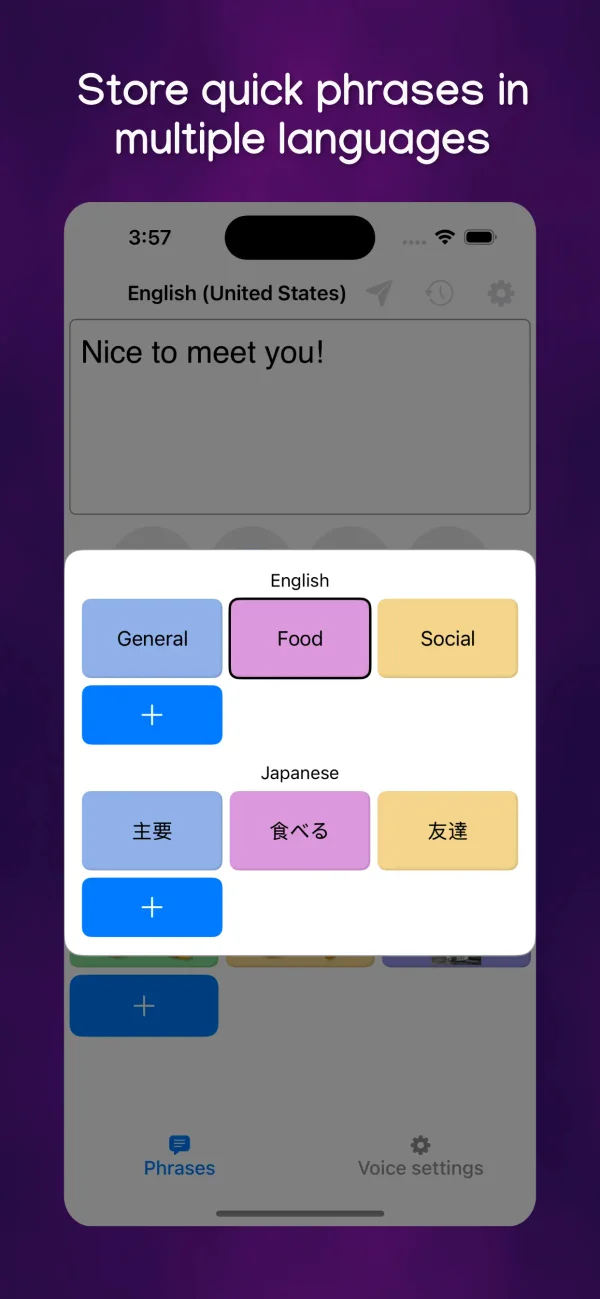
• Save & categorize quick phrases to play back with a tap. Rearrange & color code your phrases
• Create separate groups of phrases for every language you use
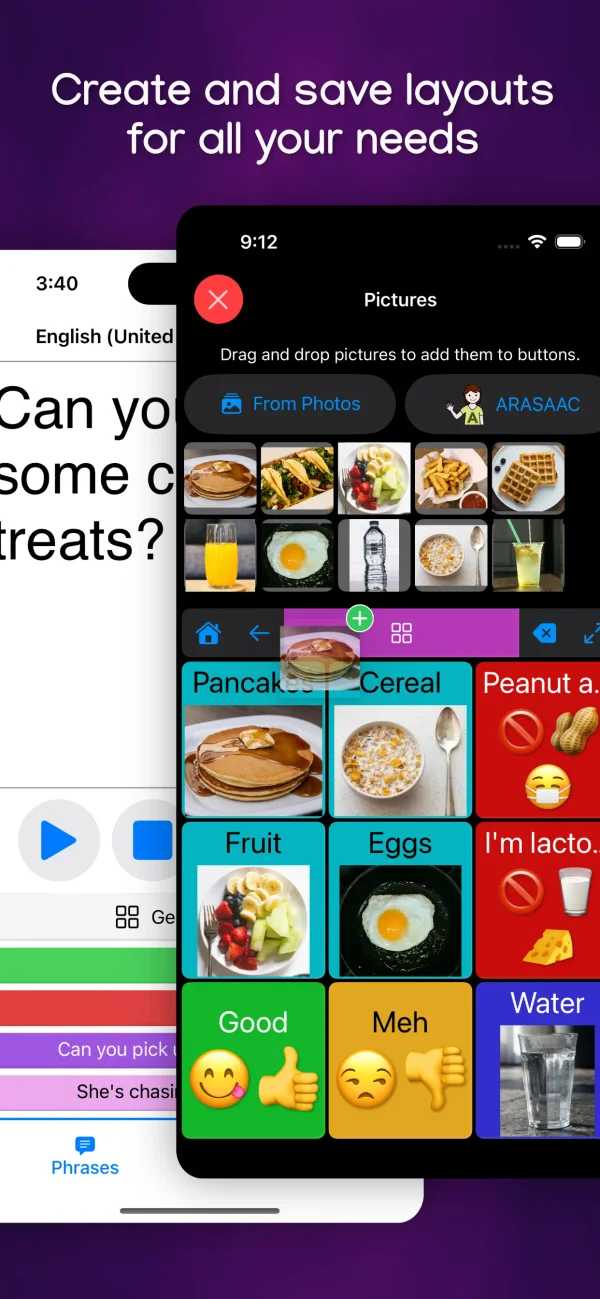
• Add pictures, emoji labels, and/or alternate text to phrases
• Search for free symbols on the online ARASAAC library to add to your buttons
• Show text above or below pictures
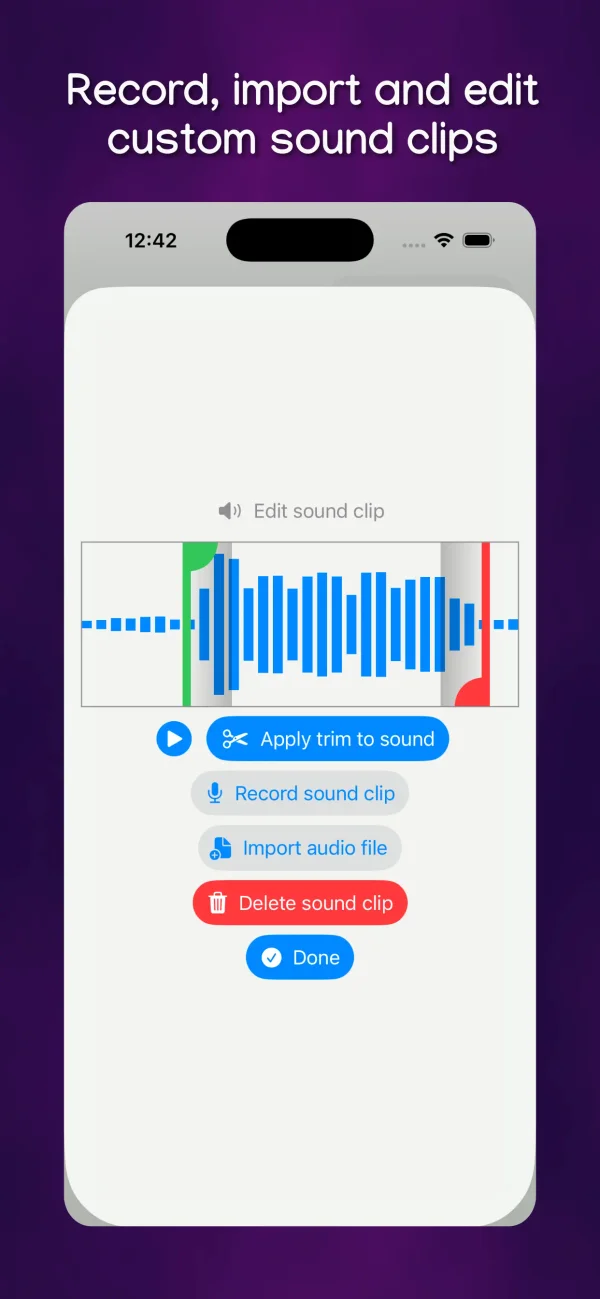
• Record, import and edit sound clips for your phrases
• Create boards with any custom grid size from 1×1 to 16×16
• Save your phrases to a file, so you can backup or share with others
• Sync with other devices using a Google Drive account
• Print out your boards for a simple, low-tech solution
Misc.
• Speak individual characters, words or sentences as you type them
• Auto clear the text field after pressing play
• Play spoken text over phone calls (offline voices only)
• Share audio clips as voice messages to other apps
• Look at a history of messages you've played while using the app
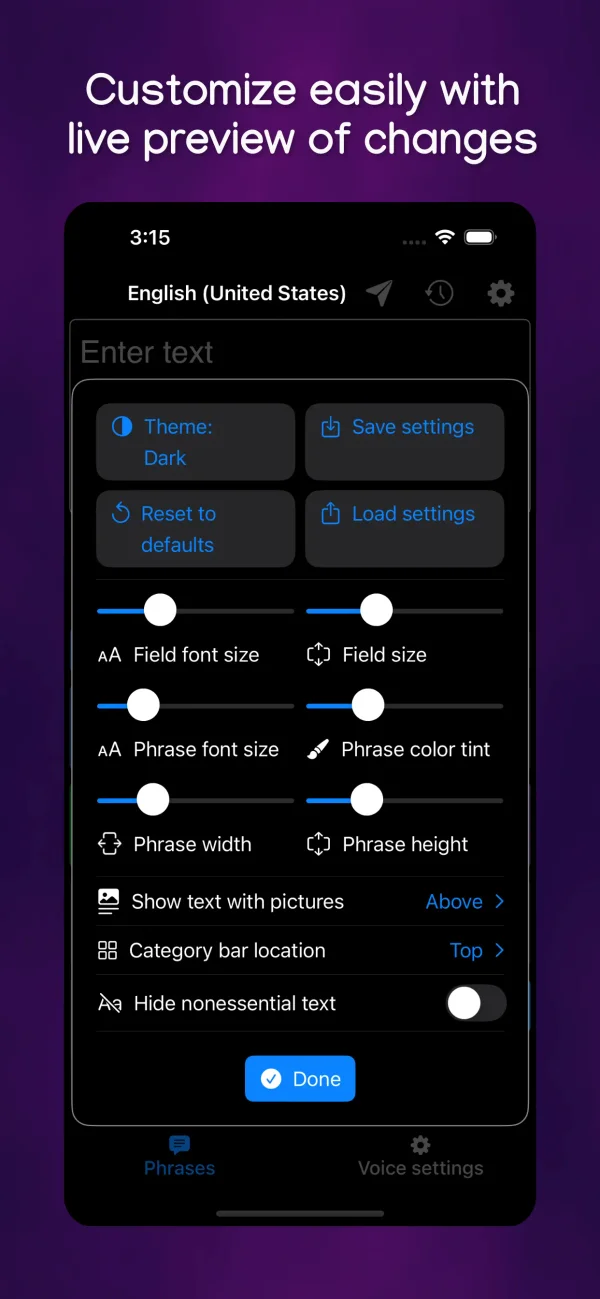
• Customize font size, text field size, button size, etc. to your liking. Save and load the layouts you create
• Layout automatically adapts to all screen sizes, small & large
• Convenient design where any action takes just a few taps
• Light & dark modes
This app is for anyone who needs help speaking, including those with conditions such as verbal apraxia, aphasia, autism, anxiety, & selective mutism, among others.
Even if you've only temporarily lost your voice, or just want to play with text-to-speech, this app's for you!
Please feel free to share feedback on how it’s working for you & how it can be more accessible, either at support@miyanour.com or with a review. Enjoy!
Made with love by an AAC user with selective mutism. Visit my website at https://miyanour.com to help me keep providing updates. Thank you so much for your support.
Apple Standard Terms of Use: https://www.apple.com/legal/internet-services/itunes/dev/stdeula/
What’s new
Version 1.16.1 · Oct 24, 2026
- Choose custom fonts for the text field and phrases.
- Choose a custom color for app menus.
- New setting per phrase to skip adding to the text field when pressed.
Contact me at support@miyanour.com if you find bugs, have suggestions, etc. Thank you so much! :)
App privacy
What Samiya Noureen declares on the App Store about how this app handles data.
-
Data not linked to you
May be collected but is not linked to your identity.
- Identifiers
- Usage data
Privacy practices may vary, for example with the features you use or your age.
Information
- Seller
- Samiya Noureen
- Category
- Utilities
- Version
- 1.16.1
- Updated
- Oct 24, 2026
- Released
- Jan 30, 2025
- Size
- 8.6 MB
- Requires
- iOS 17.2 or later
- Age rating
- 4+
- Price
- Free
- In-app purchases
- Yes
- Languages
- English
- Copyright
- © 2026 Samiya Noureen
You might also like
-
 SimpleSpeak AACFind your voice
-
 MyVoice - Speech AssistantText-to-Speech tool
-
 Simple AACExtremely simple text & speech
-
 AAC Text to Speech TTS DinataText to Voice,Type to Speak
-
 INSTRUCT_RERConAACCreate short video trainings
-
 Glint MobileAssistive Technology
-
 IssieVoiceAccessible Text to Speech
-
 KC TalkBoardAAC App for Non-Speakers
-
 LazyBoard: Text ExpanderQuick Reply & Paste Keyboard
-
 IssieBoardAccessible & Learning Keyboard