IssieBoard
Accessible & Learning Keyboard
Designed for iPhone, iPad, iPod touch
Free
- Age rating4+
- CategoryUtilities
- DeveloperBeit Issie Shapiro
- LanguagesEnglish
- Size29.1 MB
Links to the official App Store page
Download.org hosts no file of IssieBoard. The button opens its official App Store page, published by Beit Issie Shapiro. Listing last checked on Nov 15, 2026.
Screenshots


About
IssieBoard is an accessible, fully customizable iOS keyboard, developed by Beit Issie Shapiro Technology Consulting Center in collaboration with SAP Labs, Israel.
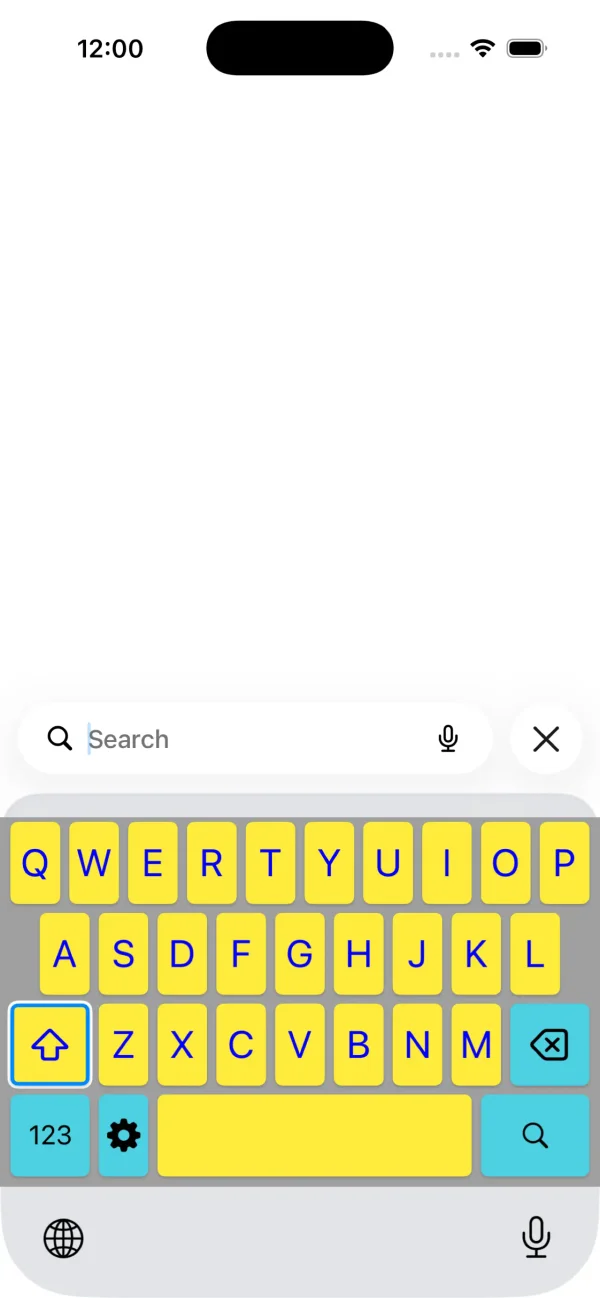
Designed for individuals with learning disabilities, visual impairments, motor impairments, or cognitive challenges - and for anyone learning to type - IssieBoard puts powerful personalization in the hands of caregivers, educators, and therapists.
Setup is quick and simple. After downloading IssieBoard, go to iOS Settings > General > Keyboard > Keyboards > Add New Keyboard, and add the IssieBoard keyboards you would like to use. Then select one of the IssieBoard keyboards and enable Allow Full Access. Once enabled, IssieBoard is available in any app that uses the keyboard - just tap the globe key to switch to it.
POWERFUL CUSTOMIZATION
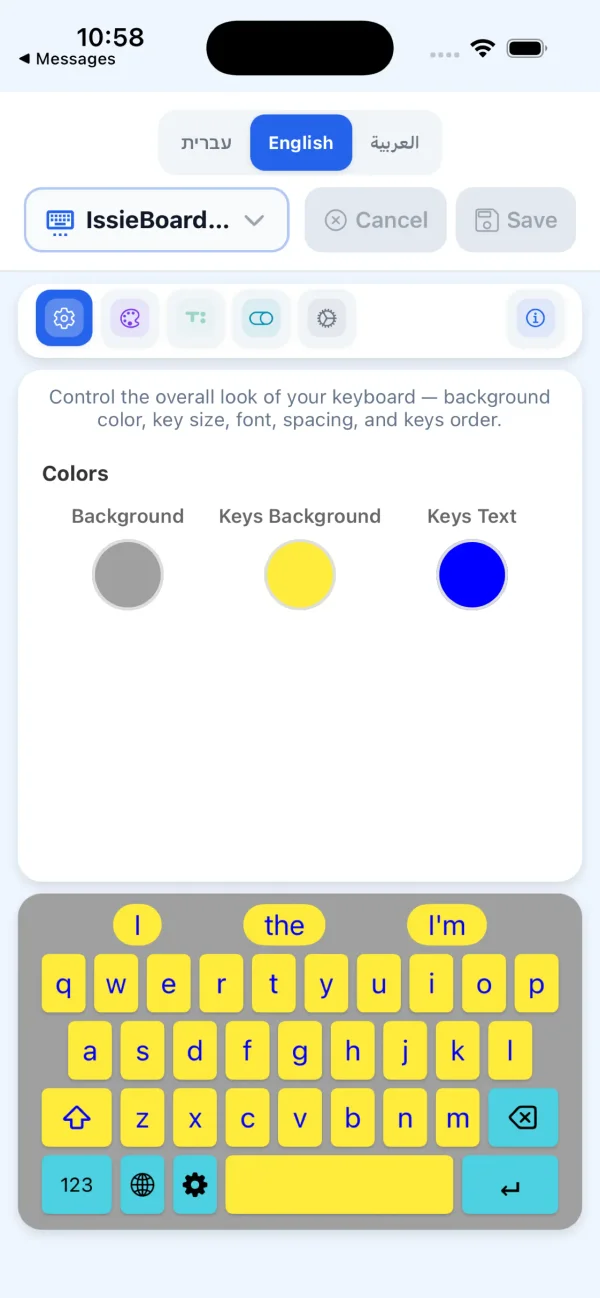
• Key colors - set the color of keys, letters, and background across the entire keyboard
• Zone & row styling - apply different colors to rows, or to left/center/right sections
• Per-key styling - highlight individual keys with their own color
• “Show only” - show only the letters you choose; all others are hidden, perfect for practicing specific words
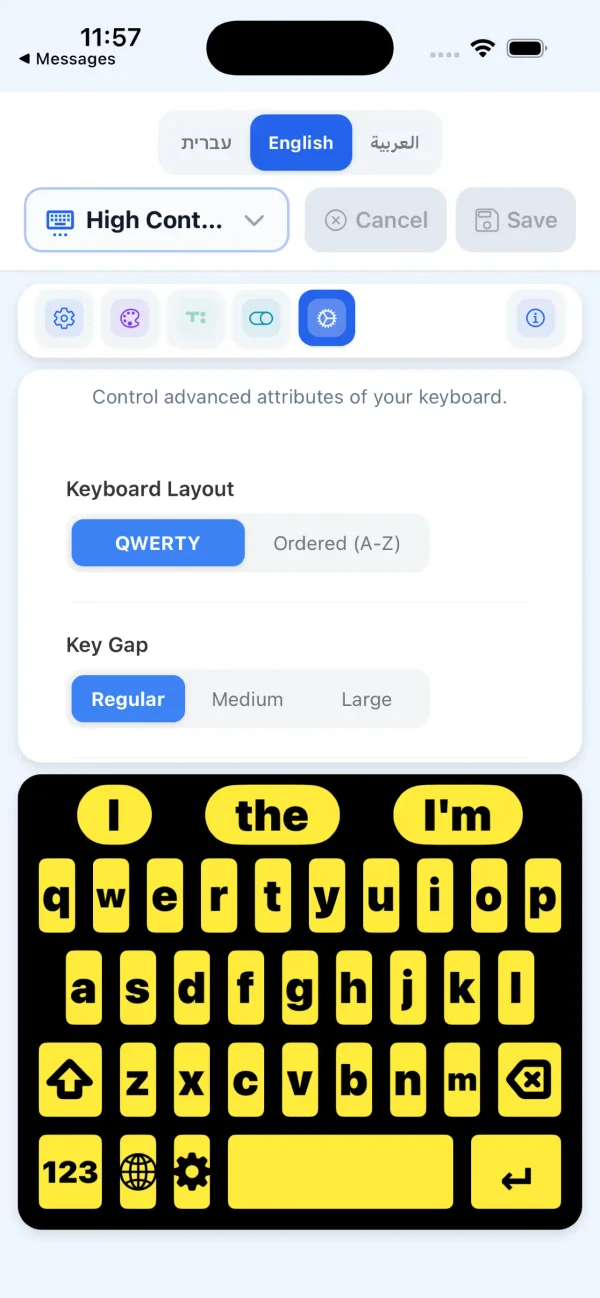
• Font control - choose letter size and font weight for any key group
• Word suggestions – turn on intelligent word completion and next-word prediction as you type
HEBREW & ARABIC SUPPORT
• Full Hebrew keyboard with nikud (diacritics) support - tap a letter to get a pop-up, or use the dedicated nikud top row above the keyboard
• Arabic keyboard with harakat support
BUILT FOR REAL USE
• Works as a standard iOS system keyboard - available in any app across the entire system
• Instant live preview of every change you make
• Multiple keyboard profiles - create and duplicate keyboards for different users
• Share keyboards for easy integration across devices
WHO USES ISSIEBOARD?
IssieBoard is used by occupational therapists, special education teachers, parents, and individuals themselves. It adapts to a wide range of needs from high contrast and large keys for visual impairments, to limited-letter layouts for early typists.
What’s new
Version 2.0 · Jul 7, 2026
IssieBoard 2.0 is a major update with a completely redesigned configurator and powerful new features:
- Redesigned app The keyboard editor has been rebuilt from the ground up - cleaner layout, much more flexible settings.
- Word suggestions The keyboard now offers intelligent word completion and next-word prediction. Suggestions appear as you type and can be styled to match your keyboard theme.
- Nikud (Hebrew diacritics) Two ways to add vowel marks: tap a letter for a popup with all nikud options, or enable the dedicated nikud top row that sits above the keyboard for always-visible access.
- Multiple keyboard configurations Create and manage multiple keyboard configurations - each with its own layout, colors, and focus letters. Clone any profile in one tap, and share configurations with other users or devices.
- Stability and performance improvements throughout.
App privacy
What Beit Issie Shapiro declares on the App Store about how this app handles data.
-
Data not collected
The developer does not collect any data from this app.
Privacy practices may vary, for example with the features you use or your age.
Information
- Seller
- BEIT ISSIE SHAPIRO
- Category
- Utilities
- Version
- 2.0
- Updated
- Jul 7, 2026
- Released
- Feb 3, 2016
- Size
- 29.1 MB
- Requires
- iOS 15.1 or later
- Age rating
- 4+
- Price
- Free
- Languages
- English
- Copyright
- © Beit Issie Shapiro
You might also like
-
 TypingTalk AACText-to-speech communication
-
 Tell MeUtilities
-
 נקדןUtilities
-
 Simple AACExtremely simple text & speech
-
 eyetuitiveCompanion app for eyetuitive
-
 INSTRUCT_RERConAACCreate short video trainings
-
 SimpleSpeak AACFind your voice
-
 Accessibility KeyboardClearer custom keyboard
-
 Hebrew KeyboardType in Hebrew is easy now
-
 Dys KeyboardsSay bye to typing error !