Ugokist
Real-time camera effector
Designed for iPhone, iPad, iPod touch
Free · In-app purchases
- Age rating4+
- CategoryPhoto & Video
- DeveloperMasayuki Akamatsu
- LanguagesEnglish
- Size5.1 MB
Links to the official App Store page
Download.org hosts no file of Ugokist. The button opens its official App Store page, published by Masayuki Akamatsu. Listing last checked on Nov 14, 2026.
Screenshots

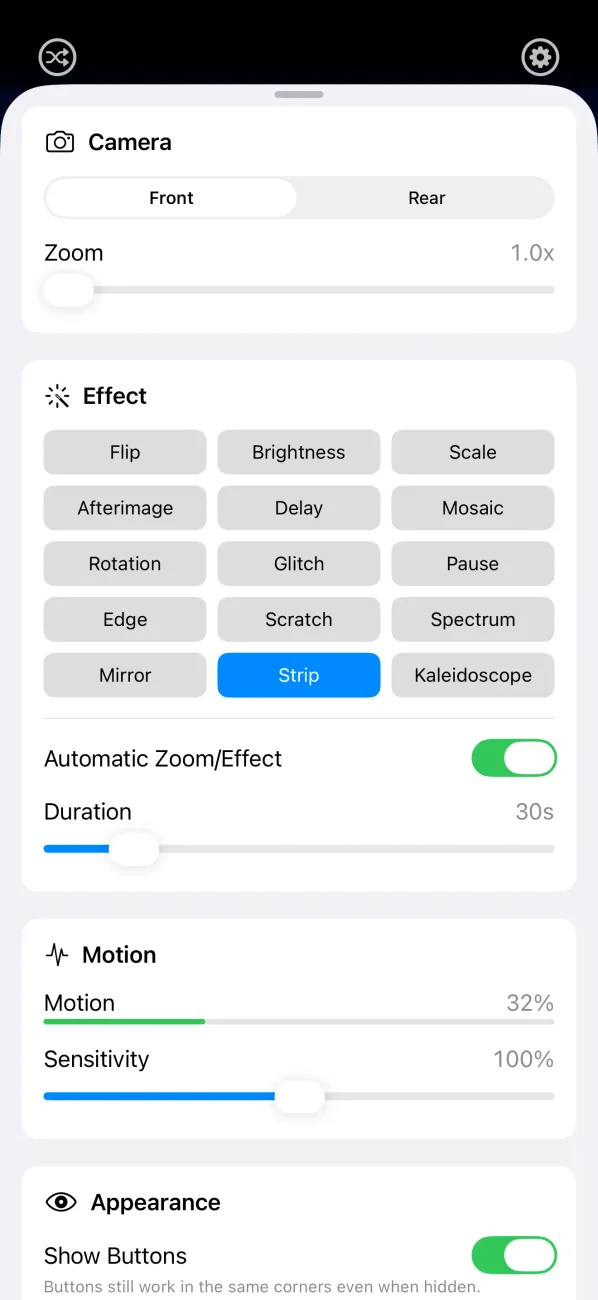

About
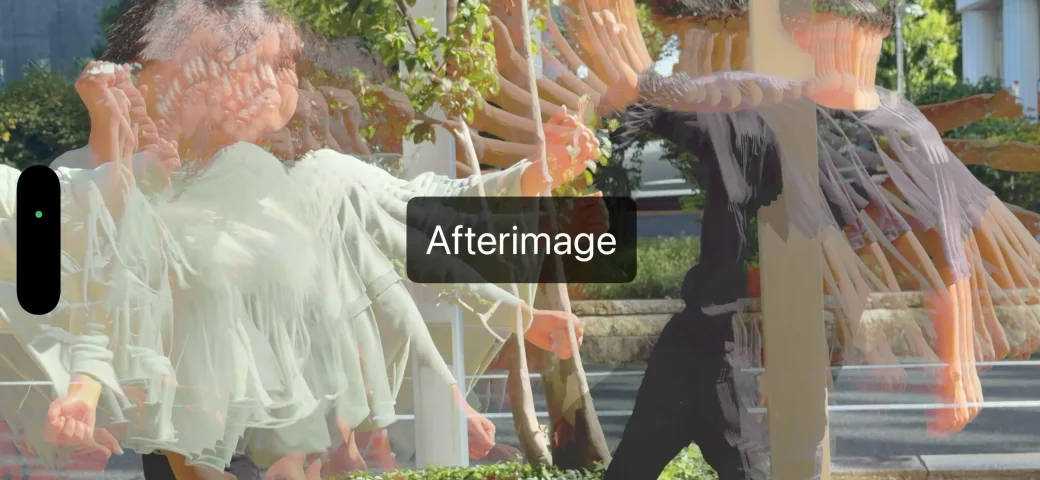
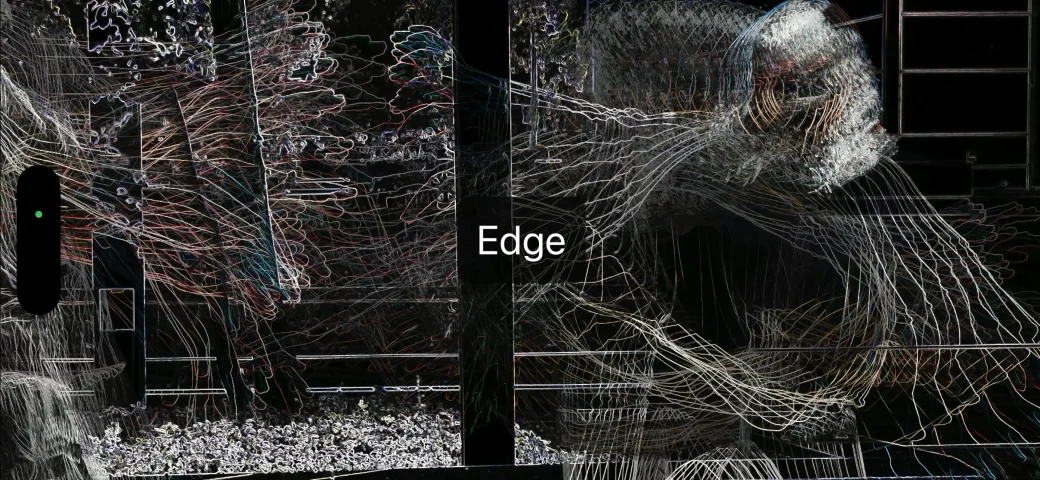
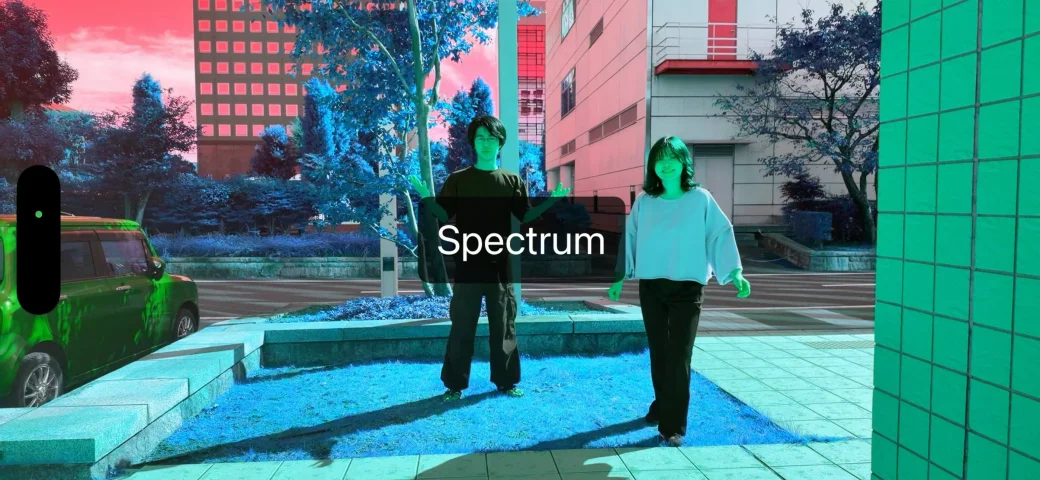
Ugokist (motion-aware person) is a real-time effects processor for camera footage. It processes the image based on the amount of movement captured by the camera, dramatically changing the image.
The following effects are available:
- Flip
- Brightness
- Scale
- Afterimage
- Delay
- Mosaic
- Rotation
- Glitch
- Puase
- Edge
- Scratch
- Spectrum
- Mirror
- Strip
- Kaleidoscope
The following settings are available:
- Camera: Specifies the camera to use
- Zoom: Camera zoom ratio
- Effect: Selects the video effect
- Automatic Zoom/Effect: Automatically changes the zoom ratio and video effect
- Settings Button: Displays the settings button
- Uncharging Warning: Displays a warning when the device is not charging
The following information is displayed:
- Motion: The amount of change in the camera image
- FPS: Video frame rate
Tips
- On iPad, full screen viewing is recommended.
- Double-tap or long-press the screen to open the settings.
- You can save the displayed image as a movie using the OS's standard screen recording.
- You can display the screen or project it using the OS's standard AirPlay.
- To use full-screen display on iPadOS 26 or later, select the full-screen app in "Multitasking & Gestures" in the Settings app.
What’s new
Version 1.3.2 · Aug 26, 2026
• Smoother capture: the camera now runs at 60fps.
• Redesigned Glitch effect with an analog feel — horizontal smearing, ghosting, dropout streaks and torn scan lines that build up as motion increases.
• Drag on the video to add motion by hand, so the effects can respond even when the subject is still.
• Double-tap the video to randomize the effect and zoom.
• Redesigned Settings, organized into clearer sections.
• Light/Dark Mode support.
• Fixed an issue where the effect shown in Settings was not applied when the app launched.
App privacy
What Masayuki Akamatsu declares on the App Store about how this app handles data.
-
Data not linked to you
May be collected but is not linked to your identity.
- Identifiers
- Usage data
Privacy practices may vary, for example with the features you use or your age.
Information
- Seller
- 正行 Akamatsu
- Category
- Photo & Video
- Version
- 1.3.2
- Updated
- Aug 26, 2026
- Released
- Oct 20, 2025
- Size
- 5.1 MB
- Requires
- iOS 15.6 or later
- Age rating
- 4+
- Price
- Free
- In-app purchases
- Yes
- Languages
- English
- Copyright
- © Masayuki Akamatsu
You might also like
-
 Face PortalA magic portal for your face
-
 TimeSlicer CameraSlit‑scan video camera
-
 SLIT_STUDIOAll-in-one slit-scan camera.
-
 PoloskaSlit-Scan camera
-
 FX Cam: Camera FiltersReal Time Video Effects
-
 Time Warp - Blue lineMulti-Filter Camera
-
 SCN - distort your viewPhoto & Video
-
 FILTISTHigh Quality Video Filters
-
 SliceTimeCamSlitscan Camera app