
UNLOOP - Screen Time Blocker
Block apps. Stop doomscrolling
Designed for iPhone
In-app purchases
- Age rating4+
- CategoryLifestyle
- DeveloperFlashSoft OU
- LanguagesFrench+ 9 more
- Size29.7 MB
Links to the official App Store page
Download.org hosts no file of UNLOOP - Screen Time Blocker. The button opens its official App Store page, published by FlashSoft OU. Listing last checked on Nov 14, 2026.
Screenshots
About
Your phone isn't the problem. The loop is.
You open an app for one thing and surface forty minutes later. Unloop puts a wall in that loop — a real one, built on Apple's Screen Time — and makes getting past it cost exactly enough to make you stop and think.
BLOCK WHAT EATS YOUR DAY
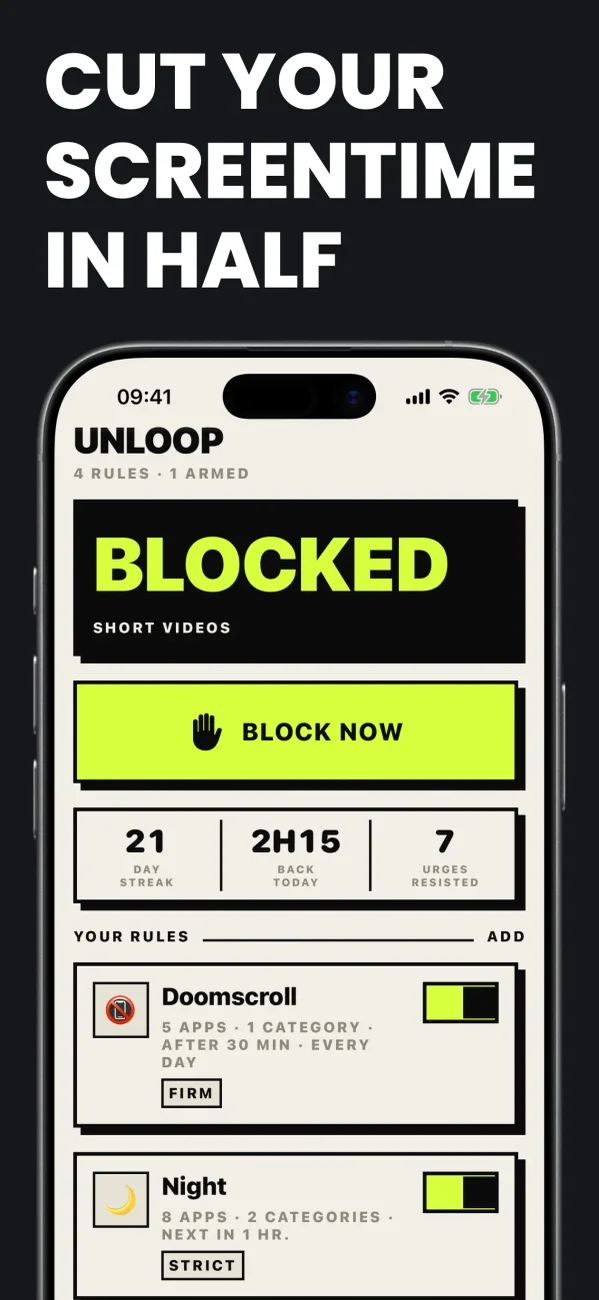
• Pick the apps, categories and websites that pull you in.
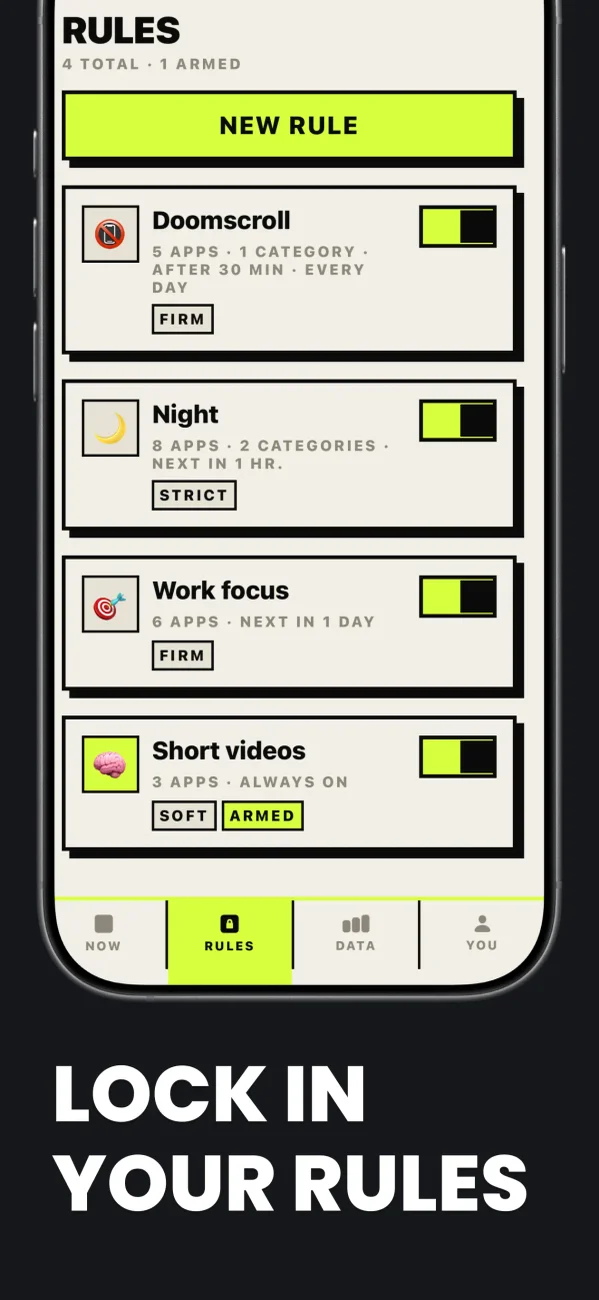
• Block them on a schedule — evenings, mornings, work hours — or all the time.
• Set a daily usage limit: when an app has had its minutes, the shield comes up for the rest of the day.
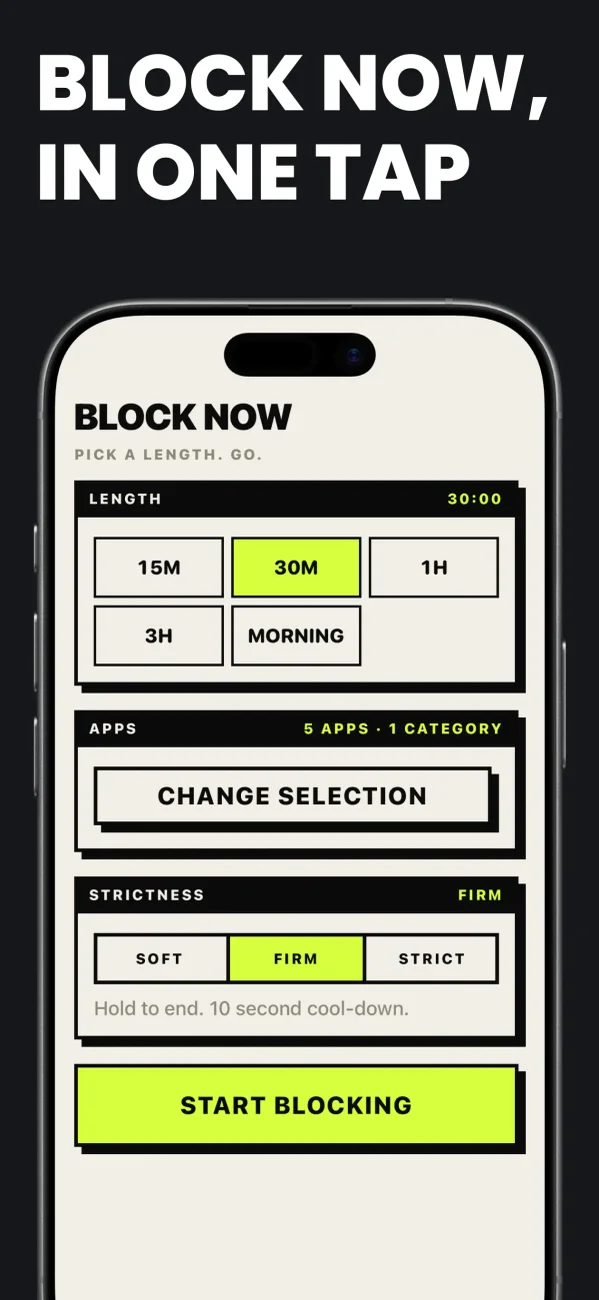
• Need a clean hour right now? Block Now starts a timed block in one tap, with a countdown on your Lock Screen.
UNLOCKING COSTS SOMETHING
Most blockers have an off switch one tap away. Unloop doesn't.
• Choose how firm each rule is: Soft asks once, Firm makes you hold, Strict makes you earn it.
• Earn a few minutes, not an off switch: unlock for 5, 10 or 15 minutes, and the shield comes back on its own.
• Every unlock today costs double the one before, and each rule has a daily limit. "Just once more" gets expensive fast.
UNLOCK RITUALS
Strict rules ask for a ritual before they open:
• Hold — keep your thumb down, no shortcuts.
• Transcribe — retype a phrase exactly. One typo and you start over.
• Breathe — a minute of paced breathing, then decide again.
• Walk — steps buy minutes. 20 steps for every minute you want.
• Intention — say why you're opening it, then look at the answer.
• Wait — a minute of nothing. Most urges don't last that long.
EVERY "GO BACK" COUNTS
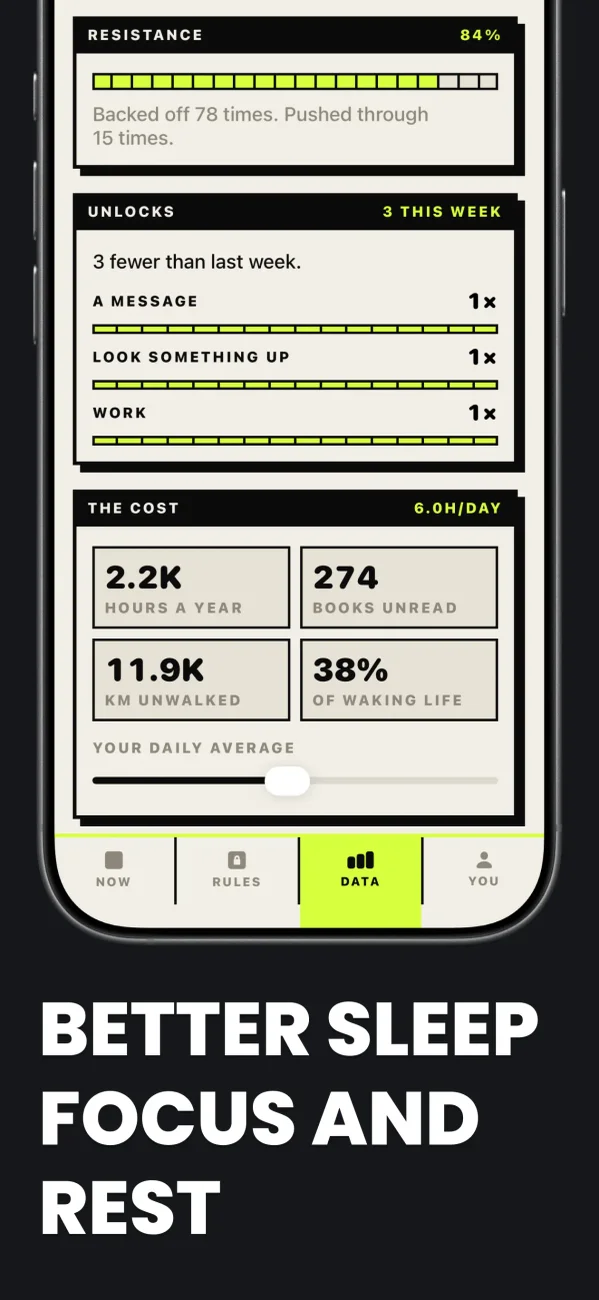
The shield keeps score. "You've backed off 3 times today. Make it 4." Walking away from an unlock counts as a win and earns stamps — because resisting is the point, not a failure.
SEE THE PATTERN
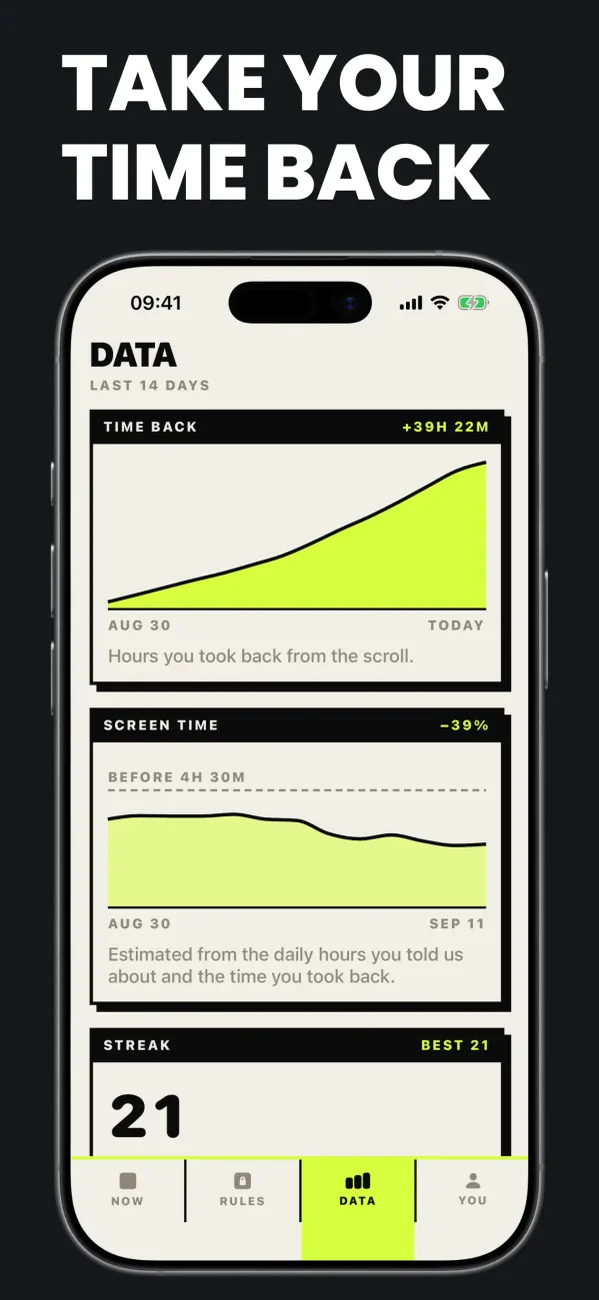
• Time you took back, estimated screen time, streaks and your resistance rate over the last two weeks.
• Why you unlock, week over week — "bored" looks different on a chart.
• How your mood tracks your focused days.
• What the scrolling costs you in a year, in hours you could spend on something else.
• A weekly receipt of your week, ready to share.
REPLACE THE SCROLL
Log what you did instead — walked, read, cooked, called someone — and rate the day with one tap in the evening. It all stays in a journal on your phone.
ALWAYS WITHIN REACH
• Home Screen and Lock Screen widgets for your status and streak.
• A Live Activity while a block runs.
• Siri and Shortcuts: "Block for a while."
• Notifications only about things you set up — a limit reached, a block ending, a strict rule about to start. No streak nagging. No "we miss you."
What’s new
Version 1.0.1 · Oct 1, 2026
bug fixes
App privacy
What FlashSoft OU declares on the App Store about how this app handles data.
-
Data used to track you
May be used to track you across apps and websites owned by other companies.
- Identifiers
-
Data not linked to you
May be collected but is not linked to your identity.
- Identifiers
- Usage data
- Diagnostics
Privacy practices may vary, for example with the features you use or your age.
Information
- Seller
- FlashSoft OU
- Category
- Lifestyle
- Version
- 1.0.1
- Updated
- Oct 1, 2026
- Released
- Sep 18, 2026
- Size
- 29.7 MB
- Requires
- iOS 17.0 or later
- Age rating
- 4+
- In-app purchases
- Yes
- Languages
- French, German, English, Spanish, Italian, Dutch, Polish, Portuguese, Russian, Ukrainian
- Copyright
- © FlashSoft OU
You might also like
-
 Église MomentumLifestyle
-
 WaegookLifestyle
-
 Outfitly: AI-Outfit generatorCreate your own clothing style
-
 OnlyStampsLoyalty is rewarded here
-
 Block Apps & Focus ReDopTake Control of Screen Time
-
 SoulTiea Love that Lasts
-
 I Ching the Classic of ChangesAn ancient Chinese divination
-
 New Gym & PadelLifestyle
-
 Toison d'OrLifestyle
-
 Color Analysis AI & PaletteSeasonal Personal Palette AI