upnext: Student Planner
AI timetable, tasks & grades
Designed for iPhone
In-app purchases
- Age rating4+
- CategoryEducation
- DeveloperSyed Maisam Ali Haider Naqvi
- LanguagesEnglish
- Size68.8 MB
Links to the official App Store page
Download.org hosts no file of upnext: Student Planner. The button opens its official App Store page, published by Syed Maisam Ali Haider Naqvi. Listing last checked on Nov 19, 2026.
Screenshots

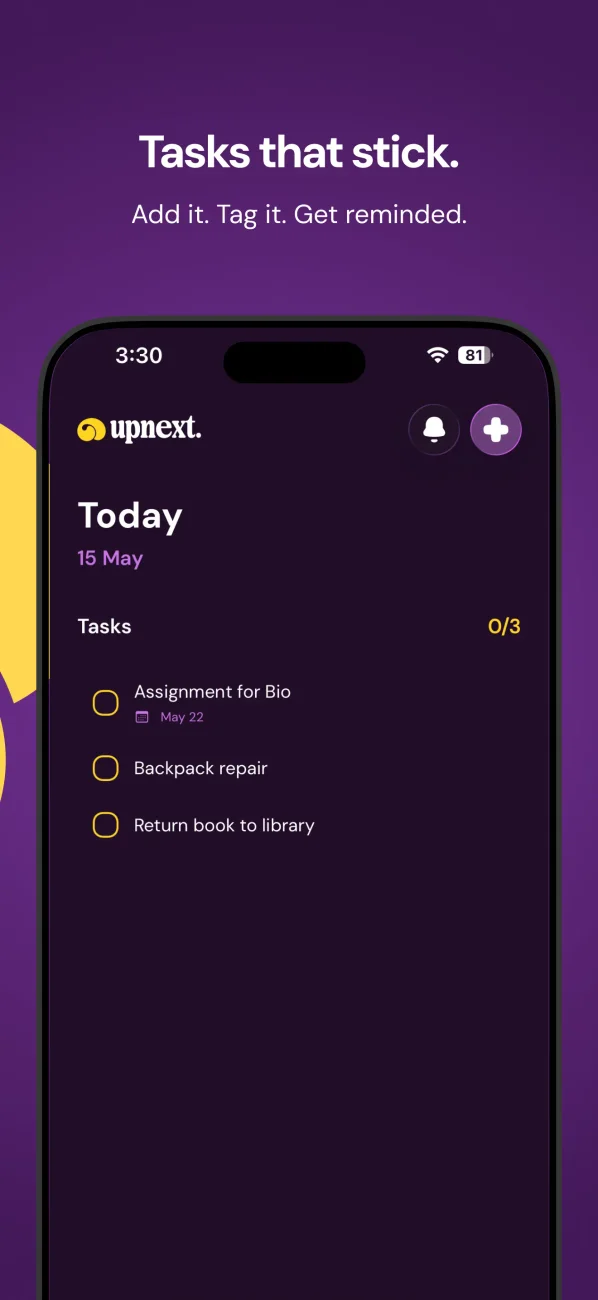
About
Three apps open. One term to manage. There’s a better way.
Upnext is the timetable app that sets itself up. Point your camera at your printed schedule and AI extracts every lecture, seminar, and room number in seconds. No manual entry. No switching apps. Your entire semester, sorted before your kettle has even boiled.
SNAP YOUR TIMETABLE. DONE.
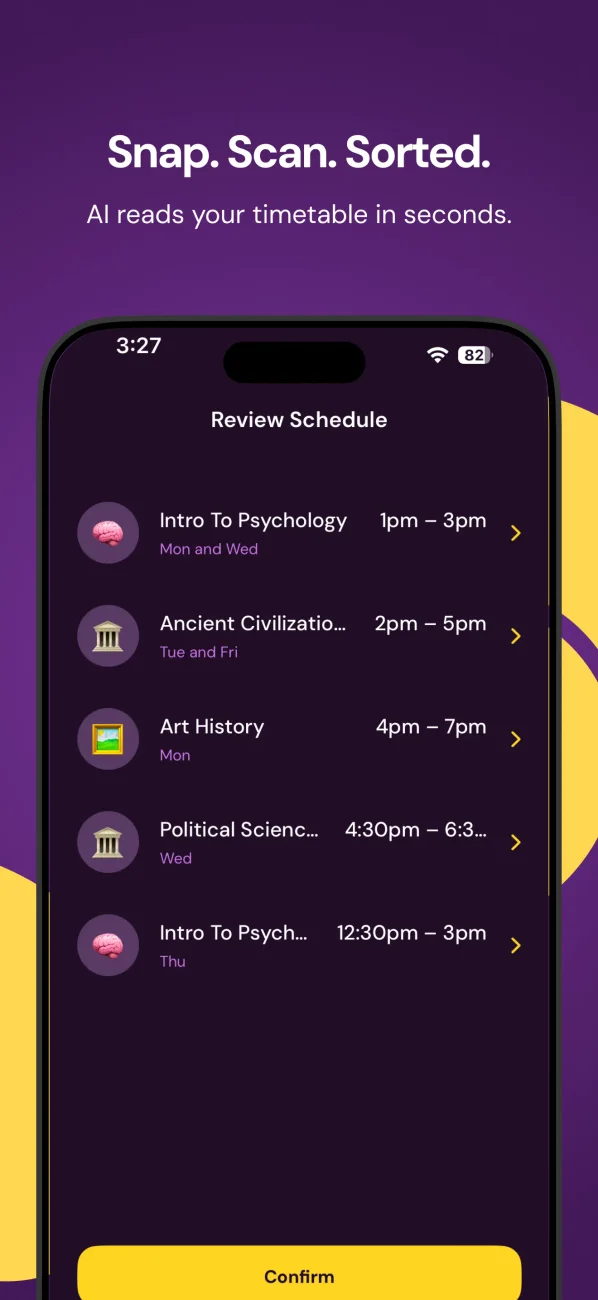
Point your camera at any timetable printed handout, PDF on screen, even handwritten notes, and watch AI build your full schedule instantly. Review, confirm, done.
Most students are sorted in under 60 seconds.
Prefer to go manual? Choose from 37 subjects with dedicated emojis, from Physics to Law, and set your days, times, rooms, and lecturers in a few taps.
EVERY MODULE GETS ITS OWN WORKSPACE
Tap any class on your timeline to open its dedicated workspace. Three tabs, everything you need:
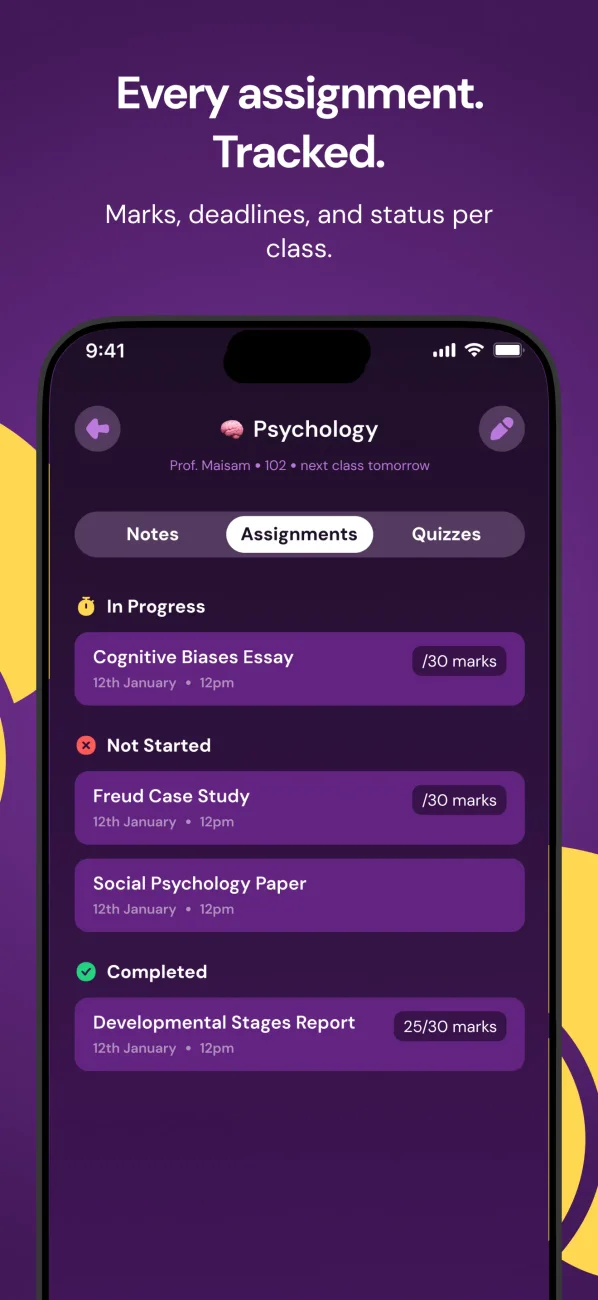
Assignments – Add each coursework deadline with its due date, total marks, and status. Enter your marks when results come back. Graded or non-graded, it handles both.
Quizzes & Exams – Track every test date, marks, and revision topics. Everything syncs to your main timeline automatically.
Notes – One running notepad per module. Paste your assignment brief, jot down what the lecturer said about the exam, or save the assessment criteria. Auto-saves as you type.
YOUR TASKS LIVE ON YOUR TIMELINE
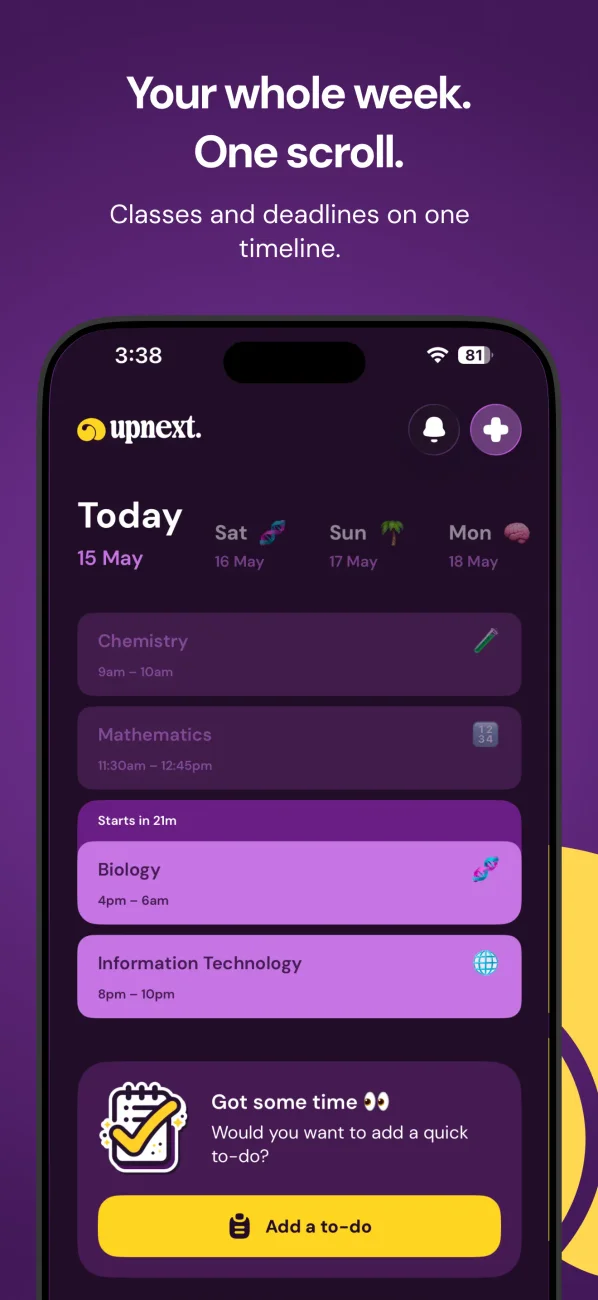
Add a deadline in your module workspace and it shows up on your timeline immediately. No separate planner. No switching between apps. Your essay deadline sits right next to the lecture it belongs to.
Get a reminder at 9am on every due date. Get a 15-minute heads-up before every class. Never miss either again.
BUILT FOR HOW STUDENTS ACTUALLY LIVE
AI timetable scanner – Photograph any schedule, sorted in seconds
Module workspace – Assignments, quizzes, and notes per subject
Infinite timeline – Scroll 30 days back, 30 days forward
Coursework and quiz tracker with marks and status
Smart class reminders – 15 minutes before every lecture or seminar
Deadline reminders – 9am on every due date
Dark mode only – Deep purple UI that doesn't feel like school
WHO IT'S FOR
University students juggling lectures, seminars, labs, and assignments.
Sixth form and college students managing a complex weekly timetable.
Anyone who’s ever opened three different apps just to figure out what’s due tomorrow.
14-day free trial. Then $2.99 once, yours forever. No subscription.
Stay ahead. Barely.
What’s new
Version 1.3.1 (1) · May 31, 2026
we finally explained ourselves :D
- new onboarding walks you through everything upnext does.
- see your next class on your home screen without even opening the app.
App privacy
What Syed Maisam Ali Haider Naqvi declares on the App Store about how this app handles data.
-
Data linked to you
May be collected and linked to your identity.
- Contact info
- Identifiers
- Usage data
-
Data not linked to you
May be collected but is not linked to your identity.
- Diagnostics
Privacy practices may vary, for example with the features you use or your age.
Information
- Seller
- Syed Maisam Ali Haider Naqvi
- Category
- Education
- Version
- 1.3.1 (1)
- Updated
- May 31, 2026
- Released
- May 16, 2026
- Size
- 68.8 MB
- Requires
- iOS 17.0 or later
- Age rating
- 4+
- In-app purchases
- Yes
- Languages
- English
- Copyright
- 2026 Maisam Ali ©
You might also like
-
 ClassDueAll your syllabi, organized
-
 SyllabaeYour syllabus, simplified
-
 Dream College PlannerDream College Planner
-
 Studywise: AI Student PlannerSmart Homework Scheduling
-
 Advanced Study PlannerEducation
-
 Sorted — Student PlannerSmart Student Planner
-
 StudyFlow: College PlannerYour College Life, Organized.
-
 CourseDeck: AI Study PlannerHomework & Syllabus Scanner
-
 The Focus Path: Study PlannerClasses, Exams & Flashcards
-
 Lunori - Student PlannerHomework Coach, Focus, & Study