
Vector Curve
Draw Vector Illustrations
Designed for iPhone, iPad
Free · In-app purchases
- Age rating4+
- CategoryGraphics & Design
- DeveloperCengiz Bodur
- LanguagesEnglish
- Size7.4 MB
Links to the official App Store page
Download.org hosts no file of Vector Curve. The button opens its official App Store page, published by Cengiz Bodur. Listing last checked on Nov 12, 2026.
Screenshots

About
Vector Curve is a vector drawing workspace for illustration and design on iPhone and iPad.
Sketch freely with pen and brush tools, edit paths and shapes, organize layers, and export files ready for social, print, and production.
DRAW WITH PRECISION
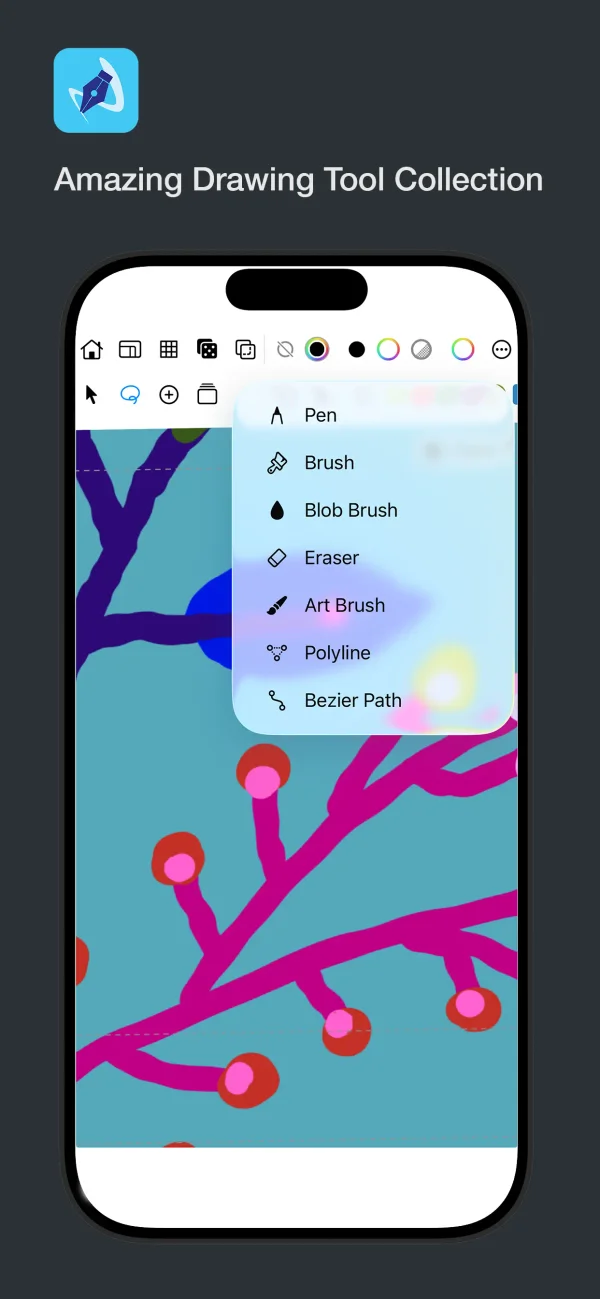
• Pen, brush, eraser, and shape tools (line, rectangle, circle, triangle)
• Classic, taper, end-taper, and jitter brushes with pressure and smoothing
• Custom brush presets, path points, and simplify for clean vectors
• Premium tools: Blob Brush, Art Brush, Polyline, and Bézier Path
DESIGN LIKE A PRO ILLUSTRATOR
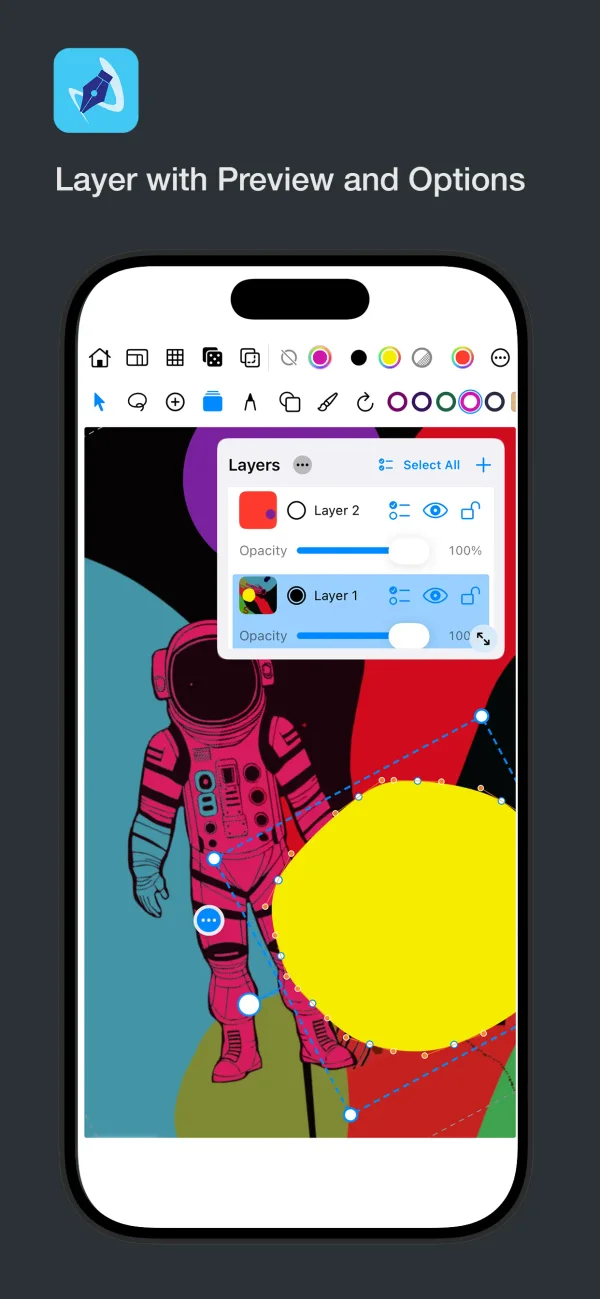
• Layers with lock, opacity, reorder, and blend modes
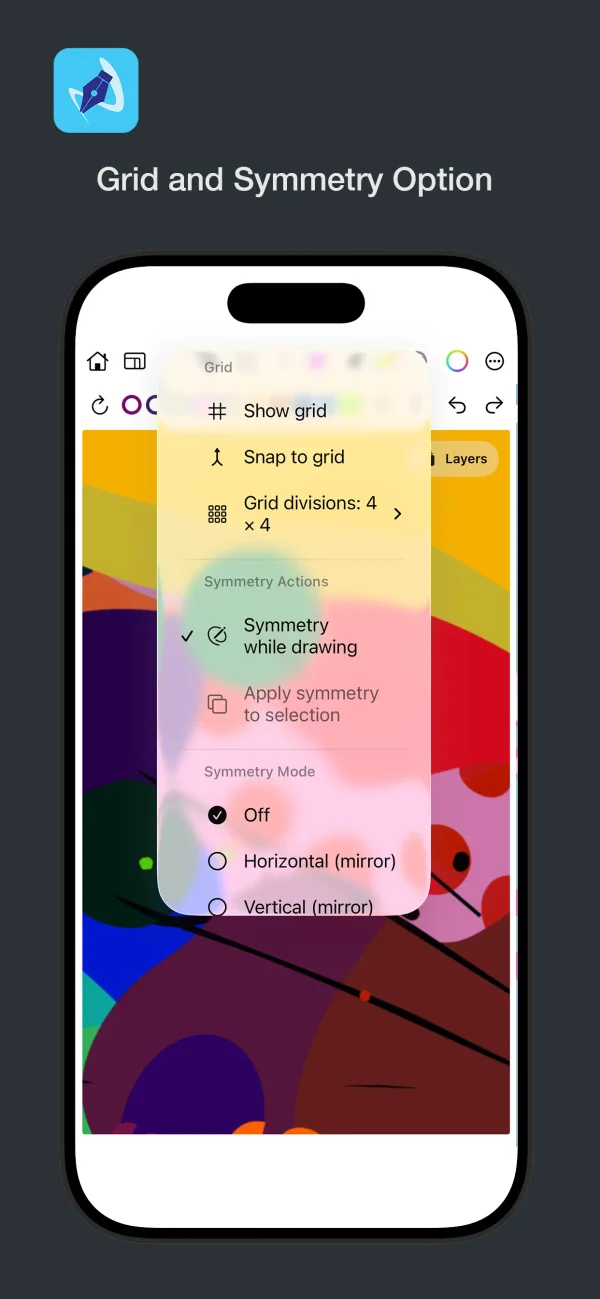
• Symmetry modes: horizontal, vertical, quadral, and radial
• Grid and snap for aligned layouts
• Boolean pathfinder: combine, minus front, intersect, exclude, divide
• Draw Inside This Shape and Fill Shape with Elements
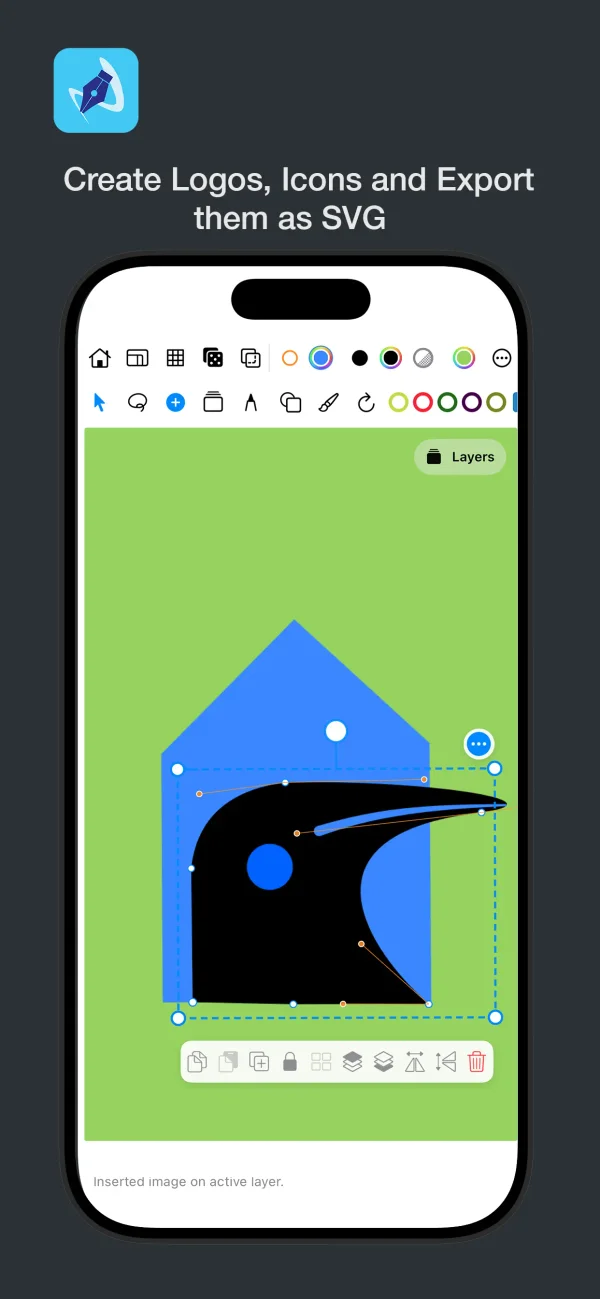
• Shape library, image import, and SVG import
• Group, ungroup, break apart, and copy/paste across layers and projects
EXPORT FOR REAL WORK
• JPEG and PNG for everyday sharing
• Premium: hi-res PNG (up to 3600px), SVG with or without background, and layered ZIP for Photoshop-friendly workflows
• Canvas presets for square, landscape, portrait, Instagram, A4, Letter, or custom sizes
STAY ORGANIZED
• Document gallery with autosave and continue last session
• Share selected elements as reusable design snippets
PREMIUM
Unlock advanced drawing tools, unlimited gallery saves, and high-resolution export formats. Choose weekly, monthly, or lifetime. Restore purchases anytime.
Whether you create illustrations, motifs, social graphics, or print-ready artwork, Vector Curve gives you a focused vector workflow in your pocket.
Privacy Policy: https://sites.google.com/view/vectorcurveprivacypolicy/
Terms of Use (EULA): https://www.apple.com/legal/internet-services/itunes/dev/stdeula/
Additional Terms: https://sites.google.com/view/vectorcurvetermsofuse/
What’s new
Version 1.5 · Oct 15, 2026
The drawing tools menu interface has been updated
A quick-access menu has been added
The simplification slider is now active when a line is selected
A new Texture brush has been added
The Pathfinder Shape Builder has been fixed
The Blending Modes menu interface has been updated
App privacy
What Cengiz Bodur declares on the App Store about how this app handles data.
-
Data not collected
The developer does not collect any data from this app.
Privacy practices may vary, for example with the features you use or your age.
Information
- Seller
- Cengiz Bodur
- Category
- Graphics & Design
- Version
- 1.5
- Updated
- Oct 15, 2026
- Released
- Aug 27, 2026
- Size
- 7.4 MB
- Requires
- iOS 17.6 or later
- Age rating
- 4+
- Price
- Free
- In-app purchases
- Yes
- Languages
- English
- Copyright
- © Cengiz Bodur
You might also like
-
 Sable: Pixel • Draw • VectorPixel & vector drawing studio
-
 Sketcha: Drawing & AnimationSketch, paint, 3D flythroughs
-
 LineForge: Vector SVGDraw, Export SVG & PDF
-
 BladeDraw – Vector DrawingEvery stroke stays editable
-
 Matzes CAD2D Design & Precision Drawing
-
 Doodle - Vector DrawingSketchbook with SVG export
-
 Layer-ArtGraphics & Design
-
 Rindraw: Draw, Sketch & PaintArt, Illustration & Animation
-
 ADHelper2.5D Vector Drawing Assistant
-
 VectoraExperimental Vector Studio