
Video Compressor: Reduce sizes
Shrink clips to an exact MB
Designed for iPhone, iPad
Free · In-app purchases
- Age rating4+
- CategoryUtilities
- DeveloperAlex Gameli Heyman
- LanguagesEnglish+ 32 more
- Size5.2 MB
Links to the official App Store page
Download.org hosts no file of Video Compressor: Reduce sizes. The button opens its official App Store page, published by Alex Gameli Heyman. Listing last checked on Nov 20, 2026.
Screenshots


About
Compress any video to an EXACT file size — set 25 MB and get a 25 MB clip, on the first try.
"This file is too large." Email limits, WhatsApp, Discord, upload forms — they all cap your video at some number of MB. Video Compressor hits that number precisely instead of making you guess with a quality preset, so you stop failing uploads and re-exporting.
HOW IT WORKS
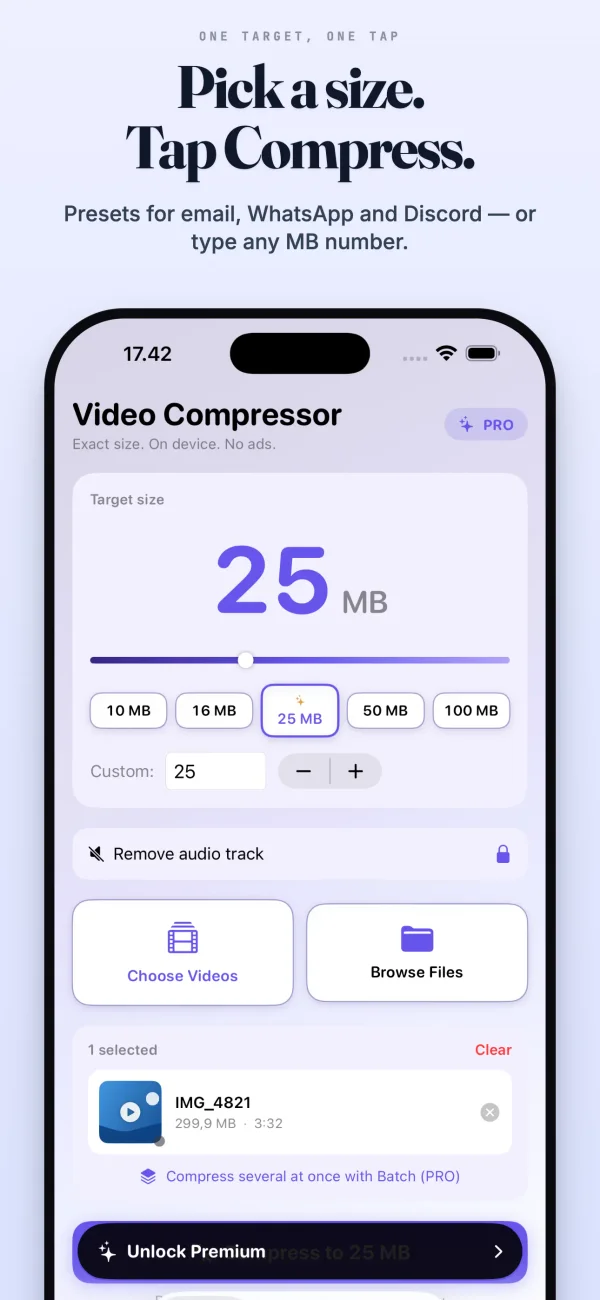
• Pick a video from your library or the Files app.
• Type your target — 10 MB for Discord, 16 MB for WhatsApp, 25 MB for email, or any custom size.
• Tap Compress. A smart bitrate search lands your video just under the target at the best possible quality.
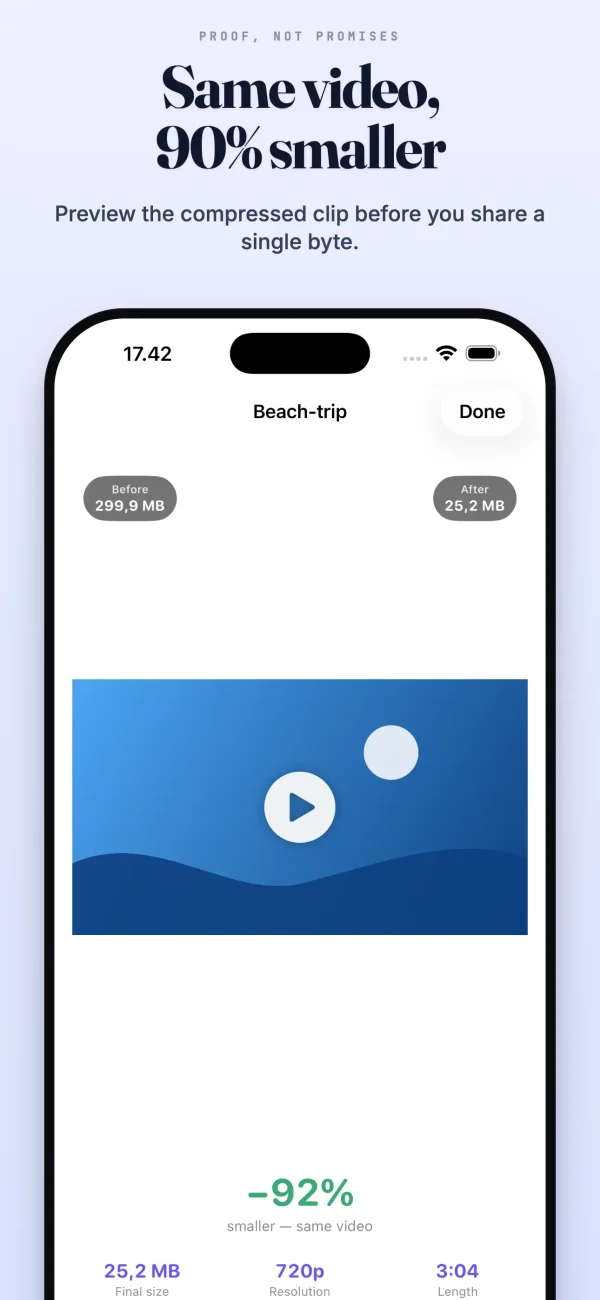
• Preview the result, then save or share.
WHY VIDEO COMPRESSOR?
• Exact-MB targeting — not a vague low / medium / high preset.
• 100% on-device — your videos never upload to a server. No accounts, no waiting on a website.
• No ads. Ever.
• Smart quality — keeps the highest resolution your target allows.
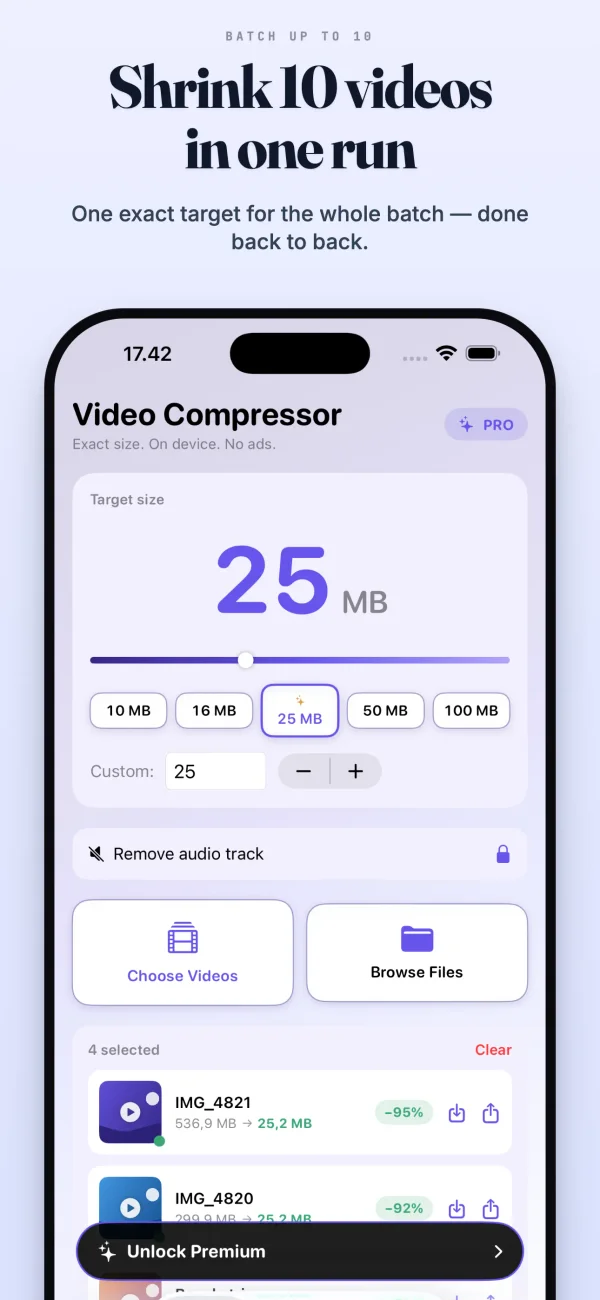
• Batch mode — up to 10 videos to one target in a single run (Premium).
• HEVC (H.265) output — even smaller files at the same quality (Premium).
• Remove audio — drop the soundtrack for the smallest possible file (Premium).
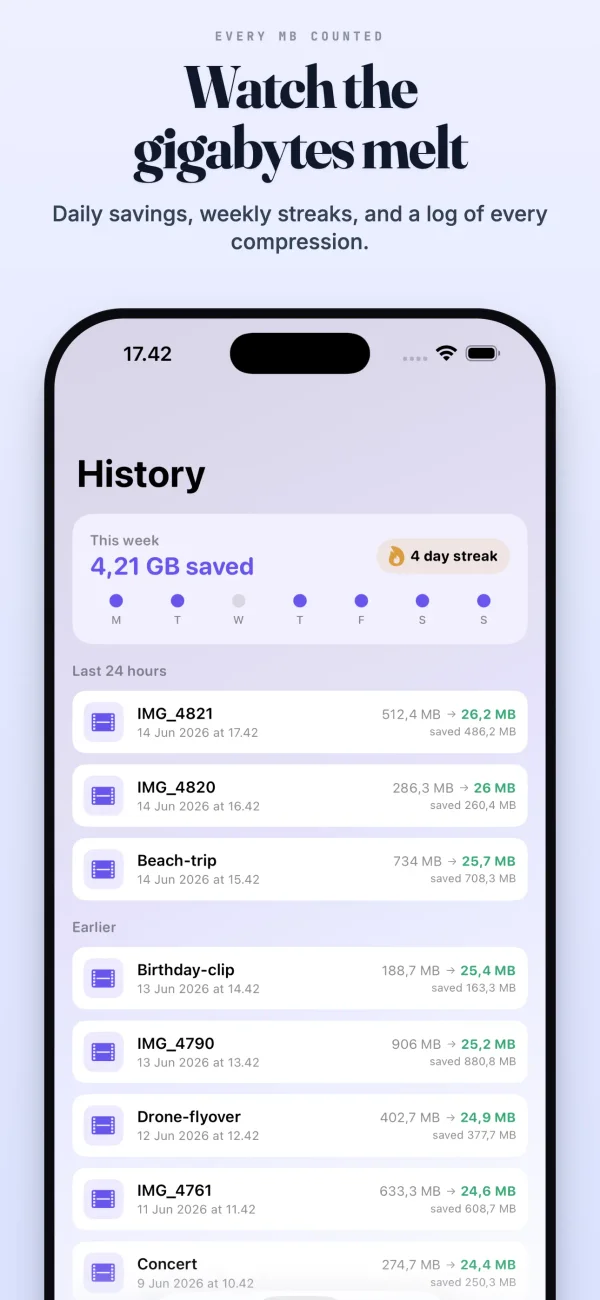
• Savings history — see how much storage you reclaimed this week.
• Fully localized in 38 languages.
FREE VS PREMIUM
Your first compression is free at any length and any size. After that, the free version includes one exact-size compression per day for clips up to 3 minutes and 500 MB, with the full result preview every time.
VIDEO COMPRESSOR PREMIUM
Premium unlocks unlimited compressions with no length or size limit, batch mode, HEVC output, and audio removal.
Premium is available as a weekly auto-renewable subscription with a 3-day free trial, or as a one-time Lifetime purchase. Subscriptions auto-renew until canceled. Cancel anytime in your Apple ID Subscriptions settings at least 24 hours before the renewal date.
Privacy policy: https://app.innovaapps.ai/privacy
Terms of use: https://www.apple.com/legal/internet-services/itunes/dev/stdeula
What’s new
Version 1.1 · Aug 14, 2026
Video Compressor 1.1:
• Your first compression is free at any length and any size
• Premium is clearer — you now see exactly what you pay and when, before any trial starts
• Free compressions are now one per day, for clips up to 3 minutes and 500 MB
• Fixed: Compress could appear to do nothing on videos that were already compressed
• Fixed: failed compressions now explain what went wrong instead of failing quietly
App privacy
What Alex Gameli Heyman declares on the App Store about how this app handles data.
-
Data not collected
The developer does not collect any data from this app.
Privacy practices may vary, for example with the features you use or your age.
Information
- Seller
- Alex Gameli Heyman
- Category
- Utilities
- Version
- 1.1
- Updated
- Aug 14, 2026
- Released
- Jun 17, 2026
- Size
- 5.2 MB
- Requires
- iOS 17.0 or later
- Age rating
- 4+
- Price
- Free
- In-app purchases
- Yes
- Languages
- English, Arabic, Catalan, Croatian, Czech, Danish, Dutch, Finnish, French, German, Greek, Hebrew + 21 more
- Copyright
- © Innova Apps
You might also like
-
 Video compress - VideoSqueezeShrink or Reduce Video Sizes .
-
 Compressly: Videos or PhotosReduce File Size for Sharing
-
 Video Compressor - Save Space+HandBrake, Batch Converter
-
 Video Compress: Shrink, ResizeCompress & Save Storage
-
 The Video Compressor : ZippyCompress Videos & Resize Video
-
 Compress Videos: HandbrakeVideo compressor Audio Extract
-
 AI Optimizer: Phone CleanerDelete Duplicates & Free Space
-
 v4freedomV2ray, SSH, WireGuard, Warp
-
 VPN Express : Fast, Secure VPNFast VPN for Secure Access
-
 Jump VPN - wind v2box wirehapp plus outline secure fast