
Video Splitter: Split & Cut
Long videos into story clips
Designed for iPhone, iPad
Free · In-app purchases
- Age rating4+
- CategoryPhoto & Video
- DeveloperAmandeep Singh
- LanguagesEnglish+ 10 more
- Size2.3 MB
Links to the official App Store page
Download.org hosts no file of Video Splitter: Split & Cut. The button opens its official App Store page, published by Amandeep Singh. Listing last checked on Nov 23, 2026.
Screenshots
About
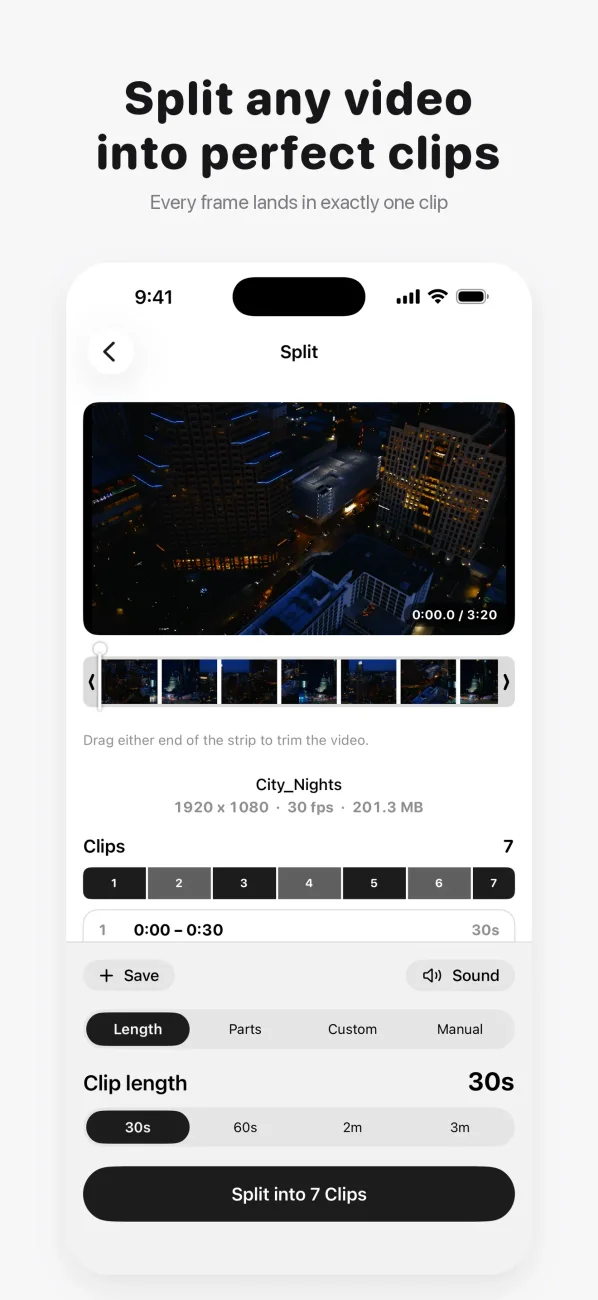
Video Splitter: Split & Cut is an iPhone and iPad app that splits long videos into equal clips for Instagram Stories, WhatsApp Status and anywhere with a length limit. Cut a long video into 30-second or 60-second parts for free, or any length you like, such as 15-second segments, with Pro. Every cut is frame-exact, clips keep the original quality with no watermark, and everything happens on your device.
HOW IT WORKS
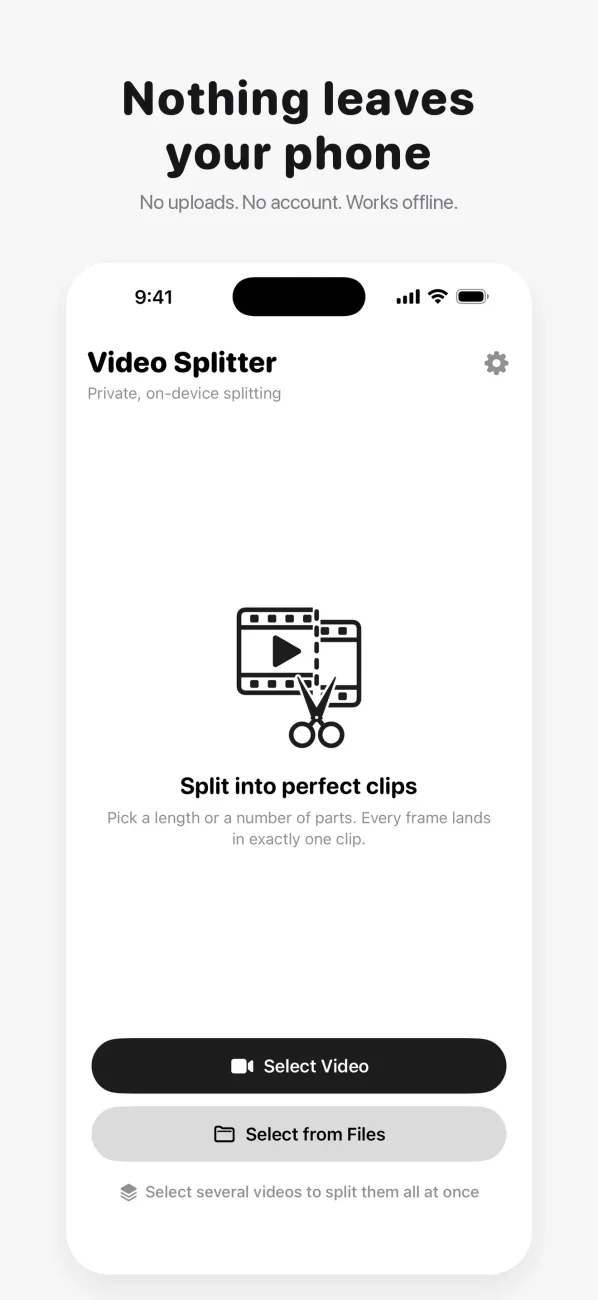
1. Pick a video from Photos or Files.
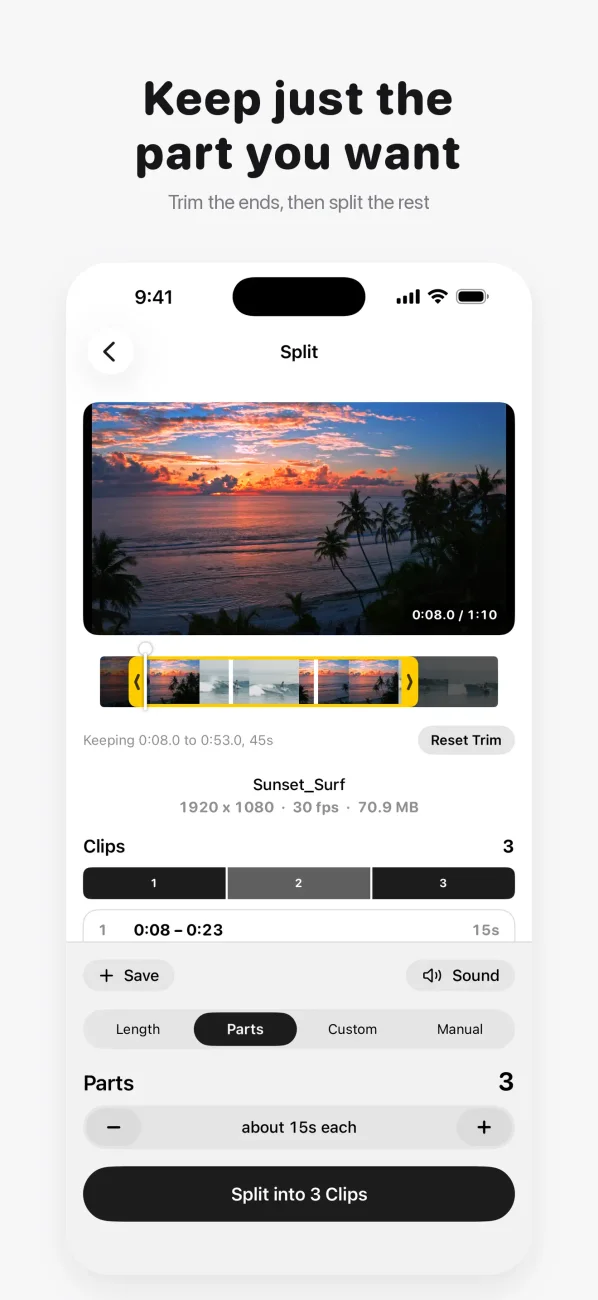
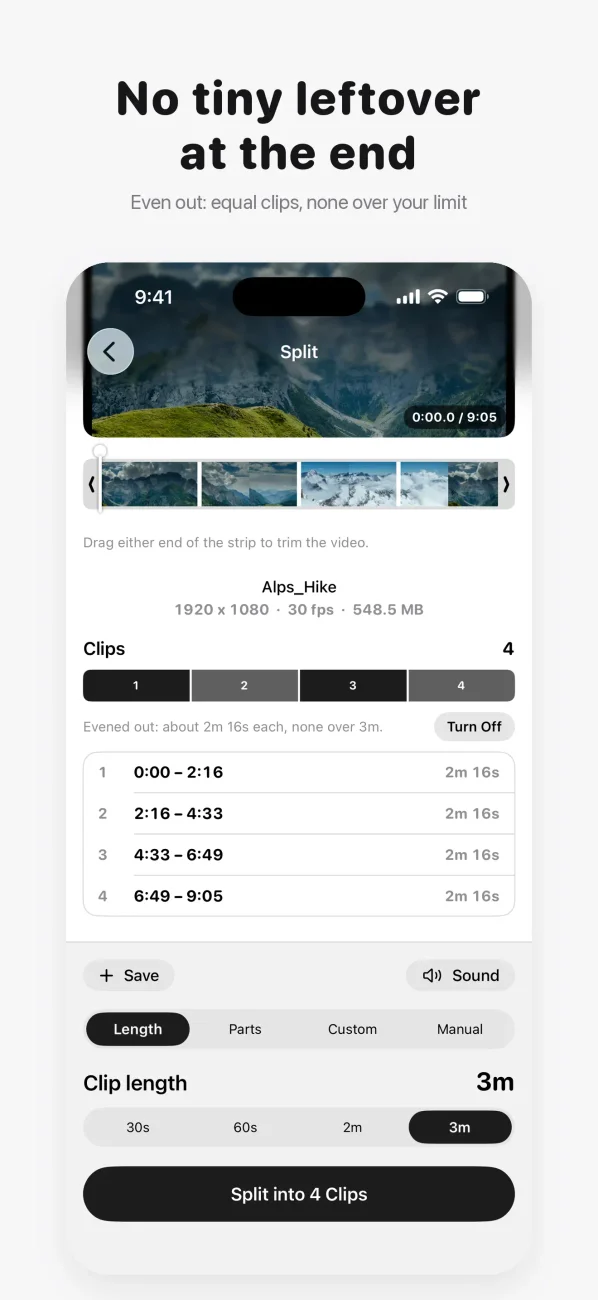
2. Drag the ends of the strip to trim off what you don't need.
3. Choose a clip length (30s, 60s, 2m or 3m) or a number of parts.
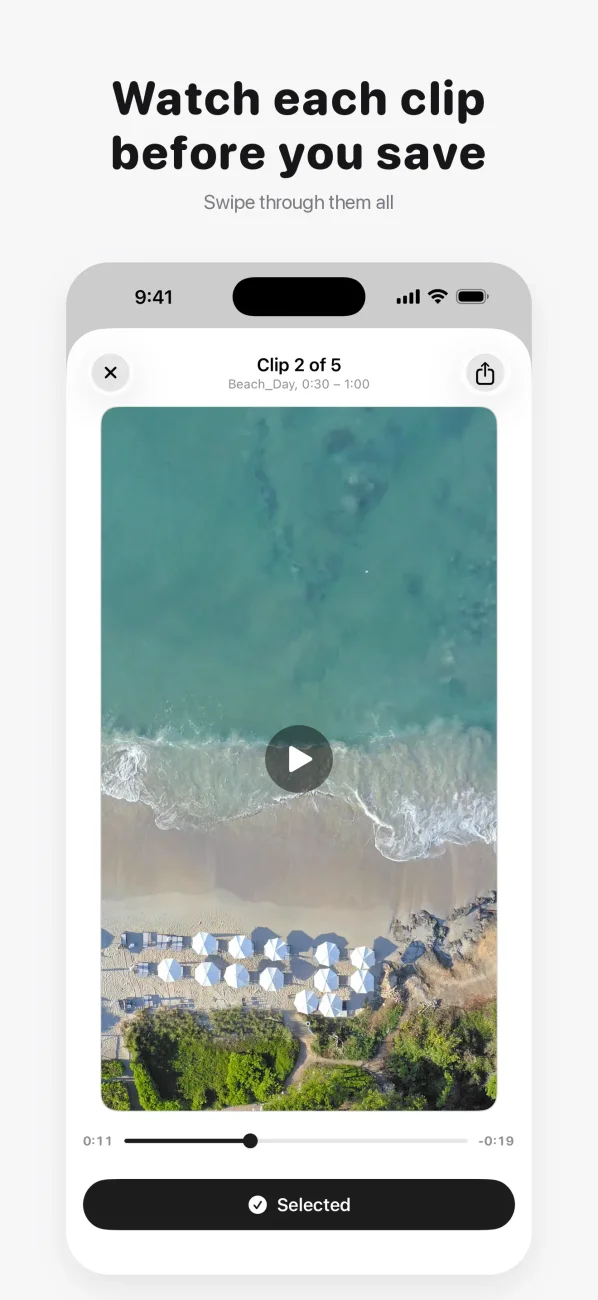
4. Check every clip's start and end before you split.
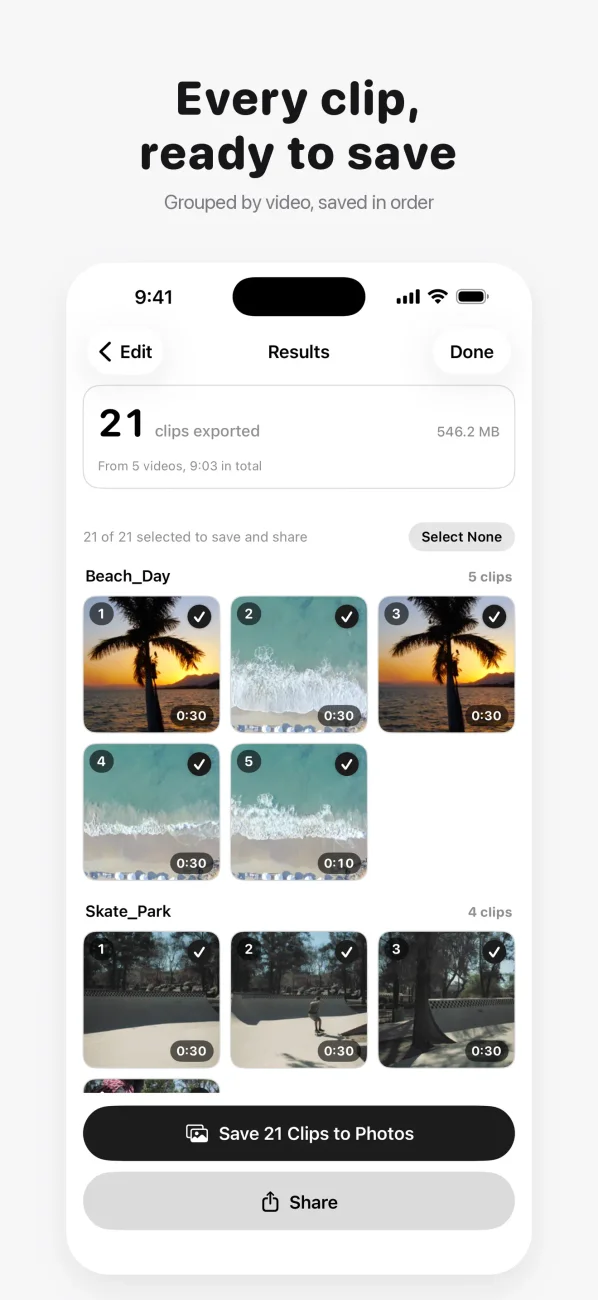
5. Choose the clips you want and save them to Photos in order, or share them.
GREAT FOR
• Posting a long video as a run of Instagram Stories or WhatsApp Status updates
• Sharing a 3-minute video to your Instagram Story as a set of shorter clips, in order
• Fitting a video under the length limit of TikTok, YouTube Shorts or a messaging app
• Cutting a long recording, lecture or game into parts you can find again
• Keeping only the good part of a video, saved as one trimmed clip
FREE
• Clip lengths of 30 seconds, 60 seconds, 2 minutes and 3 minutes
• Split into 2 to 50 equal parts
• Trim the start and end before splitting
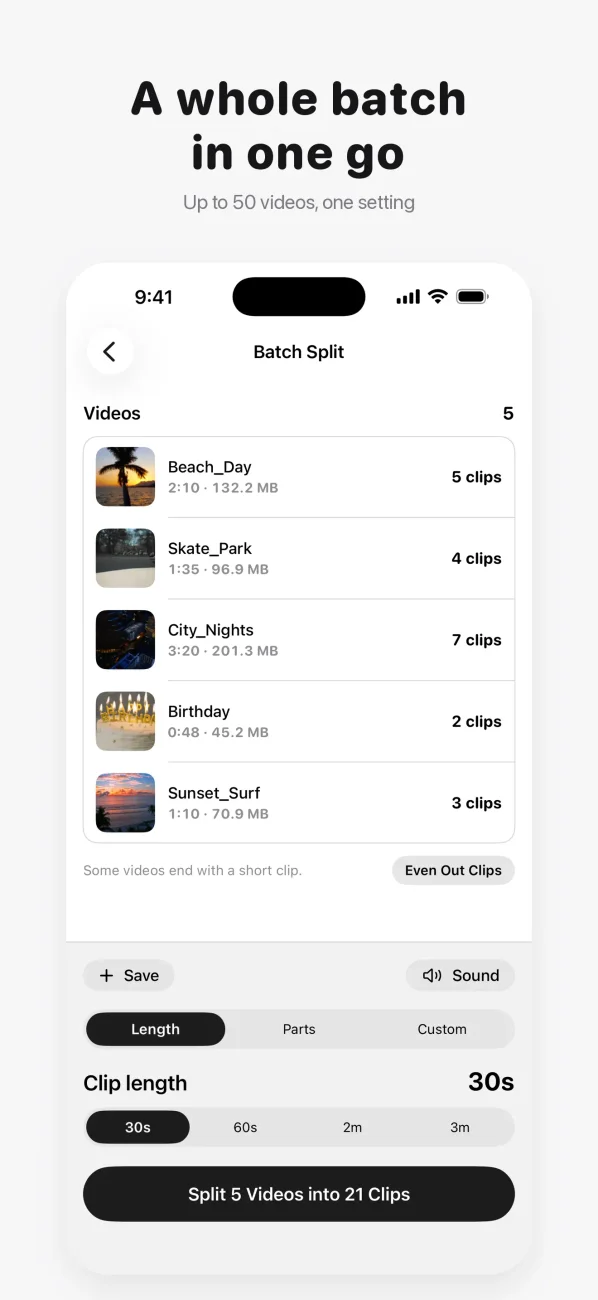
• Even Out: equal clips with no tiny leftover at the end, none over your limit
• Choose which clips to save or share
• Watch every clip before you save it
• No watermark and no ads, on every clip
PRO
• Custom length: any duration you choose, from a tenth of a second to 10 minutes
• Manual cuts, placed exactly where you want them
• Batch Split: up to 50 videos in one go, with one setting for all
• Remove sound: clips without their audio, ready for your own music
• Saved presets for the settings you use most
• Albums: each video's clips saved into an album of their own
Pro is a one-time purchase. There is no subscription and nothing renews.
WORKS WITH
• Videos from the Camera, Photos and the Files app, including iCloud videos
• HEVC, H.264 and ProRes, in MOV and MP4
• HDR, Cinematic and Slo-mo videos from iPhone
• Portrait and landscape, at any resolution
• Up to 300 clips from one video
• 11 languages, switchable inside the app
QUESTIONS
Does Video Splitter add a watermark?
No. Clips have no watermark, in the free version and in Pro.
How do I post a long video to my Instagram Story?
Pick the video, choose 60 seconds, and save. The clips land in Photos in order, ready to add to your Story one after another.
Can I split a video into 15-second clips?
Yes, with Pro. Custom length lets you type 15 seconds, or any length from 0.1 seconds to 10 minutes. The free version splits into 30-second, 60-second, 2-minute and 3-minute clips.
How do I cut a video into parts for WhatsApp Status?
Choose a clip length that fits your Status limit, or a number of equal parts, then save or share the clips straight to WhatsApp.
Does it lower the video quality when it splits?
No. Clips are copied from the original without re-encoding, so they keep its resolution, codec, HDR and bitrate.
Is it a subscription?
No. Splitting is free, and Pro is a one-time purchase that never renews.
Are my videos uploaded anywhere?
No. Video Splitter works entirely on your iPhone or iPad. There are no uploads, no account and no analytics.
Does it work offline?
Yes. Splitting, trimming and saving all work in airplane mode.
Can I remove the sound from the clips?
Yes, with Pro. Remove sound makes clips without audio, without re-encoding the video.
Questions or problems? Write to support@amanghuman.com. We read every message.
Terms of Use (EULA): https://amanghuman.com/eula?app=videosplitter
Privacy Policy: https://amanghuman.com/privacy?app=videosplitter
What’s new
Version 1.0.5 · Nov 22, 2026
Small improvements.
App privacy
What Amandeep Singh declares on the App Store about how this app handles data.
-
Data not collected
The developer does not collect any data from this app.
Privacy practices may vary, for example with the features you use or your age.
Information
- Seller
- Amandeep Singh
- Category
- Photo & Video
- Version
- 1.0.5
- Updated
- Nov 22, 2026
- Released
- Oct 1, 2026
- Size
- 2.3 MB
- Requires
- iOS 18.0 or later
- Age rating
- 4+
- Price
- Free
- In-app purchases
- Yes
- Languages
- English, Dutch, French, German, Italian, Japanese, Korean, Portuguese, Simplified Chinese, Spanish, Traditional Chinese
- Copyright
- © 2026 Amandeep Singh
You might also like
-
 Storybly - Clip CutterVideo Splitter for Stories
-
 Video Splitter - Split VideosSplit Videos Into Story Parts!
-
 SliceIt: Split Video in PartsClips for WhatsApp Status
-
 Video Splitter: Story CutterSplit long videos for Status
-
 Split Video Into PartsLong Video Splitter & Cutter
-
 Video Splitter - Clip CutterSplit in Parts - No Watermark
-
 Video Splitter - VSplitterSplit video by seconds/number
-
 Split Video: Long Story MakerMake long video stories on IG
-
 Video Split For WhatsAppCut story easily
-
 Video Splitter - No WatermarkSplit Video for Reels & TikTok