
- Age rating4+
- CategoryPhoto & Video
- DeveloperJiri Kluciar
- LanguagesGerman+ 8 more
- Size62.0 MB
Links to the official App Store page
Download.org hosts no file of VideoHaven. The button opens its official App Store page, published by Jiri Kluciar. Listing last checked on Nov 16, 2026.
Screenshots

About
A video player for iPhone and iPad that copes with files other players turn down — and streams straight off your NAS.
TRY IT FREE FOR 30 DAYS
VideoHaven is free to download. Start the free 30-day trial in the app and every feature is yours for 30 days. After that, a one-time Full Unlock keeps VideoHaven yours for good — no subscription, no automatic charge. Your library and saved positions stay on your device either way. Already got VideoHaven before this change? Your full access stays, including copies redeemed with a promo code.
MKV, AVI AND MORE
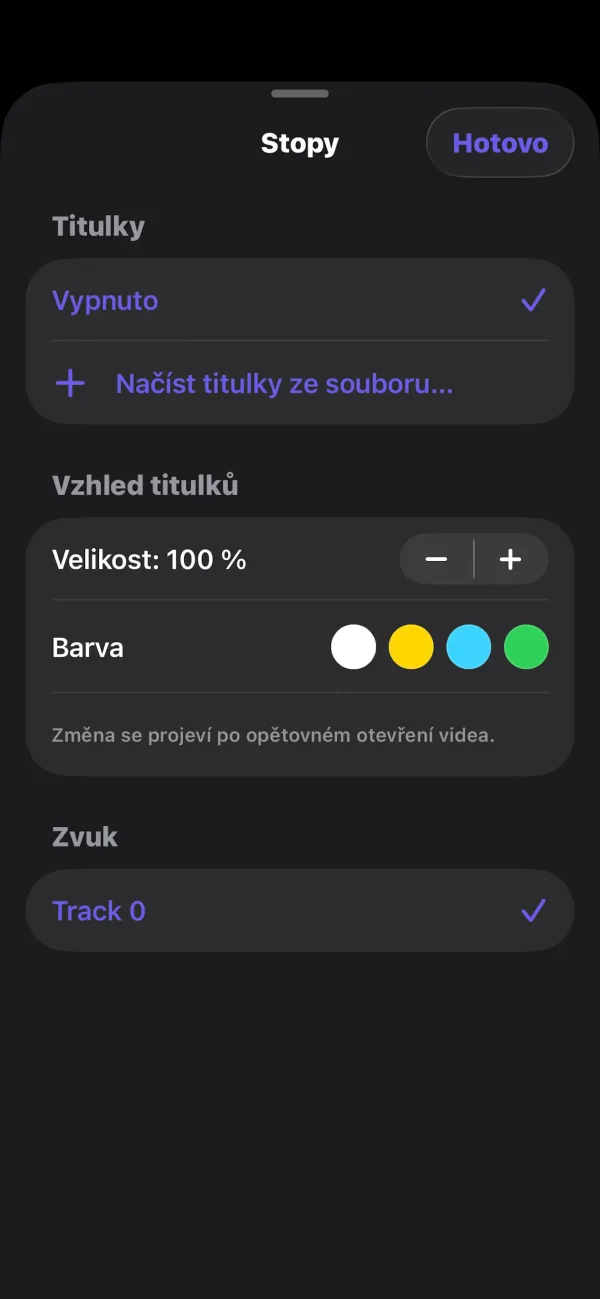
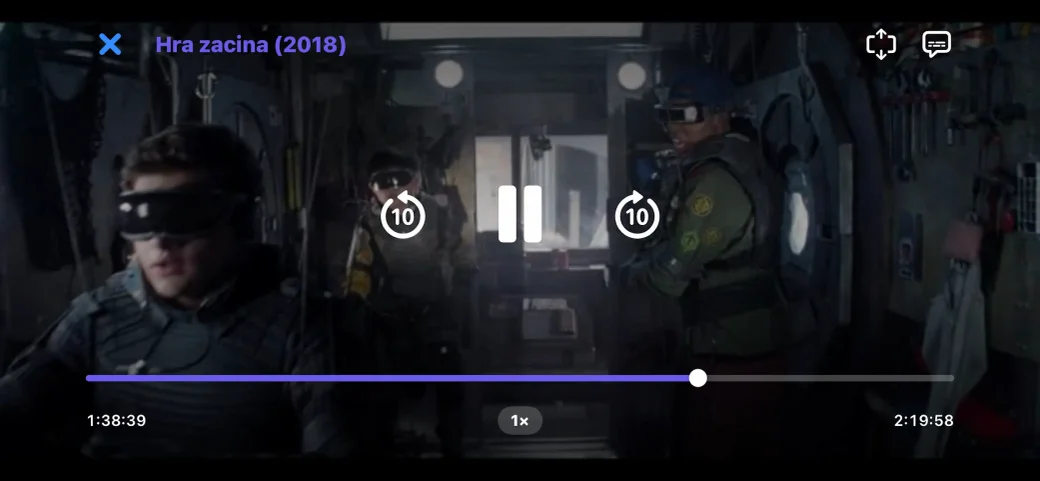
Built on libVLC, so MKV, AVI, WebM and HEVC just open. No converting, no hunting for codecs. Old XviD or DivX file showing a green picture? In Tracks, switch Decoding to Software.
YOUR NAS, WITHOUT COPYING
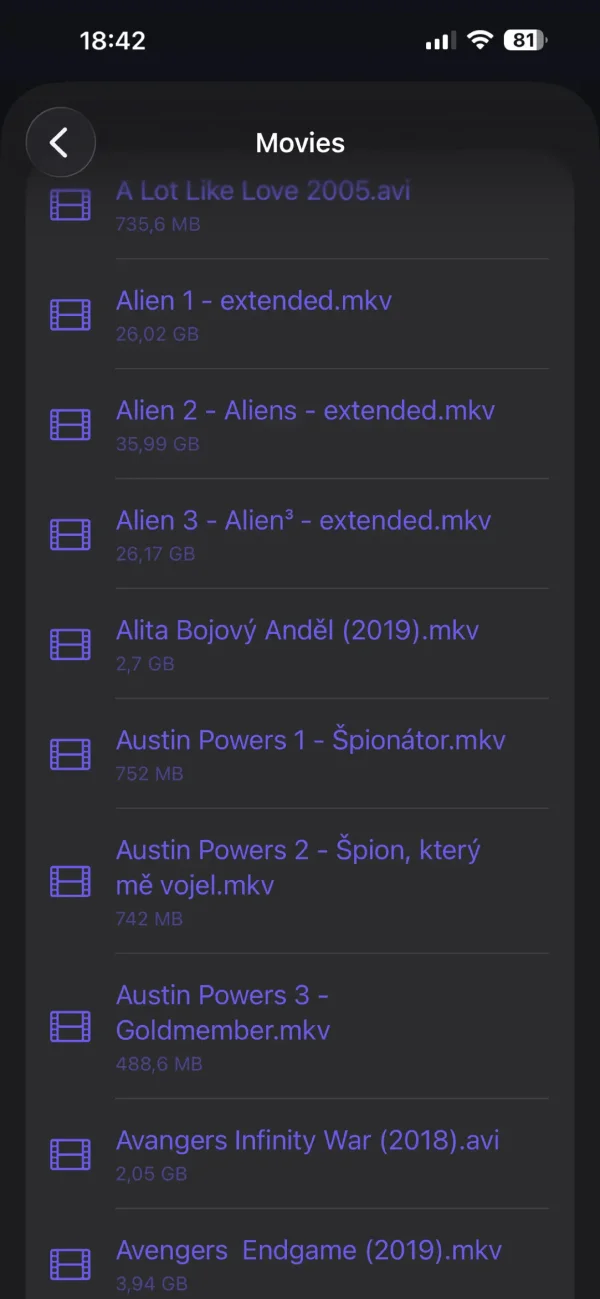
Connect over SMB and play films straight from the server over Wi-Fi — even big 4K files. Pinned folders wait for you on the home screen and at the top of Network.
PICKS UP WHERE YOU STOPPED
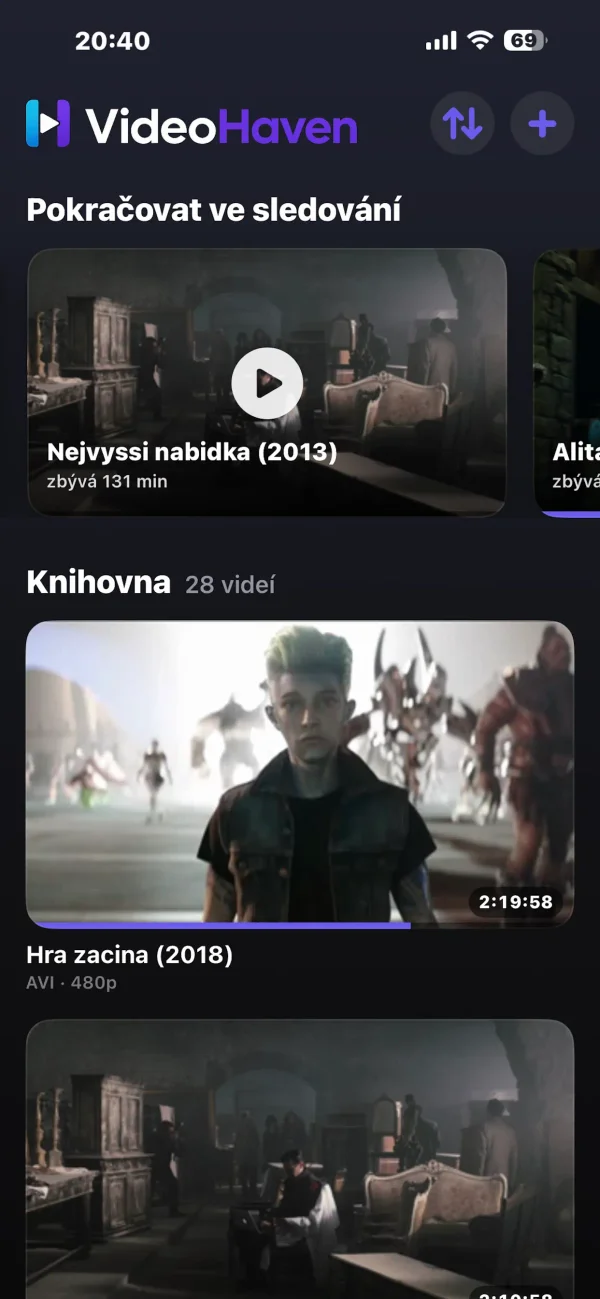
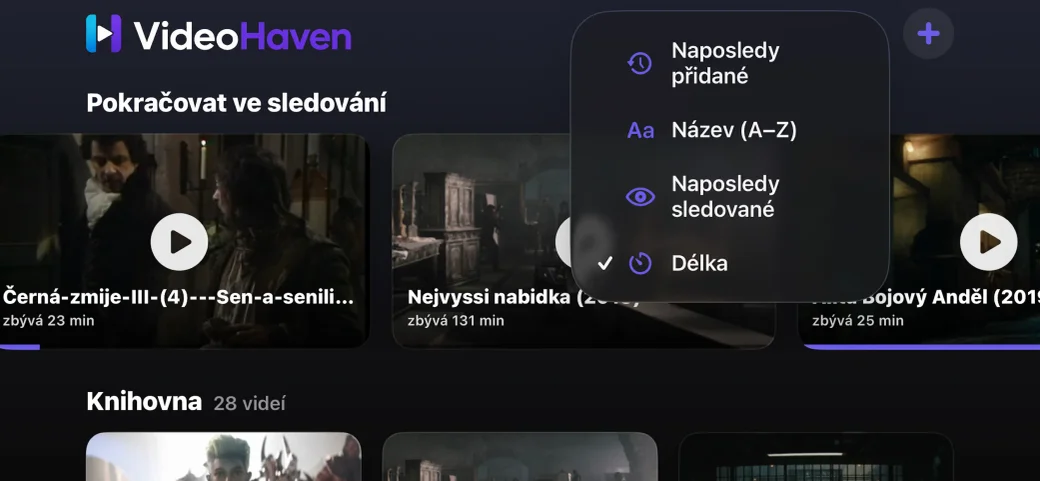
Continue watching remembers your position — for films on your device and on the NAS alike. The All, In progress and Unwatched filters show what you've started and what's still ahead. Touch and hold a video to mark it as watched or play it from the beginning.
SERIES, EPISODE BY EPISODE
When an episode ends, the next one from the same folder starts by itself — in your library and on the NAS. A short countdown comes first, and Cancel keeps you where you are.
CONTROL FROM THE LOCK SCREEN
Play and pause from the Lock Screen, Control Centre or your AirPods.
SUBTITLES THAT BEHAVE
Put a matching .srt or .ass file next to the video and it loads by itself. Nudge the timing by 0.25 s, set size and colour, and subtitles that aren't in UTF-8 usually come out right on their own. Still seeing garbled letters? Pick the language they're written in under Tracks → Subtitle encoding — Chinese, Japanese and Korean included.
OUT OF THE WAY
The controls hide so the film has the screen. Drag sideways to move through it, up or down on the left for brightness and on the right for volume, double-tap an edge to skip 10 seconds, drag down to close. Fit, zoom or fill with one tap. A sleep timer for the nights the film wins — and a help screen in the app with every gesture.
YOUR LIBRARY, YOUR FILES
Add videos from the Files app or drop them into the VideoHaven folder. You can also open a video straight from Files, AirDrop or Mail: share it and choose VideoHaven — from Files it plays right away, without being copied. Delete file always asks first. A sample film is included, so you can try it straight away.
MADE FOR IPHONE DUO
Fold iPhone Duo partway and VideoHaven splits itself: the film plays on the top half while the controls stay put on the bottom half — handy on a table or a plane tray.
VideoHaven speaks nine languages: English, Czech, German, Spanish, French, Italian, Japanese, Brazilian Portuguese and Simplified Chinese.
Built on libVLC and other open-source software; the full licences and a link to the sources are in the app.
No ads, no account, no subscription, no tracking.
IDEAS, SUGGESTIONS AND BUG REPORTS
Help make VideoHaven Player better. Share your ideas, suggestions and any bugs you find on the developer's Discord:
https://discord.com/invite/UeJEAZWG8T
What’s new
Version 1.5 · Oct 26, 2026
The next episode starts by itself, and you can control VideoHaven from the Lock Screen.
• Free 30-day trial — VideoHaven is now free to download. Try every feature for 30 days, then keep it for good with a one-time Full Unlock. No subscription. Already have VideoHaven? Nothing changes for you.
• Subtitles next to the film come first — a matching .srt or .ass now wins over subtitles inside the file. Switch any time in Tracks.
• iPhone Duo — fold it partway: the film plays on top, the controls stay below.
• Next episode — when an episode ends, the next one from the same folder starts by itself, in your library and on the NAS. A countdown gives you time, and Cancel keeps you where you are.
• Lock Screen, Control Centre and AirPods — play and pause without unlocking.
• Open in VideoHaven — share a video from Files, AirDrop or Mail and choose VideoHaven. From Files it plays right away, without being copied.
• Subtitle encoding — garbled letters? Pick the subtitles' language in Tracks, Chinese and Japanese included.
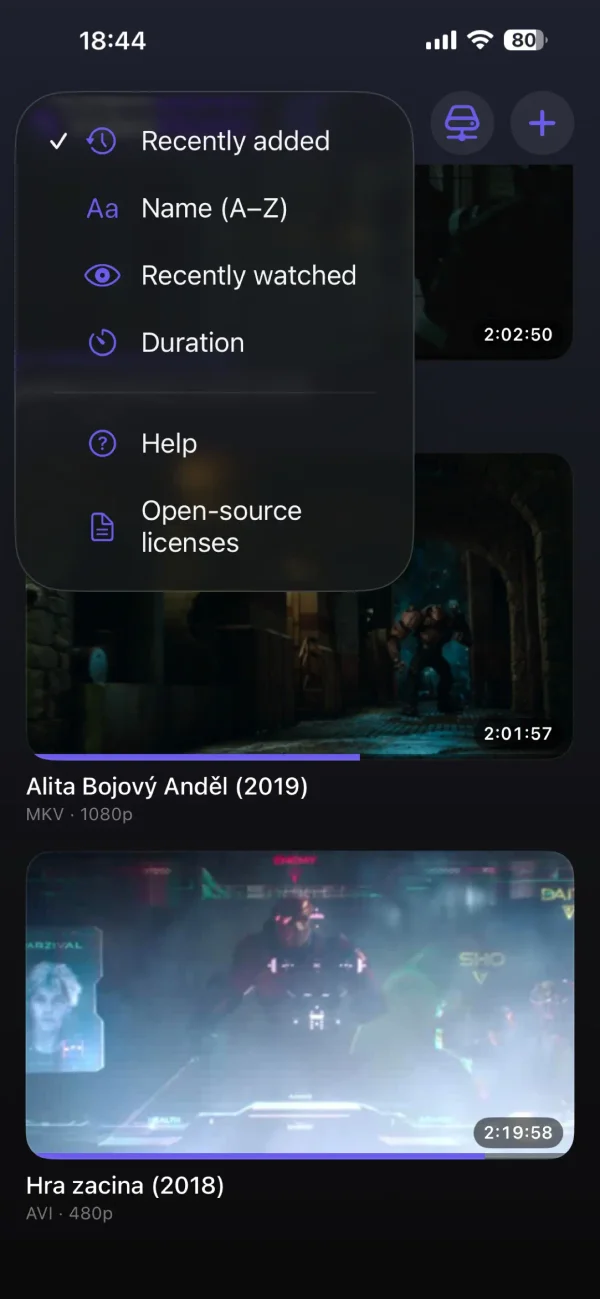
• Library filters — All, In progress and Unwatched.
• Pinned NAS folders — right on the home screen.
• Mark as watched and Play from beginning — just touch and hold a video. Delete file asks before removing anything.
• An easier-to-read library — titles over two lines and wider Continue watching cards.
• Simplified Chinese — VideoHaven now speaks nine languages.
• Plus fixes and polish.
App privacy
What Jiri Kluciar declares on the App Store about how this app handles data.
-
Data not collected
The developer does not collect any data from this app.
Privacy practices may vary, for example with the features you use or your age.
Information
- Seller
- Jiri Kluciar
- Category
- Photo & Video
- Version
- 1.5
- Updated
- Oct 26, 2026
- Released
- Jul 7, 2026
- Size
- 62.0 MB
- Requires
- iOS 18.0 or later
- Age rating
- 4+
- In-app purchases
- Yes
- Languages
- German, English, French, Italian, Japanese, Portuguese, Spanish, Czech, Simplified Chinese
- Copyright
- © Jiří Klučiar
You might also like
-
 Vupilo: Video PlayerLocal Files, NAS & Subtitles
-
 Anyvid: Video Player & AI SubsPlay any format, add subtitles
-
 VideoPlayerS - Media PlayerAny codec with subtitles
-
 MoziCamPhoto & Video
-
 Vivid: HD Video PlayerPlay Any Video · Music · Vault
-
 Video Player|Play MediaPlay MKV, MP4, MOV & AVI
-
 Tilus: Media Player4K HDR video: MKV, NAS, cloud
-
 Auto Image ScrollHands-Free ZIP Comic Viewer
-
 VidHub: Video & Media PlayerPlay MKV & 4K Movies from NAS
-
 Cadence Video PlayerThe best video player ever