Vidgets: Home Screen Widgets
Personal widgets, connected
Designed for iPhone, iPad
Free
- Age rating4+
- CategoryUtilities
- DeveloperAnupam Bharti
- LanguagesEnglish
- Size5.8 MB
Links to the official App Store page
Download.org hosts no file of Vidgets: Home Screen Widgets. The button opens its official App Store page, published by Anupam Bharti. Listing last checked on Nov 26, 2026.
Screenshots
About
YOUR HOME SCREEN. YOUR RHYTHM.
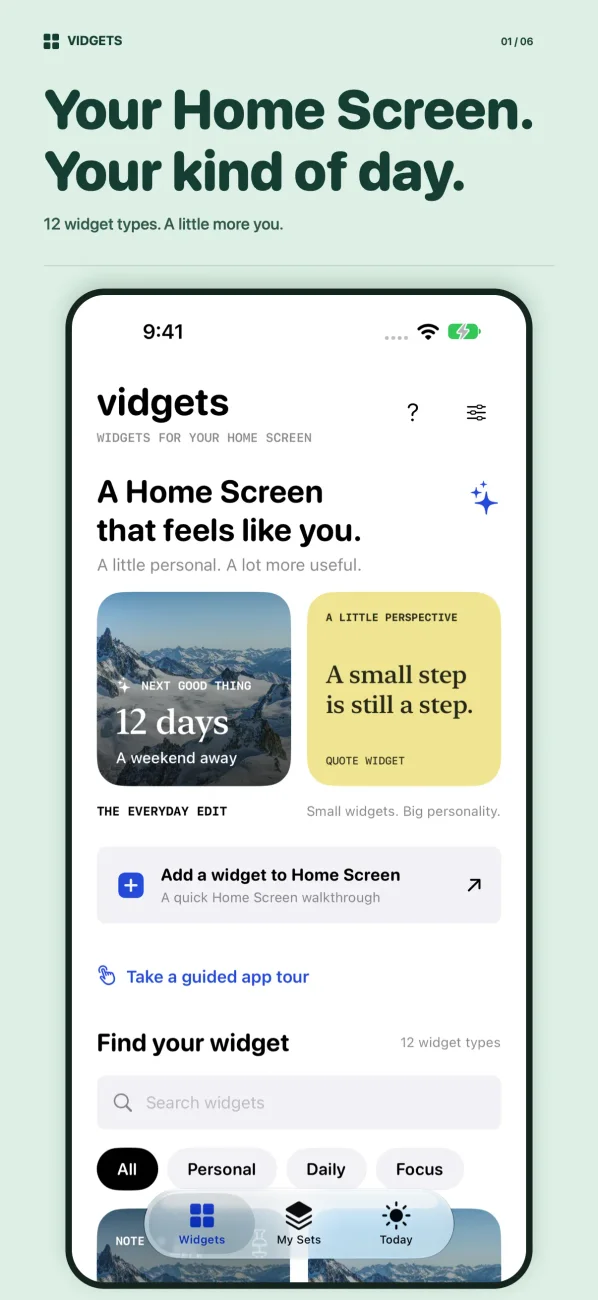
Vidgets brings the things you love and use to your Home Screen. Create a matching look for your photos, words, routines, priorities, and the moments you are looking forward to.
15 WIDGET TYPES
- Reusable checklist: from weekly groceries to weekend packing, keep reusable lists with quantities on your Home Screen. Check off items, undo your latest change, and reset your list for next time.
- Currently reading: keep your next chapter close with book details, optional cover photos, page progress, and quick page updates. Start a reading focus session and watch your actual unpaused time contribute to Daily progress.
- Digital world clock: stay close across time zones with live digital time, local dates, custom city labels, and 12- or 24-hour formats. Small shows one city; medium shows up to three. No location permission or internet needed.
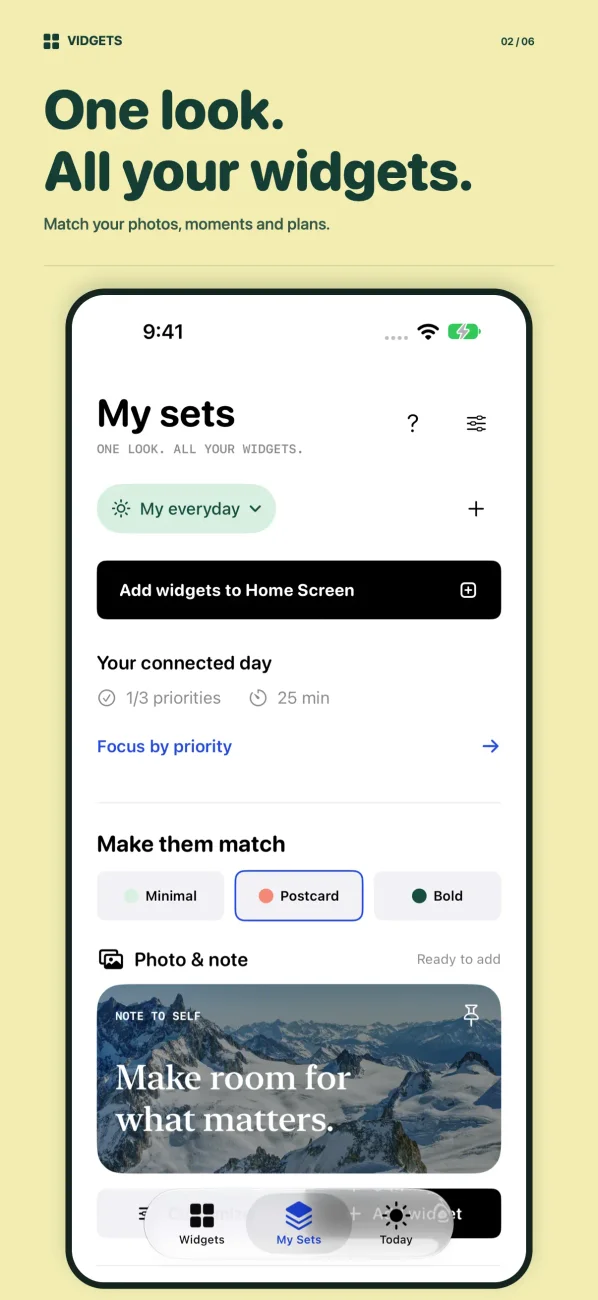
- Photo & note: keep a favorite photo, a short note, or both close.
- Countdown: count down to your next good thing or pin one saved moment.
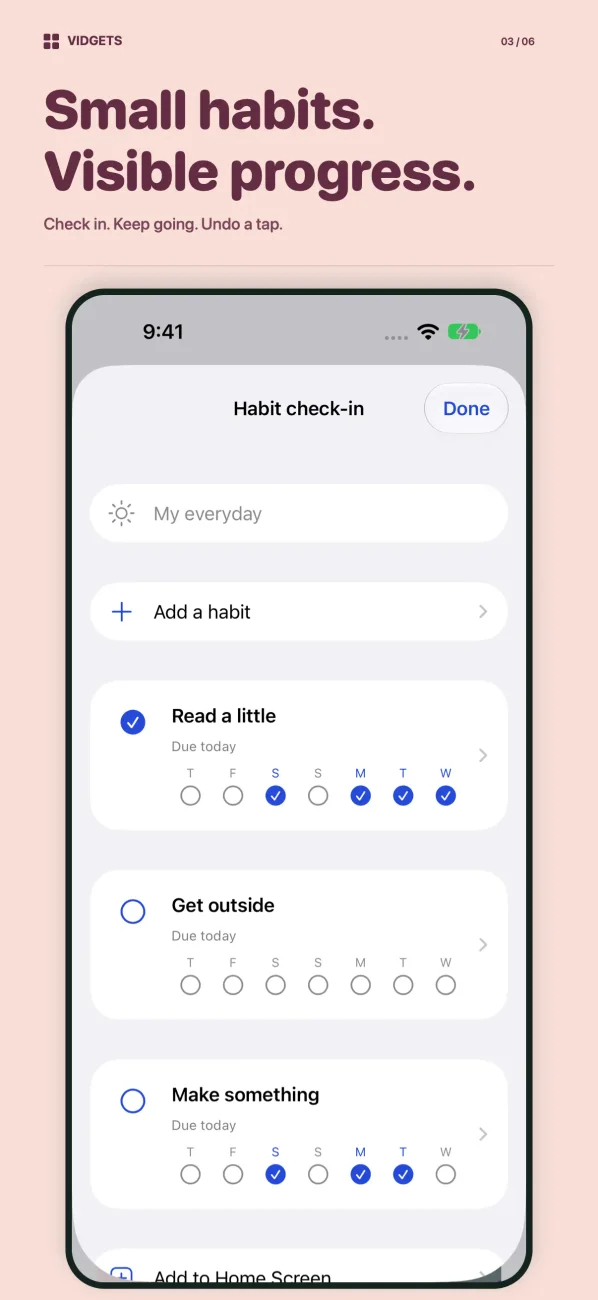
- Habit check-in: choose weekdays, check off routines, and keep today's completions visible.
- Last done: remember when you last watered the plants, changed a filter, or called a friend. Log it again and undo an accidental tap.
- Quick counter: count the little things with plus and minus, your own target, and a daily or all-time tally.
- Next priority: see only your next unfinished priority, then complete it to reveal the next.
- Month at a glance: see today and the moments saved in your set, without access to your system calendar.
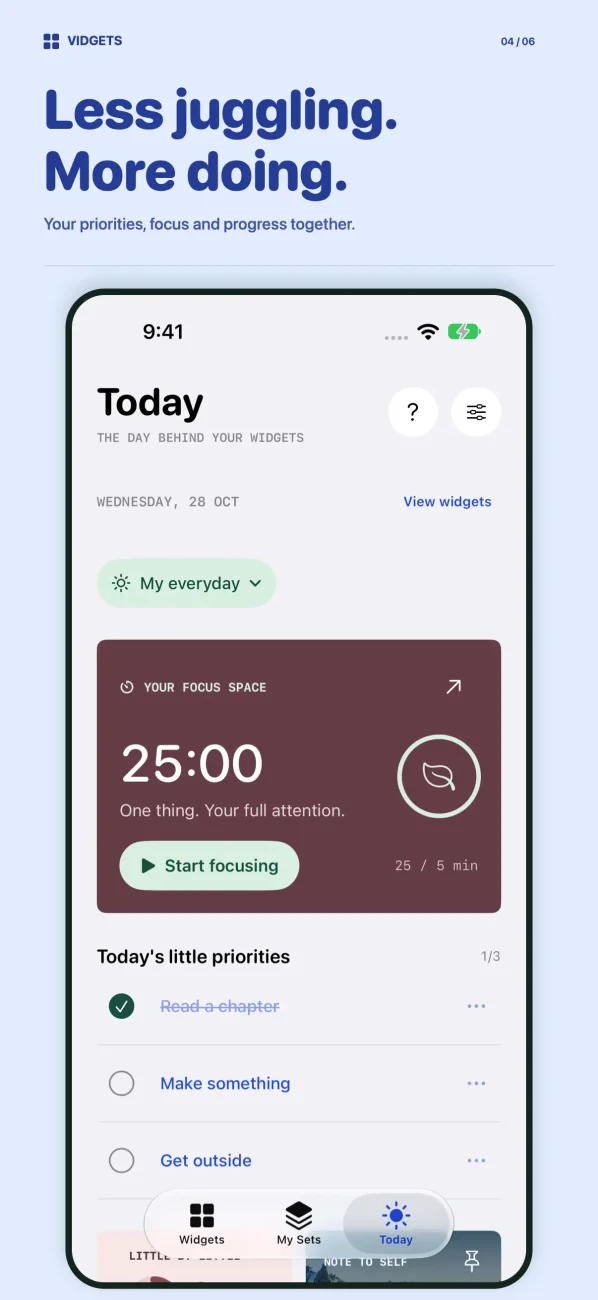
- Priorities: keep up to three things that matter in view.
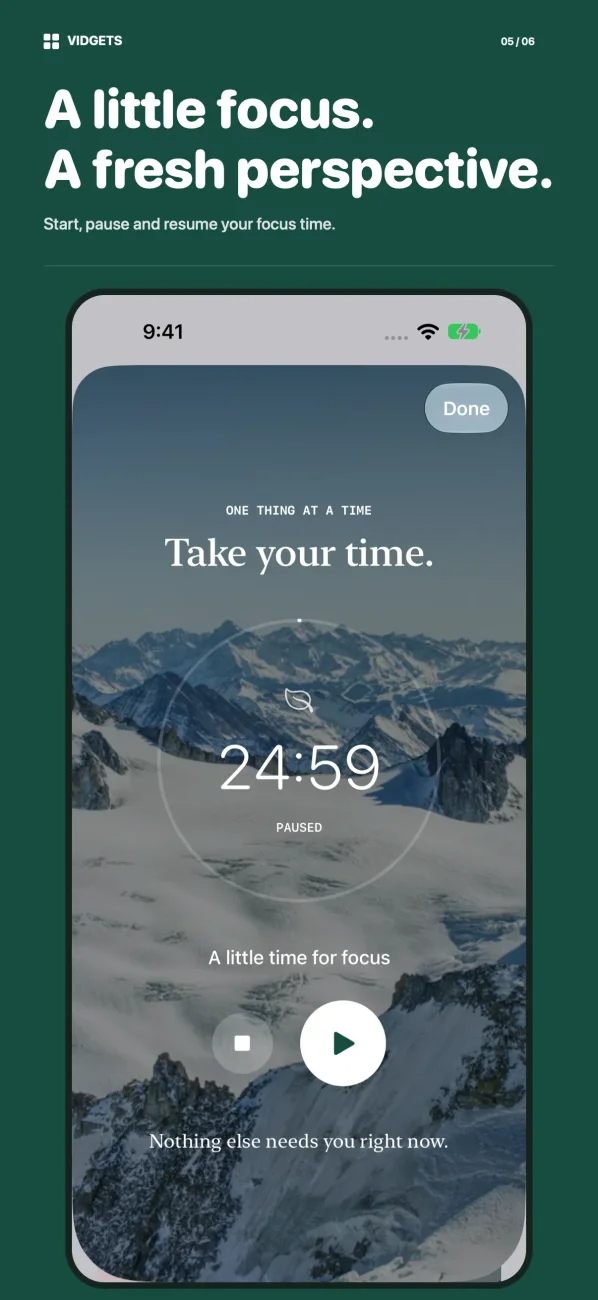
- Focus timer: start, pause, resume, and end a session from your Home Screen.
- Daily progress: see completed priorities and actual unpaused focus time.
- Quotes: choose a category and color for original Vidgets reflections.
- Mood: keep your most recently selected mood in view.
Each widget comes in small and medium sizes.
ONE SET. CONNECTED PROGRESS.
Choose Minimal, Postcard, or Bold for your connected widgets. Keep separate sets for everyday life, study, or work. Attach a priority to a focus session and see where your focus went. Breaks and paused time do not count toward your focus goal, and finishing a timer never marks a priority done for you.
Pin different lists, books, or cities to different widgets. An unpinned reading widget follows the first unfinished book. Reading sessions never change your page count automatically. Lists stay on this device and do not sync with other people.
Quote and Mood use their own app-wide preferences.
EASY TO GET STARTED
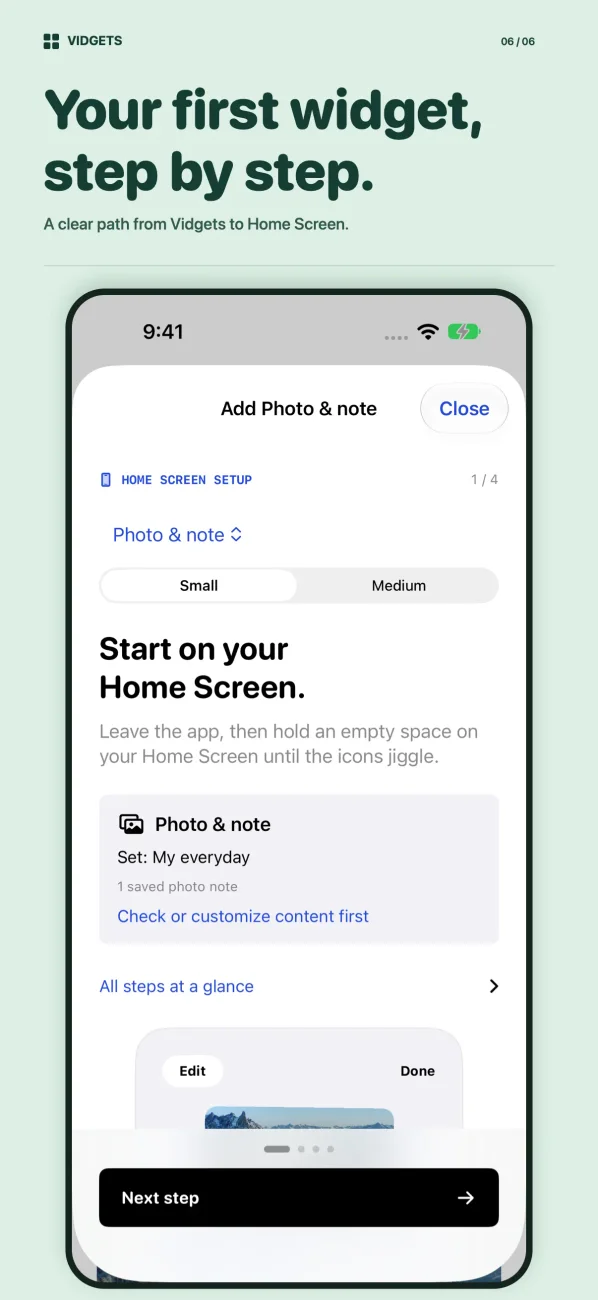
An optional welcome and interactive guided tour help you find your way. Every widget includes illustrated Home Screen instructions, a saved-content check, collection and pin guidance, and troubleshooting. Replay either tour from Settings. Widgets are added through Apple's normal widget picker; Vidgets cannot place them automatically.
LOCAL BY DESIGN
No account, ads, tracking, or subscription. Optional one-time tips support development through Apple In-App Purchase. Every widget and feature stays free, whether you tip or not. Your saved widget content stays on your device unless you choose to share or export it. Core editing and widgets work offline. Timer notifications and Live Activities are optional.
iOS controls widget refresh timing. Quotes are scheduled hourly, not guaranteed to change at an exact second. Mood displays the latest selection, not a journal or medical advice. Counters and habits are manual, not health measurements. JSON export does not include image files or separate Quote/Mood preferences, and import or cloud sync is not available.
Make a little space for what matters to you.
Support: admin@technoforbes.com
What’s new
Version 1.2 · Nov 25, 2026
Three new ways to plan from your Home Screen. Vidgets now includes 18 widget types.
- Agenda & Weekly Planner: See your day and the week ahead. Add your own plans or show events and due reminders from the calendars and lists you choose.
- What’s for Dinner?: Plan breakfast, lunch, and dinner, keep prep notes handy, and turn the week’s ingredients into a grocery checklist.
- Bills & Renewals: Keep recurring payments in sight and mark bills paid or undo a checkmark right from your Home Screen.
All three come in small, medium, and large sizes, with step-by-step setup in Vidgets.
App privacy
What Anupam Bharti declares on the App Store about how this app handles data.
-
Data not collected
The developer does not collect any data from this app.
Privacy practices may vary, for example with the features you use or your age.
Information
- Seller
- Anupam Bharti
- Category
- Utilities
- Version
- 1.2
- Updated
- Nov 25, 2026
- Released
- Nov 1, 2026
- Size
- 5.8 MB
- Requires
- iOS 18.2 or later
- Age rating
- 4+
- Price
- Free
- Languages
- English
- Copyright
- © 2026 Anupam Bharti
You might also like
-
 Liquid Glass 26 WallpapersDive Into Liquid Wallpaper
-
 InstaSaveFastFast and secure media saving
-
 Clock Stand: Desk ClockA stylish clock for your desk
-
 MNML: Minimal WidgetsHome & Lock Screen Widgets
-
 Elyr — Aesthetic Home WidgetsLock Screen Clock & Battery
-
 Cell Tower EMF Locator LTE MapCellular Coverage 5G and 4G
-
 Zapper: Remote for Samsung TVSmart TV Remote & Touchpad
-
 MakePaper - Wallpaper StudioInspiration as wallpaper.
-
 Make RankingsRank what you want
-
 UnFox: Unzip & RAR ExtractorZIP File Opener & Unarchiver