Clock Stand: Desk Clock
A stylish clock for your desk
Designed for iPhone, iPad
Free
- Age rating4+
- CategoryUtilities
- DeveloperAleksandar Pecanov
- LanguagesEnglish+ 8 more
- Size5.5 MB
Links to the official App Store page
Download.org hosts no file of Clock Stand: Desk Clock. The button opens its official App Store page, published by Aleksandar Pecanov. Listing last checked on Nov 15, 2026.
Screenshots



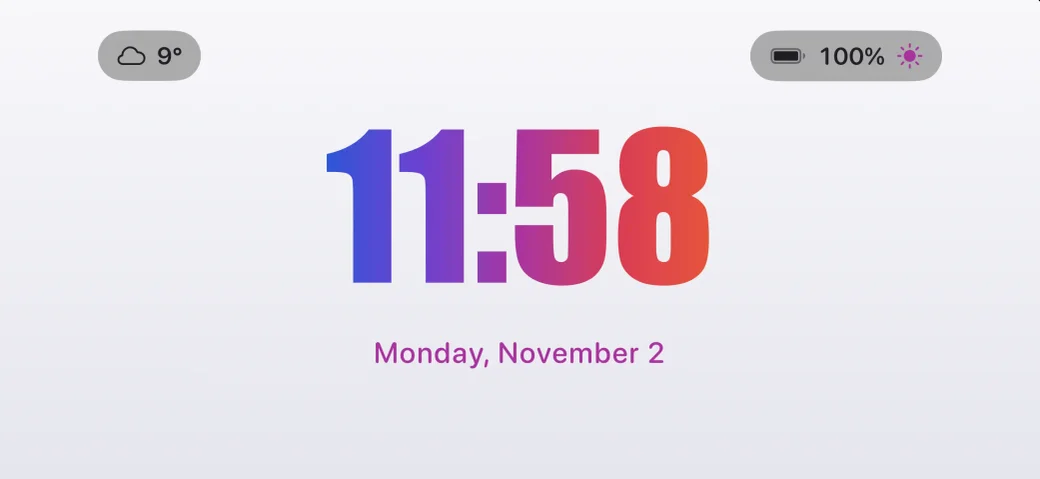


About
Clock Stand turns your iPhone or iPad into a beautiful, always-on clock for your desk or nightstand — and it's completely free.
No ads. No in-app purchases. No account. No catch. Just a gorgeous clock.
A DOZEN GORGEOUS THEMES
Make it yours and match any room — switch live, day or night:
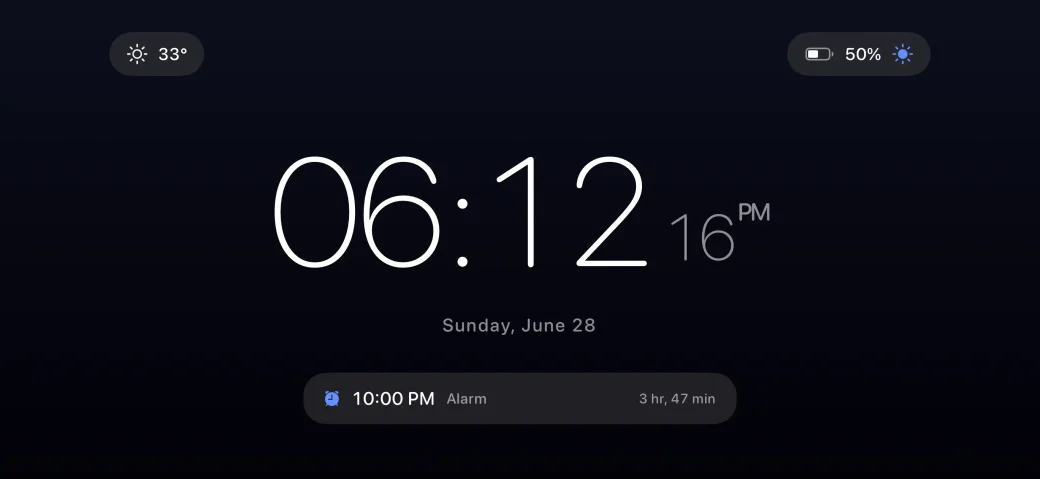
• Digital faces — Midnight, Paper, Sunset, Forest, retro Nixie, soft Ambient, and a split-flap Departures board
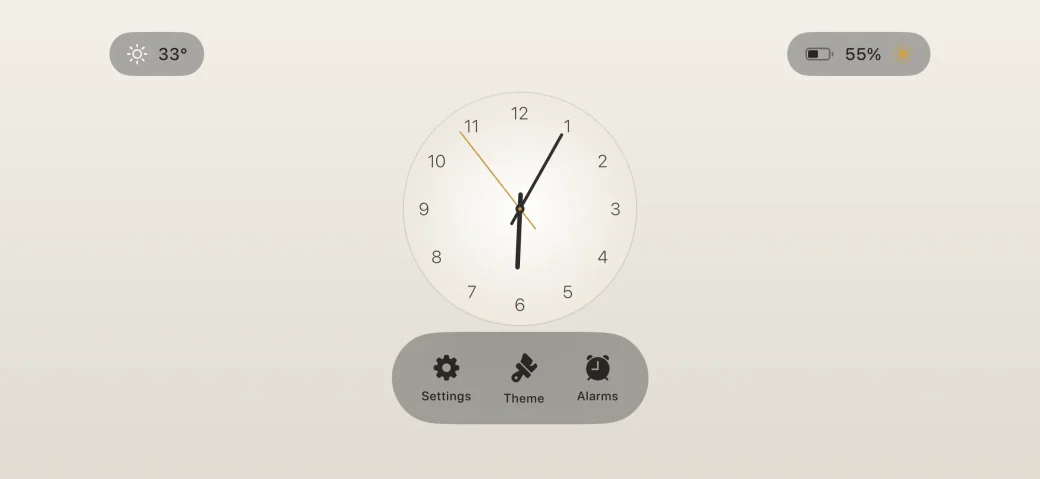
• Artistic analog faces — Bauhaus, Aurora, Eclipse, Porcelain, and Helios
• Subtle gradients and lighting: refined and modern, never garish
• Big, legible time in portrait or landscape
WAKE TO THE WEATHER
Our signature feature: don't just wake at a set time — wake to the sky. Create a custom weather alarm that goes off when the weather turns to rain, snow, fog, thunderstorms, wind and more. Pick the condition, and Clock Stand watches the sky for you. You won't find this on your stock clock.
ALARMS THAT WORK
• Dependable alarms that ring even when the screen sleeps
• Snooze and repeat, with in-app Stop and Snooze
• See your next 24 hours of alarms right on the clock
• Suggest a wake-up time from your Health sleep
ALWAYS-ON, YOUR WAY
• Keeps the screen awake while it's on its stand
• Battery-aware: let it sleep below a set level, or stay on only while charging
• Brightness slider — or just swipe left/right to dim
• Auto-dim when a Focus such as Sleep is active
WEATHER AT A GLANCE
• Current conditions and temperature from Apple Weather
• Completely optional — turn it off anytime
WIDGETS
• Home Screen, Lock Screen, and a Control Center toggle
• Themed to match your clock
MADE FOR EVERYONE
• iPhone and iPad, portrait or landscape
• Available in 9 languages
Free, forever. No ads, no in-app purchases, no sign-up — just a beautiful clock for your space.
Weather data provided by Weather.
What’s new
Version 1.0.2 · Nov 12, 2026
• New Timer and Pomodoro: the countdown fills the clock face in your theme, rings even when your device is locked, and shows on the Lock Screen and in the Dynamic Island. Tap the small clock to switch back to the time — the timer keeps running in a small chip.
• Bigger and easier to read: a larger clock, date and temperature that use more of your screen.
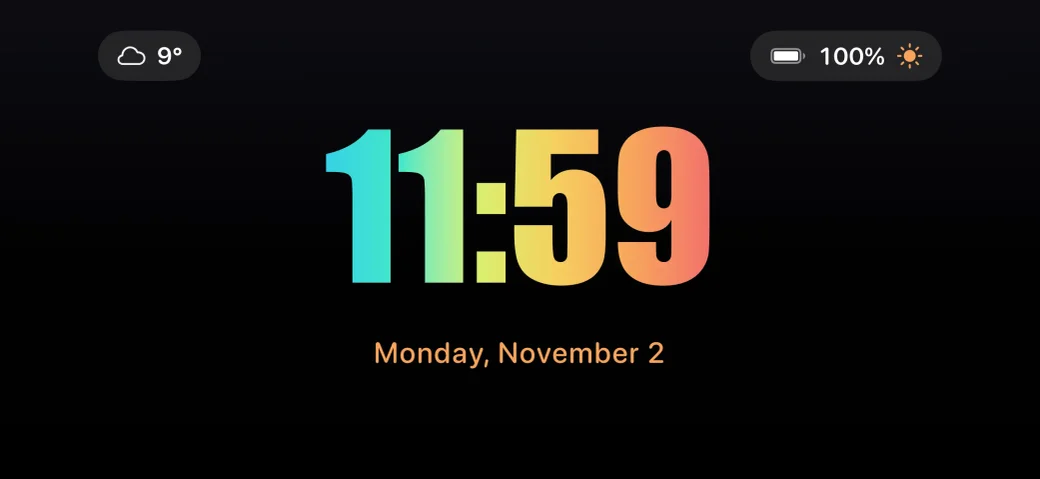
• 8 new themes, including Spectrum and Spectrum Day, with a colorful gradient across the time — 20 themes in all.
• Calendar: tap the new Calendar button to show this month beneath any clock face, with today highlighted and alarm days marked.
• Alarm sounds: choose from four new, louder tones.
• A new Thin typeface in the font rotation.
• Your Home Screen widget now matches your theme's colors, and light themes are easier to read.
• Bug fixes and improvements.
App privacy
What Aleksandar Pecanov declares on the App Store about how this app handles data.
-
Data not collected
The developer does not collect any data from this app.
Privacy practices may vary, for example with the features you use or your age.
Information
- Seller
- Aleksandar Pecanov
- Category
- Utilities
- Version
- 1.0.2
- Updated
- Nov 12, 2026
- Released
- Jul 8, 2026
- Size
- 5.5 MB
- Requires
- iOS 26.0 or later
- Age rating
- 4+
- Price
- Free
- Languages
- English, French, German, Italian, Japanese, Korean, Portuguese, Simplified Chinese, Spanish
- Copyright
- © 2026 Aleksandar Pecanov
You might also like
-
 Dock: StandBy Clock & PlanetsNightstand, Bedside & Charging
-
 AutoSnooze Bedside ClockUtilities
-
 Clock Widget CreatorCustom Clock Widgets
-
 Nocturn - Nightstand ClockMinimalist digital clock
-
 StandBy Hub: Nightstand & HomeClocks, Countdown & Dashboard
-
 AlwaysOn: Standby ClockNightstand & Ambient Display
-
 Big Clock – Always On DisplayFullscreen Desk Clock
-
 Air Clock - Flip Clock WidgetDesk Time & Digital Display
-
 Minimal Digital Clock & AlarmAesthetic Nightstand & Desk
-
 Nightstand – Bedside Clock PRONight Light, Weather & StandBy